How Much Does Generative AI Cost a Business?
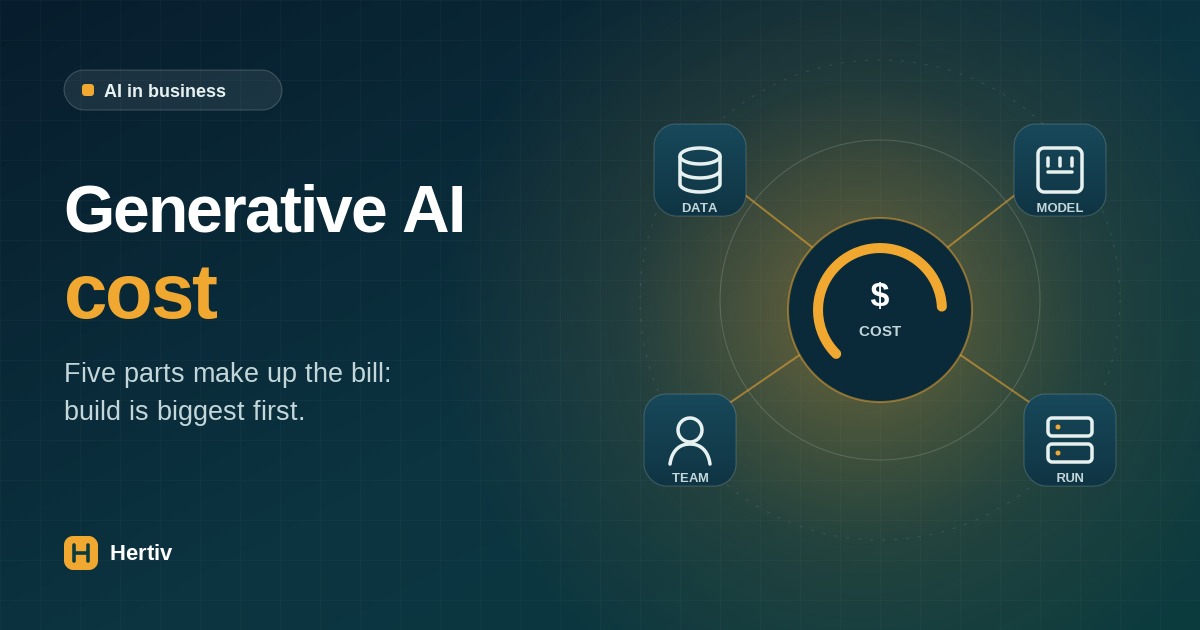
Generative AI costs a business in five places: model usage, data preparation, integration, running costs and staff time. Here is how each part adds up.
On this page
Short answer
The cost of generative AI for a business is the sum of five parts: model usage charges, data preparation, building the feature, running it, and staff time. For a small first project, the build usually costs far more than the model usage itself, while a high-volume product reverses that balance and makes usage the largest line.
What does generative AI cost a business?
Generative AI costs a business in five parts: the charges for using a model, the work to prepare data, the build of the feature, the cost of running it, and the staff time around it. There is no single price, because the total depends on how many requests the system handles, how much data it must read, and how much of the work is new code versus a ready-made tool.
The build is usually the largest cost for a first project. A team writes prompts, connects the model to existing systems, tests the outputs and fixes the cases where the model gives a wrong or unusable answer. That work is paid once. Model usage is paid per request, so it starts small and grows with volume.
Think of the budget as two numbers: the one-off cost to get the feature working, and the monthly cost to keep it running. A small internal tool might cost a few thousand dollars to build and tens of dollars a month to run.
A customer-facing product with thousands of users a day can cost far more to run than to build. Foundation model costs show the other end of the scale, where building a model from scratch is the expensive part.
What are the main cost parts?
Generative AI costs fall into five groups. Model usage is what the provider charges per request or per token. Data preparation is cleaning and organising the documents the system must read. Integration is the build work: prompts, code, testing and the user interface. Running costs cover monitoring, updates and support. Staff time covers training and the people who check outputs.
| Cost part | What it includes | When it is paid |
|---|---|---|
| Model usage | Charges per request or per token | Monthly, grows with volume |
| Data preparation | Cleaning, labelling, organising documents | Up front, then as data changes |
| Integration | Prompts, code, testing, interface | Up front |
| Running | Monitoring, updates, support | Monthly |
| Staff time | Training, checking outputs, fixing errors | Ongoing |
Data preparation is the part teams most often underestimate. A model can only answer from the documents it can read, and documents that are out of date, duplicated or badly formatted will produce poor answers. Cleaning a few hundred documents is a small job; cleaning a decade of files across several systems is not.
How do API and model usage charges work?
Most providers charge by the token, which is a small chunk of text, roughly three quarters of a word in English. Input tokens are the text you send in, and output tokens are the text the model returns. Output tokens usually cost more than input tokens, and larger models cost more per token than smaller ones.
For planning, treat the published per-token rates as planning figures and check the vendor's own pricing page before quoting a number, or write "see vendor site". Rates change, and some providers offer lower prices for work that can wait or for large committed volumes. A simple way to estimate usage is to take a typical request, count its input and output tokens, and multiply by the number of requests you expect each month.
Usage charges stay small while volume is low. A tool that handles a few hundred requests a day may cost less than a team lunch each month. The charges only become the largest line when the system serves thousands of users or processes long documents all day. An LLM API cost calculator can turn a token estimate into a monthly figure.
What does it cost to prepare data and build the feature?
Data preparation means gathering the documents the system will use, removing duplicates and out-of-date files, and organising what remains so the model can find the right passage. For a support team this might mean cleaning a help centre of a few hundred articles. For a law firm it might mean organising years of contracts. The cost depends on volume and mess, not on the model.
The build itself has three parts: the prompt and retrieval logic, the code that connects the model to your systems, and the testing. Testing matters most, because a model that answers well on ten examples can still fail on the eleventh. A good test set has at least a hundred real questions with known good answers, and the team checks the model against it before launch and after every change.
Many teams start with a ready-made tool instead of a custom build, which cuts the build cost to a subscription. That works when the task is standard, such as drafting or summarising. A custom build is needed when the system must read your own documents, follow your own rules, or fit inside your own product. RAG development costs cover the build pattern where a model answers from your own documents.
What are the running costs after launch?
Running costs start the day the system goes live. Someone must watch for bad answers, because a model can drift as the documents change or as users ask questions nobody tested. That checking is a real job: a few hours a week for a small tool, a part-time role for a busy one. Without it, wrong answers reach customers before anyone notices.
Model updates are another running cost. Providers release new models, and each one must be tested against your test set before it replaces the old one. A model that is cheaper or faster may also answer differently, and the team must check that the difference is an improvement. Some teams update models twice a year; busy teams do it more often.
Support and retries add a smaller but steady cost. When a request fails, the system usually retries it, and each retry is charged. When a user reports a wrong answer, someone must investigate it. Budget a small monthly amount for both, and review it each quarter. Model distillation is one way teams cut running costs, by replacing a large model with a smaller one trained for a single task.
Example (hypothetical): a support team's first year
Example (hypothetical): a support team handles 1,000 chats a day and wants a generative AI assistant that drafts replies from the help centre. Each chat uses about 1,500 input tokens and 400 output tokens. Over a 30-day month that is 30,000 chats, or 45 million input tokens and 12 million output tokens.
At planning rates of 1.50 dollars per million input tokens and 6 dollars per million output tokens, monthly usage is 45 x 1.50 = 67.50 dollars for input and 12 x 6 = 72 dollars for output, or about 140 dollars a month. The one-off build is 120 hours at 100 dollars an hour, or 12,000 dollars, and data preparation is 4,000 dollars. Monitoring and support add 300 dollars a month.
First-year cost is 12,000 + 4,000 + (140 + 300) x 12 = 21,280 dollars. The build is about three quarters of the first-year total, and usage is the smallest line. If chat volume tripled, usage would rise to about 420 dollars a month and still be far smaller than the build.
Common mistakes
The most common mistake is budgeting only for model usage. Usage is the most visible charge, but the build, the data work and the checking usually cost far more in the first year. A budget that covers only usage will run out before the feature is ready.
Another mistake is picking the largest model by default. A large model costs more per token and is slower, and for many tasks a smaller model gives the same answer. Test the smaller model first against your test set, and only move up when the answers are clearly worse.
A third mistake is skipping the test set. Without known good answers to check against, the team cannot tell whether a change made the system better or worse. Build the test set before the first prompt is written, and keep adding to it every time a wrong answer is found.
Key takeaways
- Generative AI cost has five parts: usage, data, build, running and staff time.
- The build usually dominates the first year; usage dominates at high volume.
- Data preparation is the most underestimated part of the budget.
- Test a smaller, cheaper model first before paying for the largest one.
- Keep a test set of real questions and check the system against it after every change.
Frequently asked questions
How much does generative AI cost a small business?
A small first project often costs a few thousand dollars to build and tens to a few hundred dollars a month to run. The build is the largest part in year one, while usage charges stay small until request volume grows.
Is generative AI charged per use or per month?
Both exist. Most model providers charge per request or per token, while ready-made tools charge a monthly subscription. A custom build usually mixes the two: a one-off build cost plus monthly usage and running charges.
What is the most expensive part of a generative AI project?
Usually the build and the data preparation, not the model usage. Writing prompts, connecting systems, testing outputs and cleaning documents take far more hours than the usage charges add up to in the first year.
Can I cut generative AI costs with a smaller model?
Often yes. A smaller model costs less per token and answers faster, and for many tasks its answers are just as good. Test the smaller model against your test set first and only move to a larger one when the answers are clearly worse.
Do I need a budget for checking outputs?
Yes. Someone must review wrong answers, update documents and test new model versions. For a small tool this is a few hours a week; for a busy customer-facing system it can be a part-time role.
How do I estimate monthly usage charges?
Count the input and output tokens of a typical request, multiply by the number of requests you expect each month, and apply the provider's per-token rates from its own pricing page. An LLM API cost calculator can do the arithmetic for you.


