What Does a Flutter App Cost to Build?
A Flutter app costs less than two native apps for the same features, because one codebase ships to iOS and Android. Here is what drives the price.
On this page
Short answer
A Flutter app costs less than two native apps for the same features because one codebase ships to both iOS and Android. The price depends on screens, features, back end and testing, so teams should budget in stages with a contingency.
What is a Flutter app, and what drives its cost?
A Flutter app is a mobile application built with Google's Flutter framework, which lets one codebase run on both iOS and Android. The cost of building one depends on the features, the design, the back end and the testing, not on the framework alone.
Flutter saves money compared with building two native apps, because most of the code is shared. A team writes the screens, the logic and the tests once, then ships to both stores. That saving is real, but it does not remove the cost of design, back-end work, integrations and review.
The main cost drivers are the number of screens, the complexity of the features, the design quality, the back end and the integrations. A simple app with a few screens and a basic back end costs far less than an app with payments, maps, chat and real-time sync. You can see how the framework compares with the native route in Flutter versus native development before you budget.
How much does a Flutter app cost to build?
A Flutter app typically costs less than two native apps for the same features, because one team and one codebase cover both platforms. The exact figure depends on scope, so teams usually budget in ranges rather than a single number, and prices vary by region and by team.
| App type | Screens | Typical build effort | Main cost driver |
|---|---|---|---|
| Simple app | 5-10 | 400-700 hours | Basic features and design |
| Standard app | 10-25 | 700-1,500 hours | Accounts, payments, back end |
| Complex app | 25+ | 1,500-3,000 hours | Real-time data, maps, chat |
| Enterprise app | 25+ | 3,000+ hours | Security, compliance, integrations |
Hourly rates vary widely by region, so the same scope can cost very different amounts in different markets. Ask any vendor for a written estimate with the scope attached, and compare like with like. For a sense of how the framework choice affects the bill, Flutter versus React Native is a useful comparison.
What features change the price most?
The features that change the price most are the ones that add back-end work, third-party services or platform-specific behaviour. A screen that shows data is cheap; a screen that takes a payment, tracks a location or syncs in real time is not.
- Accounts and profiles. Sign-up, login, password reset and profile editing add back-end and security work.
- Payments. Card payments, subscriptions and refunds need a payment provider, secure handling and testing.
- Maps and location. Maps, routing and live tracking need a mapping service and careful battery and permission handling.
- Chat and notifications. Real-time messaging and push notifications need a live back end and a notification service.
- Offline use. Working without a connection needs local storage, sync rules and conflict handling.
- Admin tools. A web dashboard for staff to manage content, users and orders is a second product in itself.
Each feature should be tied to a user need. A feature that nobody asked for is the most expensive kind, because it costs money to build and money to maintain. For teams scoping a first version, MVP development keeps the list short and testable.
Example (hypothetical): a booking app, first version
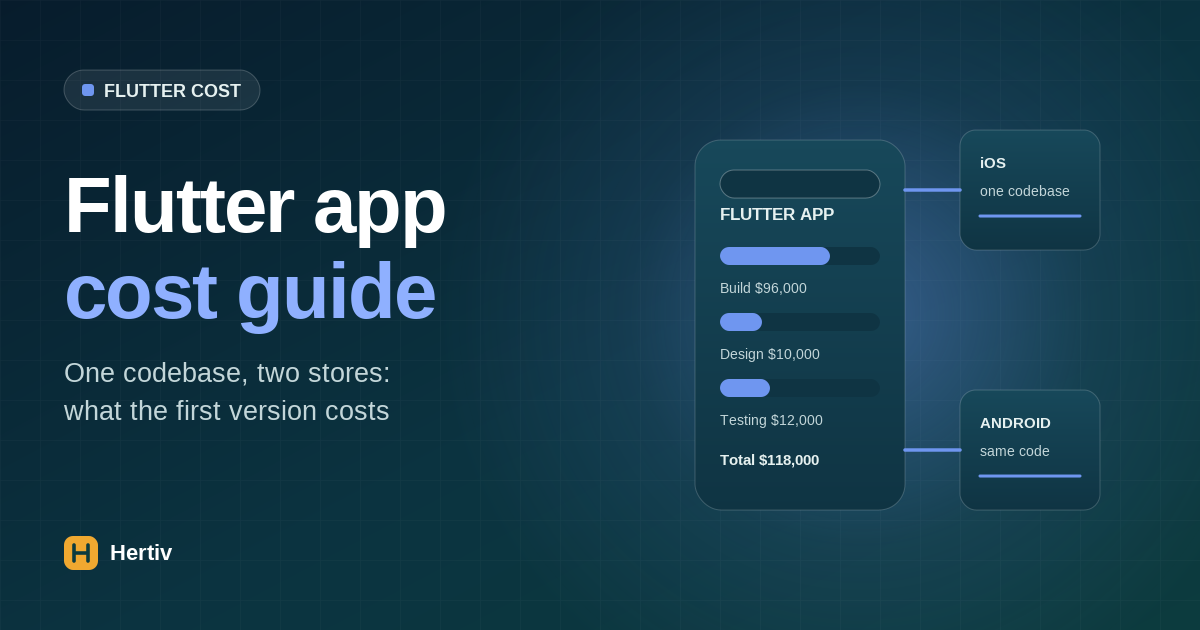
Example (hypothetical): a small travel company wants a Flutter app so customers can browse trips, book a place and pay. The first version has 14 screens: home, search, trip details, booking, payment, profile, bookings list, settings and a few supporting screens.
The build takes 1,200 hours at $80 an hour, which is $96,000. Design adds $10,000, testing adds $12,000, and the payment provider and map service add $3,000 a year in running costs. The total for the first version is $118,000, plus $3,000 a year to keep it running.
The team cuts scope to stay in budget. It drops the chat feature, which would have added 200 hours, or $16,000, and adds it later once bookings prove the demand. The arithmetic is simple: 1,200 hours times $80 is $96,000, plus $10,000 design and $12,000 testing gives $118,000, and the dropped chat saves $16,000 that the team spends on marketing instead.
How do you budget a Flutter app in stages?
You budget a Flutter app in stages by splitting the build into a first version, a second version and a maintenance budget, so the spend follows proof rather than hope.
- Define the first version. List the screens and features that a user needs to complete one core task, and nothing else.
- Price the first version. Get an estimate in hours, with design, testing and back end listed separately.
- Add a contingency. Keep 15% aside for changes found during testing, because every app finds some.
- Plan the second version. List the features you cut, and decide which ones to add once the first version has real users.
- Budget maintenance. Plan for store updates, OS changes, bug fixes and small improvements every month.
Staged budgeting also makes the decision easier. If the first version does not find users, the team has spent a bounded amount and learned something, rather than paying for a full product nobody wanted. For help with the scope itself, what an MVP is explains how to cut a first version down to the essentials.
What are the common mistakes?
The most common Flutter cost mistakes are under-scoping the back end, skipping design, and treating testing as optional.
- Forgetting the back end. The app is only the front door. Accounts, data, payments and notifications all need a back end, and that work is often half the budget.
- Skipping design. A cheap design costs more later, because every screen has to be rebuilt when users cannot find what they need.
- Cutting testing. Testing on real devices finds the bugs that emulators miss, and fixing them after launch costs more than finding them before.
- Adding features late. A feature added after the design is finished costs far more than one planned from the start.
- Ignoring store costs. Developer accounts, review time and update cycles all take time and money, and they are easy to forget in the budget.
Should you build with Flutter or go native?
Flutter fits when you need both iOS and Android quickly, with one team and one codebase, and the app does not need deep platform-specific features. Native fits when the app leans heavily on one platform, such as advanced camera work, background processing or a feature that only exists on one store.
The cost difference is real but not the whole story. Flutter saves on the build, but a native app may save on maintenance if the team already knows the platform well. The team should also check hiring: if the team knows Dart and Flutter, the build is faster; if it knows Swift and Kotlin, native may be faster despite the double code.
For most startups, Flutter is the cheaper route to both stores, and the savings can be spent on design, testing or marketing. For a product that lives or dies on one platform's features, native is the safer choice. The decision should follow the product, not the framework.
Key takeaways
- One Flutter codebase ships to iOS and Android, so it costs less than two native apps
- Screens, payments, maps, chat and offline use are the features that change the price most
- The back end is often half the budget, and teams that forget it run out of money
- Budget in stages: first version, contingency of 15%, then a second version once users arrive
- Cut features that are not tied to one core task, and add them later if users ask
Frequently asked questions
What is Flutter?
Flutter is Google's open source framework for building apps from one codebase that runs on iOS, Android, web and desktop. Developers write the interface and logic once in Dart, and Flutter renders it on each platform, which is why it costs less than building two native apps.
Is Flutter cheaper than native development?
Usually yes, for an app that needs both iOS and Android. One team and one codebase replace two native builds, so the build costs less. The saving shrinks if the app needs deep platform-specific features that Flutter does not cover well.
How long does it take to build a Flutter app?
A simple app can take 2 to 3 months, a standard app 3 to 6 months, and a complex app 6 months or more. The time depends on the number of screens, the back end and the testing, not on the framework alone.
Does Flutter work for large apps?
Yes. Large apps run on Flutter, but the team should plan the architecture carefully, with clear layers for data, logic and interface. A well-planned Flutter app scales; a rushed one becomes hard to change, just like any other codebase.
What are the ongoing costs of a Flutter app?
Ongoing costs include store accounts, hosting and back-end services, third-party services such as payments and maps, and maintenance for OS updates and bug fixes. Teams should budget a monthly amount for these, not just the build cost.
Can I update a Flutter app after launch?
Yes. Updates go through the app stores like any other app, with review time on each store. Small fixes and content changes can be shipped quickly, while larger changes need a new build and a review cycle.


