What Is a Finance Data Warehouse, and How Does It Work?
A finance data warehouse gathers data from finance systems into one place built for reporting. It gives finance teams one trusted view of revenue, costs and cash.
On this page
Short answer
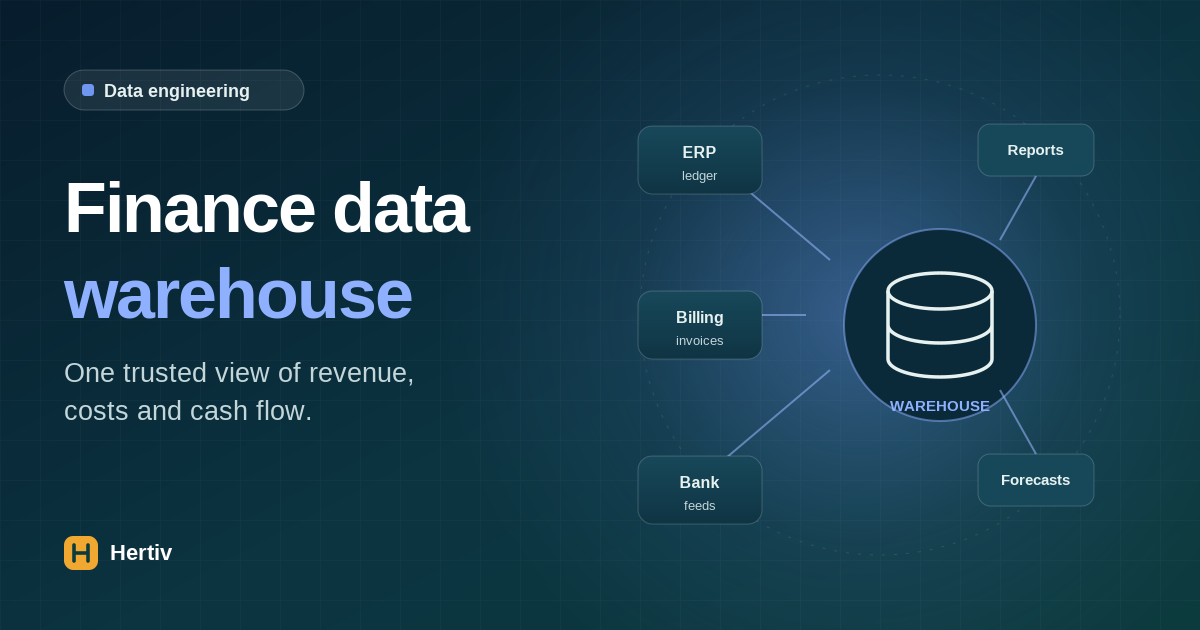
A finance data warehouse is a central store that collects financial data from systems such as the ERP, billing, payroll and bank feeds, cleans it into a shared model, and makes it available for reporting and analysis. It separates analytical work from day-to-day transaction systems.
What is a finance data warehouse?
A finance data warehouse is a central store for financial data that is organised for reporting and analysis rather than for recording transactions. It pulls data from the ERP, billing system, payroll, expense tools and bank feeds, then cleans and joins it into one consistent model of accounts, customers, products and time periods.
The key difference from the systems it feeds from is purpose. An ERP records each invoice, payment and journal entry as it happens. A data warehouse keeps the history of those records in a shape that makes questions cheap: revenue by product this quarter, costs by department over two years, or cash flow by month.
It usually sits between the source systems and the reporting tools. Data flows in on a schedule, is transformed into shared definitions, and is then read by dashboards, spreadsheets and planning tools. Finance teams that rely on it usually pair it with data engineering work that keeps the feeds reliable.
What are the benefits for finance teams?
The main benefit of a finance data warehouse is one trusted version of the numbers. When revenue, costs and headcount come from a single modelled store, two reports built on the same data agree, and the monthly close stops being a hunt through conflicting spreadsheets.
Speed is the second benefit. A warehouse pre-joins and aggregates data, so a report that took hours of spreadsheet work can run in seconds. That changes how finance works: instead of assembling the numbers, the team spends its time explaining them.
History is the third benefit. Transaction systems often overwrite or archive old records, while a warehouse keeps snapshots over time, so trends, seasonality and year-on-year comparisons are possible without reconstructing old data.
- One definition of revenue. Shared rules for recognition, currency and timing end the argument about which report is right.
- Faster close. Automated loads replace manual exports and copy-paste between files.
- Audit trail. Every figure can be traced back to its source record and transformation.
Which use cases does it support?
A finance data warehouse supports the recurring analytical work of a finance team: management reporting, budgeting and forecasting, cash flow analysis, and profitability by product, customer or channel.
Management reporting is the most common use. Monthly packs, board reports and departmental views all read from the same store, so the numbers match across every version. Budgeting and forecasting use the same history to build plans and compare actuals against them each month.
Cash flow analysis is another strong fit. By joining bank feeds, receivables and payables in one place, the team can see when money is expected in and out, and spot the weeks where the balance gets tight.
| Use case | What it answers | Data it needs |
|---|---|---|
| Management reporting | How did we perform this month? | ERP, billing, payroll |
| Budget vs actuals | Where are we over or under plan? | Budgets, actuals, forecasts |
| Cash flow | When does money arrive and leave? | Bank feeds, receivables, payables |
| Profitability | Which products and customers pay? | Revenue, costs, allocations |
| Revenue recognition | What counts as revenue, and when? | Contracts, invoices, deferrals |
| Audit support | Where did this number come from? | Source records, load logs |
Profitability analysis is where the warehouse earns its keep for many teams. Allocating shared costs to products or customers is painful in spreadsheets and straightforward once the cost model lives in one place.
Teams weighing the warehouse shape against a lakehouse can read what a data lakehouse is before choosing.
How does a finance data warehouse work?
A finance data warehouse works in three stages: load data from source systems, transform it into a shared financial model, and serve it to reporting tools. The load runs on a schedule, often nightly, and each run records what it moved so failures are visible.
The transform stage is where the finance knowledge lives. It maps each source chart of accounts to a shared one, converts currencies at the right rate, applies revenue recognition rules, and builds the dimensions the reports use: time, department, product, customer and cost centre.
The serving stage exposes the modelled data through tables or views that dashboards and spreadsheets read directly. Access is controlled by role, so a department head sees their own numbers and the finance team sees the whole picture.
Most teams start with a small set of sources and grow the model as new questions arise. A warehouse that covers the ERP and billing first, then adds payroll and bank feeds, usually delivers value within weeks rather than months.
How do you build one, step by step?
You build a finance data warehouse by starting from the questions finance needs answered, then working backwards to the data, rather than loading every system at once.
- List the reports that matter. Write down the monthly pack, the board report and the ad-hoc questions that eat the most time.
- Pick the first sources. The ERP and billing system usually cover most of the value; add payroll and bank feeds next.
- Agree the definitions. Finance, sales and operations must agree what counts as revenue, when it is recognised, and how costs are allocated.
- Build the core model. Create the shared chart of accounts, the time dimension and the main fact tables for revenue and costs.
- Load and reconcile. Load a month of data and reconcile every figure against the source systems before anyone trusts the reports.
- Ship one report. Rebuild the most painful report on the warehouse first, and let the team use it before adding more.
- Add checks and owners. Put data quality checks on every load and name an owner for each source feed.
Reconciliation is the step teams most often rush. A report that disagrees with the ERP by a small amount will be ignored, however good the warehouse is. For a deeper look at the data side, see how a data pipeline works.
Example: a mid-size company rebuilding its monthly close
Example (hypothetical): a 120-person software company closes its books in spreadsheets. Each month, two analysts spend four days exporting data from the ERP, the billing system and payroll, then reconciling the three files by hand.
The team builds a warehouse that loads the ERP and billing nightly and payroll weekly. The transform maps all three to one chart of accounts and converts the two foreign currencies at the month-end rate. A reconciliation check compares the warehouse totals with the source systems after every load.
The result is a monthly pack that takes one day instead of four. The arithmetic is simple: 2 analysts x 3 days saved = 6 analyst-days a month, or about 72 days a year, freed for analysis instead of assembly. The team also gains a full history, so the board pack can show year-on-year trends without rebuilding old files.
The warehouse does not change the accounting rules; it changes how fast the team can see whether the rules were followed.
What are the common mistakes?
The most common finance data warehouse mistakes are loading everything at once, skipping the definitions, and letting the warehouse drift from the source systems.
- Boiling the ocean. Loading every system before shipping a single report means months of work with nothing to show for it.
- No shared definitions. If revenue means different things in sales and finance, the warehouse will faithfully reproduce the disagreement.
- Skipping reconciliation. A load without checks will quietly drift, and the first person to notice will be the CFO in a board meeting.
- No owner per feed. When a source system changes a field, someone must notice and fix the transform the same week.
- Reports built outside the warehouse. If analysts keep exporting to spreadsheets and editing numbers there, the warehouse becomes a museum.
Key takeaways
- A finance data warehouse gives finance one trusted, historical view of the numbers
- It separates analytical reporting from the transaction systems that record the data
- Management reporting, budgeting and cash flow are the first use cases to build
- Start from the reports that matter, reconcile against the sources, then expand
- Shared definitions and an owner per feed keep the warehouse trustworthy
Frequently asked questions
How is a finance data warehouse different from an ERP?
An ERP records transactions as they happen: invoices, payments and journal entries. A data warehouse stores the history of those transactions in a shape built for reporting, so questions about trends and profitability run fast without slowing the ERP down.
Do small companies need a finance data warehouse?
Not always. A small company with one system and one currency can often manage with good reports from the ERP. A warehouse starts to pay once data lives in several systems, or the monthly close takes days of manual reconciliation.
What data goes into a finance data warehouse first?
Start with the ERP and billing system, since they cover revenue and most costs. Payroll and bank feeds usually come next, then budgets and forecasts once the actuals are trusted.
How long does it take to build one?
A first version covering the ERP and billing, with one report rebuilt on top, typically takes a few weeks. Adding more sources and reports is ongoing work, and the model should grow with the questions finance asks.
Who should own a finance data warehouse?
Finance should own the definitions and the reports, while engineering or a data team owns the loads and the platform. Without a named owner on each side, feeds break quietly and trust fades.
Can a finance data warehouse replace spreadsheets?
It replaces the assembly work, not the analysis. Finance teams still use spreadsheets for modelling and what-if work, but they read the numbers from the warehouse instead of rebuilding them by hand each month.


