What Is a Data Pipeline, and How Does One Work?
A data pipeline moves data from source systems to where it is used, cleaning and reshaping it on the way. Here is how the stages fit together and what can go wrong.
On this page
Short answer
A data pipeline is a set of automated steps that moves data from one or more source systems to a destination such as a warehouse or dashboard, transforming it along the way. It extracts data, cleans and reshapes it, checks its quality, and loads it on a schedule or in real time so teams can analyse it without manual copying.
What is a data pipeline?
A data pipeline is an automated sequence of steps that collects data from source systems, prepares it, and delivers it to a destination where people or systems can use it. The sources might be an application database, a CRM, a spreadsheet or an external service.
Without a pipeline, teams copy data by hand or write one-off scripts. That works once, but it breaks when a source changes, a file arrives late or nobody remembers which version is correct. A pipeline replaces that manual work with a repeatable process.
Pipelines are the plumbing behind dashboards, reports and machine learning models. If the pipeline is wrong, every report built on it is wrong too, which is why data teams spend so much effort on testing and monitoring them.
The destination is usually a data warehouse, a data lake or an application. The pipeline may run on a schedule, such as every hour, or continuously as new events arrive. The choice depends on how fresh the data needs to be.
How does a data pipeline work?
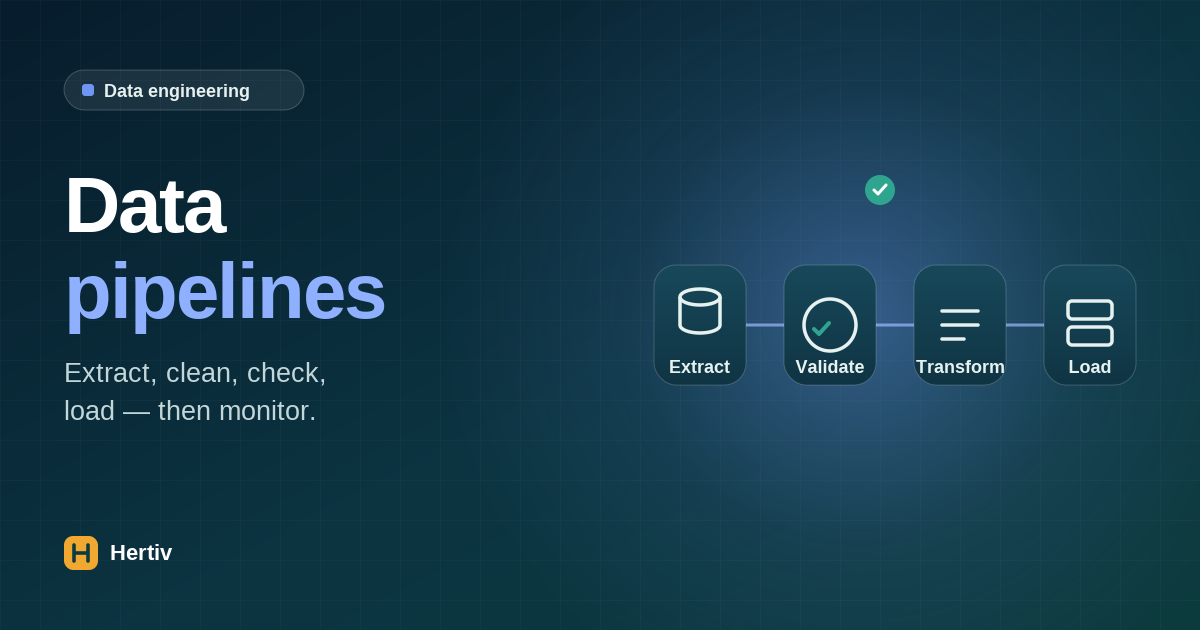
A data pipeline works in stages. Each stage has one job, and data flows from one stage to the next. If a stage fails, the pipeline should stop, log the problem and alert someone rather than silently passing bad data along.
- Extract. Connect to the source and pull the new or changed records, using an API, a database query or a file drop.
- Validate. Check that the records have the expected fields, types and ranges before they move further.
- Transform. Clean, join, aggregate or reshape the data into the form the destination expects.
- Load. Write the result into the destination, replacing or adding to what is already there.
- Monitor. Track run times, row counts and errors, and alert the team when something looks off.
The two main patterns are batch and streaming. Batch pipelines run on a schedule and process data in chunks. Streaming pipelines process events as they arrive. Batch is simpler and fits most reporting; streaming fits alerts and live dashboards.
A pipeline also needs a way to recover. If a run fails halfway, it should be possible to rerun it without duplicating data. Idempotent loads, where running the same load twice gives the same result, are the standard way to achieve this.
What are the main types of data pipeline?
Pipelines are usually grouped by how they move data and when they run. The right type depends on the volume, the freshness needed and the skills of the team that will maintain it.
| Type | How it works | Best for | Trade-off |
|---|---|---|---|
| Batch (ETL) | Extract, transform, then load on a schedule | Daily reports and dashboards | Data is hours old by design |
| Batch (ELT) | Extract, load raw, then transform in the warehouse | Large volumes, flexible modelling | Raw storage costs grow |
| Streaming | Events processed as they arrive | Alerts, live dashboards, fraud checks | Harder to build and debug |
| Change-data capture | Reads database change logs | Keeping a copy in sync | Needs access to source logs |
| File-based | Files dropped, picked up and processed | Partner feeds and legacy systems | Fragile if file formats change |
ETL and ELT differ only in where the transformation happens. In ETL, a separate engine transforms the data before loading. In ELT, the raw data lands in the warehouse first and the warehouse does the transformation. ELT is now common because warehouses are fast enough to transform in place.
Most teams start with batch. Streaming is worth the extra complexity only when a decision genuinely needs data within seconds rather than minutes or hours.
What tools and components does a pipeline need?
A pipeline needs a way to extract data, a place to run transformations, a destination, and a scheduler that triggers runs and retries failures. Those pieces can be separate tools or one platform.
- Connectors. Ready-made connections to common sources, so the team does not write a custom extractor for every system.
- Transformation layer. SQL or code that defines how raw data becomes clean tables, with version control so changes are reviewed.
- Orchestrator. A scheduler that runs steps in order, retries failures and shows the state of every run.
- Data warehouse or lake. The destination where cleaned data is stored for analysis.
- Quality checks. Tests on row counts, null rates and value ranges that run on every load.
The transformation layer deserves the most care. It is where business rules live, such as how revenue is defined or which customers count as active. Those rules should be written down, tested and reviewed like any other code.
For teams building this from scratch, data engineering services cover pipeline design, warehouse setup and the testing that keeps the data trustworthy. The tooling matters less than having one owner for each pipeline.
Example (hypothetical): an orders pipeline
Example (hypothetical): a small retailer wants a daily sales dashboard. Orders live in the shop system, customer details in the CRM, and refunds in a spreadsheet. Each night a pipeline pulls the three sources, joins them on order id, and loads a clean sales table.
Suppose the shop records 400 orders a day, the CRM holds 400 matching customers, and the spreadsheet lists 12 refunds. The pipeline joins 400 orders to 400 customers, subtracts the 12 refunded orders, and loads 388 net orders. The arithmetic is 400 minus 12, which equals 388.
A quality check then compares the loaded row count with the source count. If the shop shows 400 orders but the pipeline loads 390, the run fails and the team investigates before the dashboard updates. That check is what stops a bad join from reaching the report.
The same pattern scales. The stages stay the same whether the pipeline handles 400 rows or 400,000; only the tooling and the monitoring need to grow.
Common mistakes in data pipelines
Most pipeline failures are quiet. The pipeline runs, the dashboard updates, and nobody notices the numbers are wrong until a decision has already been made on them.
- No quality checks, so bad data flows straight to dashboards
- No owner, so failures sit unread in an inbox
- Transformations written as one-off scripts with no version control
- No rerun plan, so a failed run means missing data or duplicates
- Copying raw data into every report instead of building one clean table
- Adding streaming before the batch pipeline is reliable
Start small. One reliable pipeline for one report teaches the team more than five pipelines that nobody trusts.
How to start building a data pipeline
Start with one source and one destination, and make that pipeline reliable before adding more. A single clean table that people trust is worth more than a warehouse full of untested data.
- Pick one report. Choose a dashboard or analysis that people already use and that suffers from manual copying.
- Map the sources. List every system the report needs and who owns each one.
- Define the clean table. Agree on the fields, the grain of each row and the business rules before writing code.
- Add quality checks. At minimum, check row counts and null rates on every run.
- Schedule and monitor. Run it on a schedule, alert on failure, and review the runs weekly at first.
Document the pipeline as you build it: sources, transformations, owners and known quirks. The next person to maintain it will need that more than they need another feature.
If the work is part of a wider data programme, data engineering support can help set up the patterns once and reuse them across pipelines.
Where the pipeline runs in the cloud, cloud services cover the storage and compute it needs.
Key takeaways
- A data pipeline extracts, validates, transforms, loads and monitors data automatically.
- Batch fits most reporting; streaming is only needed when seconds matter.
- ELT transforms inside the warehouse; ETL transforms before loading.
- Quality checks on every run stop bad data reaching dashboards.
- Start with one reliable pipeline before adding more sources.
- Every pipeline needs an owner, version control and a rerun plan.
Frequently asked questions
What is the difference between ETL and ELT?
In ETL, data is transformed before it is loaded into the destination. In ELT, raw data is loaded first and transformed inside the warehouse. ELT is common now because modern warehouses are fast enough to do the transformation in place.
What is a data pipeline used for?
It moves data from source systems to a warehouse, lake or application, cleaning and reshaping it on the way. The result feeds dashboards, reports and machine learning models without manual copying.
How is a data pipeline different from an API?
An API serves data on request, one call at a time. A pipeline moves data in bulk on a schedule or as a stream, and stores the result for analysis. Pipelines often use APIs as one of their extraction methods.
Do small companies need a data pipeline?
Yes, once manual copying takes real time or causes errors. A small pipeline that loads one clean table each night is enough to start, and it grows with the business.
What causes most data pipeline failures?
Silent data problems cause most failures: a source changes format, a join drops rows, or a transformation rule is wrong. Quality checks on row counts and null rates catch most of these before dashboards update.
How often should a pipeline run?
As often as the decision needs. Daily is enough for most reporting. Hourly fits operational dashboards. Streaming is only needed when a decision or alert genuinely needs data within seconds.


