What Does Medical Billing Software Cost to Build?
What medical billing software costs to build depends on scope: claims, coding, payments and compliance. Learn what goes into the price and how to estimate it.
On this page
Short answer
Medical billing software is software that turns patient visits into claims, checks those claims against payer rules, tracks payments and handles denials. The cost to build it depends on scope: a simple claim tracker costs far less than a full system with coding checks, payer integrations and compliance controls. Most of the price comes from the rules, not the screens.
What is medical billing software?
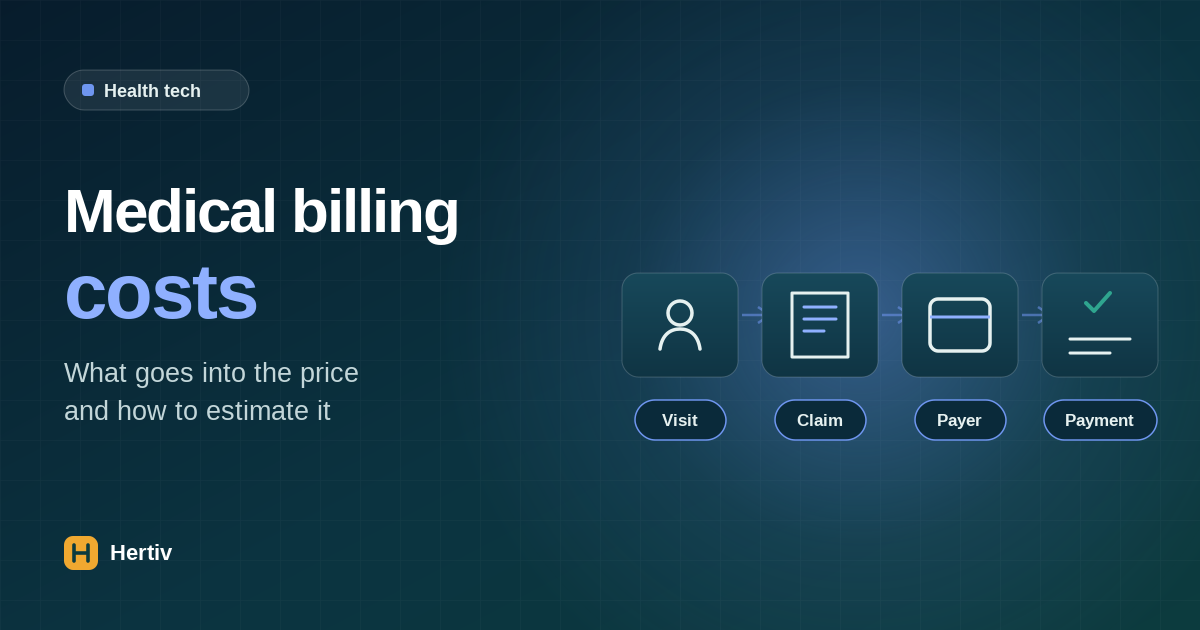
Medical billing software is software that turns a patient visit into a paid claim. It takes the visit details, applies the right billing codes, checks the claim against the payer's rules, sends it to the insurer, and tracks the payment until it arrives. When a claim is denied, it shows why and helps the team fix and resend it.
The software sits between the clinic and the payer. On one side it reads appointments, visit notes and patient details. On the other side it talks to clearinghouses and insurers in the formats they require. In the middle it applies coding rules, checks for errors and keeps a record of every claim and payment.
| Part | What it does | Why it matters |
|---|---|---|
| Claim creation | Builds claims from visit data | Fewer manual errors |
| Coding checks | Checks codes against rules | Fewer denials |
| Claim submission | Sends claims to payers | Faster payment |
| Payment tracking | Matches payments to claims | Clear cash flow |
| Denial handling | Flags and fixes denials | Recovers revenue |
| Reports | Shows unpaid and denied claims | Finds the gaps |
The hard part is not the interface. It is the rules: billing codes change, payers have different formats, and a small error can delay payment by weeks. That is why billing software takes longer to build than a simple scheduling tool, and why the first version should be narrow. For the general cost picture, see billing software development cost.
What drives the cost?
The cost of medical billing software is driven by scope, integrations, compliance and the number of payers you support. Each of these adds work, and each one is easy to underestimate.
- Scope. A claim tracker for one clinic is a small product. A full system with coding, eligibility checks, denial handling and reporting is a large one. Every feature adds screens, rules and tests.
- Integrations. Connecting to a clearinghouse, an electronic health record or a payment system takes time, and each payer has its own format and quirks. The first integration is the hardest; later ones reuse the pattern.
- Compliance. Health data has strict rules on privacy, access and audit logs. Building access controls, encryption and logging adds work, and it cannot be skipped.
- Code and rule updates. Billing codes and payer rules change regularly, so the software needs a way to update them without a rebuild.
- Denial workflows. Handling denials means tracking reasons, fixing claims and resending them, which is a whole workflow on its own.
The cheapest way to control cost is to narrow the first version. One clinic type, one payer group and one claim flow will teach you more than a wide product that does everything badly. Add the next payer or feature only after the first version is in use.
What should the first version include?
The first version of medical billing software should include claim creation, basic coding checks, submission to one clearinghouse, payment tracking and a simple denial list. That is enough to bill real visits and learn what the team actually needs.
Start with the core flow: a visit becomes a claim, the claim is checked, the claim is sent, and the payment is tracked. Each step needs a screen, a check and a record. Keep the checks simple at first: required fields, valid codes and a basic format check before sending.
Leave the rest for later. Eligibility checks, automated denial fixes, patient portals and advanced reports are all useful, but they add weeks each. A first version that handles one claim flow well is worth more than a wide product that handles five flows poorly. The team will tell you what to add next once they use it daily.
One feature to include from the start is an audit log. Every claim, change and payment should be recorded with who did it and when. It is required for compliance, and it is the first thing an auditor or a billing manager will ask for.
How to estimate the cost in five steps
You estimate the cost of medical billing software by listing the features, counting the integrations, adding compliance work, and then pricing the whole list with a team rate.
- List the features. Write down every screen and workflow the first version needs, from claim creation to payment tracking, and mark each as core or later.
- Count the integrations. List each clearinghouse, health record system and payment provider, and note the format each one uses. Each integration is its own piece of work.
- Add compliance work. Include access controls, encryption, audit logs and a security review. This is not optional, and it takes real time.
- Estimate in hours. Ask the team to estimate each feature and integration in hours, then add time for testing, fixes and the first month of support.
- Price the total. Multiply the hours by your team rate, then add a reserve of about 10% for the surprises that always appear in billing rules.
The estimate is only as good as the feature list. If the list is vague, the estimate will be vague too. Write the list in plain words, one feature per line, and get the team to agree on it before anyone prices it. For how AI is used in billing work, see how to use generative AI for billing automation.
Example: a small clinic billing tool
Example (hypothetical): a small clinic wants billing software for its own team. The first version covers claim creation, basic coding checks, submission through one clearinghouse, payment tracking and a denial list. The team estimates the work at 480 hours.
At a rate of $55 an hour, the build costs 480 x $55 = $26,400. The team adds $4,000 for the clearinghouse integration work and $2,500 for compliance, access controls and audit logs. That brings the total to $26,400 + $4,000 + $2,500 = $32,900. With a 10% reserve of $3,290 for surprises in payer rules, the full estimate is $32,900 + $3,290 = $36,190.
The clinic plans for running costs too: hosting, the clearinghouse fees and a few hours a month for code updates. The first version does not include eligibility checks or a patient portal; those come later, once the core flow is working and the team knows what it needs next.
What are the running costs?
The running costs of medical billing software are hosting, clearinghouse fees, code updates and support. They are smaller than the build cost, but they never stop, so plan for them from the start.
- Hosting. The servers, database and backups that run the software, sized to the number of clinics and claims.
- Clearinghouse fees. Most clearinghouses charge per claim or per month. Check the current pricing page for the tier that matches your claim volume.
- Code and rule updates. Billing codes and payer rules change, so someone must update the rules and test the changes each cycle.
- Support. The billing team will have questions and will find edge cases. Budget a few hours a week for fixes and answers.
- Security. Regular security reviews, access audits and backup tests are part of running health software, not an extra.
A good habit is to review the running costs every quarter against the number of claims processed. If the cost per claim is rising, look at the denial rate and the manual work first; those are usually the cause, not the hosting bill.
What are the common mistakes?
The most common medical billing software mistakes are starting too wide, skipping compliance, and treating payer rules as a detail instead of the core of the product.
- Too wide a first version. Trying to serve every clinic type and every payer at once means nothing works well. Start narrow.
- Compliance as an afterthought. Access controls, encryption and audit logs are hard to add later. Build them from the start.
- Ignoring payer differences. Each payer has its own format and quirks. Testing with one payer does not prove the next one works.
- No denial workflow. Denials are a normal part of billing. If the software cannot track and fix them, revenue leaks.
- No rule update plan. Billing codes change. If nobody owns the updates, the software quietly goes out of date.
- Skipping the billing team. The people who file claims know the edge cases. Build with them, not just for them.
If you are building billing software for a clinic or a health tech product, AI for healthcare providers and health tech covers how health software is built and run.
Key takeaways
- Billing software turns visits into paid claims, and the rules, not the screens, drive the cost
- Start narrow: one clinic type, one payer group and one claim flow, then expand
- Budget for compliance, audit logs and rule updates from the start, not as extras
- Estimate by listing features and integrations in hours, then add a 10% reserve
- Plan for running costs: hosting, clearinghouse fees, updates and support
Frequently asked questions
How long does it take to build medical billing software?
A narrow first version for one clinic type and one payer group typically takes a few months with a small team. A full system with many payers, eligibility checks and denial workflows takes longer, because each payer and each rule adds work. Start narrow and add scope only after the first version is in use.
Do I need a clearinghouse for medical billing software?
Most teams use a clearinghouse to send claims to payers, because it handles the formats and the connections. You can connect to payers directly, but that means building and maintaining each connection yourself. A clearinghouse is usually the faster and cheaper path for a first version.
What is the hardest part of medical billing software?
The hardest part is the rules: billing codes, payer formats and denial reasons change regularly, and a small error can delay payment by weeks. The software needs a way to update rules without a rebuild, and a team that owns those updates.
Can AI help with medical billing?
AI can help with coding suggestions, denial summaries and document checks, but it does not replace the rules or the billing team. Use it to draft and flag, and keep a person in charge of the claim before it is sent.
How much does medical billing software cost to run?
Running costs include hosting, clearinghouse fees, code updates and support. Clearinghouse fees are usually charged per claim or per month, so check the current pricing page for the tier that matches your claim volume. Review the cost per claim each quarter.
Should a small clinic buy or build billing software?
Most small clinics should buy an existing billing product, because building one means owning the rules, the integrations and the compliance work. Building makes sense when the clinic has a workflow that no existing product fits, or when billing is part of a larger product you sell.


