Cloud Computing in Healthcare: What It Does and Why It Matters
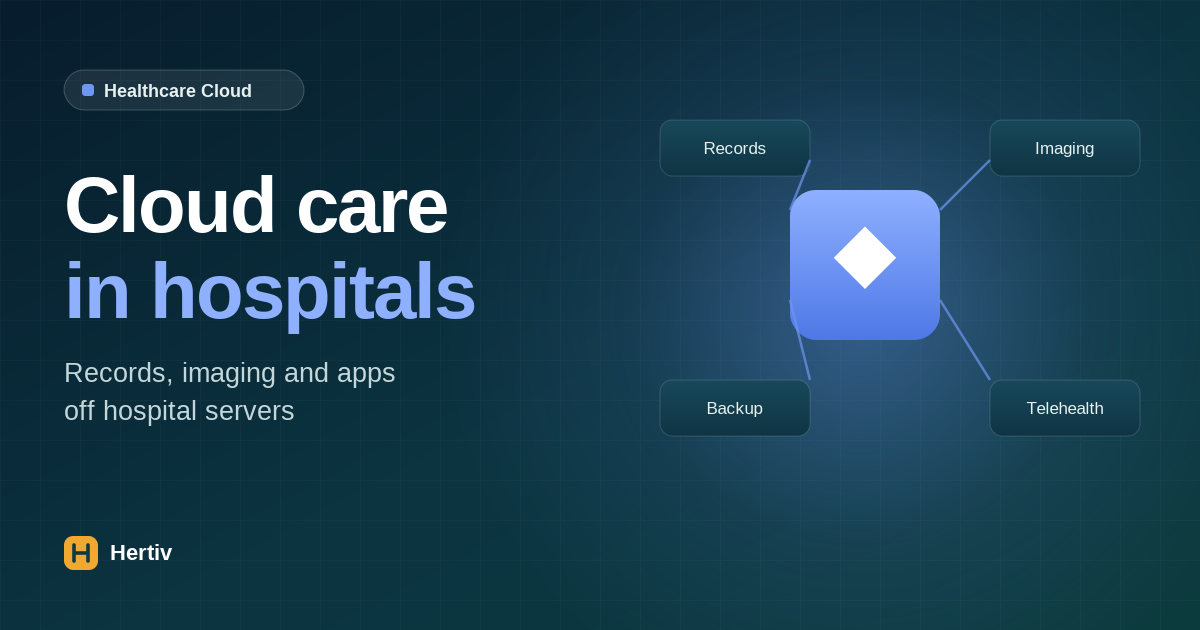
Cloud computing moves patient records, imaging and clinical apps off hospital servers onto managed platforms. Here is what changes and what to check first.
On this page
Short answer
Cloud computing in healthcare is the use of remote, managed computing services to store patient records, run clinical software and process medical data, instead of running everything on servers inside a hospital or clinic. The provider owns the hardware and the data centre, and the healthcare organisation rents the capacity it needs.
What is cloud computing in healthcare?
Cloud computing in healthcare is the use of remote, managed computing services to store patient records, run clinical software and process medical data, instead of running everything on servers inside a hospital or clinic. The provider owns the hardware and the data centre, and the healthcare organisation rents the capacity it needs.
The shift matters because healthcare data keeps growing: electronic health records, medical images, lab results, wearable data and genomic files all need storage, backup and fast access. A cloud platform can add capacity when a hospital opens a new ward and scale it back when demand falls, without buying hardware first.
Cloud services in healthcare usually come in three layers: infrastructure that provides servers and storage, platforms that provide databases and tools for developers, and software that provides finished applications such as electronic health records. Most hospitals use a mix of all three. For the wider picture, see how AI is used in healthcare.
What do hospitals actually move to the cloud?
Hospitals move the workloads that are hardest to run on their own: large imaging archives, electronic health records, backup and disaster recovery, and the analytics that turn clinical data into reports. These need more storage and computing power than most hospital IT teams can maintain alone.
| Workload | What it covers | Why the cloud fits |
|---|---|---|
| Electronic health records | Patient history, notes, prescriptions | Always-on access from any site |
| Medical imaging | Scans, X-rays, MRI and archives | Very large files, fast retrieval |
| Backup and recovery | Copies of records and systems | Off-site copies, tested restores |
| Analytics and reporting | Waiting times, outcomes, costs | Heavy computing on demand |
| Telehealth platforms | Video visits, remote consults | Scales with demand, no local servers |
| Genomics and research | Gene sequences, trial data | Huge files, shared with partners |
Imaging is often the first move, because a single hospital can hold millions of scans and each one is large. Moving the archive to the cloud frees local storage and lets clinicians view images from any site. Electronic health records usually follow, once the team is confident about the privacy controls.
Public, private or hybrid: which model fits?
Cloud models differ in who runs the infrastructure and who shares it. A public cloud is shared infrastructure run by a provider. A private cloud is infrastructure used by one organisation, which can sit in its own data centre or be hosted. A hybrid setup keeps sensitive systems private and puts the rest on public services.
| Model | Who shares it | Best fit |
|---|---|---|
| Public cloud | Many customers share the platform | Telehealth, portals, analytics |
| Private cloud | One organisation only | Core records, strict control needs |
| Hybrid cloud | Private core plus public services | Most hospitals, mixed workloads |
| On-premise | Systems stay in the hospital | Legacy systems, local rules |
Most healthcare organisations end up hybrid. Patient records and core clinical systems stay in tightly controlled environments, while telehealth, patient portals and analytics run on public services. The choice is less about technology and more about where each type of data is allowed to live. A guide to picking a supplier is at how to choose a healthcare cloud provider.
How does cloud computing change patient care?
Cloud computing changes care mainly by making the same record available wherever the patient is treated. A clinician in an emergency department can open the record, the latest scan and the allergy list without waiting for a file to be sent from another hospital.
- Faster access to records. The full record follows the patient between wards, clinics and hospitals.
- Telehealth at scale. Video visits and remote consults run without new local servers.
- Remote monitoring. Data from home devices flows into the record instead of sitting in a separate app.
- Tools that need computing power. Imaging analysis and risk scoring run on cloud data rather than on a workstation.
The practical gain is time. When records, images and lab results live in one place that every authorised clinician can reach, handovers are shorter and repeat tests are fewer. The gain depends on the systems talking to each other, which is where interoperability in healthcare matters.
What are the privacy and compliance rules?
Health data is regulated in most countries, and the cloud does not remove those duties. In the United States, the HIPAA rules set how protected health information is handled, and a cloud provider that touches it must sign a business associate agreement. In Europe, the GDPR sets similar duties for personal health data, including where it can be stored.
Three checks matter in every contract: where the data is stored and whether it can leave that region, who at the provider can access it and how that access is logged, and how the data is returned or deleted when the contract ends. Encryption should cover data at rest and in transit, and access should be limited to named roles.
Compliance is shared. The provider secures the infrastructure, but the healthcare organisation is responsible for who can see which records, how long they are kept and what happens when staff leave. A contract that does not spell out that split is a risk.
How to move to the cloud in six steps
A hospital moves to the cloud in stages, starting with the least sensitive workload and proving the controls before moving patient records.
- Inventory systems and data. List every application, database and file store, and who uses each one.
- Classify data by sensitivity. Mark which data is patient-identifiable, which is internal and which is public.
- Pick the model and provider. Match each workload to public, private or hybrid, and check the provider's health privacy credentials.
- Move one workload and test. Migrate a single system, test access, backups and recovery, and fix what fails.
- Train staff and set access rules. Give each role the minimum access it needs, and train staff on the new login and record rules.
- Monitor, audit and review costs. Track access logs, review who holds which permissions, and check the monthly bill against the plan.
The whole move usually takes months, not weeks, and the testing stage is where most problems surface. Treat the first workload as a pilot with a clear pass mark, and only move the next one when the pilot passes.
Example (hypothetical): a 300-bed hospital moves its imaging archive
Example (hypothetical): a 300-bed hospital holds 400,000 scans in its imaging archive, and the archive grows by 60,000 scans a year. Each scan averages 50 megabytes, so the yearly growth is 60,000 x 50 MB = 3,000,000 MB, or about 3 terabytes.
The hospital moves the archive to the cloud and keeps only the last 90 days of scans on local storage. The local store drops from about 20 terabytes to about 1 terabyte, and clinicians can still open older scans from the cloud without waiting for a tape restore. The hospital keeps a tested backup and a written exit plan, so it can move the archive again if the provider changes.
The saving is in hardware and maintenance, not in the cloud bill itself. Cloud storage is a monthly cost that grows with the archive, so the hospital reviews the bill every quarter and archives scans that no clinician has opened in five years.
What are the common mistakes?
The most common mistakes when moving healthcare to the cloud are moving records before the privacy contract is signed, having no exit plan, and treating the cloud as automatically compliant.
- Moving records before the contract is signed. Patient data should never sit on a platform that has not signed the right privacy agreement.
- No exit plan. Without a written plan for getting data back, changing provider becomes a multi-year project.
- Assuming the cloud is compliant by default. The provider secures the platform; the hospital is still responsible for access rules and record keeping.
- Underestimating migration time. Cleaning old records and testing the new system takes longer than the move itself.
- Giving too many staff broad access. Broad roles undo the privacy controls the move was meant to add.
- No cost monitoring. Storage and data transfer bills grow quietly, and nobody notices until the budget is gone.
Key takeaways
- Cloud computing moves healthcare data to managed platforms, not hospital servers
- Imaging archives and backups are usually the first workloads to move
- Most hospitals end up hybrid: sensitive systems private, the rest public
- Privacy duties are shared: the provider secures the platform, the hospital controls access
- Move in stages, test each workload, and keep a written exit plan
Frequently asked questions
Is cloud computing in healthcare safe for patient records?
It can be, when the contract and the controls are right. The provider must sign the privacy agreement that applies, data must be encrypted at rest and in transit, and access must be limited to named roles with logs. Safety comes from those controls, not from the word cloud on its own.
What is the difference between public and private cloud in healthcare?
A public cloud is shared infrastructure run by a provider and used by many customers. A private cloud is infrastructure used by one organisation, which can sit in its own data centre or be hosted for it. Public suits telehealth and analytics; private suits core records where control matters most.
Does the cloud replace a hospital's IT team?
No. The provider runs the hardware and the data centre, but the hospital still owns the record rules, the access decisions, the backups and the vendor relationship. The IT team shifts from maintaining servers to managing contracts, permissions and data flows.
How long does a hospital cloud migration take?
A single workload, such as an imaging archive, can take a few months from planning to go-live. A full move of records, imaging and clinical systems usually takes a year or more, because each system needs cleaning, testing and staff training before it moves.
Can patient data leave the country in the cloud?
It depends on the contract and the law where the patient lives. Many health privacy rules limit where data can be stored, and some require it to stay in the same country or region. Check the storage locations in the contract before signing, and confirm the provider cannot move the data elsewhere.
What does cloud computing cost a hospital?
The cost is usually a monthly charge based on storage, computing and data transfer, plus the work of migrating and training staff. It replaces hardware purchases with a running cost, so the total depends on how much data is stored and how often it is accessed. Ask for a three-year estimate before signing.


