Claude Code vs Cursor: Which AI Coding Tool Fits You?
Claude Code works in the terminal and Cursor works as a full editor, but both write and review code with AI. Compare how they work and which fits your team.
On this page
Short answer
Claude Code is a command-line coding assistant from Anthropic, and Cursor is an AI-first code editor built on the same kind of models. Claude Code suits developers who live in the terminal and want an agent that reads, edits and runs code across a project. Cursor suits developers who want AI inside the editor, with inline edits, chat and tab completion in one window.
What is Claude Code, and what is Cursor?
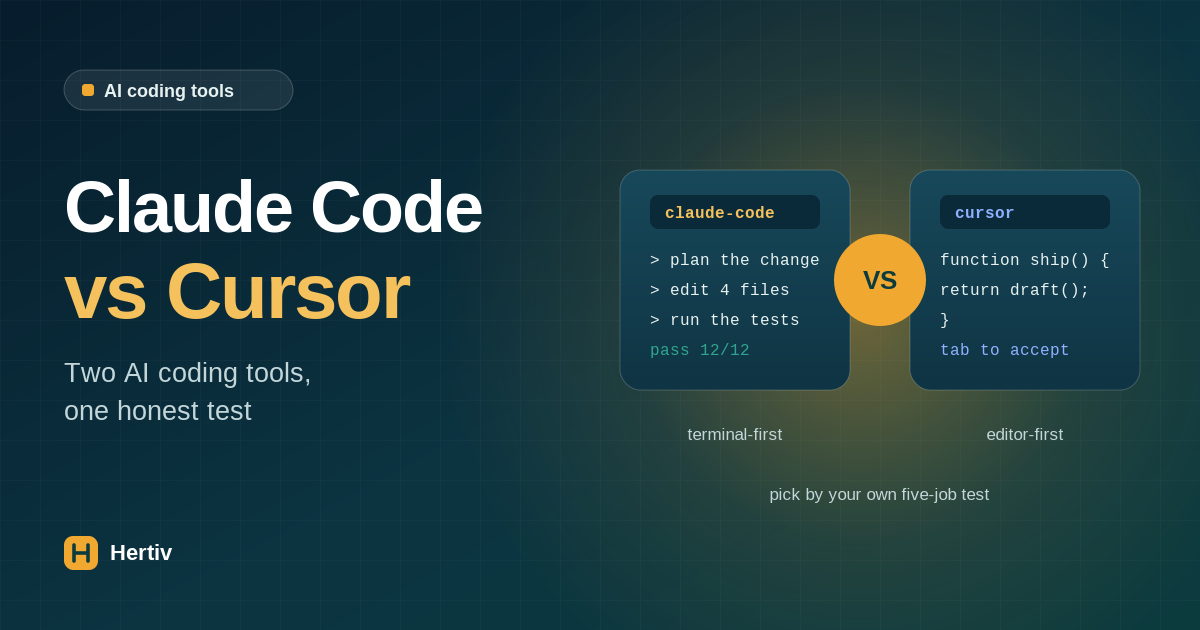
Claude Code is a command-line coding assistant from Anthropic, and Cursor is an AI-first code editor; both use large language models to write, edit and review code. The difference is where you meet them: Claude Code runs in the terminal and works across a whole project, while Cursor puts the model inside the editor window, next to the code you are already reading.
Both tools can explain code, write new functions, fix errors and suggest tests. The choice is less about raw ability than about workflow: terminal-first developers and editor-first developers will each find one of them more natural, and the table below shows the main differences.
| Area | Claude Code | Cursor |
|---|---|---|
| Where it runs | Terminal, across the project folder | Editor window, next to the code |
| How you ask | Plain-word prompts in the terminal | Chat panel, inline edits, tab completion |
| Codebase access | Reads and edits many files at once | Sees the open file and nearby files |
| Best for | Multi-file tasks and terminal workflows | Steady writing and small fixes |
Both tools change often, because both vendors ship updates every few weeks. Judge them on a current version, and re-check when a new release arrives. Testing AI models on your own tasks is the fairest way to compare them, because general reviews rarely match your codebase.
How does each tool fit into a coding day?
A Claude Code day starts in the terminal. You open the project folder, describe the task in plain words, and the agent reads the files, makes the change and runs the tests. You stay in the terminal for the whole loop, which suits developers who already run builds and git from there.
A Cursor day stays in the editor. You write code as usual, accept tab completions as they appear, and open a chat panel when you need a larger change or an explanation. The model sees the file you have open and the files around it, so its suggestions fit the code in front of you.
Neither day is better in general. A team that spends its day in the terminal will find Claude Code faster, while a team that lives in the editor will find Cursor faster. The tool that matches the habits you already have is the one that saves time.
What is the difference in how they edit code?
Claude Code edits as an agent: it plans a change, reads several files, edits them, and runs a command to check the result. That makes it strong for multi-file tasks such as adding a feature across a service, but it also means you review a batch of changes at once.
Cursor edits as a pair programmer: it suggests the next lines as you type, and it rewrites the selected code when you ask. That makes it strong for steady writing and small fixes, because you see each change as it happens. For large changes, Cursor also has an agent mode that works across files.
The review habit differs too. With Claude Code, you review a finished batch; with Cursor, you review line by line. Teams that prefer small, frequent reviews often like Cursor, while teams that prefer to review a whole change at once often like Claude Code.
What do they cost?
Both tools charge a subscription, and both offer usage-based pricing for heavier use, so the cheapest option depends on how much you code with AI each month. Prices change often, so check the vendor's own pricing page before you decide; see vendor site for current plans.
The honest way to compare cost is per task, not per month. A tool that costs more but finishes a task in half the time can be cheaper for a busy team, while a cheaper tool that needs more fixing can cost more in the end. Track time saved, not only the invoice.
Free tiers exist for both, but they limit use, so a trial on a free tier may not show what the paid version does. Run your comparison on the plan you would actually buy, or the result will mislead you.
How to choose in five steps
Pick the tool that fits the way your team already works, not the one with the longest feature list. A terminal-first team will fight an editor-first tool, and an editor-first team will fight a terminal-first one. If you want help setting up AI coding in your product, AI copilot development covers how these tools are built into a team workflow.
- List the five coding jobs your team does most often.
- Run the same five jobs through both tools on your own codebase.
- Score each job on time saved and fixes needed, not on first impressions.
- Check the cost for your real monthly use, including extra usage.
- Let the team use the winner for two weeks, then confirm the choice with the same five jobs.
Write the scores down. A short note per job, with time taken and fixes needed, is the record that settles the choice, and it is worth more than any opinion about which tool is best in general.
Example (hypothetical): a two-week trial
Example (hypothetical): a team of four developers tests both tools for two weeks. Each developer spends about 2 hours a day reviewing code, which is 8 hours a day across the team, or 80 hours over ten working days.
With the first tool, review time falls by 30 minutes per developer per day: 4 developers times 30 minutes is 2 hours a day, or 20 hours over the ten days. With the second tool, review time falls by 15 minutes per developer per day: 4 times 15 minutes is 1 hour a day, or 10 hours over ten days.
The team picks the first tool for review work, but keeps the second for writing new code, where its inline suggestions save more time. The trial shows that the two tools can serve different jobs in the same team.
What are the common mistakes?
The most common mistake is choosing by demo rather than by trial. A demo shows the tool on a clean example, while your codebase has old code, odd naming and missing tests. Run your own five jobs before you pay.
The second mistake is letting the tool write code nobody reviews. AI code can look right and still miss an edge case, so every change needs a human review, just as a colleague's change would. A plain guide to how language models work helps teams set fair expectations for what these tools can and cannot do.
The third mistake is ignoring the learning curve. Both tools get better as you learn to prompt them well, so a one-day test can mislead. Give the trial two weeks, and compare the second week with the first.
Key takeaways
- Claude Code is terminal-first; Cursor is editor-first
- Both write, edit and review code, but their workflows differ
- Judge them on your own five jobs, not on a demo
- Compare cost per task, not per month
- The two tools can serve different jobs in the same team
Frequently asked questions
Is Claude Code better than Cursor?
It depends on the workflow. Claude Code suits terminal-first developers and multi-file tasks, while Cursor suits editor-first developers and steady writing. Run your own five most common jobs through both and trust the result.
Can I use both Claude Code and Cursor?
Yes, and some teams do. A common split is Claude Code for multi-file changes and review work, and Cursor for writing new code with inline suggestions. The cost of two accounts is usually small next to the time saved.
Do I need to know how to prompt well?
Yes, both tools work better with clear prompts. Say what the code should do, name the files involved, and state how you will test it. A vague prompt gives a vague change, while a clear prompt gives code you can review quickly.
How much do they cost?
Both charge a subscription with usage-based pricing for heavier use, and prices change often, so check the vendor's own pricing page for current plans; see vendor site for the latest figures. Compare cost per task, not per month.
Are AI coding tools safe for private code?
Both tools send code to their servers, so check the vendor's data rules before you use them on private code. Many teams keep sensitive code out of AI tools, or use a plan that promises not to train on their code.
Will the answer change when a new version arrives?
Yes, it can. Both vendors ship updates often, and a tool that was weaker on your jobs may become stronger. Keep your five-job test and re-run it when a new version arrives, so your choice stays based on evidence.


