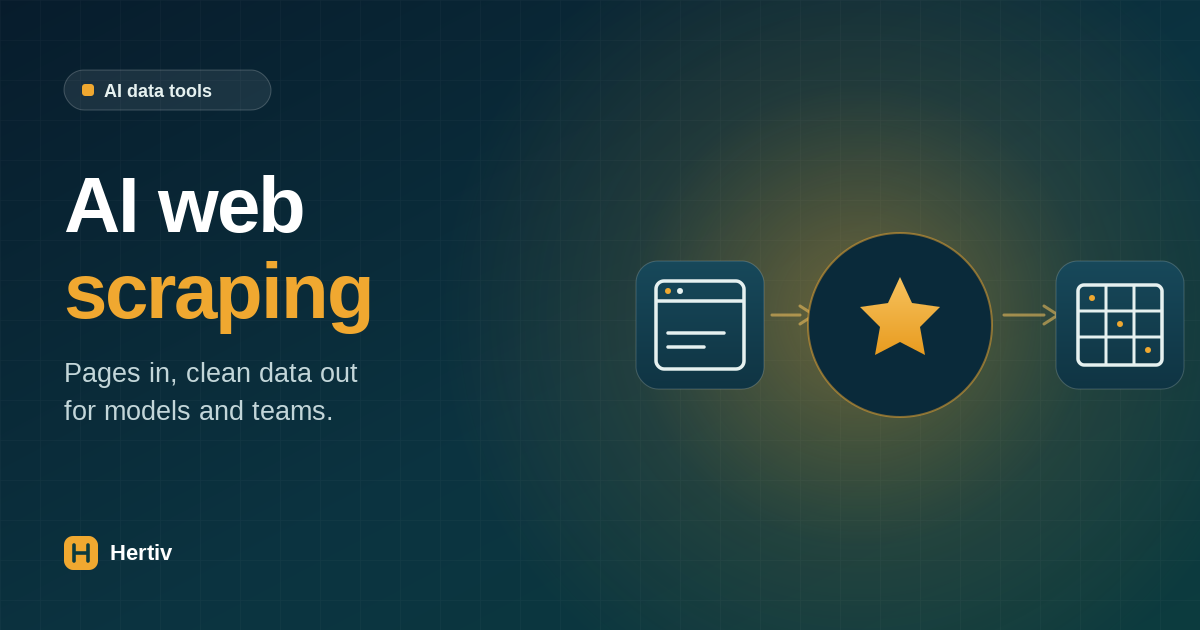
Best AI Web Scraping Tools: 8 That Feed Your Models
The best AI web scraping tools fetch pages, get past blocks and return clean data your models can use. Compare 8 tools by output, ease of use and starting price.
On this page
Short answer
The best AI web scraping tools for feeding models are Firecrawl for LLM-ready markdown, Bright Data for large-scale collection, Oxylabs and Zyte for protected sites, and Crawl4AI for self-hosted scraping. Pick by the output shape you need and test on your hardest target first.
Which AI web scraping tools are worth comparing?
The AI web scraping tools worth comparing are the ones that fetch pages, get past blocks and hand you clean, structured data your models can use. The best choice depends on whether you need raw pages, ready-made datasets or output shaped for a language model.
Use this comparison to shortlist. Prices change often, so check the vendor site before you commit; every tool below has a free tier or trial to test with.
| Tool | Best for | AI-ready output | Starting point |
|---|---|---|---|
| Bright Data | Large-scale data collection | Structured records and datasets | Free requests, then usage pricing |
| Firecrawl | LLM-ready markdown | Markdown and JSON from any URL | Free credits, then monthly plans |
| Oxylabs | Proxy-backed scraping at scale | Structured results and search data | Free credit, then monthly plans |
| Zyte | Heavily protected sites | AI-parsed fields for common pages | Free credit, then pay per success |
| ScrapingBee | A simple API that handles browsers | HTML, JSON and rendered pages | Free credits, then credit plans |
| ScraperAPI | Straightforward scraping on a budget | HTML and JSON through one endpoint | Free plan, then monthly plans |
| Apify | Ready-made scrapers and automation | Structured datasets and actors | Free usage, then platform credit |
| Crawl4AI | Open-source, self-hosted scraping | Markdown and structured extraction | Free and open source |
Start with the output you need. If the data feeds a language model, pick a tool that returns markdown or JSON. If it feeds a dashboard, pick one that returns clean records. For a no-code option instead, see the best no-code web scraping tools, which covers point-and-click tools.
Bright Data and Firecrawl
1. Bright Data: best for large-scale data collection
Bright Data sells nearly every layer of web data collection under one account: proxy networks, an unblocking tool for protected sites, a scraper API and ready-made datasets. It fits teams that need data at volume across many sites and want one vendor for the whole stack.
The trade-off is complexity and cost. There is a lot to configure, and the bill grows with usage, so it suits teams with steady volume rather than a one-off job.
- Pros: broad proxy and dataset coverage in one place
- Pros: strong handling of protected sites
- Pros: free requests to test with
- Cons: many settings to learn before the first run
- Cons: costs add up quickly at high volume
2. Firecrawl: best for turning sites into LLM-ready markdown
Firecrawl turns any URL into clean markdown or JSON with one API call, and can crawl a whole site too. It is the simplest pick when the data is headed into a language model, because the output needs little cleaning before it is used.
It is less suited to sites that fight back hard. On heavily protected pages it can fail more often than a dedicated unblocker, so pair it with one of those for such pages.
- Pros: markdown output is ready for language models
- Pros: crawl, scrape and search behind one credit balance
- Pros: free tier with no card required
- Cons: weaker on heavily protected sites
- Cons: failed pages can still cost a credit
Oxylabs and Zyte
3. Oxylabs: best for proxy-backed scraping at scale
Oxylabs started as a proxy provider and now sells a full scraping layer on top: a web scraper API, search and e-commerce endpoints, and a browser that handles dynamic sites. It fits teams that already think in terms of proxies and want scraping and proxy access on one subscription.
Pricing is per successful result, so blocked attempts cost nothing, which keeps the bill tied to data actually delivered.
- Pros: large proxy network behind the scraper API
- Pros: pay only for results that come back
- Pros: dedicated scrapers for shopping and search pages
- Cons: the range of products takes time to learn
- Cons: costs rise with result volume
4. Zyte: best for heavily protected sites
Zyte is the company behind Scrapy, the open-source Python framework, and its main product today is Zyte API, which handles proxies, browser rendering and blocking behind one endpoint. It is a strong pick when the target site is the hard part of the job.
The API can return AI-parsed fields for common page types such as products and articles, which saves writing your own parsing rules. Pricing is per successful request, so you pay for pages that come back, not for attempts that fail.
- Pros: built for the hardest, most protected sites
- Pros: AI parsing for common page types
- Pros: pay-per-success pricing
- Cons: less of a fit for simple, unprotected targets
- Cons: setup assumes some developer skill
ScrapingBee and ScraperAPI
5. ScrapingBee: best for a simple API that handles browsers
ScrapingBee gives you one API endpoint that fetches a page, renders JavaScript and rotates proxies, so you do not run your own browser fleet. It fits developers who want to send a URL and get HTML or JSON back without managing infrastructure.
Pricing is by credits, with a free allowance to start. It is a good middle ground: simpler than running your own scrapers, cheaper than a full enterprise stack, and quick to test on a single site.
- Pros: one endpoint handles rendering and proxies
- Pros: simple credit pricing with a free allowance
- Pros: quick to test on a single target
- Cons: no ready-made scrapers for named sites
- Cons: credit costs vary by page difficulty
6. ScraperAPI: best for straightforward scraping on a budget
ScraperAPI is a single-endpoint service that handles proxies, browsers and retries behind one call. It fits small teams and side projects that need reliable fetching without a large platform or a long setup.
It is less feature-rich than the bigger platforms: there are no ready-made site scrapers and no dataset marketplace. For a team that knows which pages it needs and just wants them fetched reliably, that simplicity is the point.
- Pros: low starting price with a free plan
- Pros: simple single-endpoint design
- Pros: handles proxies and retries for you
- Cons: fewer built-in scrapers than larger platforms
- Cons: limited tooling for large crawling jobs
Apify and Crawl4AI
7. Apify: best for ready-made scrapers and automation
Apify runs a marketplace of ready-made scrapers, called Actors, for named sites, plus a platform for running your own. It fits teams that want to pick a scraper for a site and get structured data without writing one from scratch.
It also offers a website content crawler built for retrieval work, and integrations that let AI agents call it directly. Billing is by compute and proxy usage, which is harder to predict than a flat credit plan.
- Pros: large library of ready-made scrapers
- Pros: crawler built for retrieval and AI use
- Pros: free plan with monthly usage included
- Cons: billing is harder to predict than flat credits
- Cons: quality varies between marketplace scrapers
8. Crawl4AI: best for open-source, self-hosted scraping
Crawl4AI is a free, open-source library you run yourself. It fetches pages, renders JavaScript and returns markdown or structured data, which makes it a good fit for teams that want full control and no monthly bill.
You supply the browsers, proxies and scaling, so it needs more engineering. The trade-off is worth it when the data stays inside your own systems or the volume makes a hosted plan expensive. A hosted cloud version also exists for teams that want a middle step.
- Pros: free and open source, run it yourself
- Pros: markdown output suited to language models
- Pros: full control over data and infrastructure
- Cons: you run the browsers and proxies yourself
- Cons: needs engineering time to scale
How to choose an AI web scraping tool
You choose an AI web scraping tool by matching it to the output you need, the sites you must reach and the budget you can defend, then testing it on your hardest target before you commit.
- Name the output first. If the data feeds a language model, you need markdown or JSON. If it feeds a dashboard, you need clean records with stable field names.
- Test your hardest site. Run the free tier against the most protected page you need, not the easiest one. A tool that works on a plain blog may fail on the site that matters.
- Check what a failure costs. Some tools bill for blocked or missing pages and some do not. Read the billing rules before a large crawl.
- Check the legal and site rules. Respect robots rules and terms of use, and check the laws where you and the target operate. Scraping personal data brings extra duties.
- Start small and measure. Run one site for a week, check the fields are complete and the data is fresh, then widen the crawl. Keep a log of what was fetched and when.
That order keeps the decision grounded in your own data. A tool that looks good on a comparison page can still fail on your target, and the free tier is there to find that out cheaply. Once data is flowing, the next question is what to do with it, which is where AI in data analytics picks up.
What are the common mistakes?
The most common AI web scraping mistakes are picking a tool before naming the output, ignoring the target site's rules, and trusting the data without checking it.
- Scraping first, planning later. Collecting pages before knowing which fields you need leaves a pile of HTML that nobody can use.
- Ignoring robots rules and terms. A target can block you, and some sites forbid scraping in their terms. Check the rules before a large crawl.
- Trusting fields without checks. Prices, dates and stock levels change, and a page redesign can move a field. Validate a sample of every run.
- No retry or logging plan. Pages fail, sessions expire and sites change. Without retries and a log of what was fetched, gaps go unnoticed.
- Feeding raw HTML to a model. A language model works better on clean markdown or structured records than on raw pages full of menus and scripts.
- Underestimating volume costs. A crawl that looks cheap at 100 pages can get expensive at 100,000. Estimate the full run before starting.
If the data will feed a wider analytics setup, data engineering services can help turn scraped pages into a pipeline your team can rely on.
Key takeaways
- Pick by the output shape first: markdown or JSON for models, clean records for dashboards
- Firecrawl is the simplest route to LLM-ready data; Bright Data covers the most scale
- Oxylabs and Zyte are the picks when the target site fights back
- Crawl4AI is free and self-hosted, but you run the browsers and proxies yourself
- Test the free tier on your hardest site, and check what a failed request costs
Frequently asked questions
What is an AI web scraping tool?
It is a tool that fetches web pages and returns structured data shaped for AI work, such as markdown or JSON, often with proxies and browser rendering built in. The AI part is usually parsing: turning a messy page into clean fields or text a model can use.
Are AI web scraping tools legal to use?
It depends on the target and the data. Respect robots rules and the site's terms of use, and check the laws where you and the target operate. Collecting personal data brings extra duties, so get advice before scraping it at scale.
Which tool is best for feeding a language model?
Firecrawl is the simplest pick because it returns clean markdown or JSON from a URL. Crawl4AI does the same for free if you run it yourself. Both work well when the pages are not heavily protected.
Do I need to write code to use these tools?
Most of them are APIs, so you need some code to call them and store the results. Apify offers ready-made scrapers that need less code, and no-code tools exist for point-and-click scraping if you want to avoid code entirely.
How much do AI web scraping tools cost?
Most have a free tier or free credits, then charge by credits, results or monthly plans. Prices change often, so check the vendor site for the current plan. The cheapest option for small jobs is usually a free open-source library.
Can these tools scrape sites that block bots?
Some can. Bright Data, Oxylabs and Zyte are built for protected sites and handle proxies and browser fingerprints for you. No tool works on every site, so test your hardest target on the free tier before committing.