8 Accounts Payable Automation Tools Worth Comparing
Accounts payable software reads invoices, matches them to orders and routes approvals without manual data entry. Eight tools compared on capture and matching.
On this page
Short answer
The best accounts payable automation software includes Tipalti, Coupa, BILL, AvidXchange, Ramp, Stampli, MineralTree and Airbase. They capture invoices, match them to purchase orders, route approvals and pay vendors. The right pick depends on invoice volume, ERP setup and how much of the payment flow you want automated.
Which accounts payable automation tools are worth comparing?
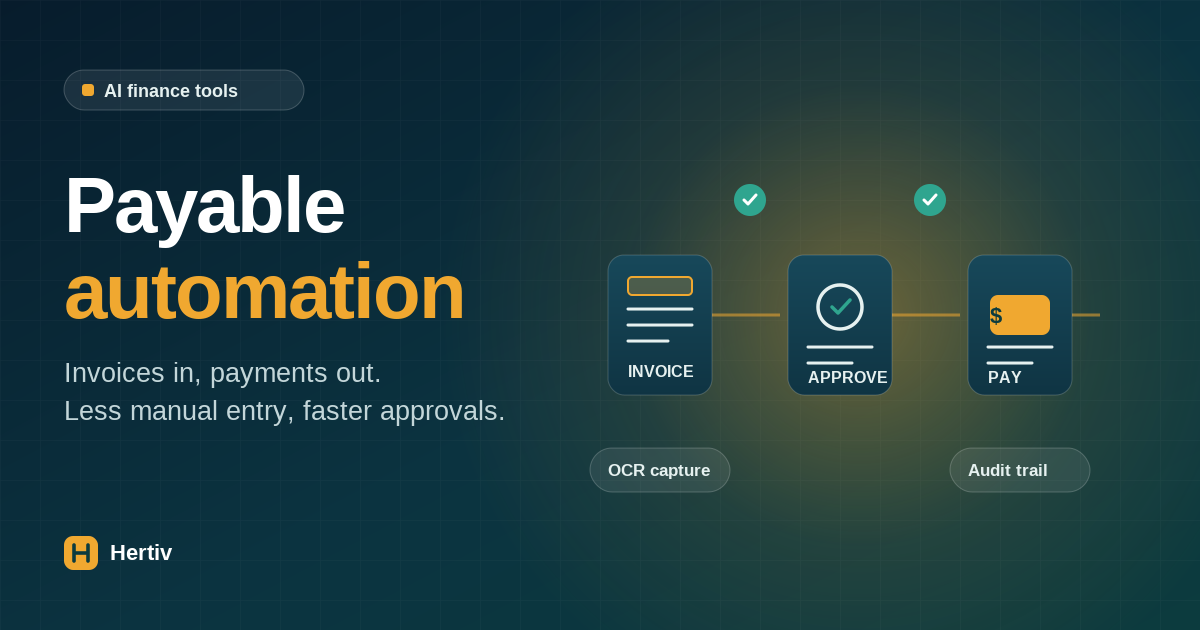
Accounts payable automation software takes invoices from email, scans or supplier portals, reads the key fields and matches them to purchase orders and receipts. When the numbers agree, the invoice moves to approval or payment on its own. When they do not, it goes to a person with the mismatch already flagged.
Use this comparison to shortlist two or three tools, then test each one with a batch of your own invoices. Capture accuracy on your real documents matters more than any feature list, because a tool that misreads your suppliers' formats will create more work than it saves.
| Tool | Best for | Invoice capture | Payments built in |
|---|---|---|---|
| Tipalti | Global payables | OCR with tax checks | Yes, 190+ countries |
| Coupa | Large spend programs | OCR with matching | Yes, via Coupa Pay |
| BILL | Small and mid-size teams | OCR with coding | Yes, ACH and card |
| AvidXchange | Mid-market volume | OCR with rules | Yes, AvidPay |
| Ramp | Spend and AP together | OCR with card data | Yes, bill pay |
| Stampli | Fast approval flows | AI capture with chat | Yes, Stampli Direct Pay |
| MineralTree | ERP-heavy teams | OCR with matching | Yes, virtual card and ACH |
| Airbase | AP plus procurement | OCR with policy checks | Yes, bill pay |
Tipalti and Coupa
1. Tipalti: best for global payables
Tipalti automates the full payables flow for companies that pay suppliers in many countries. It captures invoices, checks tax forms, routes approvals and pays in local currency through bank transfer, card or other rails. Supplier onboarding, including tax and banking details, is handled inside the same system.
It fits mid-size and large firms with international suppliers and complex tax rules. Tipalti also covers procurement and expenses in the same platform. For pricing, see vendor site.
Pros
- Strong global payment coverage with tax form handling
- Supplier self-service onboarding
- Approval workflows with audit trails
Cons
- More than a small team usually needs
- Setup takes time for multi-entity firms
- Pricing is quoted, not listed
2. Coupa: best for large spend programs
Coupa is a spend management platform with a strong accounts payable module. Invoices are captured, matched to orders and receipts, and routed for approval under the same policies that govern purchasing. Finance teams get a single view of committed spend, invoices and payments.
It fits large organisations that want procurement, invoicing and payments under one set of controls. Coupa also offers analytics on supplier performance and spend patterns. For pricing, see vendor site.
Pros
- One system for procurement, invoicing and payments
- Strong policy and approval controls
- Good analytics on spend and suppliers
Cons
- Built for large firms, so smaller teams may find it heavy
- Implementation needs planning and time
- Pricing is quoted, not listed
BILL and AvidXchange
3. BILL: best for small and mid-size teams
BILL captures invoices by email or scan, reads the fields and suggests coding, then routes them for approval. Payments go out by ACH, check or card, and the system keeps a record of every step. It connects to common accounting systems such as QuickBooks, Xero and NetSuite.
It fits small and mid-size finance teams that want to stop keying invoices by hand without a long implementation. BILL also handles receivables in the same product. For pricing, see vendor site.
Pros
- Quick to set up for small teams
- Good accounting integrations
- Payments and approvals in one place
Cons
- Less depth for complex multi-entity setups
- Approval rules are simpler than enterprise tools
- International coverage is thinner than Tipalti
4. AvidXchange: best for mid-market volume
AvidXchange captures invoices, applies your coding rules and routes them for approval, then pays through its AvidPay network. It is built for mid-market firms that process thousands of invoices a month and want the payment step handled too. The supplier network already holds payment details for many vendors.
It fits firms in real estate, construction, healthcare and other sectors with high invoice volume. AvidXchange also offers purchase order management. For pricing, see vendor site.
Pros
- Built for high monthly invoice volume
- Large supplier payment network
- Good fit for mid-market finance teams
Cons
- Less suited to very small teams
- Some users report slow support at peak times
- Custom approval rules need configuration
Ramp and Stampli
5. Ramp: best for spend and AP together
Ramp combines corporate cards, bill pay and expense management, so accounts payable sits next to the rest of company spend. Invoices are captured and coded, approvals follow policy, and payments go out from the same dashboard. Card transactions and bills share the same controls.
It fits startups and growing firms that want one spend platform rather than separate tools for cards, bills and expenses. Ramp also flags duplicate invoices and unusual amounts. For pricing, see vendor site.
Pros
- Cards, bills and expenses in one platform
- Policy controls apply across all spend
- Duplicate and anomaly checks built in
Cons
- Less depth for complex purchase order matching
- Best fit for firms already using Ramp cards
- Global payment coverage is narrower than Tipalti
6. Stampli: best for fast approval flows
Stampli captures invoices with AI, learns how your team codes them and routes each one to the right approver with a chat-style thread. Approvers can ask questions and approve from email or a mobile app, which keeps invoices from stalling. Payments go out through Stampli Direct Pay.
It fits teams where approvals are the bottleneck, especially when approvers are spread across departments. Stampli connects to common ERPs and accounting systems. For pricing, see vendor site.
Pros
- Approvals happen in a simple chat thread
- Learns coding patterns from past invoices
- Approvers can act from email or mobile
Cons
- Less depth on global payments
- Heavier ERP setups need configuration
- Reporting is lighter than enterprise platforms
MineralTree and Airbase
7. MineralTree: best for ERP-heavy teams
MineralTree captures invoices, matches them to purchase orders and syncs approvals and payments back to the ERP. It is built for firms that already run a system such as NetSuite, Sage or Microsoft Dynamics and want automation that respects the ERP as the source of truth. Virtual card payments can earn rebates.
It fits mid-market finance teams with a strong ERP setup and high invoice volume. MineralTree also covers fraud checks on invoices before payment. For pricing, see vendor site.
Pros
- Deep sync with major ERPs
- Strong two-way and three-way matching
- Virtual card rebates on payments
Cons
- Less value for teams without a supported ERP
- Setup needs ERP knowledge
- Interface feels dated next to newer tools
8. Airbase: best for AP plus procurement
Airbase brings procurement, accounts payable and expenses into one system with shared policy controls. Employees request spend, invoices are captured and matched, and payments follow the same approval rules. Finance sees committed and actual spend in one place.
It fits growing firms that want to control spend before it happens, not just record it after. Airbase also issues virtual cards for approved purchases. For pricing, see vendor site.
Pros
- Procurement and AP share one policy engine
- Good visibility into committed spend
- Virtual cards for approved purchases
Cons
- More than a team that only needs AP
- Smaller supplier network than AvidXchange
- International coverage is still growing
How to choose accounts payable automation software
Choosing AP software starts with your invoices, not the feature list. Gather a sample of real invoices, including the messy ones, and see how each tool reads them. Then check how it matches, approves and pays in your ERP setup.
- Count monthly invoice volume and the share that arrives by email, scan or portal.
- List the matching rules you need: two-way, three-way or none.
- Map your approval chain and the exceptions that slow it down today.
- Check the ERP integration and whether it syncs both ways.
- Run a pilot on real invoices and measure capture accuracy and approval time.
Ask each vendor how it handles duplicates, credit notes and invoices that arrive without a purchase order.
AI use cases in accounts payable show where automation helps most.
Accounts receivable automation is the matching flow on the other side.
For wider context, see business automation software.
Common mistakes
The most common mistake is automating a broken process. If approval rules are unclear or coding is inconsistent, the software will route invoices to the wrong people at machine speed. Fix the process on paper first, then automate it.
Another mistake is judging a tool by a clean demo. Vendors show well-scanned invoices, while real suppliers send photos, faded scans and PDFs with odd layouts. Always test with your own documents before signing.
Key takeaways
- AP automation reads invoices, matches them and routes approvals without manual entry.
- Tipalti fits global payables; Coupa fits large spend programs.
- BILL and Ramp fit smaller teams that want a quick setup.
- Stampli fits teams where approvals are the bottleneck.
- Test capture accuracy on your own invoices before you commit.
- Fix unclear approval rules before you automate them.
Frequently asked questions
What does accounts payable automation software do?
It captures invoices, reads the key fields, matches them to purchase orders and receipts, routes them for approval and pays the vendor. The goal is to remove manual data entry and speed up the time from invoice receipt to payment.
How accurate is invoice capture?
Accuracy depends on the quality of the documents and how much the system has learned from your suppliers. Clean PDFs score well, while photos and faded scans need more review. A pilot on your real invoices gives the honest number.
Do I still need a purchase order system?
Not always, but matching works best with one. Without purchase orders, the tool can only check amounts against budgets or approval limits, which leaves more invoices for manual review.
Can AP automation pay vendors directly?
Most tools in this list pay vendors by ACH, card or bank transfer, and some run supplier payment networks. Check which payment methods and countries each tool covers before you choose.
How long does implementation take?
Small teams can be live in days or weeks, while large firms with custom ERP setups may need months. The main work is usually mapping approval rules and coding, not installing software.
What is the difference between AP and AR automation?
AP automation handles invoices you pay to suppliers, while AR automation handles invoices you send to customers. They mirror each other, and many vendors offer both in one product.


