AI in Accounts Payable: Use Cases That Cut Manual Work
AI in accounts payable reads invoices, matches them to orders and flags problems before payment. These are the use cases that save the most time for finance teams.
On this page
Short answer
AI in accounts payable means software that reads invoices, checks them against purchase orders and contracts, routes them for approval and flags duplicates or fraud. It cuts the manual typing, chasing and checking that fill most of an AP team's week, and it gives finance a clear view of what is owed, to whom and when, and the strongest use cases are invoice capture, matching, approvals and exception handling.
What is AI in accounts payable?
AI in accounts payable is software that takes over the repetitive parts of paying suppliers: reading invoices, checking them against orders and contracts, routing them for approval, and flagging problems before money leaves the bank.
Accounts payable, or AP, is the work of handling supplier invoices from arrival to payment. In most companies it is still largely manual: someone opens an email or a paper envelope, types the invoice into the accounting system, checks it against a purchase order, chases an approver, and then schedules the payment. Each step is simple, but together they eat a large share of a finance team's week.
AI fits this work because invoices follow patterns. They have the same fields in roughly the same places, they refer to orders and contracts the company already holds, and the mistakes repeat: wrong amounts, missing orders, duplicate bills. A model trained on a company's own invoices can read them, check them and route them far faster than a person, and it does not get tired at month end.
The goal is not to remove people from AP. It is to move them from typing and chasing to the exceptions: the invoices that do not match, the suppliers that need a call, and the decisions that need judgement. That shift is where the value sits.
Which AI use cases help most in accounts payable?
The AI use cases that help most in accounts payable are the ones where the volume is high, the pattern is clear, and a mistake is easy to spot before payment.
| Use case | What the AI does | What it needs |
|---|---|---|
| Invoice capture | Reads fields from PDFs and emails | Past invoices, templates |
| Two- and three-way matching | Compares invoice, order and receipt | Orders, goods receipts |
| Approval routing | Sends each invoice to the right approver | Approval rules, amounts |
| Exception handling | Explains mismatches and suggests fixes | Past resolutions |
| Duplicate and fraud detection | Flags repeated or suspicious bills | Full invoice history |
| Payment timing | Suggests when to pay for discounts | Terms, cash position |
Invoice capture and matching usually come first, because they remove the most typing and the data already exists. Approval routing follows once the rules are written down, and fraud detection works best once a full year of invoice history is available, because the model needs to learn what normal looks like for each supplier.
How does AI read and match invoices?
AI reads and matches invoices by pulling the key fields out of each document, then comparing them with the purchase order and the goods receipt the company already holds.
Reading starts with document AI: the model finds the supplier name, invoice number, date, line items, tax and total, even when the layout changes between suppliers. It learns from the company's own invoices, so it gets better at the suppliers the company uses most. For the underlying technology, see document AI.
Once the fields are read, the next question is what other teams do with the same technology, and document AI use cases shows how the same reading step is used for contracts, forms and receipts beyond invoices.
Matching is the check that follows. A two-way match compares the invoice with the purchase order: same supplier, same items, same price. A three-way match adds the goods receipt, confirming the goods actually arrived. When all three agree, the invoice can be approved without a human touching it.
When they do not agree, the system flags the difference and explains it: the price rose, the quantity differs, or the order number is missing. That explanation matters, because an AP clerk who sees why an invoice failed can fix it in minutes, while a bare rejection starts a round of emails.
How does AI handle approvals and exceptions?
AI handles approvals by routing each invoice to the right person based on amount, department and supplier, and it handles exceptions by explaining the problem and suggesting the fix.
Approval rules are usually simple once they are written down: invoices under a set amount go to the budget owner, larger ones go to a manager, and anything above a threshold needs finance sign-off. The AI applies those rules the same way every time, and it chases the approver with reminders instead of leaving the invoice in a pile.
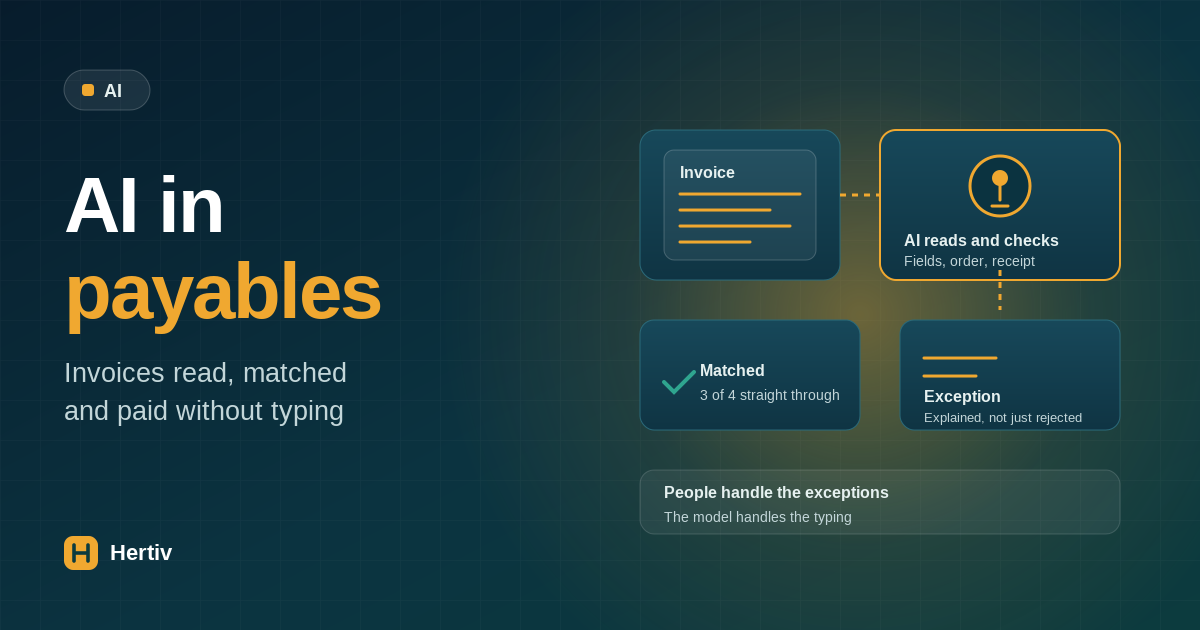
Exceptions are the invoices that do not match. The AI groups them by cause, such as a price change, a short delivery or a missing order, and suggests the most likely fix based on how similar cases were resolved before. A clerk then checks the suggestion and applies it, which is far faster than starting from a blank invoice.
The human stays in charge of the judgement calls. An invoice that needs a supplier call, a price negotiation or a policy decision goes to a person, and the AI's job is to make sure that person sees the full picture: the invoice, the order, the receipt and the history.
How does AI catch duplicates and fraud?
AI catches duplicates and fraud by comparing each new invoice with everything the company has already paid, and flagging the ones that look like repeats or do not fit the supplier's normal pattern.
Duplicates are the most common problem. The same invoice can arrive twice, once by email and once by post, or with a slightly different number after a correction. A model that compares supplier, amount, date and line items will catch the pair even when the numbers differ in small ways, and it blocks the second payment before it is made.
Fraud is harder, and the model looks for patterns instead: a new supplier with no history asking for urgent payment, an invoice just under the approval threshold, or a bank account that changed without a verified request. None of these proves fraud on its own, but together they are worth a human review.
That review is the point. The AI does not decide that an invoice is fraud; it decides that an invoice deserves a look. A finance team that reviews a short list of flagged invoices each day will catch far more than a team that checks invoices at random.
Example (hypothetical): a mid-size company clears its backlog
Example (hypothetical): a mid-size company receives about 400 invoices a month. Two AP clerks spend most of their week typing invoices, matching them to orders and chasing approvers, and at month end a backlog of about 60 invoices is still waiting.
The company adds an AI capture and matching tool. In the first month, the tool reads 400 invoices and matches 300 of them to orders and receipts without any human touch. That is 3 out of every 4 invoices handled straight through, leaving 100 for the team.
Of those 100, the tool explains the problem on 70 of them, such as a price rise or a missing order number, and the clerks fix those in about 10 minutes each, which is 700 minutes, or just under 12 hours. The remaining 30 need supplier calls or manager decisions, and those take longer, but the backlog at month end falls from 60 invoices to about 10.
The numbers are invented to show the arithmetic, not a real result. The point is that the value comes from the straight-through share and the explained exceptions, not from the model alone. A tool that reads invoices but cannot explain its rejections would leave the team doing the same detective work as before.
What are the common mistakes?
The most common mistakes with AI in accounts payable are skipping the data cleanup, automating a bad process, and trusting the model without checks.
- Skipping the data cleanup. Duplicate suppliers, old orders and missing receipts will break matching, however good the model is.
- Automating a bad process. If approvals take a week because nobody owns them, the AI will simply route invoices faster into the same queue.
- No human check on exceptions. A model that auto-approves mismatched invoices will pay wrong bills, so exceptions must go to a person.
- Ignoring the long tail. The ten biggest suppliers may be easy, but the hundreds of small ones still need handling, and they are where the manual work hides.
- Measuring the wrong thing. Counting invoices processed means little if the error rate and the payment delays do not fall.
Most of these mistakes come from treating the project as a software purchase rather than a finance project. The AP team, not the vendor, knows which suppliers cause trouble and which rules matter, so they need to be involved from the start.
If the project needs outside help, AI consulting usually starts with a data and pilot assessment before any model is built, so the first use case is chosen on evidence rather than on a sales demo.
Key takeaways
- AI in accounts payable reads, matches and routes invoices, leaving people the exceptions
- Straight-through processing works when invoice, order and receipt agree
- Exceptions need an explanation, not just a rejection, so clerks can fix them fast
- Duplicate and fraud checks work by comparing each invoice with the full payment history
- Clean supplier and order data matters more than the model you pick
Frequently asked questions
How much of accounts payable can AI handle?
It depends on how clean the data is. Companies with good order and receipt records often see most invoices match without human touch, while companies with messy data see far less. The straight-through share is the number to track, and it usually rises over the first few months as the data improves.
Does AI in AP replace the finance team?
No. It removes the typing, matching and chasing, and leaves the exceptions, supplier calls and judgement calls to people. Most teams keep the same headcount and use the freed time to chase early-payment discounts, clean up suppliers and handle queries faster.
What data does an AP automation project need?
It needs past invoices, purchase orders, goods receipts and the approval rules, ideally for at least a year. The model learns from that history, so a company with clean records starts faster than one whose orders live in email threads.
How do you stop AI from paying a wrong invoice?
By keeping a human in the loop for anything that does not match. Invoices that match their order and receipt can go straight through, but anything with a price, quantity or supplier mismatch is held for review, and the system explains the difference.
Can AI handle invoices in different languages and formats?
Yes, in most cases. Modern document models read many layouts and languages, and they learn a company's own suppliers over time. Invoices from a new supplier in a new format may still need a human check on the first few, until the model has seen enough examples.
How long does an AP automation project take?
A first pilot on one supplier group often takes a few weeks to a few months, from data checks to live invoices. The time goes mostly into cleaning supplier and order data and writing down the approval rules, not into the model itself.


