8 Business Automation Platforms Worth Comparing
Business automation platforms run whole processes — approvals, onboarding and procurement — without manual hand-offs. Compare eight platforms built for that job.
On this page
Short answer
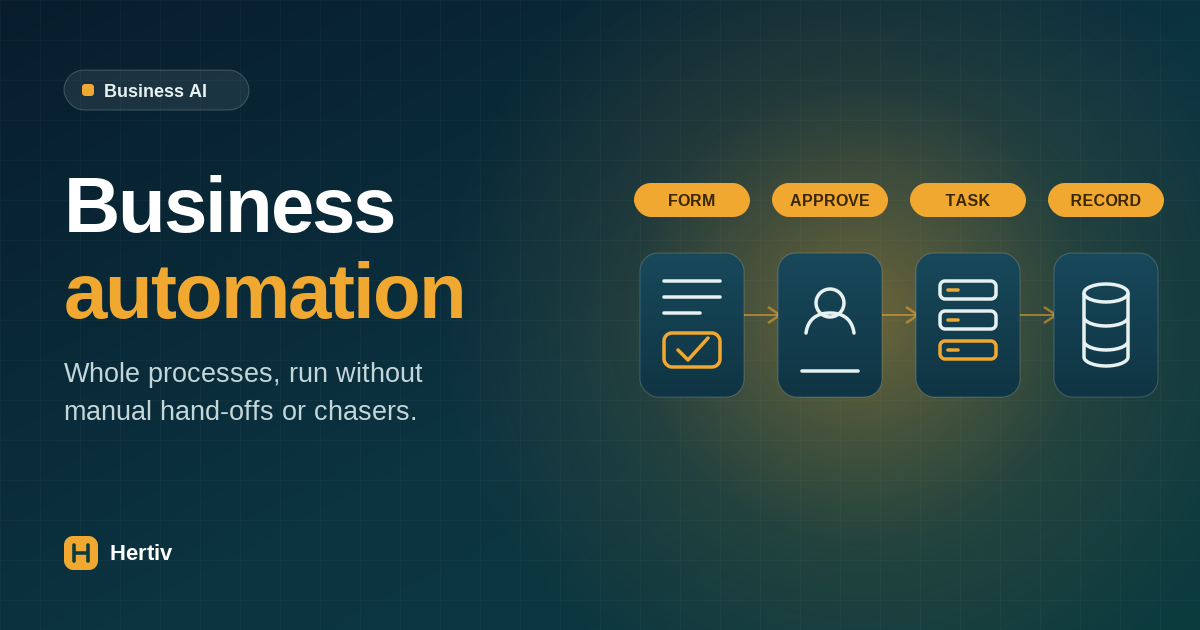
A business automation platform runs a whole process — forms, approvals, tasks and records — without manual hand-offs. Kissflow and Zoho Creator suit small teams, Nintex and ProcessMaker suit document-heavy work, and Appian, Pega and Camunda suit larger operations with complex rules. Pick one real process and pilot it first.
Which business automation platform should you compare first?
The right business automation platform depends on which processes you want to run without manual hand-offs. Kissflow and Zoho Creator suit small teams that need approvals and onboarding live fast, Nintex and ProcessMaker suit document-heavy work, and Appian, Pega and Camunda suit larger operations with complex rules and audits. Start with one real process, not a feature list.
| Platform | Best for | Builder style | Pricing |
|---|---|---|---|
| Kissflow | No-code process apps | Visual, no code | See vendor site |
| Nintex | Document-heavy approvals | Visual, low code | See vendor site |
| Appian | Complex enterprise processes | Low code | See vendor site |
| Pega Platform | Large regulated operations | Low code | See vendor site |
| Camunda | Developer-led orchestration | Code-first | See vendor site |
| ProcessMaker | Open, customisable processes | Low code | See vendor site |
| Bonita | Open source control | Low code | See vendor site |
| Zoho Creator | Small teams building fast | Low code | See vendor site |
These platforms differ from simple app connectors. A connector moves data between two apps, while a business automation platform runs a whole process: forms, approvals, tasks, documents and records, with a history of who did what. That is the gap this list covers, and it is why the tools here look different from the workflow tools in our workflow automation comparison.
Kissflow and Nintex: no-code apps and document approvals
1. Kissflow: best for no-code process apps
Kissflow lets a team build a process app from a form, a set of approval steps and a dashboard, without writing code. A leave request, a purchase approval or a vendor onboarding flow can go from a sketch to a working app in days, and staff use it from a browser or a phone.
The trade-off is depth. Kissflow is strong on straightforward processes with clear steps, and weaker on processes that need heavy branching, custom logic or deep system integration. Teams that outgrow it usually move to a low-code platform rather than back to email.
- Pros: Fast to build, easy for non-technical staff to change, clear approval history.
- Cons: Limited depth for complex rules, fewer options for custom code.
2. Nintex: best for document-heavy approvals
Nintex is built for processes where documents do the work: contracts, claims, permits and sign-offs that move between people and systems. It pairs process design with document generation and e-signatures, so a contract can be drafted, approved and signed without leaving the flow.
That focus makes it a strong pick for legal, finance and operations teams. It is less suited to teams that want to build customer-facing apps, where a broader low-code platform fits better.
- Pros: Strong document and signature handling, good Microsoft and Salesforce links, clear audit trail.
- Cons: Higher cost than simple tools, less suited to customer-facing apps.
Appian and Pega: complex enterprise processes
3. Appian: best for complex enterprise processes
Appian is a low-code platform for processes that cross departments and systems: a loan application that touches credit checks, documents and approvals, or a case that moves between support, engineering and finance. It keeps one record of the case and shows each team only the work that is theirs.
The platform suits large teams with a budget for a proper build. Small teams often find it more than they need, and the first version takes longer to ship than a no-code tool would.
- Pros: Handles complex, multi-system cases, strong data and reporting, proven at large scale.
- Cons: Longer first build, higher cost, needs trained builders.
4. Pega Platform: best for large regulated operations
Pega Platform is built for operations where the rules are the product: insurance claims, bank onboarding and government casework. It models the process, the rules and the data together, so a change to a rule updates every case that follows it.
That depth is why regulated teams choose it, and why smaller teams do not. A Pega build is a project with a team behind it, not a tool a single manager sets up in an afternoon.
- Pros: Deep rule and case handling, strong audit and compliance support, built for high volumes.
- Cons: Costly and slow to start, needs specialist skills to build and run.
Camunda and ProcessMaker: developer-led and open processes
5. Camunda: best for developer-led orchestration
Camunda is an orchestration engine for teams that build processes in code. Developers model the process in a standard notation, then wire each step to services, human tasks or timers. It fits microservice systems where the process spans several services and needs one clear owner.
The strength is control: every step is visible, testable and versioned. The cost is that it is a developer tool, so a team without engineers cannot build or change processes on its own.
- Pros: Precise control over complex flows, open standards, strong fit for microservices.
- Cons: Needs developers, no no-code builder for business users.
6. ProcessMaker: best for open, customisable processes
ProcessMaker is a low-code process platform with an open core, aimed at teams that want to shape the tool to their process rather than the other way round. It covers forms, approvals, tasks and reports, and it can be hosted by the team or run as a cloud service.
It suits mid-size teams that need more than a simple approval tool but do not want an enterprise platform. The trade-off is a smaller ecosystem than the largest vendors, so some integrations need custom work.
- Pros: Flexible and customisable, self-hosting option, sensible price for mid-size teams.
- Cons: Smaller partner ecosystem, some integrations need custom work.
Bonita and Zoho Creator: open source control and a fast start
7. Bonita: best for teams that want open source control
Bonita is an open source process platform for teams that want to own their automation stack. It pairs a visual process designer with connectors and the option to extend it in code, and it runs on the team's own servers or in the cloud.
It fits engineering-led teams in regulated or cost-sensitive settings. Business users can design simple processes, but the more complex work still needs a developer, and support depends on the plan you buy.
- Pros: Open source core, self-hosting, strong fit for regulated settings.
- Cons: Needs technical staff, support is a paid add-on.
8. Zoho Creator: best for small teams building fast
Zoho Creator is a low-code app builder that small teams use to turn a spreadsheet process into a working app: a stock request, a job tracker or a simple approval flow. It is quick to learn, and it links to the wider Zoho suite when a team already uses it.
It is a good first step into business automation, not a home for the most complex processes. Teams with heavy rules or high volumes usually move to a larger platform as they grow.
- Pros: Quick to learn, low cost, links to other Zoho apps.
- Cons: Limited depth for complex rules, less suited to high volumes.
How to choose a business automation platform
Choosing well means matching the platform to the process, not to the vendor's demo. The five steps below keep the choice grounded in work your team actually does.
- Pick one process first. Choose a process with clear steps and a real owner, such as onboarding or purchase approvals, and use it as the test.
- Map who builds it. If business staff will build, you need a visual builder; if engineers will build, a code-first engine is fine.
- Check the integrations. List the systems the process must touch and confirm each one has a working connector, not just a logo on a page.
- Run a pilot with real users. Build the test process end to end and let the people who will use it daily try it for two weeks.
- Price the second year. Ask what the platform costs when the team grows and more processes are added, not just the first-year price.
Keep the pilot small and the decision quick. A platform chosen after a two-week pilot with real users is worth more than a three-month comparison of brochures. For department-specific picks, see CRM automation tools.
For people teams, see HR automation tools.
Common mistakes when buying business automation software
The most common mistake is automating a broken process. A platform will run a bad approval chain faster, but it will not fix unclear owners, missing data or steps that nobody understands. Fix the process on paper first, then automate it.
- Automating a broken process. Map the steps and owners first, or the tool just speeds up the confusion.
- Buying for every team at once. Start with one process and one owner, then expand once the first one works.
- Ignoring who will maintain it. Every automated process needs an owner for changes, or it breaks the first time a rule changes.
- Skipping the audit trail. Approvals without a history are hard to defend; check the trail before you buy.
- Judging by the demo. A demo shows the happy path; a pilot with your own process shows the real one.
Business automation pays off when one process runs without chasers and hand-offs. Pick the smallest process with the clearest owner, ship it, and let the result argue for the next one.
Key takeaways
- Business automation platforms run whole processes, not just data between apps
- Kissflow and Zoho Creator suit small teams that need a fast first win
- Nintex and ProcessMaker suit document-heavy approvals and sign-offs
- Appian, Pega and Camunda suit large operations with complex rules
- Pilot one real process before you buy, and price the second year
Frequently asked questions
What is the difference between business automation and workflow automation?
Workflow automation usually connects apps and moves data between them, while business automation runs a whole process with forms, approvals, tasks and an audit trail. The two overlap, but the process platform owns the case from start to finish.
Do small teams need a business automation platform?
Not always. A small team with one or two simple flows can start with a connector tool. A platform earns its place when approvals, documents and hand-offs keep slipping, and one person spends hours chasing them.
Can business staff build processes without developers?
Yes, on the no-code and low-code platforms in this list. Kissflow and Zoho Creator are built for that. Code-first engines such as Camunda still need developers, so match the builder to your team.
How long does it take to automate a first process?
A simple approval or onboarding flow can be live in one to two weeks on a no-code platform. Complex processes that cross systems take longer, often a month or more, because the integrations need testing.
What does business automation software cost?
Prices vary widely by platform and team size, and most vendors quote per user or per process. See the vendor site for current pricing, and ask for the second-year price before you commit.
Who should own an automated process?
The person who owns the process in real life should own it in the tool. Without a named owner, changes stall and the automation breaks the first time a rule or a form changes.


