Automation in Healthcare: What It Changes and Where It Helps
Automation in healthcare takes routine admin, scheduling and paperwork off staff, freeing time for patients. Here is where it helps and where it does not.
On this page
Short answer
Automation in healthcare is the use of software to carry out routine, repeatable tasks in clinics and hospitals, such as booking appointments, processing claims, updating records and routing messages. It does not replace clinical judgement; it removes the paperwork around it so staff can spend more time with patients.
What is automation in healthcare?
Automation in healthcare is the use of software to carry out routine, repeatable tasks in clinics and hospitals, such as booking appointments, processing claims, updating records and routing messages. It covers rule-based workflows, document processing and AI tools that draft, sort and summarise, all under human review.
The work it takes over is the work that follows a pattern. A referral letter, a claim form, an appointment reminder and a lab result all arrive in predictable formats, and the steps that follow them are largely the same each time. Software handles those steps quickly and consistently, while people handle the exceptions and the decisions.
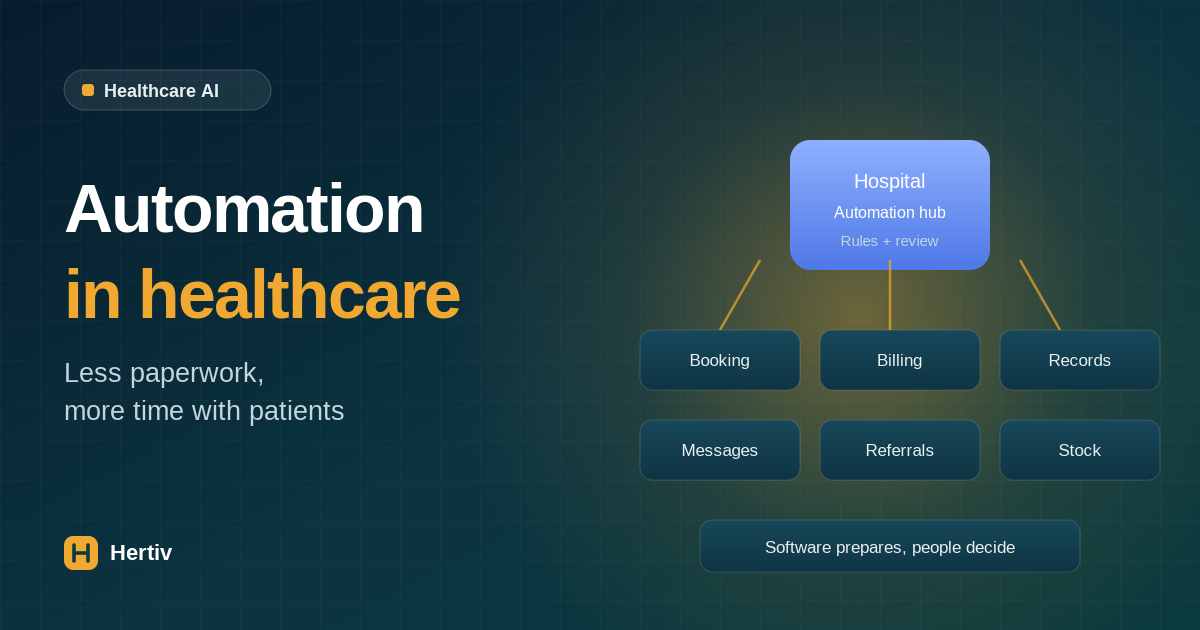
The table below shows the main areas where automation is used and what changes in each one.
| Area | What is automated | What staff gain |
|---|---|---|
| Appointments | Booking, reminders, rescheduling | Fewer no-shows, less phone time |
| Billing and claims | Eligibility checks, claim filing, denials | Faster payment, fewer errors |
| Records | Notes, summaries, coding support | Less typing after each visit |
| Messages | Triage, routing, standard replies | Faster answers to routine questions |
| Referrals | Matching, tracking, follow-up | Fewer lost referrals |
| Stock and supplies | Reordering, expiry tracking | Fewer stockouts and waste |
None of these areas removes the clinician from the loop. Automation prepares the work and flags what needs attention; a person still decides what happens to the patient. For the AI side of the same question, see AI in healthcare examples.
Where does automation help most?
Automation helps most where the volume is high, the steps are fixed and the cost of delay is real. Appointment scheduling is the clearest case: clinics field hundreds of calls a week for bookings that a patient could make online, and every call handled by software frees a receptionist for a patient who needs a person.
Billing is the second area. Eligibility checks, claim submission and denial follow-up involve the same checks repeated thousands of times, and errors in them delay payment for weeks. Software that checks a claim before it is sent catches missing codes and wrong details early, which is cheaper than fixing a denial later.
Records are the third. Clinicians spend a large share of their day typing notes and summaries after each visit. Tools that draft a note from the consultation, which the clinician then edits and signs, cut that time sharply. The draft is never the record until a person approves it.
Message triage is the fourth. Patients send questions about prescriptions, results and appointments through portals and chat. Software can sort those messages by urgency, answer the routine ones from approved content, and send the rest to the right person. For the chatbot side of this, see conversational AI in healthcare.
How does automation work in a clinic or hospital?
Automation in a clinic or hospital works by connecting the systems that already hold the data — the booking system, the electronic record, the billing system and the messaging portal — and adding rules and software that move work between them without a person retyping it.
A typical flow starts with an event, such as a new appointment, a lab result or a claim. The software checks the event against a set of rules: is the patient eligible, is the form complete, does this result need urgent review? If the checks pass, it takes the next step on its own. If they do not, it routes the work to a person with the reason attached.
Robotic process automation handles the steps that still live in older systems without an interface: logging in, copying fields between screens, filing a form. Document tools read scanned letters and forms and pull out the structured fields. AI tools draft summaries and replies from approved content. Each layer is useful on its own, and most clinics combine two or three of them. For the RPA layer specifically, see robotic process automation in healthcare.
The pattern is the same in every case: software does the routine steps, a person checks the output and handles the exceptions, and every automated action is logged so it can be audited later.
What should stay human?
What should stay human in healthcare automation is anything that involves judgement about a patient, a diagnosis, a treatment choice or a difficult conversation. Automation can prepare the information for that decision, but it should not make it.
Diagnosis and treatment planning stay with clinicians. A tool can surface similar cases, flag a result that looks unusual or draft a summary, but the decision about what to do next belongs to a person who can see the patient and weigh the context. The same applies to breaking bad news, handling complaints and talking through a treatment choice.
Edge cases stay human too. A patient whose situation does not fit the standard form, whose records conflict, or who cannot use the online tools needs a person who can bend the process. Automation that forces every patient down one path creates the very delays it was meant to remove.
Finally, accountability stays human. When an automated step goes wrong — a reminder sent to the wrong patient, a claim filed with the wrong code — someone must own the fix and the apology. A clinic that cannot name that person is not ready to automate that step.
Example (hypothetical): a clinic automates appointment reminders
Example (hypothetical): a clinic books 400 appointments a week. Before automation, a receptionist phones each patient to confirm, taking about 5 minutes per call. That is 400 x 5 = 2,000 minutes, or about 33 hours, of phone time a week.
The clinic adds automated reminders by text and email, with a link to confirm or reschedule. Confirming takes the patient about 30 seconds, and the system handles 400 reminders in 400 x 0.5 = 200 minutes, or about 3 hours, of system time a week, with no staff time at all.
The staff time saved is about 33 hours a week. The clinic uses it to staff the phones for patients who do not confirm online, and no-shows fall because patients who need to reschedule can do so in seconds instead of waiting for a call back.
The saving only holds if the reminders are accurate. In the first month the clinic finds that 20 reminders a week go to the wrong number, and each one takes 10 minutes to correct, which is 200 minutes, or about 3 hours, a week. The net saving is 33 - 3 = 30 hours a week, and the clinic fixes the contact details at each visit to bring the error rate down.
What are the common mistakes?
The most common mistakes clinics make with automation are automating a broken process, skipping the data work, and removing the human fallback.
- Automating a broken process. Software that runs a confusing booking flow faster only confuses more patients. Fix the process first, then automate it.
- Skipping the data work. Automation built on wrong phone numbers, duplicate records or outdated codes produces wrong reminders, claims and referrals. Clean the data before you connect the systems.
- No human fallback. A patient who cannot use the portal or whose case does not fit the form needs a person to call. Without one, the automation becomes a barrier.
- Automating too much at once. Changing bookings, billing and records in the same month makes it hard to tell which change caused a problem. Start with one area and measure it.
- No audit trail. Automated actions that are not logged cannot be checked when something goes wrong. Log every step and review the log.
- Ignoring consent and privacy. Patient data used by an automation tool needs the same safeguards as any other use of that data, including clear rules about what leaves the clinic's systems.
How to start automating safely
You start automating safely by picking one high-volume, low-risk task, measuring it before and after, and keeping a person in the loop until the results are stable.
- Pick one task. Appointment reminders, eligibility checks or message triage are good first choices because the steps are fixed and the volume is high.
- Measure the baseline. Record how long the task takes now, how often it goes wrong, and what it costs. Without a baseline you cannot tell whether the automation helped.
- Clean the data it touches. Check phone numbers, codes and record links for the patients the task covers, and fix the errors before you switch anything on.
- Run it beside the old process. Let the software draft or prepare the work while staff keep doing it the old way, and compare the two until they agree.
- Keep a human fallback. Make sure every automated step has a person who can take over, and that patients can always reach one.
For the AI agents that can carry out some of these tasks, see AI agents for patient care. Expand to a second task only when the first one has run cleanly for a month and the staff who use it are happy with it.
Key takeaways
- Automation removes paperwork, not clinical judgement
- Scheduling, billing and message triage are the best first areas
- Every automated step needs a log and a human fallback
- Clean data comes before connecting systems
- Measure one task before and after, then expand
Frequently asked questions
What is automation in healthcare?
Automation in healthcare is software carrying out routine, repeatable tasks in clinics and hospitals, such as booking appointments, processing claims, updating records and routing messages, so staff can spend more time with patients. Clinical decisions stay with people.
What tasks can healthcare automation handle?
It handles appointment booking and reminders, eligibility checks and claim filing, record summaries and coding support, message triage, referral tracking and stock reordering. Each of these follows fixed steps that software can repeat reliably.
Does automation replace doctors and nurses?
No. Automation prepares work, drafts notes and routes messages, but diagnosis, treatment choices and difficult conversations stay with clinicians. The goal is to give staff more time with patients, not to remove them from care.
What is the biggest risk of automating healthcare tasks?
The biggest risk is automating on top of bad data or a broken process, which spreads errors faster. Wrong contact details, duplicate records and outdated codes cause wrong reminders, claims and referrals, so clean the data first.
How much can automation save a clinic?
It depends on the task and the volume. A clinic that automates reminders can save dozens of staff hours a week, but the net saving is smaller once corrections and review time are counted. Measure one task before and after to find the real figure.
Where should a clinic start with automation?
Start with one high-volume, low-risk task such as appointment reminders or eligibility checks. Measure the baseline, clean the data, run the new process beside the old one, and expand only after a month of clean results.


