AI Site Safety Monitoring: How Cameras and Sensors Spot Risk
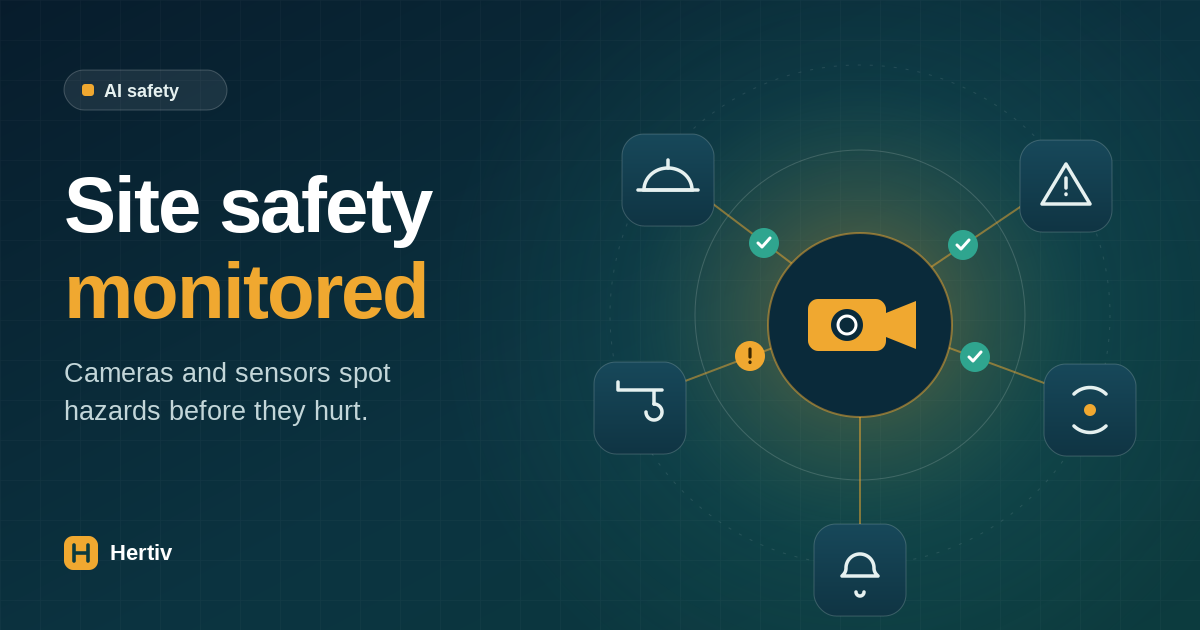
AI site safety monitoring uses cameras and sensors to spot hazards on a construction site and alert a supervisor before someone gets hurt.
On this page
Short answer
AI site safety monitoring is software that watches a construction site through cameras and sensors, detects unsafe acts and conditions such as missing helmets or workers in restricted zones, and alerts a supervisor in time to act. It does not replace the safety officer; it gives that officer more eyes on the site.
What is AI site safety monitoring?
AI site safety monitoring is software that watches a construction site through cameras and sensors, detects unsafe acts and conditions, and alerts a supervisor so the problem can be fixed before someone gets hurt. It turns the site itself into a source of safety information, instead of relying only on walkarounds and incident reports.
The system looks for specific things: workers without helmets or high-visibility vests, people entering restricted zones, workers too close to moving plant, and missing edge protection. When it finds one, it sends an alert with the camera view and the time, so the supervisor can check and act.
It works alongside the normal safety process. Toolbox talks, permits and inspections still matter, because the software only sees what the cameras see. The value is coverage: a camera watches all day, in every corner, while a person can only be in one place at a time.
What does the system watch for?
The system watches for the hazards that cause the most injuries on site, and each one is checked in a different way. The table shows the main checks and what happens when one is found.
| What it watches | How it spots it | What happens next |
|---|---|---|
| Missing helmet or vest | Camera vision checks each worker | Alert to the supervisor |
| Restricted zone entry | Zone lines drawn on the camera view | Warning at the gate and an alert |
| Worker near moving plant | Distance between people and machines | Alert and machine slow-down signal |
| Missing edge protection | Camera checks guardrails and openings | Flag on the daily safety report |
| Fatigue and lone working | Movement patterns and check-ins | Prompt for a break or a check call |
Most systems start with two or three of these checks, not all five. Helmet and zone checks are the usual first step, because they are the easiest to see clearly on camera and the easiest for a supervisor to act on.
How does AI site safety monitoring work?
AI site safety monitoring works in four steps: cameras and sensors collect the picture, a model looks for the hazards it was trained to find, the system decides whether an alert is needed, and a person reviews and acts on it.
- Collect. Cameras cover entrances, work areas and high-risk zones, and sensors add data on noise, dust or movement where cameras cannot see.
- Detect. A computer vision model scans the video for people, machines, protective equipment and zone lines, frame by frame.
- Decide. Rules turn detections into alerts: a missing helmet for more than a few seconds, or a person inside a marked zone, triggers a message.
- Act. The alert reaches the supervisor with the camera view attached, and the supervisor confirms, dismisses or escalates it.
Video is usually processed on site, on a small server or edge device, so the system keeps working when the internet drops. Only alerts and short clips are sent to the office, which keeps bandwidth low. For the vision side of the build, computer vision development covers how these models are trained and tested.
Where does it help most?
AI site safety monitoring helps most on large, busy sites where a supervisor cannot watch every corner, and on sites with a history of repeat incidents that follow a clear pattern.
High-rise and infrastructure projects gain the most, because they have many workers, several contractors and zones that change every week. A camera that re-checks a zone line after each change catches the gaps that a weekly walkaround misses. Smaller sites gain too, mainly from the record: a dated log of alerts shows which hazards keep coming back, so the team can fix the cause instead of repeating the same talk.
It also helps where reporting is thin. Workers often do not report near misses, because nothing happened and the form takes time. An automatic alert creates the record without asking anyone to fill in a form, which gives the safety manager real numbers to work with. Teams that build their own tools usually start from a custom software development plan rather than buying a fixed product.
What do you need before you start?
You need camera coverage of the areas that matter, a clear list of the hazards to check, someone who owns the alerts, and a privacy plan for workers on camera, before you start.
Start by walking the site with the safety manager and marking the zones that need watching: entrances, crane areas, edges and plant routes. Then agree the alert list and who receives each one. An alert nobody owns is just noise, so each type of alert needs a named person and a response time.
Privacy matters from day one. Tell workers what is being recorded, what the system checks and what it does not check, and keep the footage for a short, agreed period. A system that workers see as a spy camera will be blocked, covered or ignored. The same care applies to any system that watches people at work, which is why AI agents for operations teams also start with clear rules on data and oversight.
Example (hypothetical): a mid-rise housing site
Example (hypothetical): a contractor runs a 60-worker housing site with two tower cranes and a busy delivery gate. The safety manager picks three checks to start: helmets at the gate, people in the crane exclusion zone, and edge protection on the top two floors.
In the first month the system raises 48 alerts: 31 missing helmets, 11 zone entries and 6 edge-protection gaps. The supervisor checks each one and finds 40 are real and 8 are false alarms, mostly workers carrying helmets in hand at the gate. The team moves the helmet check point 5 metres inside the gate, and false alarms fall to 2 in the next month.
The record also shows a pattern: most zone entries happen between 7 and 8 in the morning, when deliveries arrive and the banksman is not yet in place. The contractor changes the delivery window to 8.30, and zone entries drop from 11 a month to 3. The cameras did not fix the problem; the pattern they showed did.
What are the common mistakes?
The most common AI site safety monitoring mistakes are turning on too many checks at once, sending alerts to nobody in particular, and treating the system as proof of safety instead of a tool.
- Too many checks on day one. Start with two or three, tune them until false alarms are low, then add more.
- Alerts with no owner. Every alert type needs a named person and a response time, or alerts pile up unread.
- Ignoring false alarms. If a third of alerts are wrong, supervisors stop looking. Fix the cause, usually camera position or zone lines.
- No privacy plan. Workers who were not told what is recorded will resist the cameras, and the system loses its coverage.
- Counting alerts as safety. Fewer alerts can mean fewer hazards or a broken camera. Check the cameras as often as the alerts.
Key takeaways
- AI site safety monitoring watches a site through cameras and sensors and alerts a supervisor about specific hazards
- Start with two or three checks, such as helmets and restricted zones, and tune them before adding more
- Video is usually processed on site so the system keeps working when the internet drops
- The alert record shows which hazards repeat, so the team can fix the cause instead of repeating the same talk
- Every alert needs a named owner, a response time and a privacy plan workers have been told about
Frequently asked questions
Do workers need to be told about the cameras?
Yes. Tell workers what is recorded, which hazards the system checks and how long footage is kept. Being open about it builds trust, and it is usually required by workplace privacy rules. A system workers see as secret monitoring will be resisted and will lose coverage.
How many false alarms are normal at the start?
Some false alarms are normal in the first weeks while camera positions and zone lines are tuned. If roughly a third of alerts are wrong, adjust the setup rather than ignoring the alerts. A tuned system should have most alerts turn out to be real hazards.
Does it replace the safety officer?
No. The system spots things and creates a record, but it cannot judge risk, talk to a worker or stop work. The safety officer still decides what to do, and the software makes sure the officer sees more of the site.
Can it work without a fast internet connection?
Yes, if video is processed on site. Most systems run detection on an edge device or a small server at the site, and only send alerts and short clips to the office. That also keeps mobile data costs low.
What does it cost to run?
Costs vary with the number of cameras, the checks used and whether the software is bought or built. See vendor site for current pricing, and budget for camera maintenance and someone to tune the alerts each month.
Which hazards should be checked first?
Start with the hazards that cause the most injuries on your sites and are easy to see on camera, such as missing helmets and entry to restricted zones. Add harder checks, like edge protection, once the first ones are running cleanly.