AI Model Deprecation: How to Retire a Model Without Breaking Things
AI model deprecation is the planned retirement of a model version. Learn when to retire a model, how to migrate users, and how to keep a safe rollback path.
On this page
Short answer
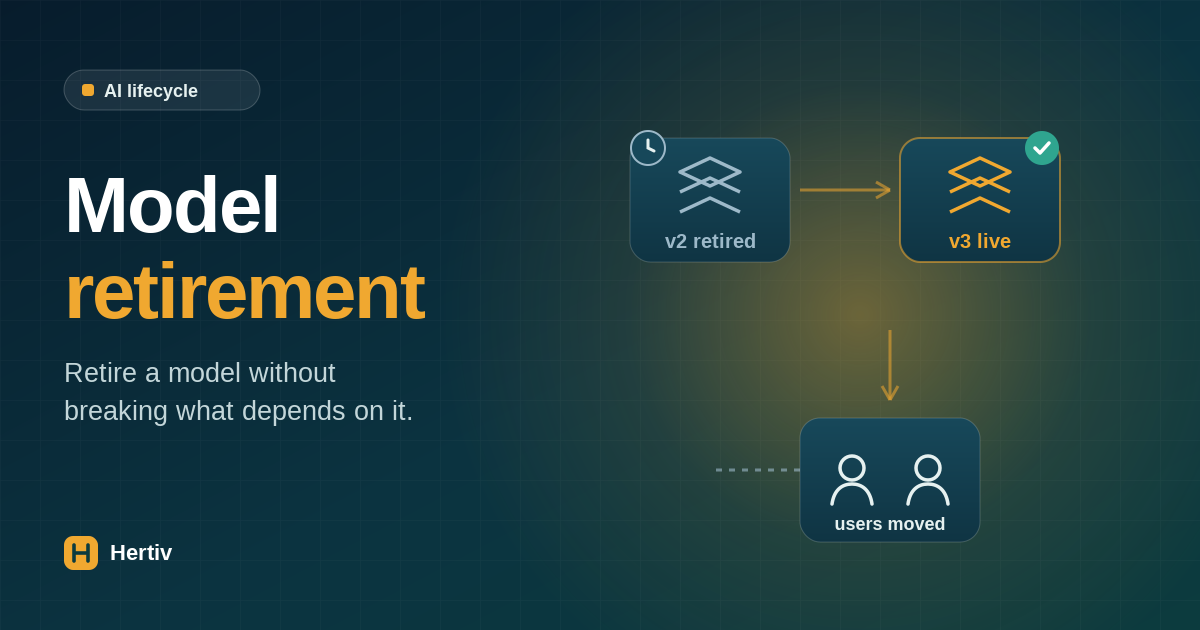
AI model deprecation is the planned process of retiring a model version so that no new traffic reaches it. It covers announcing the end date, moving users and downstream systems to a replacement, keeping the old model available for a short rollback window, and then shutting it down and archiving its data.
What is AI model deprecation?
AI model deprecation is the planned retirement of a model version, so that it stops serving new traffic on a known date. It is not the same as deleting a model. A deprecated model is first announced, then cut off from new requests, then kept briefly for rollback, and only then shut down and archived.
The process matters because models are rarely used alone. A single model can sit behind an API, a product feature, a report and a training pipeline. Retiring it without a plan breaks each of those at once, and the breakage often shows up in places the team that owns the model never sees.
A clear deprecation has four phases, and each one has a job:
| Phase | What happens | Who it affects |
|---|---|---|
| Announced | End date and replacement are published | All users and integrators |
| Migration | Traffic moves to the new version in stages | Product teams and API callers |
| Frozen | Old version takes no new traffic, still answers rollbacks | Support and on-call |
| Retired | Model is shut down and its data archived | Nobody, if the earlier phases worked |
The table is the whole plan in miniature. If any phase is missing, the retirement turns into an outage with a nicer name. The rest of this guide walks through each phase and the decisions inside it.
Why do teams deprecate AI models?
Teams deprecate models for a short list of reasons, and most of them are about cost or risk rather than quality. A model can still answer well and still be the wrong one to run.
- Cost. A newer version answers the same questions with fewer resources, or the old one needs hardware that is no longer worth keeping.
- Risk. The old model was trained on data that is now out of date, or it no longer meets a policy the team must follow.
- Maintenance. Two versions of the same model mean two sets of tests, two monitoring dashboards and two places where a fix must be applied.
- Better options. A replacement covers the same use with fewer errors or a simpler setup, so keeping both adds confusion without adding value.
None of these reasons means the old model was a failure. A model that served well for two years and is now retired did its job. Deprecation is the normal end of a model's working life, not a sign that the team chose badly.
How do you plan a model deprecation?
A deprecation plan is a short document with a date, a replacement and a way back. Write it before you tell anyone the model is going away.
- Pick the replacement first. Name the exact version that takes over, and confirm it answers the same inputs on a shared test set. See how to evaluate an LLM application for the checks that matter.
- Set the end date. Give users enough time to migrate, and pick a date that is not next to a launch or a holiday.
- Announce it in every channel users read. The API docs, the changelog and a direct message to heavy users are the minimum.
- Move traffic in stages. Shift a small share first, watch the error rate, then move the rest.
- Keep the old model on standby. It stays available for rollback for a fixed window, then it is shut down.
- Archive the evidence. Save the model, its test results and the migration notes, so the decision can be checked later.
The plan should fit on one page. If it needs more, the retirement is probably doing too much at once, and splitting it into smaller steps will be safer.
Example (hypothetical): retiring a support-ticket classifier
Example (hypothetical): a support team runs a classifier that sorts 40,000 tickets a month. The team wants to retire version 2 and move to version 3, which was trained on newer tickets.
The plan moves traffic in four weekly stages of 10,000 tickets each. Week one moves 10,000 tickets, week two moves the next 10,000, and by the end of week four all 40,000 tickets run on version 3. Each week the team checks the error rate on a shared set of 1,000 tickets: version 2 made 24 errors and version 3 made 17, so the move is safe to continue.
Version 2 stays on standby for two more weeks after the move. Nobody needs it, so it is shut down and its training data and test results are archived. The whole retirement took six weeks and no ticket was ever left without a model.
What should you tell users before a model retires?
Users need four facts, and they need them early: the end date, the replacement, what changes in the answers, and what to do if something breaks. Anything less leaves them guessing, and guessing is what turns a planned retirement into a support queue.
- The end date, in plain language, with the time zone.
- The replacement version, and where to find its docs.
- The differences in behaviour, with examples, not just a version number.
- A contact for problems during the move, and how long the rollback window lasts.
Heavy users deserve a direct message, not just a changelog entry. The team can find them in the usage logs: the callers who send the most traffic are the ones who will feel the change first. A short note to them, a week before the public announcement, catches problems while there is still time to fix them.
What are the common mistakes?
The most common deprecation mistakes are announcing late, moving all traffic at once, and deleting the old model before the replacement has proved itself.
- Announcing the end date after the migration has started.
- Moving 100% of traffic in one step, so a bad replacement breaks everything at once.
- Forgetting a downstream system that calls the model, such as a report or a training pipeline.
- Shutting down the old model with no rollback window.
- Archiving nothing, so nobody can later check why the model was retired or what it answered.
Each of these is easy to avoid with a one-page plan and a staged move. The cost of skipping them is an outage that looks like a model failure, when it was really a planning failure. For teams that run models in production, MLOps consulting covers the versioning and rollout practices that make retirements routine.
What happens after the old model is gone?
After the old model is retired, the work is not over. The team should watch the replacement for a few weeks, because problems that only appear at full traffic often take time to show up.
Three checks close out the retirement: the replacement's error rate stays inside its agreed range, no system is still calling the old model's address, and the archived model and its test results can be found by anyone who needs them. When all three pass, the deprecation is finished.
The final step is a short note to the team: what was retired, when, what replaced it, and what the migration taught the team. That note is what makes the next deprecation faster, because the next team starts from a record instead of from memory. Knowing what AI model training involves helps the team judge how much work a replacement really needs.
Key takeaways
- Deprecation is a staged retirement: announce, migrate, freeze, then retire.
- Pick the replacement and test it on a shared test set before announcing anything.
- Move traffic in stages and watch the error rate at each step.
- Keep the old model on standby for a fixed rollback window.
- Archive the model, its test results and the migration notes.
Frequently asked questions
How long should a model deprecation take?
It depends on how many systems use the model. A model behind one internal tool can retire in a few weeks, while a public API needs months so that every caller can migrate. The right length is the one that lets the heaviest users move without rushing, with a rollback window after the move.
Can a deprecated model be brought back?
Yes, if it was archived properly. Keep the model files, the version of the code that ran it, and its test results, and bringing it back is a deployment task. If the files were deleted, rebuilding the same version is rarely possible, so archive before you shut anything down.
What is the difference between deprecation and deletion?
Deprecation is a staged retirement with notice, migration and a rollback window. Deletion is simply removing the model. A model should be deprecated first and deleted only after the rollback window has passed and no system still calls it.
Who needs to know about a deprecation?
Everyone who calls the model, directly or through another system. That includes product teams, API users, report owners and training pipelines. Usage logs show who the heaviest callers are, and they should get a direct message, not just a changelog entry.
How do you test a replacement model?
Run both versions on the same fixed test set and compare the results case by case, not just on average. Check the cases that matter most to users, and move traffic in stages so that a problem shows up while only a small share of users is affected.
What happens to the old model's data?
Archive the model, its training data summary, its test results and the migration notes. The archive lets the team answer questions later about what the model did and why it was retired, and it is the starting point if the model ever needs to be rebuilt.