AI-Integrated Smart Crypto Wallet: How It Works
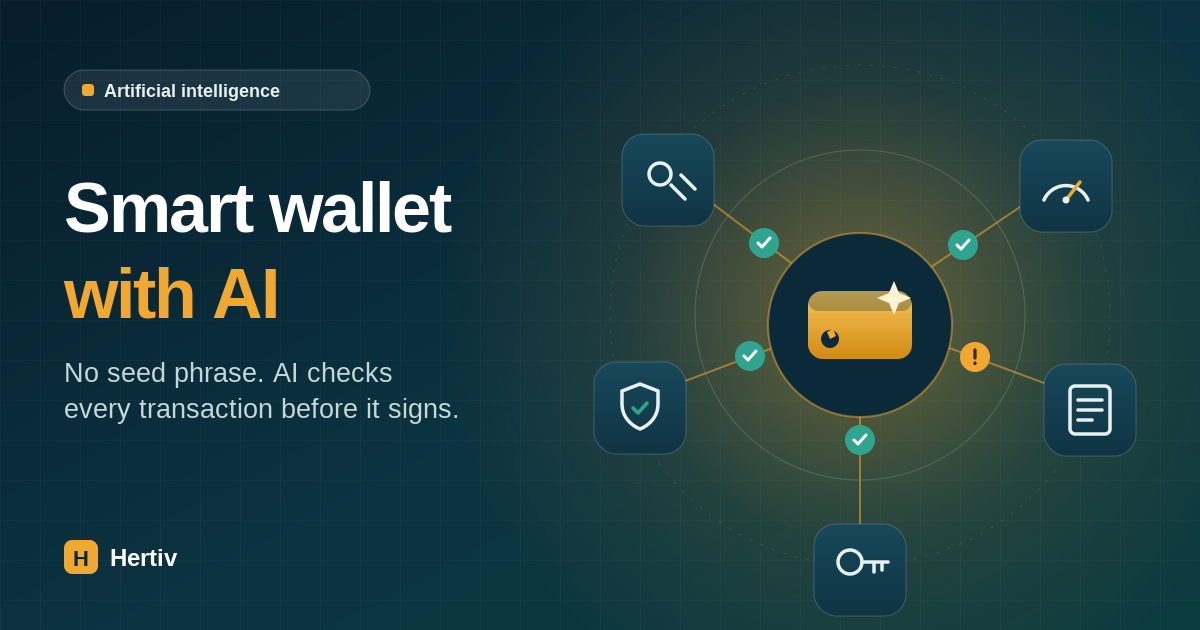
An AI-integrated smart crypto wallet pairs a smart contract account with AI checks that screen transactions, manage gas and guard keys. Here is how it works.
On this page
Short answer
An AI-integrated smart crypto wallet is a smart contract account that uses AI to simulate and explain transactions, screen for scams, manage gas and control session keys. It removes the seed phrase, enforces spending limits in the contract itself, and still asks a person to approve large or unusual moves.
What is an AI-integrated smart crypto wallet?
An AI-integrated smart crypto wallet is a wallet whose account is a smart contract, with AI software that screens transactions, explains them in plain language and manages routine settings such as gas and permissions.
A regular wallet is a private key that signs whatever its owner approves. A smart wallet replaces that key with a small program on the chain, so the account itself can enforce rules: spending limits, approved addresses, expiry dates and recovery by trusted contacts. The AI sits on top of that program and does the checking a person would otherwise have to do by reading raw transaction data.
| Part of the wallet | Smart wallet | What the AI adds |
|---|---|---|
| Account | A smart contract, not a single key | Explains what each action will do |
| Recovery | Guardians or a passkey, no seed phrase | Checks recovery requests for odd patterns |
| Signing | Session keys with limits and expiry | Suggests limits and revokes stale keys |
| Gas | Can be sponsored or batched | Picks cheaper times and bundles actions |
| Checks | Rules enforced by the contract | Screens addresses and flags scams |
The result is a wallet that behaves more like a bank account with a careful assistant than like a bare key. Businesses already use AI crypto wallets for the same reason: the software catches mistakes before money moves.
How does a smart wallet work without a seed phrase?
A smart wallet works without a seed phrase because the account itself is a program, and that program decides which signatures count.
When you create one, the wallet deploys a smart contract as your account. You control it with a passkey on your phone, a hardware key or a set of guardian contacts — people or devices you name in advance. If you lose your phone, the guardians can approve a new device, so there is no 12-word phrase to write down and lose.
Day-to-day signing uses session keys: temporary keys that can only do certain things, up to a set amount, until a set time. A session key for a trading app might be allowed to swap up to a fixed sum for a week, and nothing else. If that key leaks, the damage is bounded by its limits, and the wallet can revoke it at once.
The AI manages this keyring. It proposes limits that fit how you actually use each app, warns you when a key is about to expire, and removes keys for apps you stopped using. That matters because most wallet losses come from a key with more power than it needed, not from a broken lock.
What does the AI actually do in the wallet?
The AI in a smart wallet does four jobs: it simulates and explains transactions, screens for scams, manages gas and permissions, and groups routine actions into batches.
Before you sign, the AI runs the transaction in a simulation and tells you what will actually happen: which tokens leave, which arrive, and which contract you are calling. If the simulation shows your tokens going to a different address than the one on screen, it stops and explains the mismatch in plain words.
It also screens the other side. It checks whether the address is on a known scam list, whether the contract was created minutes ago, and whether the deal matches the usual pattern for that app. A new token that asks for unlimited spending approval is a classic warning sign, and the AI flags it before you sign.
On gas, the AI watches network fees and picks a cheaper window when the action is not urgent, and it bundles several steps into one transaction when the wallet supports it. For permissions, it keeps a list of what each app can do and prompts you to revoke approvals you no longer need.
How do security and approvals work?
Security in an AI-integrated smart wallet comes from three layers: the contract's own rules, the AI's checks, and a human approval step for anything large or unusual.
The contract enforces hard limits that no software can override: a daily spending cap, an allowlist of addresses, and an expiry date on every session key. Even if the AI makes a mistake, a transaction that breaks a rule simply cannot execute.
The AI adds a softer layer. It scores each request and holds anything that looks odd — a first-time recipient, an amount far above your usual range, or a contract the wallet has never seen — for your review. It also keeps a readable log of every action, so you can see what the wallet did and why.
For large moves, the wallet asks a person to confirm. A common setup is that anything above a threshold needs a second device or a guardian to approve. The AI can prepare the transaction and explain it, but it never moves large sums on its own. That division of labour is the point: automation for the routine, a human for the irreversible.
Teams that build wallets often start from a crypto wallet development plan that lists these limits first, before any feature work, because the limits are what make the rest safe to use.
How do you set one up?
You set up an AI-integrated smart wallet in six steps, and most of them are one-time choices you can change later.
- Pick a wallet app that supports smart accounts. Check that it works on the chain you use and that it offers AI transaction checks, not just a pretty interface.
- Create the account with a passkey. Use your phone's passkey or a hardware key as the main signer, and store a backup on a second device.
- Name your guardians. Pick two or three trusted people or devices who can approve recovery if you lose access.
- Set spending limits. Give the wallet a daily cap and an allowlist of addresses you pay often, so routine payments flow and the rest need approval.
- Connect apps with session keys. When an app asks to connect, give it a session key with a low limit and a short expiry instead of full access.
- Review the AI's first checks. Run a small transaction first, read the AI's explanation, and adjust the limits until the wallet's behaviour matches what you expect.
After setup, the routine is light: glance at the log once a week, revoke keys for apps you stopped using, and raise the approval threshold before any large move. If you want the basics of protecting any wallet first, how to secure a crypto wallet covers the habits that apply to every wallet type.
Who is it for, and who should skip it?
An AI-integrated smart wallet suits people who transact often, teams that share a treasury, and newcomers who want guardrails. It is the wrong choice for long-term cold storage and for anyone who wants full manual control.
Frequent traders and active users gain the most, because the AI screens many transactions a day and the session keys keep each app's power small. Small teams gain too: the wallet can require two approvals for large payments, and every action is logged, so nobody has to chase receipts.
Newcomers benefit from the plain-language explanations and the lack of a seed phrase to lose. A wallet that explains a transaction before signing removes the most common beginner mistake, which is approving something the user did not understand.
Skip it if you plan to hold funds untouched for years. A hardware wallet kept offline is simpler and has a smaller attack surface for that job. Skip it too if you want to approve every detail by hand: the AI's value is in handling routine decisions, and a wallet that second-guesses you will only slow you down.
When choosing a builder for a team wallet, compare crypto wallet development companies on their security record and recovery design, not on the number of features they list.
Example: a small team pays its contributors
Example (hypothetical): a three-person team pays 12 contributors at the end of each month, $250 each, for a total of $3,000.
Without a smart wallet, the team sends 12 separate payments. Each one takes about 5 minutes to check and send, so the run takes 60 minutes, and each payment carries its own gas fee. With the smart wallet, the AI groups the 12 payments into 2 batched transactions. The team reviews one summary for each batch, which takes about 10 minutes in total, saving roughly 50 minutes a month.
During the review, the AI flags one address: it differs by two characters from the contributor's usual address. The team checks with the contributor and finds it was a typing mistake. The payment is corrected before it is sent, so $250 does not go to a stranger's address.
The gas for the two batches comes to $14, sponsored by the wallet, against about $46 the team used to pay across 12 separate payments. The saving is $32 a month, but the team values the caught typo more: one wrong address would have cost $250 and a week of chasing it.
What are the common mistakes?
The most common mistakes with AI-integrated smart wallets are trusting the AI too far, setting limits too high, and forgetting that the wallet is still software.
- Signing without reading the summary. The AI explanation is there to be read. If you approve blindly, the wallet is no safer than a regular one.
- Giving session keys full power. A key with no limit and no expiry is just a second master key. Keep limits low and expiry short.
- Choosing weak guardians. Guardians who share a device with you, or who will approve anything, add no protection. Pick people who will actually check.
- Ignoring the approval threshold. If large moves do not need a second approval, the AI is the only thing between a mistake and a loss.
- Skipping the log. The wallet records every action. A weekly glance catches a permission you forgot to revoke or an app behaving oddly.
Key takeaways
- A smart wallet is a smart contract account, not a single private key
- The AI simulates and explains transactions before you sign them
- Session keys with limits and expiry bound what any one app can do
- Guardians or a passkey replace the seed phrase for recovery
- Large or unusual moves still need a human approval step
Frequently asked questions
Is a smart wallet safer than a regular wallet?
It can be, because the contract enforces spending limits and the AI screens transactions before signing. But safety still depends on your setup: weak guardians, high limits and blind approvals undo the protection, so treat the wallet's rules as the real security layer.
Does the AI hold my keys?
No. The AI does not hold your keys or your funds. Your passkey or guardians control the account, and the AI only reads transaction data, runs simulations and suggests limits. It can prepare a transaction, but it cannot sign one on its own.
What happens if I lose my phone?
You recover with your guardians or a backup device. They approve a new device, and the wallet transfers control to it. This is why guardian choice matters: pick people who will check before they approve, not people who approve anything.
Can the AI move my funds on its own?
No, not in a well-built wallet. The AI can batch routine actions you approved and pay gas, but moving funds above your threshold needs your confirmation, and the contract's limits apply even if the AI is wrong about a transaction.
Do smart wallets work on every chain?
No. Smart wallets need a chain that supports account abstraction or smart contract accounts. Most major chains now support them, but the exact features, such as gas sponsorship and batching, differ by chain, so check before you move funds.
What does it cost to use one?
Costs vary by wallet and chain. Some wallets sponsor gas for small actions, while others charge a small fee or pass gas through to you. Check the wallet's fee page before you fund it; see vendor site for current pricing.