AI Financial Document Automation: What It Does and Where It Helps
AI financial document automation reads invoices, receipts and statements, pulls out the fields that matter, and checks them before they reach your ledger.
On this page
Short answer
AI financial document automation uses machine learning and document AI to read financial documents, extract fields such as amounts, dates and supplier names, and validate them against rules before posting them to an accounting system. It replaces manual data entry for invoices, receipts, bank statements and expense claims, while routing anything uncertain to a human for review.
What is AI financial document automation?
AI financial document automation is software that reads financial documents, pulls out the structured fields inside them, and moves those fields into an accounting or finance system without someone retyping them. It combines optical character recognition with models trained on invoices, receipts, bank statements and expense claims.
The system does three jobs in sequence. First it classifies the document: invoice, receipt, statement, purchase order or claim. Then it extracts the fields that matter, such as supplier name, invoice number, dates, line items, tax and totals. Then it validates what it found against rules and against the records your finance team already holds.
It is different from a simple scanner. A scanner stores an image. Document automation produces data your ledger can use, and it flags the cases it cannot read with confidence. For a broader view of the technology behind it, see document AI.
| Document | Fields extracted | Typical check |
|---|---|---|
| Supplier invoice | Supplier, invoice number, dates, line items, tax, total | Matches a purchase order and the agreed price |
| Receipt | Merchant, date, items, tax, total | Fits the expense policy and the claimed amount |
| Bank statement | Transactions, balances, fees | Reconciles against the ledger balance |
| Expense claim | Employee, category, amounts, receipts attached | Receipt present and category allowed |
| Purchase order | Buyer, supplier, items, quantities, prices | Budget available and approver recorded |
How does it turn documents into usable data?
It turns documents into usable data by reading the layout, not just the words. The model learns where suppliers usually print the total, the invoice number and the tax line, so it can find those fields even when two suppliers use very different templates.
A typical pass looks like this. The document is ingested from email, a scan or an upload. The model classifies it and extracts the fields. Deterministic rules then check the arithmetic: line items add up to the subtotal, tax matches the rate, and the total matches the sum. Anything that fails a rule goes to a review queue with the problem highlighted.
Good systems also learn from corrections. When a reviewer fixes a field, that correction becomes a labelled example for the next batch, so accuracy on your own suppliers improves over time. The model never changes a posted figure on its own; it proposes, and a rule or a person approves.
Handwriting is the weak spot. Printed documents from known suppliers read well, while handwritten notes, faded scans and crumpled receipts read poorly and need more review. Set expectations on that split before you promise a result.
Which financial documents work best with automation?
The documents that work best with automation are high-volume, structured and repeated: supplier invoices, standard receipts, bank statements and routine expense claims. These arrive in similar shapes every time, so the model has plenty of examples to learn from.
Invoices are usually the first win. A company that receives hundreds of invoices a month from a stable set of suppliers can automate most of them, because the supplier list and the layout patterns repeat. Receipts come next, though small thermal receipts with faded print need more review than clean PDFs.
Bank statements automate well for reconciliation, because the format is regular and the check is simple: does the statement balance match the ledger? Complex contracts, loan agreements and audit letters automate poorly, because the value is in clauses and conditions rather than fields, and a missed clause costs more than a missed amount.
Start with the document type that has the highest volume and the clearest fields. A single document type done well teaches you more than five types done badly, and it gives you a measured baseline to compare the next type against.
What does the workflow look like from inbox to ledger?
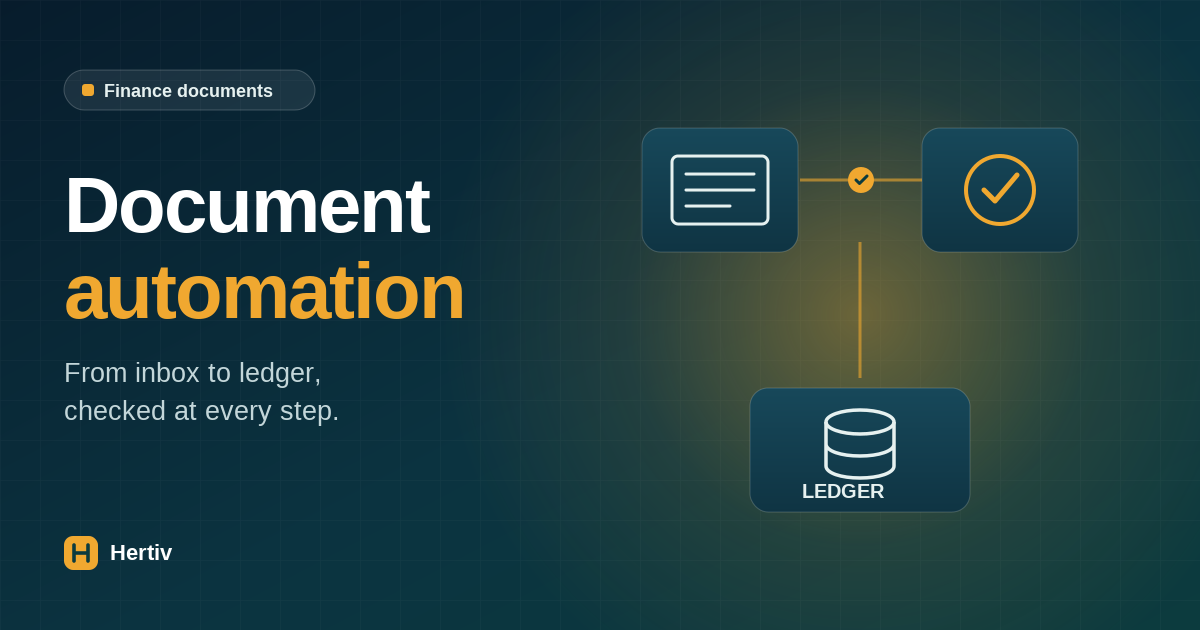
The workflow runs from inbox to ledger in five stages, with a human checkpoint where the stakes are highest. Documents arrive by email, scan or upload and are queued for processing. The system classifies and extracts, then validates against rules and existing records.
- Capture. Documents arrive from email, a scanner or an upload portal and are stored with a source and a timestamp.
- Extract. The model reads the document and returns structured fields with a confidence score per field.
- Validate. Rules check arithmetic, match purchase orders and budgets, and flag duplicates by invoice number and amount.
- Review. A person checks only the flagged items, corrects them, and those corrections feed back into the model.
- Post. Clean records move into the ledger with an audit trail linking each posting back to its source document.
The review queue is the part most teams underestimate. Plan for it as a real daily task with an owner, not as an occasional chore. If nobody owns the queue, flagged documents sit unread and the automation looks slower than the manual process it replaced.
For teams that want the same pattern applied to finance work more broadly, generative AI in financial reporting covers the monthly close.
How do you check accuracy and handle exceptions?
You check accuracy by measuring it on a fixed sample, not by trusting a vendor claim. Take a set of real documents your team has already processed, run them through the system, and compare the extracted fields against the known correct values field by field.
Track two numbers separately. Field accuracy is the share of fields extracted correctly. Straight-through rate is the share of documents that pass all rules with no human touch. A system can have high field accuracy and a low straight-through rate if one field, such as tax, keeps failing validation.
Exceptions need a clear home. Duplicates, amounts that do not match a purchase order, missing tax numbers and suppliers that are not on file should each have a named handler and a time limit. An exception that waits a week is worse than a manual process, because the supplier is waiting and nobody knows the document is stuck.
Keep the audit trail. Every posting should link back to its source document, the extracted values, the rules it passed and who approved any correction. That trail is what makes the system defensible in an audit.
What are the limits and risks?
The limits are real, and naming them early keeps the project honest. The model reads what is printed; it does not know whether the goods were delivered, whether the price was agreed, or whether the supplier is legitimate. Those checks still belong to people and to matching against purchase orders and receipts.
New suppliers are a weak point. A supplier the model has never seen produces lower confidence scores, so the first few invoices from any new supplier should go through review even if the system looks confident. The same applies after a supplier changes its invoice layout.
There are also compliance risks. Financial documents carry personal and commercial data, so the system must store them with access controls, retention rules and a way to delete records on request. Check where the vendor processes documents and whether that location fits your data rules before you sign.
Finally, automation can hide errors at scale. A wrong rule applied to a thousand invoices creates a thousand wrong postings in an afternoon. Roll out in stages, watch the review queue daily for the first month, and keep a manual fallback ready.
Example (hypothetical): a 40-person finance team automates invoices
Example (hypothetical): a 40-person finance team receives 1,200 supplier invoices a month. By hand, each invoice takes about 8 minutes to key in and check, which is 160 hours a month, roughly one full-time person.
The team automates invoice intake. In the first month, 840 invoices pass all rules with no touch, 300 go to review at about 4 minutes each, and 60 are rejected as duplicates or mismatches. Review takes 20 hours a month, so the team saves about 140 hours a month on keying, and the review queue becomes a visible daily task instead of a pile of paper.
The saving is not the whole story. Because every posting now links to its source document, the month-end close takes two days less, and the audit sample takes hours instead of days to assemble. The team keeps one person on the review queue and moves the rest of the saved time to supplier queries and cash-flow work.
Notice what the example assumes: a stable supplier list, clean scans, and a purchase-order match for most invoices. Without those, the straight-through rate falls and the saving shrinks.
What are the common mistakes?
The most common mistakes are automating the wrong documents first, skipping the review queue, and trusting the system before it has been measured on your own documents.
- Starting with the hardest documents. Contracts and loan letters look impressive in a demo and fail in production. Start with invoices.
- No owner for the review queue. Flagged documents pile up and suppliers chase payment.
- Skipping the baseline. Without a measured sample, nobody can say whether accuracy improved or drifted.
- Auto-posting everything. Letting the system post without a rule check turns small errors into ledger errors.
- Ignoring new suppliers. A new layout needs review, even if the system reports high confidence.
- Weak retention rules. Storing every document forever creates a compliance problem of its own.
If the finance workflow around the documents also needs work, AI in finance covers where automation fits across the function.
Key takeaways
- AI financial document automation turns paper and PDFs into ledger-ready data, with rules and review in between
- Start with invoices: high volume, repeated layouts and a clear purchase-order match
- Measure field accuracy and straight-through rate on your own documents before trusting the system
- The review queue needs a named owner and a daily routine, or flagged documents stall
- Automation reads what is printed; it cannot confirm delivery, agreed prices or supplier legitimacy
- Roll out in stages and keep the audit trail from posting back to source document
Frequently asked questions
What documents can AI financial document automation handle?
It handles invoices, receipts, bank statements, purchase orders and expense claims well, because these are structured and repeated. It handles contracts and loan agreements poorly, since the value sits in clauses and conditions rather than fields, and a missed clause costs more than a missed amount.
How accurate is AI document extraction?
Accuracy depends on document quality and supplier variety. Clean printed invoices from known suppliers extract well, while handwritten notes and faded scans need more review. Measure field accuracy on a fixed sample of your own documents rather than relying on a vendor figure.
Does it replace the finance team?
No. It replaces keying and first-pass checks, while review, exceptions, supplier queries and judgement stay with people. Most teams move the saved time to cash-flow work, close tasks and audit preparation rather than cutting headcount.
How long does it take to set up?
A single document type, such as supplier invoices, usually takes a few weeks to configure, including rules, matching and the review queue. Adding further document types is faster once the first one is measured and stable.
What happens when the system cannot read a document?
The document goes to a review queue with the problem highlighted, and a person corrects it. Those corrections become labelled examples, so the system improves on your own suppliers over time.
Is financial document data safe in these systems?
It can be, with access controls, retention rules and a clear processing location. Check where the vendor stores and processes documents, who can see them, and how records are deleted, before you connect a live inbox.