AI Document Search in Manufacturing: Find the Right File Fast
AI document search in manufacturing lets staff ask a question and get the right drawing or procedure back, with the source shown. Here is how it works.
On this page
Short answer
AI document search in manufacturing lets staff ask a question in plain words and get the right drawing, specification, procedure or manual back, with the source passage shown. It cuts the time spent hunting through shared drives and old revisions, so maintenance and quality staff spend their time on the work itself.
What is AI document search in manufacturing?
AI document search in manufacturing is a search system that lets staff ask a question in plain words and get the right drawing, specification, procedure or manual back, with the source passage shown. It replaces hunting through shared drives and paper binders with a single search box.
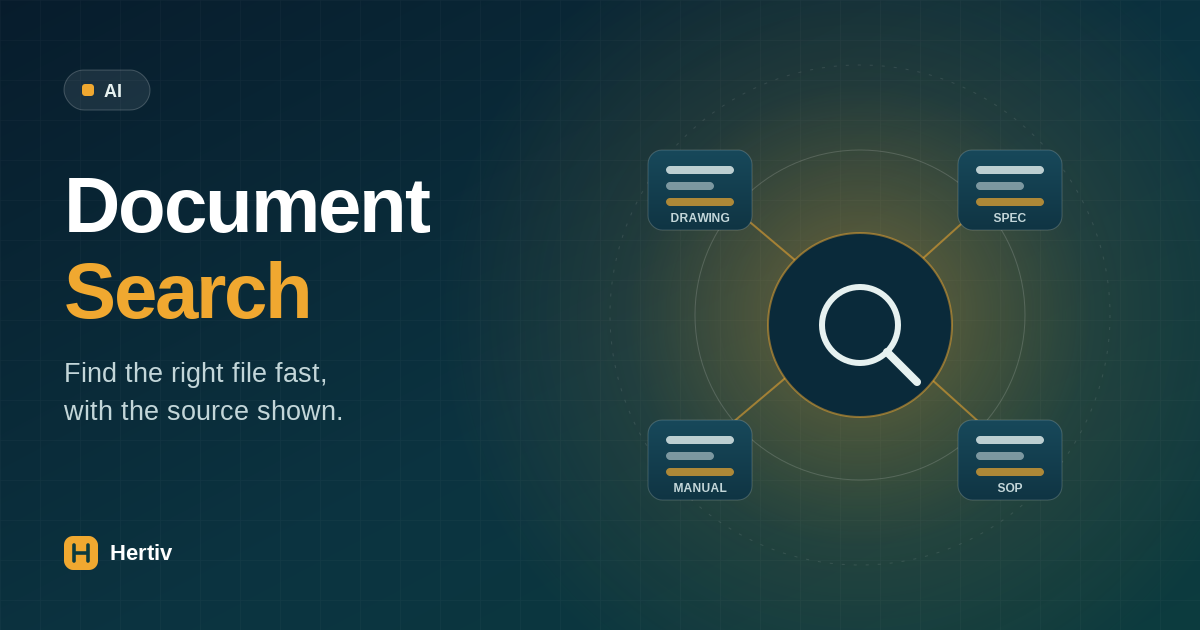
It works by reading the plant's documents and indexing what they mean, not just the words they contain. A search for "torque setting for the gearbox bolts" can find the answer in a maintenance manual even when the manual uses different wording.
The key difference from ordinary search is that the answer comes with its source. The result shows the passage, the document name and the page, so the person using it can check the answer before acting on it.
This is a retrieval task, not an extraction task. It does not pull fields out of forms; it finds the document that answers the question. For the broader picture of reading plant documents, document AI in manufacturing covers what the software can read and where it pays.
Which documents can the search cover?
A manufacturing search system can cover most of the documents a plant already holds, as long as the files are readable and access is set correctly. The list below covers the common types.
| Document type | What staff search for | Who uses it most |
|---|---|---|
| Engineering drawings | Dimensions, tolerances, revisions | Maintenance, quality |
| Specifications | Materials, limits, test criteria | Engineering, quality |
| Standard procedures | Steps, settings, safety checks | Operators, supervisors |
| Equipment manuals | Fault codes, service intervals | Maintenance technicians |
| Quality records | Inspection results, non-conformances | Quality engineers |
| Safety data sheets | Hazards, handling, first aid | All shop-floor staff |
Drawings need care, because much of their information sits in the image rather than in text. A good setup reads the title block and notes, and links the drawing to the specification it belongs to.
How does semantic search work on the shop floor?
Semantic search works by matching the meaning of a question to the meaning of passages in the documents. The system splits each document into short passages, turns each passage into a numeric representation of its meaning, and stores those representations in an index.
When someone asks a question, the system turns the question into the same kind of representation and finds the passages closest to it. The closest passages are returned as the answer, with the source document named.
On the shop floor this matters because people ask questions in their own words. An operator who asks "how do I change the blade on the cutter" should reach the same procedure as one who asks "cutter blade replacement steps", even though the words differ.
The system should also show when it is unsure. If no passage matches well, it should say so rather than invent an answer. That behaviour is what keeps the search trustworthy in a setting where a wrong answer can stop a line.
Where does it save the most time?
Document search saves the most time in maintenance, quality checks and audits, where the right document is needed quickly and the cost of the wrong one is high.
In maintenance, a technician who can find the fault-code procedure in a minute spends the rest of the shift fixing the machine instead of searching for the manual. In quality, an inspector who can pull the current specification in seconds does not work from an old revision by mistake.
Audits are another strong case. An auditor who asks for the procedure behind a process should get the current version immediately, with its revision history. That turns a day of document hunting into a short conversation.
Onboarding benefits too. A new operator who can ask questions and get sourced answers learns the procedures faster and asks supervisors fewer repeat questions. The supervisors still check the work, but they spend less time on basic lookups.
Example (hypothetical): a plant finds the right drawing in minutes
Example (hypothetical): a parts plant with 40 document searches a week, mostly from maintenance and quality staff looking for drawings, specifications and procedures.
By hand, each search takes about 25 minutes: checking the shared drive, asking a colleague, and opening several files to find the right one. That is 40 times 25 minutes, which is 1,000 minutes, or about 16 hours and 40 minutes a week across the team.
With AI document search, each search takes about 5 minutes: ask the question, read the returned passage and check the source document. That is 40 times 5 minutes, which is 200 minutes, or about 3 hours and 20 minutes a week.
The saving is 800 minutes a week, which is about 13 hours and 20 minutes. Over a month that is more than 50 hours returned to maintenance and quality work, and fewer jobs delayed by a missing document.
What does a good rollout need?
A good rollout needs clean source files, clear access rules and a pilot group that actually searches for documents every day. The technology is the smaller part; the document set is the larger one.
- Pick one document set. Start with the drawings and procedures for one line or one cell, not the whole plant.
- Clean the files. Remove duplicates, mark the current revision clearly and archive the superseded versions.
- Set access rules. Decide who can see which documents before indexing, so restricted files stay restricted.
- Test with real questions. Ask the pilot group for the questions they actually ask, and check the answers against the source documents.
- Train on checking sources. Show staff how to open the source passage and confirm the answer before acting on it.
Document AI projects in other sectors follow the same pattern. Document AI use cases shows how teams in finance, healthcare and logistics set up their document sets.
What are the common mistakes?
The most common document search mistakes are indexing everything at once, trusting answers without sources, and leaving old revisions in the set.
- Indexing the whole plant on day one. A huge, messy index returns poor answers. Start with one clean set and grow it.
- Accepting answers without checking the source. The source passage is the check. If staff skip it, errors reach the shop floor.
- Old revisions in the index. A superseded drawing that still appears in results will be used by mistake. Archive old versions before indexing.
- No access control. Search must respect who can see what. Indexing restricted files without rules is a data breach waiting to happen.
- No feedback loop. If nobody records wrong answers, the index never improves. Give staff a simple way to flag a bad result.
How do you measure whether it is working?
You measure document search by time to find, answer quality and use. Time to find is the simplest: compare the minutes per search before and after rollout, using a small sample of real searches.
Answer quality needs a human check. Take a sample of questions each month, read the returned passages, and record how many answers were correct, how many pointed to the wrong revision, and how many had no good source. A rising correct share and a falling wrong-revision share show the index is improving.
Use matters too. If searches keep growing while time per search falls, the system is earning its place. If use stalls, ask the pilot group why: the usual reasons are poor answers on their documents or a search box that is hard to reach from the shop floor.
For teams weighing the wider document automation picture, what intelligent document processing is explains how search, extraction and classification fit together.
Key takeaways
- Document search matches the meaning of a question to passages in the plant's documents, not just the words
- Drawings, specifications, procedures, manuals, quality records and safety sheets are the usual document set
- Every answer should come with its source passage, so staff can check it before acting on it
- Old revisions must be archived before indexing, or they will be used by mistake
- Measure time to find, answer quality on a monthly sample, and whether use keeps growing
Frequently asked questions
What is the difference between document search and document AI?
Document search finds the document that answers a question and shows the source passage. Document AI is the wider field: it also extracts fields, classifies documents and pulls structured data out of them. Search is one use of the same underlying technology.
Can AI search read engineering drawings?
It can read the title block, notes and revision history of a drawing, and link the drawing to its specification. The geometry itself is harder: dimensions drawn as lines need a different tool. Most teams search drawings by their notes and metadata, not by the lines.
Does document search replace the document controller?
No. Someone still owns the document set: which revision is current, who can see what, and when an old version is archived. Search makes the set easier to use, but it does not manage it.
How do you stop the search returning old revisions?
Archive superseded versions before indexing, and mark the current revision clearly in the file name or metadata. A monthly check of the most-used documents catches the ones that slip through.
What if the search cannot find an answer?
A good system says so rather than inventing one. That is the safe behaviour: it tells the user to ask a supervisor or check the source directly, and the unanswered question is logged so the document set can be improved.
How much does AI document search cost to run?
Costs depend on the number of documents, how often they change and how the system is hosted. Most teams start with one document set on a pilot, measure the time saved, and use that figure to judge whether a wider rollout is worth it.