AI Development Languages and Tools: The Full Stack
AI development languages and tools form one stack: a language, frameworks for training, and tooling for data and deployment. Here is how the pieces fit.
On this page
Short answer
AI development languages and tools are the stack teams use to build AI products: Python is the usual language, frameworks such as PyTorch and TensorFlow handle training, and tools for notebooks, data versioning and deployment turn a model into a working product. The right stack depends on the product, not on the language alone.
What are AI development languages and tools?
AI development languages and tools are the stack a team uses to turn an idea into a working AI product. The language is where the code is written, the frameworks provide the building blocks for models, and the tools handle data, experiments and deployment. No single piece does the whole job.
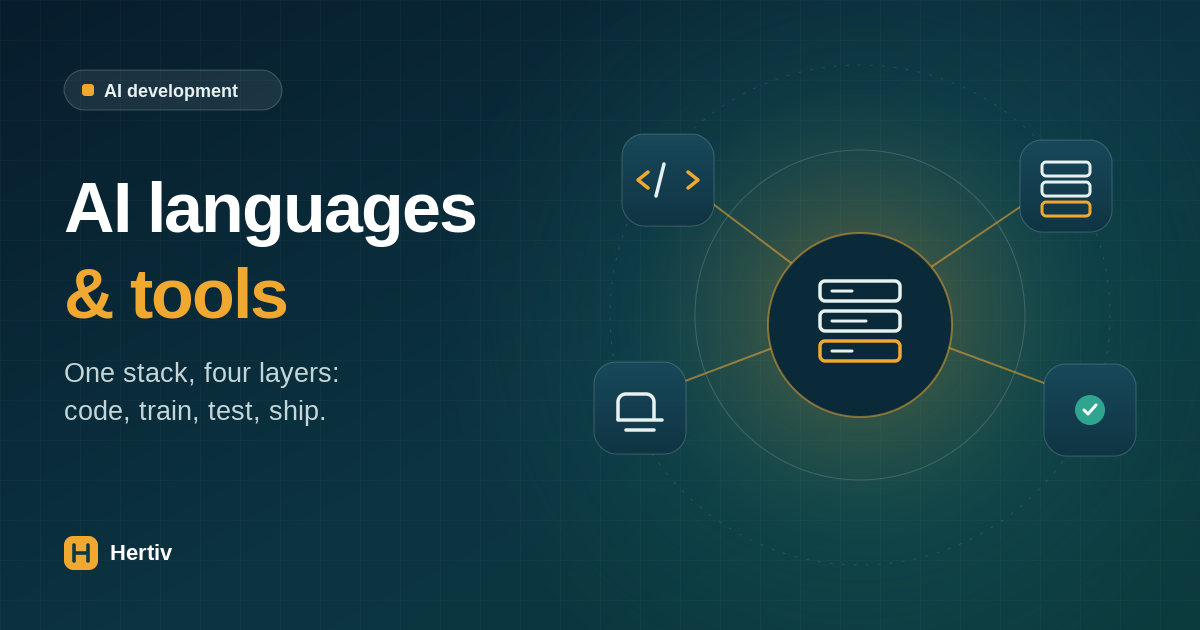
The stack has four layers. The language layer is usually Python, sometimes JavaScript, Java or C++. The framework layer includes PyTorch, TensorFlow and scikit-learn for training and inference. The data and experiment layer covers notebooks, data versioning and experiment tracking. The deployment layer covers serving, monitoring and scaling the finished model.
Teams that pick one layer without the others run into trouble. A model trained in a notebook with no versioning cannot be reproduced. A model with no serving layer cannot reach users. The stack only works when the layers fit together, which is why the choice is a team decision, not a personal preference.
Which languages do AI teams use?
AI teams use a small set of languages, and each one has a clear place. The table below shows the main options, what each is best for, and where it struggles.
| Language | Best for | Where it struggles |
|---|---|---|
| Python | Most AI work, prototypes, data | Raw speed, mobile apps |
| JavaScript / TypeScript | AI in the browser and web apps | Heavy model training |
| Java | AI inside large enterprise systems | Fast experimentation |
| C++ | Performance-critical inference | Slow to write and debug |
| R | Statistics and research | Production services |
| Julia | Research and simulation | Small library ecosystem |
Python is the default because almost every AI library is written for it first, and because data work, training and serving all have mature Python tooling. The other languages appear when the product demands it: JavaScript when the model runs in the browser, Java when the model must live inside an existing enterprise system, C++ when latency is the main constraint. For the language choice in detail, see top AI programming languages.
Which frameworks and libraries matter most?
Frameworks and libraries matter more than the language, because they decide what a team can build and how fast. Three cover most work. PyTorch is the usual choice for research and for custom models, because it is flexible and its debugging is straightforward. TensorFlow suits production systems that need serving, mobile and edge support from one stack. Scikit-learn covers classical machine learning — regression, classification, clustering — with a simple, stable interface.
Above the frameworks sit the libraries that handle specific jobs. Hugging Face Transformers provides pre-trained models for text, images and audio, so teams rarely train from scratch. LangChain and similar libraries help wire language models to tools, databases and APIs. OpenCV handles image processing, and spaCy handles language processing when a full language model is more than the job needs.
Pick the framework your team already knows when the choice is close. A team that knows PyTorch will ship faster with PyTorch than with a framework that is better on paper but new to everyone. Framework skill is part of the stack, not separate from it.
What tools support data and experiments?
Data and experiment tools are the least glamorous layer and the one that decides whether results can be trusted. The work starts in notebooks: Jupyter is the usual choice, and it is where most models are first built and tested. Notebooks are good for exploration and bad for production, so the results need to move into versioned code before they ship.
Four tools keep the work honest:
- Data versioning. Tools such as DVC track which data version trained which model, so a result can be reproduced months later.
- Experiment tracking. MLflow and Weights and Biases record parameters, metrics and artefacts for every run, so the team knows which run was best and why.
- Data labelling. Labelling tools prepare the training data, and their quality sets the ceiling for the model.
- Evaluation sets. A fixed set of real cases with known good answers, used to score every new version before it ships.
Teams that skip this layer pay for it later, usually when a model that worked in a notebook cannot be reproduced, or when two engineers cannot agree on which version is live. The fix is process, not a bigger model.
What tools take a model into production?
Production tools turn a trained model into a service that users can rely on. The first piece is serving: a model server such as TensorFlow Serving, TorchServe or a simple API wrapper that takes requests and returns predictions. The second is packaging: containers and a deployment pipeline so the same model runs the same way in testing and in production.
The third piece is monitoring. A production model needs tracking for latency, error rate, input drift and output quality, because data changes over time and a model that was accurate in January can be wrong by June. The fourth piece is the feedback loop: predictions and outcomes are logged, so the team can measure the model on real traffic and decide when to retrain.
For language models the serving layer also needs guardrails: prompt and output checks, rate limits and cost tracking per request. These are not optional extras. A model with no guardrails is a model that will eventually do something expensive in public. Planning the deployment early is cheaper than adding it after launch, and an AI proof of concept is the right place to test the serving path.
How do you choose an AI development stack?
You choose an AI development stack by starting from the product, not from the language. A workable sequence:
- Define the product first. What does the model do, who uses it, and where does it run — browser, server, phone or edge device? That answer narrows the stack fast.
- Pick the language your team knows. Python is the default. Pick another language only when the product demands it, not because it is fashionable.
- Pick the framework that fits the job. PyTorch for custom models, TensorFlow for a full serving stack, scikit-learn for classical models, Hugging Face when a pre-trained model fits.
- Add the data layer before training. Version the data, set up experiment tracking and build the evaluation set. Do this before the first training run, not after.
- Plan the serving path in the same week. Decide how the model reaches users and how it will be monitored, so the prototype does not become a dead end.
Keep the stack small. Each extra tool adds a dependency, a version to track and a skill the team must learn. A stack of five tools that the whole team knows beats a stack of twelve that only one person understands. If you are hiring for the stack, how to build an AI team covers the roles that go with it.
Example (hypothetical): a team picks a stack for a support copilot
Example (hypothetical): a 4-person team must build a support copilot that drafts answers from a help centre. They consider three stacks over a 2-week spike. Stack A is Python with a hosted language model and a retrieval library. Stack B is Python with the same model plus a framework for tool calls. Stack C is JavaScript with a browser-side model.
Each stack is tested on the same 50 real tickets. Stack A answers 38 of 50 correctly. Stack B answers 41 of 50 correctly. Stack C answers 29 of 50 correctly, and the browser model is too slow on long articles. The team picks stack B, because 41 of 50 beats 38 of 50 and the tool-calling framework is the only difference that matters.
The team then ships in 6 weeks: 2 weeks for the retrieval pipeline, 2 weeks for the review interface, and 2 weeks for evaluation and guardrails. The lesson is not that stack B is the best stack in general. It is that a 2-week spike on 50 real cases answered the question with numbers, instead of a month of debate.
What are the common mistakes?
The most common AI stack mistakes are picking tools before defining the product, adding too many tools, and skipping the data layer. All three slow a team down more than any model choice.
- Choosing the language first. The product decides the stack. A browser product needs JavaScript; a research prototype needs Python. Start from the product.
- Too many tools. Each extra framework adds a version, a dependency and a skill to learn. Keep the stack small enough that the whole team knows it.
- Skipping data versioning. A model that cannot be reproduced from its data and code is a demo, not a product.
- No evaluation set. Without a fixed set of real cases, every new version is judged by opinion instead of by score.
- Forgetting the serving path. A model that works in a notebook and has nowhere to run is work that never reaches a user.
- Chasing new frameworks. A framework that is new to the whole team costs more in learning time than it saves in features.
Key takeaways
- The AI stack has four layers: language, framework, data tooling and deployment
- Python is the default language; the others appear only when the product demands it
- Pick the framework the team knows when the choice is close
- Data versioning and an evaluation set decide whether results can be trusted
- Plan the serving path in the same week as the first prototype
Frequently asked questions
What is the best language for AI development?
Python is the usual choice, because almost every AI library is written for it first and the data, training and serving tooling is mature. JavaScript fits AI in the browser, Java fits AI inside large enterprise systems, and C++ fits performance-critical inference. The product decides, not the language.
Do I need to learn PyTorch or TensorFlow first?
Learn the one your team or your project uses. PyTorch is the usual choice for custom models and research, TensorFlow suits production systems that need serving and mobile support. Knowing one well matters more than knowing both badly.
What tools do AI teams use for data?
Jupyter notebooks for exploration, DVC for data versioning, and MLflow or Weights and Biases for experiment tracking. Labelling tools prepare training data, and a fixed evaluation set of real cases scores every new version before it ships.
How do AI models get into production?
A model is wrapped in a serving layer such as TensorFlow Serving or TorchServe, packaged in a container, and deployed through a pipeline. Monitoring then tracks latency, error rate and data drift, and predictions are logged so the team can measure the model on real traffic.
Can I build AI with JavaScript only?
Yes, for browser and web products. JavaScript runs models in the browser with libraries such as TensorFlow.js, and it works well for chat interfaces and web apps. Heavy model training still usually happens in Python, so most JavaScript AI products call a Python-served model.
How many tools should an AI stack have?
As few as possible. A typical stack is one language, one framework, one experiment tracker, one data versioning tool and one serving path. Each extra tool adds a dependency and a skill the team must learn, so keep the stack small enough that the whole team knows it.