Why Laravel Is a Strong Choice for PHP Web Development
Laravel bundles routing, database access, authentication, queues and testing into one PHP framework, so teams ship faster. Here is what it offers and when it fits.
On this page
Short answer
Laravel is a PHP web framework that ships with the parts most apps need — routing, an ORM, templating, authentication, queues and testing — so teams write less boilerplate. It suits product teams building custom web apps, APIs and admin panels, while simpler sites may be better served by a lighter tool.
What is Laravel?
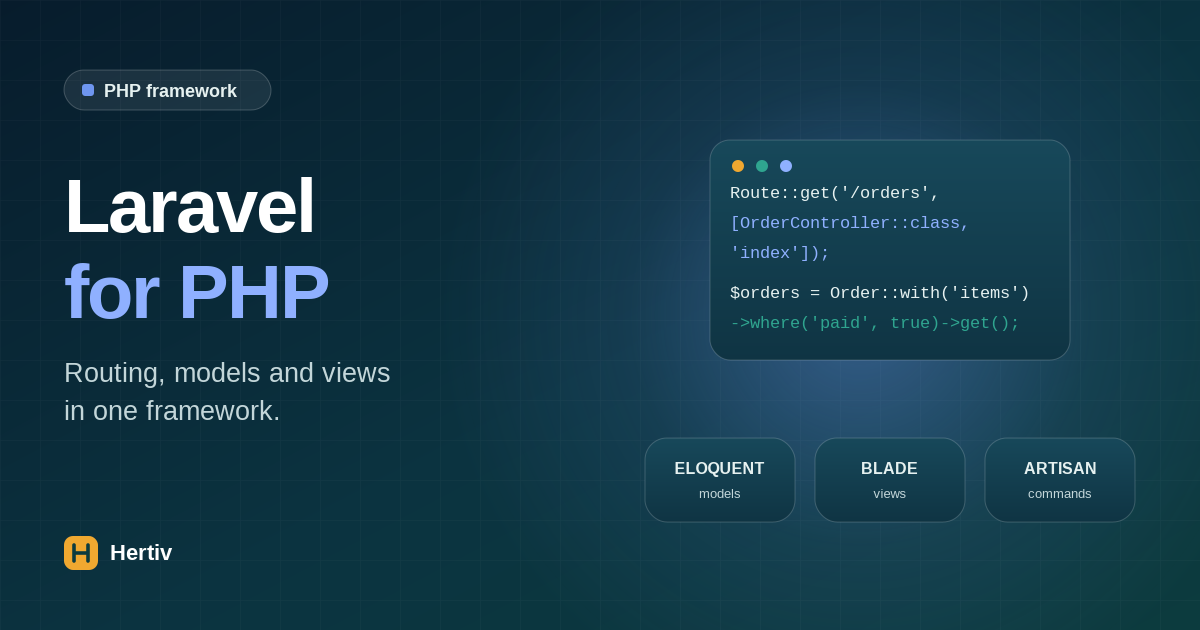
Laravel is an open-source PHP framework for building web applications. It gives developers a structured way to organise code: routes map URLs to controllers, controllers handle requests, models talk to the database, and Blade templates render the pages.
The framework follows the model-view-controller pattern, but its appeal is practical rather than theoretical. Common jobs — logins, form validation, file uploads, scheduled tasks, email — come built in, so a team spends its time on the product instead of wiring up the same plumbing for every project.
Laravel 12, released in February 2025, is the current major version and requires PHP 8.2 or newer. It is maintained by Laravel's core team with a large community around it, which means documentation, packages and hiring are all easier than with a niche framework.
What does Laravel include out of the box?
Laravel ships with a full set of tools for a typical web app. The table below covers the parts most teams use first.
| Part | What it does | When you need it |
|---|---|---|
| Eloquent ORM | Maps database tables to PHP classes | Almost every app |
| Blade templates | Renders HTML with data and layouts | Server-rendered pages |
| Routing and middleware | Maps URLs and guards requests | Every app |
| Authentication | Login, registration, password reset | Apps with users |
| Migrations | Versioned database schema changes | Team development |
| Queues and scheduling | Background jobs and cron-style tasks | Emails, reports, imports |
| Testing | PHPUnit setup and HTTP test helpers | Any maintained app |
Beyond the core, the ecosystem adds starter kits for React, Vue and Livewire frontends, Reverb for real-time features, and first-party packages for billing, search and admin panels. A team can stay inside one ecosystem for most of a product's life.
How does Laravel compare with other PHP options?
Laravel is not the only way to build in PHP. The right choice depends on the size of the app and how much structure the team wants.
| Option | Best for | Trade-off |
|---|---|---|
| Laravel | Custom web apps and APIs | More to learn than a micro-framework |
| Symfony | Large, long-lived enterprise systems | More configuration, steeper start |
| WordPress | Content sites and simple shops | Weak fit for custom app logic |
| Plain PHP | Tiny scripts and prototypes | No structure; hard to maintain at scale |
Symfony shares many ideas with Laravel and suits teams that want reusable components and long-term stability over speed of setup. WordPress is a content system first; bending it into a custom application usually costs more than building with a framework. Plain PHP is fine for a single script and a poor base for a product that will grow.
Laravel sits in the middle: opinionated enough to move fast, flexible enough to grow. That middle ground is why it is the default choice for many product teams building custom PHP applications.
When does Laravel fit best?
Laravel fits best when the product is a custom web application with users, data and business rules: dashboards, booking systems, internal tools, marketplaces, SaaS products and APIs that serve a frontend.
It fits less well for a brochure site, a blog or a simple shop, where a content system or a hosted platform ships faster. It is also a heavy choice for a single endpoint or a small script, where a micro-framework or a serverless function is simpler.
Team shape matters too. Laravel helps most when several developers work on one codebase: migrations, testing tools and conventions keep their work consistent. A solo developer building a small tool can still benefit, but the learning curve pays off more slowly.
For a product team deciding on the stack, the question is not whether Laravel is good in general, but whether the app will grow past the point where structure matters. If the answer is yes, starting with Laravel is cheaper than migrating later.
How do you start a Laravel project?
Starting a Laravel project is a short, standard sequence. The installer and Artisan command-line tool handle the setup, so the team reaches working code quickly.
- Check the requirements. Install PHP 8.2 or newer, Composer and a database such as MySQL or PostgreSQL.
- Create the project. Run the Laravel installer or Composer to scaffold the application with its default structure.
- Pick a frontend. Choose Blade with Livewire for server-rendered pages, or a React or Vue starter kit for a JavaScript frontend.
- Define the data model. Create migrations for the tables and Eloquent models for the main records.
- Add routes and controllers. Map the URLs, write the controller actions and return Blade views or JSON.
- Add authentication. Use the built-in auth scaffolding rather than writing login code from scratch.
- Write the first test. Add a feature test for the main flow before the codebase grows.
From there, the usual rhythm is migrations first, then models, then controllers and views. Keeping database changes in migrations means every developer and every environment stays on the same schema.
Example (hypothetical): a team rebuilds an admin panel
Example (hypothetical): a five-person team rebuilds a customer admin panel that was written in plain PHP. The old panel has 40 screens, each with its own queries and HTML mixed together, and every change risks breaking another screen.
In Laravel, the team defines 12 Eloquent models, one controller per resource and shared Blade layouts. Shared parts — navigation, tables, forms — become components used across all 40 screens. A change to the layout now touches one file instead of forty.
The arithmetic is simple: 40 screens times one layout file each is 40 files to update in the old panel, against one shared layout in the new one. The saving is not lines of code; it is the number of places a change can go wrong. The team also gains migrations, so the staging database matches production without manual SQL.
What are the common mistakes?
The most common Laravel mistakes come from skipping the structure the framework provides and writing around it. The framework helps only if the team uses it as designed.
- Queries in Blade views. Database calls inside templates bypass the controller and make pages hard to test and debug.
- Skipping migrations. Changing the database by hand leaves environments out of sync and breaks deploys.
- Ignoring the N+1 problem. Loading related records one by one inside a loop turns one query into hundreds; eager loading fixes it.
- Fat controllers. Business logic in controllers becomes hard to reuse; move it into models, services or actions.
- No tests for the happy path. A few feature tests catch most regressions before they reach production.
Laravel is one part of a wider stack decision. If you are planning the product itself, web app development covers the build shape.
Working with a team is covered by custom software development.
For a comparison with the JavaScript side, what is Node.js explains the runtime many teams weigh against PHP.
Key takeaways
- Laravel bundles routing, ORM, templating, auth, queues and testing into one PHP framework
- Laravel 12 needs PHP 8.2 or newer and is the current major version
- It fits custom web apps, APIs and admin panels best, not brochure sites
- Symfony suits larger enterprise systems; WordPress suits content sites
- Migrations, eager loading and tests prevent the most common maintenance problems
- The framework pays off most when several developers share one growing codebase
Frequently asked questions
Is Laravel still a good choice in 2026?
Yes. Laravel 12 is actively maintained, requires PHP 8.2 or newer, and ships with the tools most web apps need. Its community, documentation and package ecosystem remain among the largest in PHP.
Is Laravel better than Symfony?
Neither is better in general. Laravel moves faster for product teams building custom apps, while Symfony suits large enterprise systems that need reusable components and long-term stability. The choice depends on team size and app lifetime.
Can Laravel build APIs?
Yes. Laravel's routing, validation, authentication and Eloquent ORM work well for JSON APIs, and its API resources format responses cleanly. Many teams pair a Laravel API with a React, Vue or mobile frontend.
Does Laravel work for small projects?
It works, but it may be more than a small project needs. A brochure site or a single form is faster with a content system or a micro-framework. Laravel earns its setup cost when the app has users, data and rules that will grow.
What database does Laravel use?
Laravel works with MySQL, PostgreSQL, SQLite and SQL Server through its query builder and Eloquent ORM. Migrations keep the schema versioned, so every environment stays in step.
Is Laravel free?
Yes. Laravel is open-source software, free to use for any project. Hosting, databases and any paid first-party packages or services are separate costs.


