What Is Node.js, and How Does It Work?
Node.js runs JavaScript outside the browser, so one language can power the server and the app. Here is how it works and when it fits.
On this page
Short answer
Node.js is a runtime that runs JavaScript outside the browser, so the same language that powers web pages can also power servers, tools and APIs. It is built on the V8 engine from Chrome, it handles many connections at once without waiting on each one, and it is widely used for web backends, real-time apps and developer tooling.
What is Node.js?
Node.js is a runtime environment that lets you run JavaScript on a server instead of only in a web browser. Before Node.js, JavaScript lived in the browser; the server usually ran a different language. Node.js changed that by taking the fast V8 engine from Chrome and giving it access to files, networks and databases.
The result is that one language can cover both sides of a web app: JavaScript in the browser for the interface, and JavaScript on the server for the logic, the database and the API. Teams like this because developers can move between front-end and back-end work without switching languages, and because code such as validation rules can be shared.
Node.js is not a framework or a language. It is the runtime that executes the code, plus a standard library for files, networking and streams. Frameworks such as Express or Fastify sit on top of it and add routing and request handling. If you want a comparison with another runtime, Node.js vs Go covers the trade-offs.
How does Node.js work?
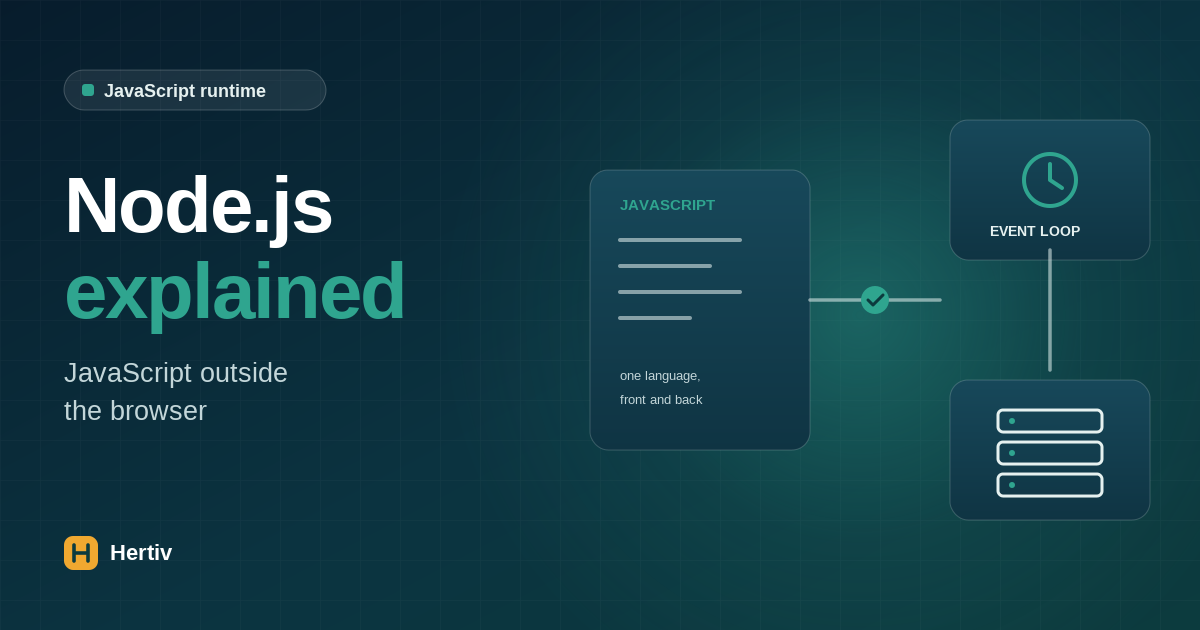
Node.js works with a single-threaded event loop and non-blocking input and output, which means it can handle many connections at once without starting a new thread for each one. When a request needs to wait — for a database answer, a file or another service — Node.js moves on to the next request and comes back when the answer arrives.
This design suits work that spends most of its time waiting: APIs, chat, dashboards and file uploads. A request that is mostly waiting costs almost nothing while it waits, so one small server can serve thousands of open connections. The trade-off is heavy computation: a long calculation blocks the loop and slows every other request, so CPU-heavy work belongs in a worker process or a separate service.
Node.js uses an event-driven model. Code registers a callback for an event — a request arriving, a file finishing, a timer firing — and the loop runs the callback when the event happens. Modern code usually writes this with promises and async functions, which read like normal sequential code while keeping the non-blocking behaviour underneath.
What can you build with Node.js?
You can build most kinds of server software with Node.js, and it is strongest where many connections stay open at once or where the team already knows JavaScript. APIs, real-time features and developer tools are the most common uses.
| What to build | Why Node.js fits | Watch out for |
|---|---|---|
| REST and GraphQL APIs | Fast to write, huge package library | Keep handlers short and async |
| Real-time chat and dashboards | Many open connections, low cost | Plan for reconnects and scale-out |
| Microservices | Small services, quick to start | Shared code needs discipline |
| Developer tools and scripts | Same language as the front end | Not a substitute for a build system |
| Streaming and file handling | Built-in streams, low memory use | Handle backpressure correctly |
Node.js is also the base for much of modern front-end tooling: bundlers, test runners and build scripts usually run on Node.js even when the app itself is something else. That is why most web developers have it installed whether or not they write server code.
How is Node.js different from JavaScript in the browser?
Node.js runs the same language as the browser, but the environment is different. The browser gives JavaScript access to the page, the user interface and browser storage, while Node.js gives it access to the file system, the network, processes and the operating system.
Some things only exist in one place. There is no document object or window in Node.js, because there is no page. There is no file system access in the browser, because that would be a security risk. Code that only uses plain language features — data structures, string handling, dates — can run in both, which is why teams share validation and formatting code between front end and back end.
The module system differs too. Browsers load code with script tags or ES modules over the network, while Node.js loads modules from the local file system and from npm, the package registry. Npm is one of the largest software registries in the world, and most Node.js projects depend on it heavily, which is both its strength and a risk to manage.
Example (hypothetical): a small team builds an API with Node.js
Example (hypothetical): a team of three builds an API for a booking app. They choose Node.js because the front end is already JavaScript and the API mostly waits on the database. The API has 12 endpoints: bookings, users, payments and availability.
They write the API in 4 weeks, with one developer on auth and users, one on bookings and availability, and one on payments and tests. Each endpoint follows the same pattern: validate the input, check permissions, query the database, and return JSON. The shared validation code runs in both the browser and the server, so a bad booking date is rejected in both places.
At launch the API serves 200 requests a minute on one small server, and most requests take under 100 milliseconds because they spend their time waiting on the database. The team adds a second server in week six when traffic doubles, and the load balancer splits requests between the two. The heavy work — generating weekly reports — runs as a separate job, so it never blocks the event loop.
What are the common mistakes?
The most common mistakes with Node.js are blocking the event loop, ignoring errors in callbacks, and treating npm dependencies as free.
- Blocking the event loop. A long calculation in a request handler freezes every other request. Move heavy work to a worker or a separate service.
- Ignoring errors. An unhandled error in an async callback can crash the whole process. Handle errors at every boundary and log them.
- Too many dependencies. Every npm package is code you now maintain. Check what a package does before adding it, and keep the list short.
- No tests for async code. Race conditions hide until production. Test the slow paths — timeouts, retries and failures — not only the happy path.
- One server, no plan. A single Node.js process is a single point of failure. Run more than one process and put a load balancer in front.
How do you start using Node.js?
You start using Node.js by installing it, writing a small server, and testing it with real requests. The first working server takes an afternoon; the judgement about what belongs in Node.js takes longer.
- Install Node.js and npm. Use the long-term support version, and check the version your team agrees on.
- Write a small API. One endpoint that reads from a file or a database and returns JSON is enough to learn the pattern.
- Add tests early. Test the endpoint, the error cases and the slow paths before adding more features.
- Learn the event loop. Understand blocking vs non-blocking before you write production code.
- Ship something small. A real deployment teaches more than a tutorial, and it forces you to handle logging, errors and restarts.
If you are building a product on Node.js, a partner for custom software development can help with architecture and the parts — auth, payments, scaling — that are easy to get wrong on a first build.
Web app development covers the full stack when the front end needs building too.
Key takeaways
- Node.js runs JavaScript on the server, so one language covers front end and back end
- The event loop handles many waiting connections cheaply, but heavy computation blocks it
- It fits APIs, real-time apps and tooling best, and powers much of front-end tooling
- Browser JavaScript and Node.js share the language but have different environments
- Blocking the loop, ignoring async errors and piling on dependencies are the common mistakes
Frequently asked questions
Is Node.js a programming language?
No. JavaScript is the language; Node.js is the runtime that executes it outside the browser. Node.js adds access to files, networks and the operating system, plus a package system through npm. Frameworks such as Express sit on top of Node.js and add web features.
Is Node.js good for large applications?
Yes, with the right design. Large Node.js systems usually split into small services, keep request handlers short, and move heavy computation to workers or separate services. The event loop handles many connections well, but it needs that discipline to stay fast at scale.
What is the difference between Node.js and Express?
Node.js is the runtime that executes JavaScript on the server. Express is a framework that runs on Node.js and adds routing, middleware and request handling for web APIs. You can build a server with plain Node.js, but Express removes a lot of repetitive code.
Can Node.js replace Python or Java on the back end?
It can for many web backends, especially APIs and real-time apps, and when the team already knows JavaScript. Python and Java still fit better for heavy data work, machine learning or systems where their libraries are stronger. The choice depends on the team and the workload.
Do I need to learn JavaScript first?
Yes. Node.js runs JavaScript, so you need the language before the runtime makes sense. Learn core JavaScript — functions, promises, objects and modules — then learn how Node.js handles files, servers and packages. A front-end developer already knows most of the language.
Is Node.js still widely used?
Yes. It powers a large share of web APIs, real-time apps and developer tooling, and it has a huge package ecosystem through npm. New runtimes exist, but Node.js remains the default choice for server-side JavaScript in most teams.


