What Is Spotify Lite, and How Is It Different?
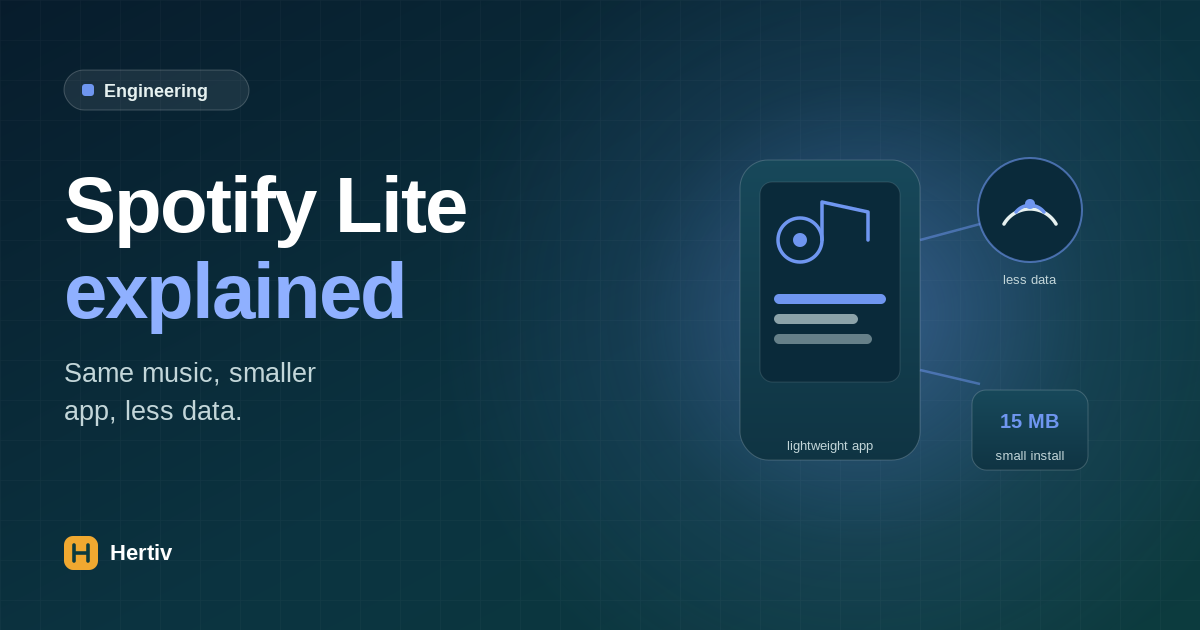
Spotify Lite is a smaller, lighter version of the Spotify app for Android. It uses less storage and less data while keeping the core music features.
On this page
Short answer
Spotify Lite is a lightweight version of the Spotify app for Android, designed for phones with little storage, slow connections, or limited data. It is a smaller download than the main app, uses less data while streaming, and keeps the core features: search, playlists, and playback.
What is Spotify Lite?
Spotify Lite is a lightweight version of the Spotify music app, built for Android phones with limited storage, slow connections, or small data plans. It is a separate, smaller app rather than a setting inside the main Spotify app.
The idea is simple: keep the core music experience and leave out the heavier parts. You can search for songs and artists, play music, and open playlists, but the app takes up far less space on the phone and uses less mobile data while it runs.
Spotify Lite is aimed at users whose phones cannot run the full app comfortably, or who pay for data by the megabyte. It is also useful on older devices where the main app feels slow. The music service behind it is the same Spotify, so your account, playlists, and library carry over.
How is Spotify Lite different from the main app?
Spotify Lite differs from the main app in size, data use, and the number of features. The core listening experience is the same, but the app around it is simpler.
| Feature | Spotify Lite | Main Spotify app |
|---|---|---|
| App size | Small download | Larger download |
| Data use | Lower, with a data limit setting | Higher by default |
| Core playback | Yes | Yes |
| Search and playlists | Yes | Yes |
| Extra features | Fewer | Full set |
| Best for | Older phones, slow networks | Most users |
The main difference a user notices is speed on a weak phone. The Lite app opens faster and uses less memory, because it loads less on each screen. The trade-off is that some of the newer or more visual features of the main app are missing or simplified.
Features can change between versions, so check the current app listing for the exact feature set. The point of the Lite app is not to match the main app feature for feature, but to make music work well on a phone that struggles with it.
Who is Spotify Lite built for?
Spotify Lite is built for listeners whose phone or network makes the main app a poor fit. That covers a large group of users, especially in markets where data is expensive or phones are older.
Three groups benefit most. The first is people with older or cheaper Android phones, where storage is tight and the main app runs slowly. The second is people on slow or patchy mobile networks, where a lighter app loads faster. The third is people on small data plans, who want to keep streaming without burning through their allowance.
It is also a practical choice for a second phone, a work phone, or a device shared with family. If the main app works fine on your phone, there is little reason to switch. Lite is a fallback, not an upgrade. The same thinking applies to other apps: a lighter build makes sense when the device or the network is the limit, which is a common question in native versus hybrid app development.
What features does it keep, and what does it leave out?
Spotify Lite keeps the core features that most listeners use every day, and leaves out the heavier extras that need more storage, data, or processing power.
What it keeps: search for songs, artists, and albums; playback of your library and playlists; and a data limit setting that helps you control how much mobile data the app uses. Your account and playlists are the same as in the main app, so nothing is lost by switching.
What it leaves out or simplifies: some of the visual and social features, richer recommendations screens, and a few of the newer discovery tools. The exact list varies by version, and Spotify has changed it over time.
If you rely on a specific feature, such as offline downloads or a particular discovery tool, check that it exists in the Lite version before you switch. For most listeners, the missing pieces are the ones they rarely open.
Example: a phone with little free space
Example (hypothetical): a listener has an older Android phone with 500 MB of free storage and a data plan of 2 GB a month. The main Spotify app needs about 150 MB to install, plus space for cached songs, so it leaves little room for anything else.
With Spotify Lite, the install takes about 15 MB, which leaves 485 MB free instead of 350 MB. The listener sets a data limit of 250 MB a month for the app. At a low streaming quality that uses about 0.5 MB a minute, 250 MB covers about 500 minutes of music, or roughly 8 hours a month.
The listener keeps their playlists and account, and the music plays the same. The phone also has more room for photos and other apps. The trade-off is a simpler screen and fewer discovery features, which the listener rarely used anyway.
What are the common mistakes?
The most common Spotify Lite mistakes are expecting the full feature set, forgetting the data limit, and installing it on a phone that does not need it.
- Expecting every feature. Lite is a cut-down app. Check that the features you use daily are included before you switch.
- Ignoring the data limit. The data limit only helps if you set it. Open the settings and pick a monthly limit that fits your plan.
- Installing it on a fast phone. On a modern phone with plenty of storage, the main app is the better choice.
- Forgetting the account. Sign in with the same account, or your playlists and library will look empty.
- Assuming it works everywhere. Lite is an Android app. iPhone users need the main app.
Should you use Spotify Lite?
You should use Spotify Lite if your phone has little free storage, your network is slow, or your data plan is small. Otherwise, the main app is the better pick.
- Check your storage. If your phone has less than 1 GB free, a lighter app makes a real difference.
- Check your data plan. If you stream on mobile data with a small allowance, set a data limit in the app.
- List the features you use. If you only search, play, and open playlists, Lite covers you. If you rely on offline downloads or discovery tools, check first.
- Try it for a week. Sign in with the same account and use it as your main app. If nothing is missing, keep it.
- Switch back if needed. Your account and playlists are the same, so moving back to the main app costs nothing.
Lite apps are a common pattern in mobile development: the same service, rebuilt for the weakest device in the audience. If you are planning an app for a similar audience, the release process is the same as for any app, as covered in how long it takes to publish an app.
Key takeaways
- Spotify Lite is a smaller, lighter Android version of Spotify for phones with little storage or slow networks
- It keeps core features, search, playlists, and playback, while leaving out heavier extras
- A data limit setting helps listeners on small data plans control how much streaming uses
- Your account, playlists, and library are the same as in the main app
- On a modern phone with plenty of storage, the main app is the better choice
Frequently asked questions
Is Spotify Lite free?
Spotify Lite is free to download, and it works with a free Spotify account as well as a paid one. A paid account removes ads and adds features, in the same way as in the main app. Check the vendor site for current plan details.
Does Spotify Lite work on iPhone?
No. Spotify Lite is an Android app. iPhone users need the main Spotify app, which is the only version available on iOS.
Can I use the same account on Spotify Lite?
Yes. Sign in with the same Spotify account and your playlists, library, and followed artists carry over. Switching between the Lite and main apps does not change your account.
Does Spotify Lite use less data?
Yes. It is designed to use less data while streaming, and it has a data limit setting so you can cap monthly use. The exact amount depends on the streaming quality you choose.
What is missing from Spotify Lite?
Some of the visual, social, and discovery features of the main app are missing or simplified. The exact list varies by version, so check the current app listing if you rely on a specific feature.
Should I switch to Spotify Lite?
Switch if your phone has little free storage, your network is slow, or your data plan is small. If the main app runs well on your phone, there is little reason to change.


