What Is Prompt Engineering, and Why Does It Matter?
Prompt engineering is writing clear instructions that get reliable, useful output from a language model. Small changes in wording can change the answer a lot.
On this page
Short answer
Prompt engineering is the practice of writing and testing the instructions you give a language model so it returns accurate, useful output. It covers how you phrase the task, what context and examples you include, and how you structure the reply you want. Good prompts cut errors, keep answers on topic and reduce the need for retraining or custom models.
What is prompt engineering?
Prompt engineering is the practice of writing and testing the instructions you give a language model so it returns accurate, useful output. A prompt is the text you send the model: the task, the context, the examples and the shape of the answer you want.
It matters because a language model follows the prompt it gets. Vague instructions produce vague answers, while a clear task, good examples and a defined output format produce answers you can use without heavy editing. Small changes in wording can change the result a lot.
Prompt engineering is not programming in the usual sense. There is no code to compile and no model to train. It is a writing and testing skill: you draft a prompt, run it on real examples, read the output, and change the words that caused the mistakes.
It is also the cheapest way to improve a model-based feature. Before fine-tuning a model or building a retrieval system, a better prompt often closes most of the gap, at a fraction of the cost and time.
How do prompts shape what a model says?
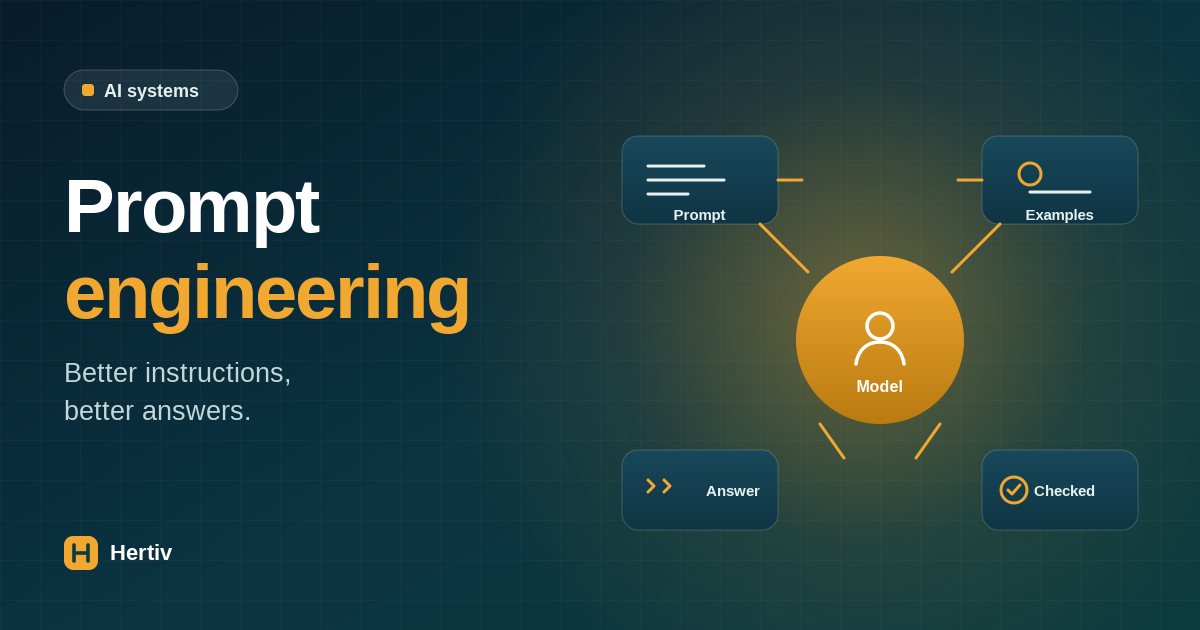
A prompt shapes a model's answer in three ways: it states the task, it supplies context, and it sets the format. The task tells the model what to do. The context tells it what to work with. The format tells it how to reply.
Models are sensitive to wording because they predict the next words from patterns in the prompt. A prompt that says 'summarise this contract in three bullet points for a non-lawyer' gives a different answer from 'summarise this contract', because the extra words narrow the task.
Examples in the prompt are powerful. Showing the model two or three good answers teaches it the style, length and level of detail you expect, without any training. That technique, called few-shot prompting, is one of the most reliable ways to improve output.
Constraints matter too. Telling the model what not to do — 'do not invent dates', 'answer only from the text below' — cuts the most common errors. A prompt that lists the failure modes you have already seen is worth more than a longer list of instructions.
Core prompt techniques
The techniques below cover most prompt work. You do not need all of them in one prompt; pick the two or three that fix the errors you actually see.
| Technique | What it does | When to use it |
|---|---|---|
| Clear instruction | States the task in plain words | Every prompt |
| Role | Sets the model's point of view | When tone or expertise matters |
| Few-shot examples | Shows good answers to copy | When style or format is strict |
| Step-by-step reasoning | Asks the model to work through the problem | For maths, logic or multi-step tasks |
| Structured output | Asks for headings, lists or JSON | When software reads the answer |
| Constraints | Rules out known mistakes | When the model invents or drifts |
Step-by-step reasoning deserves a note. Asking a model to show its working before giving the final answer improves accuracy on multi-step problems, because each step can be checked. The same trick helps a human reviewer spot where an answer went wrong.
Structured output is the other high-value technique. When a system reads the model's reply, asking for a fixed format — headings, a list, or JSON — makes the reply easy to parse and hard to misread.
How to write a better prompt
Writing a good prompt is a loop: draft, test on real examples, read the failures, and change the prompt. The steps below make that loop short.
- Write the task in one sentence. If you cannot state what you want in one sentence, the model cannot guess it either.
- Add the context the model needs. Paste the text, the data or the rules it should use, and nothing else.
- Show two or three examples. Pick real examples of good answers, not idealised ones.
- Set the format. Say how the answer should look: length, headings, list or table.
- Test on twenty real cases. Run the prompt on cases from your own work, not on the examples you wrote for it.
- Fix the worst failure first. Change one thing, retest, and keep the change only if the failures drop.
Keep a test set. Save twenty or thirty real cases with the answers you expect, and run every prompt change against them. Without a test set, each edit is a guess, and prompts drift as people tweak them. The same discipline applies when you test AI models more broadly.
When prompts are not enough
Prompts have limits. They cannot teach a model facts it does not know, and they cannot make a model reliable on a task that needs deep, specialist knowledge. When the model keeps inventing details or missing the point, the fix is usually outside the prompt.
Retrieval is the first step beyond prompting. Instead of relying on what the model remembers, you give it the right document at the time it answers. That approach, called retrieval-augmented generation, is covered in our guide to retrieval augmented generation, and it fixes most cases of invented facts.
Fine-tuning is the second step. It trains the model further on your own examples, which helps when the style, vocabulary or task is unusual. It costs more than prompting and needs a good set of training examples, so it is worth doing only after prompts and retrieval have been tried.
The decision is simple: if a better prompt fixes the failure, stop there. If the model lacks the knowledge or the style, add retrieval. If retrieval still leaves gaps, consider fine-tuning. Each step costs more than the last, so take them in order.
Example (hypothetical): fixing a support drafting prompt
Example (hypothetical): a support team uses a language model to draft replies to customer tickets. The first prompt is one line: 'Draft a reply to this ticket.' Out of 200 tickets, agents accept 120 drafts without changes, and rewrite the other 80.
The team rewrites the prompt. It now states the task, adds two good example replies, sets a length limit of 120 words, and adds a rule: 'Do not promise a refund or a date.' They test the new prompt on the same 200 tickets.
This time agents accept 168 drafts without changes, up from 120. That is 48 more usable drafts per 200 tickets, or 24 more per 100. The team keeps the new prompt and adds the 32 rewritten drafts to its test set, so the next edit is judged on the same cases.
The gain came from examples and constraints, not from a new model. That is the usual pattern: the first prompt is vague, and the fix is to show the model what a good answer looks like and what it must not do.
Common mistakes
The most common mistakes are writing one prompt and never testing it, stuffing the prompt with instructions, and blaming the model for a vague task. Each one is easy to avoid with a test set.
- Never testing on real cases. A prompt that works on two examples can fail on the third.
- Overloading the prompt. Ten instructions fight each other; three clear ones win.
- Blaming the model for a vague task. If a person could not do the task from your prompt, the model cannot either.
- Changing two things at once. You cannot tell which change helped, so keep one edit per test.
- Skipping the failure list. Writing down the mistakes you have seen is the fastest way to write constraints that work.
Key takeaways
- A prompt states the task, supplies context and sets the answer format
- Examples and constraints fix most prompt failures
- Test every prompt on twenty real cases and keep a test set
- Step-by-step reasoning helps multi-step tasks; structured output helps software read the reply
- When prompts fail, add retrieval first and fine-tuning second
Frequently asked questions
What is prompt engineering in simple terms?
Prompt engineering is writing clear instructions for a language model so it gives you the answer you want. You state the task, add context and examples, and set the format. It is a writing and testing skill, not a programming skill.
Do I need to learn prompt engineering to use AI?
Not deeply, but the basics help a lot. Clear tasks, a little context and one or two examples improve almost every answer. Teams that use AI daily gain more from these basics than from any single tool.
What is the difference between prompt engineering and fine-tuning?
Prompt engineering changes the instructions you send a model, while fine-tuning trains the model further on your examples. Prompting is cheaper and faster, so try it first. Fine-tuning suits tasks where the style or knowledge is unusual.
How many examples should a prompt include?
Two or three good examples are usually enough. More examples help when the format is strict, but each example costs tokens and can crowd out the task itself. Test with two first, then add more only if the output improves.
Can prompt engineering stop a model from inventing facts?
It can reduce the problem, but not remove it. Rules such as 'answer only from the text below' help. For facts the model must get right, retrieval is the reliable fix: give the model the source document at the time it answers.
How do you test a prompt?
Save twenty or thirty real cases with the answers you expect, then run the prompt on all of them and count the failures. Change one thing at a time and retest. A prompt that improves on your test set is one you can trust.


