What Is MVP Mapping, and How Does It Work?
MVP mapping turns a product idea into a short list of outcomes, users and features, then cuts it to the smallest version worth building.
On this page
Short answer
MVP mapping is a planning method that turns a product idea into a map of outcomes, users and features, then cuts that map down to the smallest version worth building first. It sits between a vague idea and a build plan: it forces a team to agree on what the product must do, for whom, and what can wait.
What is MVP mapping?
MVP mapping is a way of planning a minimum viable product by laying out everything the product could do, then deciding what belongs in the first version. The map usually has three layers: the outcomes the product should create, the people who use it, and the features that serve them.
The idea is simple: most product ideas are too big to build at once, and most teams argue about features instead of agreeing on outcomes. A map makes the argument visible. When a feature is on the map, the team can see which outcome it serves and which user needs it. When it serves nothing, it is easy to cut.
Mapping is not a document for its own sake. It is a working session, usually on a wall or a shared board, that ends with a short list: the first version, the next version, and the things that will not be built at all. That list is the scope of the MVP.
It pairs naturally with MVP development in about ten weeks, because the map is what makes a ten-week scope believable.
What goes on an MVP map?
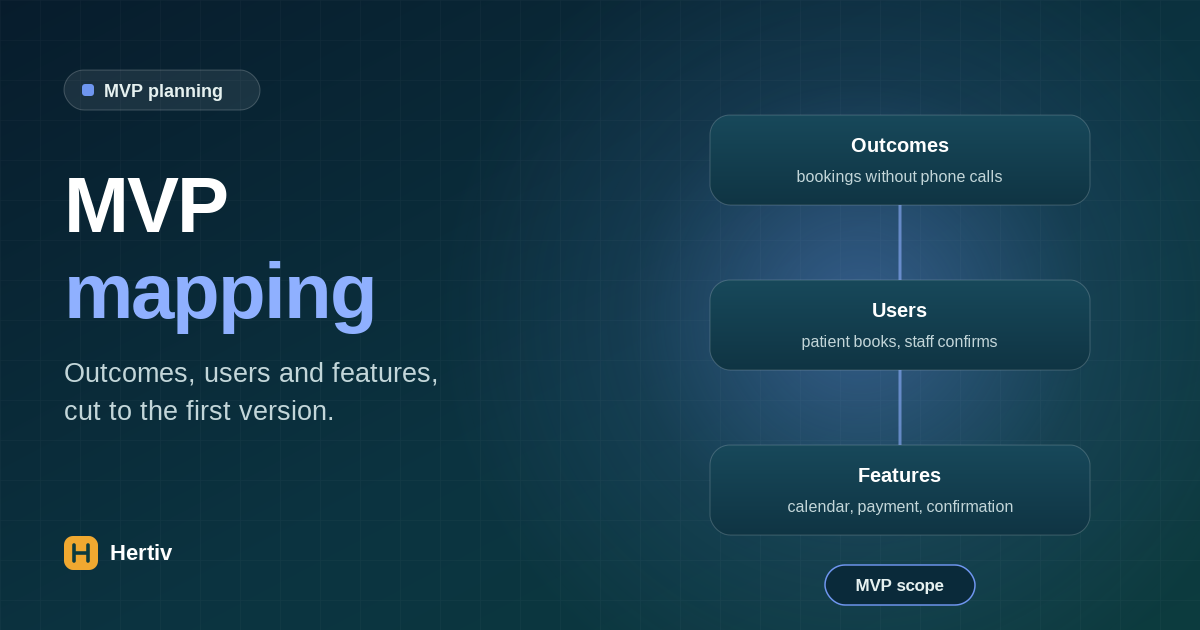
An MVP map has three layers, and each layer answers a different question. The top layer is outcomes: what changes for the business or the user if the product works. The middle layer is users: who does what, and what each person needs. The bottom layer is features: what the product must do to serve those users and outcomes.
Outcomes come first because they decide what counts as success. A booking app might aim for bookings completed without a phone call. A support tool might aim for tickets answered without a human in the first pass. If an outcome cannot be measured, it is a wish, not a target.
Users come next. A map that lists "everyone" as the user is useless. Name the people: the customer who books, the staff member who confirms, the manager who reads the report. Each one has different needs, and the map shows which features serve which person.
Features come last, and they are the easiest layer to get wrong. A feature earns its place by serving a named user and a named outcome. Everything else goes to a later version or off the map entirely.
How do you build an MVP map?
You build an MVP map in a short working session, not a long document. The table below shows the usual structure and what belongs in each part.
| Layer | Question it answers | Example |
|---|---|---|
| Outcomes | What should change? | Bookings without phone calls |
| Users | Who does what? | Customer books, staff confirms |
| Features | What must the product do? | Calendar, payment, confirmation |
| First version | What ships now? | Book and pay for one service |
| Later | What waits? | Reminders, reviews, loyalty |
| Not building | What is out? | Multi-branch scheduling |
A good session follows a simple order: list outcomes, list users, list features, then cut. The cutting is the work. A map that keeps everything is just a wish list with lines on it.
How do you cut the map down to an MVP?
You cut the map down to an MVP by keeping only the features that serve the main outcome for the main user, and moving everything else to a later version. The test is simple: if a feature is removed and the product still delivers its core outcome, it is not in the MVP.
- Pick one outcome. Choose the single change that matters most, such as bookings without phone calls.
- Pick one user. Choose the person whose problem is most painful, such as the customer who books.
- Keep only their features. Keep the features that user needs for that outcome, and move the rest to later.
- Check the story. Walk through the product as that user: can they reach the outcome from start to finish?
- Write the cut list down. Record what is out, so it does not creep back in during the build.
Most teams cut too little on the first pass. A useful trick is to ask what the product would look like with half the features, then half again. The version that still works is usually close to the real MVP. The what is an MVP guide explains the same test in more detail.
Example: mapping a clinic booking app
Example (hypothetical): a small clinic wants a booking app. The first map lists 12 features: calendar, payment, reminders, reviews, patient records, multi-branch scheduling, loyalty points, chat, video calls, reports, staff rotas and a blog.
The team picks one outcome, bookings without phone calls, and one user, the patient who books. The features that serve that outcome are the calendar, payment and confirmation. Reminders and reviews move to the next version. Patient records, multi-branch scheduling, loyalty, chat, video, reports, rotas and the blog move to later or off the map.
The arithmetic is straightforward. At about 2 weeks per feature, 12 features would take about 24 weeks. Five features take about 10 weeks, saving about 14 weeks and leaving a product that still delivers the core outcome. The saved time is not wasted: it is spent learning whether patients actually book online, which is the question the MVP exists to answer.
The team also writes down the cut list, so when someone asks for chat during the build, the answer is already agreed: it is in the next version, not this one.
What are the common mistakes?
The most common mistakes in MVP mapping are mapping features before outcomes, keeping everything, and treating the map as a finished plan instead of a working tool.
- Features first. A map that starts with features is a shopping list. Start with outcomes, then users, then features.
- No cuts. If nothing is in the later or not-building columns, the map has not done its job.
- One user called everyone. A map with no named users cannot decide which features matter.
- Skipping the walk-through. If nobody walks through the product as the user, gaps only show up during the build.
- Letting cuts creep back. Without a written cut list, every meeting adds a feature back in.
How do you keep the map honest during the build?
You keep the map honest during the build by reviewing it at each milestone and checking new requests against it. A new feature is either on the map or it is not, and if it is not, it needs a reason to be added.
Three habits help. First, keep the map visible where the team works, not in a document nobody opens. Second, review it when a new request arrives, and ask which outcome it serves. Third, revisit the cut list at the end of each version, because some cut features turn out to matter and some do not.
Mapping is a skill that improves with practice. The first map is usually too big; the third or fourth is usually close. The how to build an MVP guide shows how the map turns into a build plan once the scope is agreed.
Key takeaways
- MVP mapping turns an idea into outcomes, users and features
- Outcomes and users come before features, or the map becomes a wish list
- A feature earns its place by serving a named user and a named outcome
- The cut list is as important as the build list
- Walk through the product as the user before you start building
Frequently asked questions
Is MVP mapping the same as a product roadmap?
No. A roadmap shows what ships over time, while an MVP map decides what belongs in the first version at all. The map comes first: it produces the scope that the roadmap then schedules. A roadmap without a map usually just lists everything the team thought of.
Who should be in an MVP mapping session?
The people who understand the user, the business and the build: usually a product owner, a designer or engineer, and someone who talks to customers. Keep it small, five people or fewer, so the session ends with decisions rather than more discussion.
How long does MVP mapping take?
A first map usually takes a half-day workshop, plus a short review session. It is faster than writing a full specification, and it saves far more time than it costs by cutting features before they are built.
What if the team cannot agree on what to cut?
Use the walk-through test: remove the feature and ask whether the core user can still reach the core outcome. If yes, it goes to a later version. If the team still disagrees, build the smaller version first and let real use decide.
Can MVP mapping work for an existing product?
Yes. The same method works for a new feature: list the outcome, the users and the features, then cut. It is often more useful for existing products, because it stops a team adding features that serve no clear outcome.
Does the map change during the build?
It should. Learning from the first users often changes which features matter. Update the map when you learn something, but record the change and the reason, so the scope does not drift without anyone noticing.


