What Is Graph RAG, and How Does It Work?
Graph RAG adds a knowledge graph to retrieval, so an AI can follow links between facts instead of searching text alone. Here is how it works.
On this page
Short answer
Graph RAG is a way of answering questions with an AI model that first looks up facts in a knowledge graph, a network of entities and the relationships between them, and then uses those facts to write the answer. It helps when the answer depends on how things connect, such as which supplier feeds which factory, or which rule applies to which product.
What is Graph RAG?
Graph RAG is a way of answering questions with an AI model that first looks up facts in a knowledge graph, a network of entities and the relationships between them, and then uses those facts to write the answer. The graph stores facts as triples: a subject, a relationship and an object, such as "Clinic A, uses, System B".
It builds on retrieval-augmented generation, or RAG, where the model searches documents before answering instead of relying only on what it learned in training. Plain RAG searches chunks of text; Graph RAG also follows links between the facts in those chunks, so it can answer questions that need two or three hops to connect.
For the background on the plain version, see what retrieval-augmented generation is. Graph RAG adds the graph layer on top of the same idea: retrieve the right facts, then generate the answer from them.
How is Graph RAG different from plain RAG?
Graph RAG differs from plain RAG in what it retrieves and how it finds it. Plain RAG finds text chunks that look similar to the question. Graph RAG finds entities in the question, walks the graph from them, and returns the facts along those paths.
| Question | Plain RAG | Graph RAG |
|---|---|---|
| What does this policy say? | Finds the matching passage | Finds the passage and its links |
| Who supplies this part? | Searches for the part name | Follows part to supplier links |
| Why did this order fail? | Finds error messages | Traces order to payment to stock |
| What changed since last year? | Compares dated documents | Compares graph versions |
Plain RAG is often better for a question answered by one passage, because it is simpler and faster. Graph RAG earns its keep when the answer needs connections: a chain of suppliers, a hierarchy of rules, or a set of facts that only make sense together.
The cost of Graph RAG is the graph itself. Someone must decide what the entities and relationships are, extract them from documents, and keep them up to date. A stale graph gives confident wrong answers, which is worse than a model saying it does not know.
How is a knowledge graph built?
A knowledge graph is built by deciding what the entities are, extracting them from your documents, and linking them with named relationships. The schema comes first: the kinds of things and the kinds of links that matter for your questions.
For a support team, the entities might be products, parts, customers, tickets and fixes, with links such as "ticket, reports, part" and "fix, resolves, ticket". For a supply chain, the entities might be suppliers, factories, parts and orders, with links such as "supplier, delivers, part".
Extraction can be done by rules, by a model reading documents, or by a mix of both. A model is faster at reading many documents, but its output needs checking, because a wrong link in the graph is a wrong fact in every answer that uses it. Most teams start with a small, hand-checked graph for one area and expand it only when the answers improve.
How does Graph RAG answer a question?
Graph RAG answers a question in four steps: find the entities in the question, walk the graph from them, gather the facts along the way, and give those facts to the model to write the answer.
- Find the entities. Pull the named things out of the question, such as a product, a customer or a part.
- Walk the graph. Follow the links from those entities for one or two steps, and collect the facts found.
- Rank the facts. Keep the facts closest to the question and drop the ones that add noise.
- Generate the answer. Give the model the question and the selected facts, and ask it to answer only from those facts.
The ranking step matters most. A graph walk can return hundreds of facts, and a model given all of them will write a long, wandering answer. Limiting the walk to one or two hops and keeping only the facts that match the question keeps the answer short and grounded.
Teams that already test AI models before release can reuse the same habit here: a fixed set of questions, a pass mark for correct answers, and a check that the model cites facts from the graph rather than inventing them.
When does Graph RAG help most?
Graph RAG helps most when your data is already a network: suppliers and parts, customers and orders, rules and products, or people and projects. If your questions are mostly "what does this document say", plain RAG is simpler and cheaper.
Good signs are questions that need two hops, such as "which customers were affected by this supplier's delay", and questions that need a summary of a whole area, such as "what do we know about this product line". Graph RAG can gather the connected facts and summarise them, where plain RAG would return a pile of unrelated passages.
Bad signs are a small document set, a graph that changes daily, or questions with no clear entities. In those cases the graph costs more to maintain than it returns in better answers, and a simpler search is the better choice.
Example (hypothetical): a support team tracing a faulty part
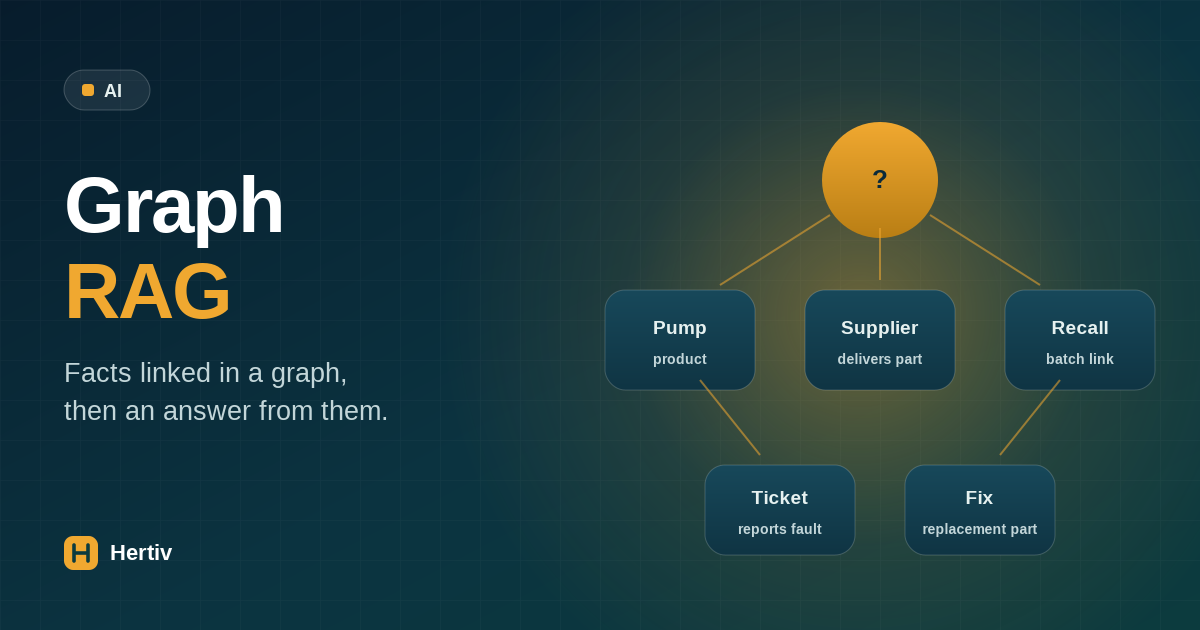
Example (hypothetical): a support team gets 200 tickets a week about a faulty pump. With plain search, an agent searches the part name and reads ten passages. With Graph RAG, the agent asks one question and the system walks the graph: the pump links to two suppliers, one supplier links to a batch recall, and the recall links to a replacement part.
The time saved is easy to count. Reading ten passages at 5 minutes each is 50 minutes per ticket, so 200 tickets take about 167 hours a week. With the graph answer, the agent checks the traced facts in about 10 minutes per ticket, which is about 33 hours a week, saving roughly 134 hours a week.
The graph also catches what search misses: a ticket about a different symptom that links to the same batch. That is the real value of the graph, not the time saved, but the connections a keyword search would never have found.
What are the common mistakes?
The most common Graph RAG mistakes are building the graph too big, trusting extracted facts without checking them, and walking too far from the question. Each one makes answers worse instead of better.
- A graph with everything. A graph that tries to model the whole business is never finished; start with one area and one question type.
- Unchecked extraction. A model that reads documents will invent links; check a sample of every batch before it goes live.
- Walking too far. Three hops in a dense graph returns noise; one or two hops is usually enough.
- No freshness plan. A graph that nobody updates goes stale, and stale facts produce confident wrong answers.
- Skipping evaluation. Without a fixed question set, nobody knows whether the graph actually improved answers.
Key takeaways
- Graph RAG retrieves facts from a knowledge graph, then generates the answer from those facts
- Plain RAG finds similar text; Graph RAG follows links between entities for multi-hop questions
- The graph schema, the extraction checks and the freshness plan decide whether answers are trustworthy
- Limit graph walks to one or two hops and rank facts before giving them to the model
- Start with one area and one question type, and measure answers before expanding
Frequently asked questions
What is a knowledge graph?
A knowledge graph is a network of entities, such as products, people or suppliers, connected by named relationships, such as supplies, owns or depends on. It stores facts as triples that a system can walk, query and summarise.
How is Graph RAG different from RAG?
Plain RAG retrieves text chunks that look similar to the question. Graph RAG also retrieves facts from a knowledge graph by following links between entities, which helps with questions that need several connected facts to answer.
Do I need a knowledge graph for every AI project?
No. A knowledge graph pays off when your data is a network and your questions need connections between facts. For questions answered by a single passage, plain search is simpler, faster and cheaper to maintain.
How do you keep a knowledge graph up to date?
Give it an owner, a source of truth and a schedule. New documents should feed the graph on a regular cycle, and a sample of new facts should be checked by a person before they go live.
Can Graph RAG work with a small document set?
It can, but the benefit is small. With few documents, plain search usually finds the right passage, and the cost of building and maintaining the graph is hard to justify. Start with search and add a graph when questions get harder.
What tools do I need for Graph RAG?
You need a graph store, an extraction step, a retrieval step and a model. The exact tools matter less than the schema and the evaluation: a small, well-checked graph beats a large, untested one.


