What Is an Embedding, and How Does It Work?
An embedding turns text, images or audio into numbers that capture meaning, so software can compare items by similarity. Here is how it works and where it is used.
On this page
Short answer
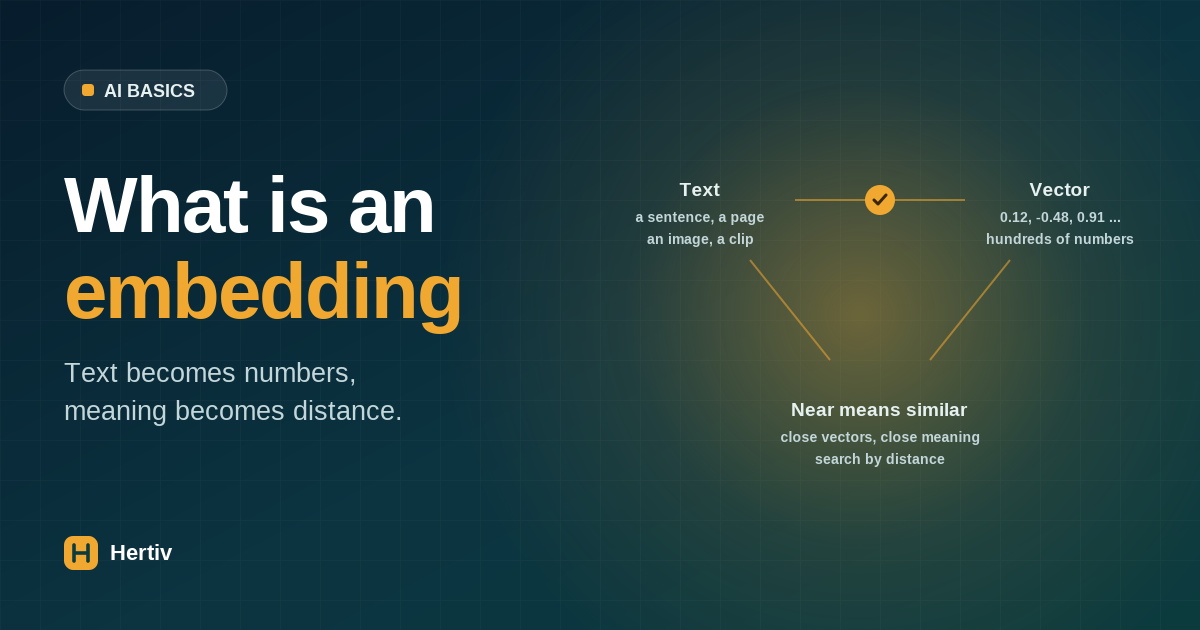
An embedding is a list of numbers, called a vector, that represents a piece of text, an image or a sound in a way that captures its meaning. Items with similar meanings get numbers that sit close together, so software can find related items by measuring the distance between their vectors.
What is an embedding?
An embedding is a list of numbers that stands in for a piece of content, such as a sentence, a paragraph, an image or a sound clip. The numbers are produced by a model trained to place similar meanings near each other, so two sentences about the same topic end up with vectors that are close, while unrelated sentences end up far apart.
A typical embedding has hundreds of numbers in it. No single number has a plain meaning on its own; the meaning lives in the pattern across the whole list. What matters is the geometry: distance between vectors stands in for difference in meaning, which is something a computer can measure directly.
Embeddings matter because most AI features are really comparison problems. Finding a helpful article, grouping similar tickets, or matching a question to an answer all come down to asking which stored items are closest to a new one. Embeddings give software a way to answer that question for meaning, not just for shared words.
How are embeddings made?
Embeddings are made by a model that has been trained on large amounts of text, images or audio. You feed in the content, the model processes it, and it returns the list of numbers. The model itself is the expensive part; using it to embed your own documents is usually a single call per item.
The process has a few steps worth knowing:
- Split the content. Long documents are cut into chunks, such as paragraphs, because a model reads a limited amount of text at once.
- Send each chunk to the model. The model returns one vector per chunk.
- Store the vectors. They go into a database built for searching by distance, often called a vector database.
- Compare at query time. A new question is embedded the same way, and the database returns the stored vectors nearest to it.
Different models produce different vectors, and vectors from one model cannot be compared with vectors from another. If you change models, you must re-embed everything, so the choice of model is worth deciding early.
What are embeddings used for?
Embeddings are used wherever software needs to find things by meaning rather than by exact words. Search, recommendations, grouping and retrieval for AI assistants all rely on them, and they are the reason a question phrased in your own words can find an answer written in different words.
| Use | What happens | Example |
|---|---|---|
| Semantic search | A question finds documents by meaning | Support articles that match a ticket |
| Retrieval for AI answers | An assistant pulls sources before answering | A chatbot grounded in your help centre |
| Recommendations | Similar items are suggested to the user | Related products or articles |
| Grouping and sorting | Similar items are clustered together | Tickets grouped by underlying issue |
| Duplicate detection | Near-identical items are flagged | Repeated support requests |
| Classification | New items are matched to known groups | Routing tickets to the right team |
The retrieval use is the most common in business AI today. An assistant that answers from your own documents first embeds the question, finds the nearest stored chunks, and then drafts an answer from those chunks. That pattern is the basis of retrieval-augmented generation, and its quality depends heavily on how the documents were chunked.
Embeddings vs keyword search
Keyword search matches the exact words in a query against the words in a document. Embedding search matches meaning, so a question about a refund can find a document that talks about returning money even if the word refund never appears in it.
| Approach | What it matches | Strength | Weakness |
|---|---|---|---|
| Keyword search | Exact words | Fast and exact for names and codes | Misses different words for the same thing |
| Embedding search | Meaning | Finds related wording | Can miss an exact product code |
| Hybrid search | Both, combined | Best of both in most cases | More moving parts to run |
Most production systems use both. Keyword search catches product names, order numbers and error codes, while embedding search catches questions asked in plain language. If you build search for your own content, start with hybrid rather than betting everything on one approach. The differences are covered in more detail in our guide to hybrid search.
How do you choose an embedding model?
Choose an embedding model by testing it on your own content, not by a vendor benchmark. A model that scores well on public tests can still miss the wording your customers actually use, and the only way to know is to run your own questions against your own documents.
A practical way to choose:
- Collect real questions. Gather twenty questions your users actually ask, with the document that should answer each one.
- Try two or three models. Embed the same documents with each and check which one returns the right document most often.
- Check cost and speed. Embedding is usually cheap per item, but a large document set or frequent updates change the maths.
- Check the size. Larger vectors can capture more nuance but cost more to store and search.
- Decide before you scale. Changing models later means re-embedding everything, so lock the choice before the document set grows.
If you are picking a model for a product feature, how to select the right AI model covers the same decision in more detail, including evaluation and cost checks.
Example (hypothetical): a support team adds semantic search
Example (hypothetical): a support team holds 2,000 help articles and handles 200 tickets a day. Agents spend about 6 minutes per ticket searching for the right article, which adds up to 200 x 6 minutes, or 20 hours a day across the team.
The team embeds all 2,000 articles and adds a search box that returns the nearest articles for each ticket. In a trial, agents find the right article in about 2 minutes instead of 6, so the same 200 tickets take 200 x 2 minutes, or about 7 hours a day. That saves roughly 13 hours a day, which the team spends on tickets that need a human rather than on searching.
The trial also shows the limits. About one ticket in ten still needs a manual search, usually when the customer uses a product code or a name the model has never seen. The team keeps keyword search alongside the new one, so those cases still work.
What are the common mistakes?
The most common embedding mistakes are chunking documents badly, never testing with real questions, and treating the vector as the whole answer instead of one step in a search.
- Chunks that are too long. A whole page in one vector blurs distinct topics together, so split by paragraph or section.
- Chunks that are too short. A single sentence has too little context, so answers come back vague.
- No evaluation set. Without real questions and known good answers, you cannot tell whether a change helped.
- Mixing models. Vectors from different models cannot be compared, so pick one and re-embed if you change.
- Skipping the keyword half. Names, codes and dates still need exact matching alongside meaning.
Key takeaways
- An embedding is a list of numbers that captures the meaning of text, an image or a sound
- Similar meanings sit close together, so software can find related items by distance
- Embeddings power semantic search, recommendations, grouping and retrieval for AI assistants
- Keyword search still matters for names, codes and dates, so most systems use both
- Test a model on your own questions before you embed a whole document set
Frequently asked questions
What is an embedding in simple terms?
An embedding is a list of numbers that represents a piece of content, such as a sentence or an image, in a way that captures its meaning. Similar meanings produce similar numbers, so software can compare items by measuring how close their numbers sit to each other.
What is the difference between an embedding and a vector?
A vector is the general name for a list of numbers, while an embedding is a vector produced by a model to represent meaning. Every embedding is a vector, but not every vector is an embedding. In practice the two words are often used for the same thing.
What are embeddings used for in AI?
Embeddings are used for search by meaning, recommendations, grouping similar items, duplicate detection and retrieval for AI assistants. The most common business use is letting an assistant find the right document before it drafts an answer.
How many numbers are in an embedding?
It depends on the model, but a common size is a few hundred numbers per item. Larger embeddings can capture more nuance, but they cost more to store and to search, so the size is a trade-off rather than a score.
Do embeddings work for images and audio too?
Yes. The same idea applies: a model turns an image or a sound clip into a list of numbers that captures what it shows or sounds like. That lets software find similar images, match a spoken phrase, or compare items across types.
Can I use embeddings without training a model?
Yes. Most teams use a ready-made embedding model through an API or a hosted service, and only embed their own documents. Training your own embedding model is rare and only makes sense when your content uses language no general model handles well.


