What Is a Context Window in AI, and Why Does It Matter?
A context window is the amount of text a language model can consider at once when it produces an answer. It sets how much the model can actually see.
On this page
Short answer
A context window is the amount of text a language model can consider at once when it produces an answer. It is measured in tokens, which are small chunks of words, and it sets a hard limit: the model can only use the text that fits inside the window, and anything outside it is invisible to the model.
What is a context window?
A context window is the amount of text a language model can hold in memory at once while it works on a request. Everything the model needs to answer must fit inside it: the instructions, the conversation so far, any documents you attach, and the answer it is writing.
The window is measured in tokens. A token is a small chunk of text, usually part of a word, so a short sentence might be a handful of tokens and a long document might be thousands. The exact count depends on the words, but the idea is simple: the window is a budget, and every word you send spends part of it.
When the window fills up, something has to give. Older messages, earlier parts of a document, or the oldest turns of a conversation fall out of view. The model does not remember what it cannot see, so a long conversation can quietly lose its beginning.
This matters for anyone building with language models, because the window shapes what a product can do. A support tool that cannot see the full ticket history will give weaker answers, and a document tool that cannot see the whole contract will miss the clause that matters.
How does a context window work?
A context window works by holding a fixed amount of text in the model's working memory while it produces the next part of its answer. The model reads the whole window, weighs what matters, and writes the next token, then repeats the process.
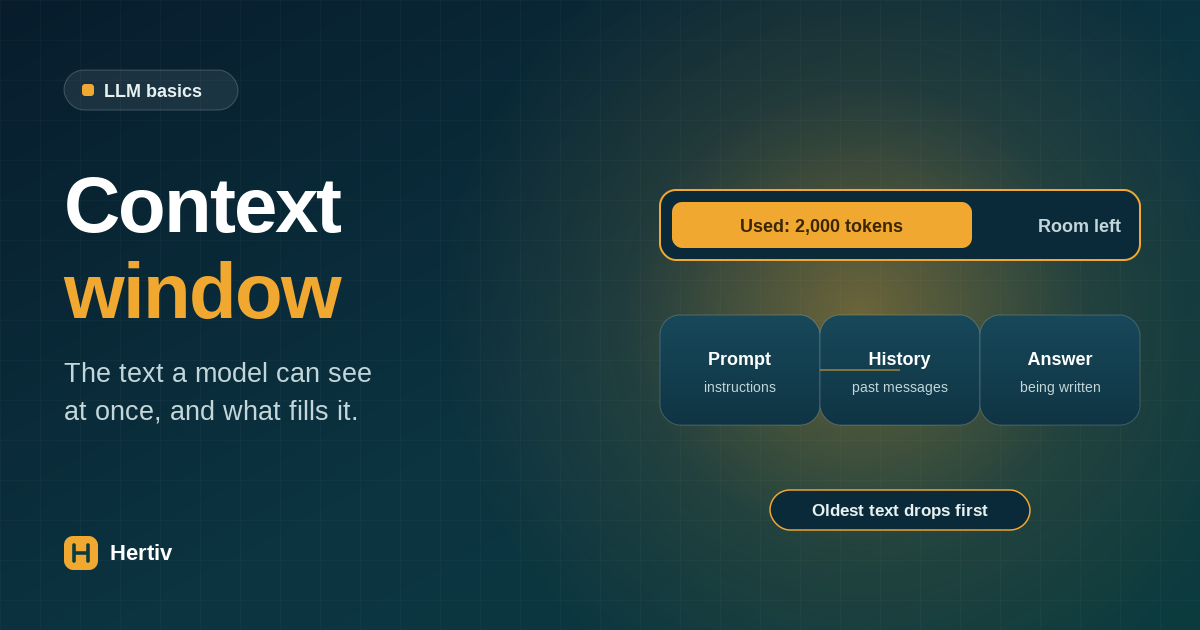
Three things share the window. First, the instructions: what the model should do and how it should behave. Second, the input: the conversation, the document or the code you send. Third, the output: the answer the model is writing also takes space in the window, so a long answer leaves less room for input.
That sharing is why long answers and long inputs compete. A model asked to summarise a long document and write a detailed report may run out of room before it finishes, and the answer stops mid-way. Shorter, focused requests leave more room and usually produce better results.
Some products manage the window for you: they summarise older messages, keep only the most relevant parts of a document, or split a long file into pieces. That management is part of the product, and it is worth asking how a tool handles it before you rely on it. The retrieval-augmented generation guide explains one common way to bring in only the relevant text.
How big is a context window?
Context windows vary a lot between models, from a few thousand tokens to far more, and the size you need depends on the job. The table below gives a rough sense of what fits where, using typical token counts rather than any single model's limit.
| Window size | What fits | Typical use |
|---|---|---|
| Small | A short conversation | Single questions, short chats |
| Medium | A long chat or a short document | Support tickets, emails, briefs |
| Large | A long document or many files | Contracts, reports, codebases |
| Very large | Whole books or large projects | Research, audits, long analysis |
Bigger is not always better. A large window costs more to run and can make the model less focused, because it has more text to weigh. The right size is the smallest one that fits the job comfortably, with room left for the answer.
What happens when the context window fills up?
When the context window fills up, the oldest content is dropped first, the request is cut short, or the model stops writing before it finishes. Which one happens depends on the product, and none of them is obvious to the user.
Dropping old content is the most common behaviour. In a long support conversation, the model may forget the first message and the customer's name, then ask a question it already asked. The user sees a confused answer and rarely knows why.
Cutting the input is another option. A document tool may read only the first part of a long file and miss the rest, so its summary covers half the document and presents it as complete. That is a quiet failure, and it is worse than an obvious error.
Stopping mid-answer is the most visible failure: the answer ends in the middle of a sentence. It is also the easiest to spot, and the fix is usually to ask for a shorter answer or to split the work into smaller pieces.
The practical defence is to keep requests focused. Send the relevant part of a document, not the whole file, and summarise older conversation turns before they are dropped. The how to test AI models guide shows how to check whether a product handles long inputs well.
Example: a support team loses the start of a ticket
Example (hypothetical): a support team uses a language model to draft replies. A ticket has 800 tokens of history: the customer's problem, the steps already tried and the account details. Each new reply adds about 400 tokens, and the window holds about 2,000 tokens.
After three replies, the window holds the instructions, the ticket history and the three replies, which is about 800 plus 3 times 400, or 2,000 tokens. The window is full. On the fourth reply, the oldest part of the ticket history falls out, and the model asks the customer for details they already gave.
The fix is simple. The team summarises the ticket history into about 200 tokens before each reply, so the window holds the summary plus the recent messages with room to spare. The model stops repeating questions, and the replies get better. The lesson is that the window is a budget to manage, not a limit to ignore.
How do you work with a small context window?
You work with a small context window by sending less, sending only what matters, and summarising what has already happened. The goal is to fit the useful information into the window with room left for the answer.
- Send the relevant part. Extract the section of a document that answers the question instead of sending the whole file.
- Summarise the history. Replace a long conversation with a short summary of the facts that still matter.
- Split the work. Break a long document into pieces and process each one, then combine the results.
- Keep instructions short. Long instructions eat the same window as the input, so write them tightly.
- Ask for short answers. A short answer leaves more room for input and is less likely to stop mid-way.
These habits matter even with a large window, because a focused request usually gets a better answer than a long, unfocused one. The how to build an AI proof of concept guide uses the same approach: start small, measure, then grow.
What are the common mistakes?
The most common mistakes with context windows are sending whole documents when only a section matters, assuming the model remembers a long conversation, and ignoring the cost of a large window.
- Sending everything. A whole file when only one section matters wastes the window and the model's attention.
- Trusting long memory. A model does not remember what has fallen out of the window, even if the chat history still shows it on screen.
- Ignoring cost. Larger windows cost more to run, so a product that sends everything to a large window can be expensive for no benefit.
- No fallback. If a long answer stops mid-way, the product should split the work, not show a broken reply.
- Testing only short inputs. A product that works on short questions can fail badly on the long documents real users send.
Key takeaways
- A context window is a budget of text a model can see at once
- Instructions, input and output all share the same window
- When the window fills, the oldest content is dropped first
- Send the relevant part and summarise the rest
- Bigger windows cost more and do not always give better answers
Frequently asked questions
Is a context window the same as memory?
No. A context window is the text a model can see in one request, while memory is a separate feature that stores facts between sessions. A model with memory still cannot see text outside its current window, and a model without memory forgets everything when the session ends.
How many words fit in a context window?
It depends on the model, and windows are measured in tokens rather than words. As a rough guide, a few thousand tokens hold a short conversation, while larger windows hold long documents or many files. Check the model you use, and leave room for the answer it will write.
Does a bigger context window make a model smarter?
Not on its own. A bigger window lets the model see more text, but it can also make answers less focused, because the model has more to weigh. A focused request with the right information usually beats a long request with everything included.
Can I make a context window bigger?
You cannot change a model's window size, but you can manage what goes into it. Summarise old messages, send only the relevant part of a document, and split long work into pieces. Retrieval tools can also bring in only the text that matters for the question.
Why does my chatbot forget earlier messages?
Because the conversation has grown past the context window and the oldest messages have fallen out. The chat history on screen is not the same as what the model can see. Summarising the conversation so far is the usual fix.
Does the context window affect cost?
Yes. Most providers charge by the number of tokens sent and received, so a larger window with more text costs more per request. Sending only the relevant text keeps both the cost and the answer quality under control.


