What Is AI Orchestration, and How Does It Work?
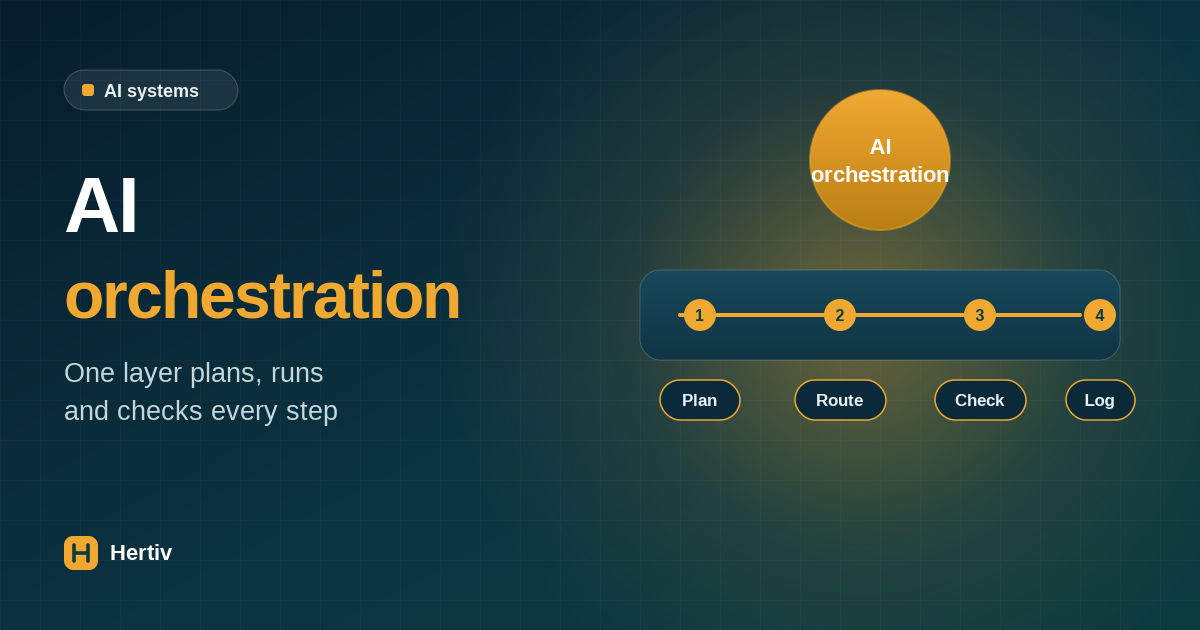
AI orchestration is the layer that plans, runs and checks work done by several AI tools, so they act as one system instead of a set of disconnected steps.
On this page
Short answer
AI orchestration is the layer that plans, runs and checks work done by several AI models and tools, so they act as one system. It decides which model handles each step, passes results between steps, retries a step that fails, and keeps a record of what happened. Without it, each AI tool works alone and nobody sees the whole job.
What is AI orchestration?
AI orchestration is the coordination layer above AI models, tools and data sources. A single model can answer a question, but a real job usually needs more: find the right records, check them against a policy, draft a reply, and log the result. Orchestration plans that sequence and runs it.
Think of it as a stage manager. The models are the actors, each good at one part. The orchestration layer writes the running order, hands each actor its lines, and steps in when something goes wrong. If one step fails, it retries it or sends the job to a person, instead of letting the whole job stop.
| Part | What it does | Example |
|---|---|---|
| Planner | Breaks a job into steps | Check, draft, review |
| Router | Sends each step to the right model | Simple task to a small model |
| Memory | Keeps facts across steps | Customer name and order |
| Guardrails | Blocks unsafe or off-topic output | No prices, no promises |
| Log | Records every step and result | Who approved, when |
What does AI orchestration manage?
Orchestration manages four things: models, tools, data and people. Models do the thinking, such as summarising or drafting. Tools do the doing, such as looking up an order or sending an email. Data is the record the models read. People are the checkers who approve the risky steps.
The layer also manages cost and speed. A simple step goes to a small, cheap model, while a hard step goes to a larger one. A step that needs fresh data calls a tool first, instead of asking the model to guess. These choices are the difference between a system that works and one that burns money.
Most importantly, orchestration manages failure. It retries a step that times out, asks a different model if one keeps failing, and stops the job cleanly if a guardrail trips. A good orchestration layer never lets a bad draft reach a customer by accident.
How does AI orchestration work?
A job starts with a trigger, such as a new support ticket. The planner breaks the job into steps: read the ticket, find the order, check the policy, draft a reply. The router sends each step to the model or tool that fits it best.
Each step returns a result to the orchestrator, which checks it before moving on. If the draft mentions a refund, the orchestrator may send it to a person for approval. If the order lookup fails, it retries once, then asks the customer for the order number instead of guessing.
At the end, the orchestrator writes a log: which steps ran, which model handled each one, what the human approved, and how long it took. That log is what lets a team find a mistake later and prove the system behaved. For a simple first project, read how to build an AI proof of concept before you add orchestration.
AI orchestration vs AI agents vs workflows
These three terms overlap, and teams often mix them up. A workflow is a fixed sequence of steps that never changes. An AI agent is one piece of software that can choose its own steps to reach a goal. Orchestration is the layer that runs agents and workflows together, so several of them can share one job.
A small task needs only a workflow. A job with choices needs an agent. A job with several agents, several tools and a human approval step needs orchestration. If your system has one model and no handoffs, you do not need orchestration yet.
The test is simple: if a job crosses more than one model, one tool or one person, orchestration earns its keep. If it does not, orchestration is extra moving parts with no benefit. Teams that add it too early spend more time fixing the layer than building the product.
How to set up AI orchestration
Start with one job that already works by hand, such as answering refund questions. Write the steps down in order, and mark which steps a model can do, which need a tool, and which need a person. That list is your first orchestration plan.
Then pick one orchestration tool or framework and wire up only that job. Keep the first version small: one trigger, three to five steps, one human approval. Measure how often each step fails, and fix the worst step before adding a second job.
- Pick one job that already works by hand.
- Write its steps and mark who does each one.
- Add guardrails for the risky steps.
- Wire up the job in one orchestration tool.
- Run it with a person checking every result.
- Loosen the checks only when the log shows few errors.
Keep the human in the loop for the first weeks. A system that runs without checks will eventually make a mistake you cannot undo, such as sending a wrong refund. The log should show every approval, so a mistake can be traced to a step.
Example (hypothetical): orchestrating a support reply
Example (hypothetical): a small online shop gets 200 support tickets a day. The team builds an orchestrated flow with four steps: read the ticket, find the order, check the returns policy, and draft a reply. A person approves every draft before it is sent.
Before orchestration, an agent spent 6 minutes on each ticket, or 200 times 6 minutes, which is 20 hours a day. After the flow runs, the agent only reviews drafts, at 1.5 minutes each, which is 200 times 1.5 minutes, or 5 hours a day. The team saves about 15 hours a day, and the log shows which step failed on the tickets that needed a second look.
The key number is the review time, not the model time. If drafts are bad, review time grows and the saving disappears. The team watches the review rate each week and fixes the step that causes the most rework.
Common mistakes
The most common mistake is orchestrating too much, too soon. Teams connect five models, three tools and two approval steps before the first job works. Start with one job, one model and one approval, then grow.
Another mistake is skipping the log. Without a record of each step, a bad answer cannot be traced, and the team cannot tell which model made it. Log every step from day one, even in a pilot.
A third mistake is letting the model decide what is true. Orchestration should fetch facts with tools and let the model only write and summarise. When a model invents a price or a policy, the guardrail should stop it. Read where AI agents help most to see which jobs suit this pattern.
Finally, do not forget the human handoff. A job that has no way to reach a person will fail badly when it meets a case nobody planned for. Every flow needs a clear path to a human, and a way to stop the flow fast.
Key takeaways
- AI orchestration plans, runs and checks work done by several models and tools.
- The planner, router, memory, guardrails and log are the five parts that matter.
- Orchestration is for jobs that cross more than one model, tool or person.
- Start with one job, one model and one approval, then grow.
- Log every step, so a mistake can be traced and fixed.
Frequently asked questions
What is the difference between AI orchestration and automation?
Automation runs a fixed sequence of steps. AI orchestration runs steps that can change: it picks the model, retries failures and asks a person when a rule is unclear. Use automation for fixed jobs and orchestration for jobs with choices.
Do small teams need AI orchestration?
Only when one job crosses more than one model, tool or person. A single chatbot with no handoffs does not need it. Add orchestration when you start chaining models together and need a record of what happened.
What tools do teams use for AI orchestration?
Teams use orchestration frameworks, workflow tools and agent platforms. The choice depends on whether the job is mostly fixed steps or mostly free choices. Check vendor sites for current features and prices before you pick one.
How does orchestration handle errors?
It retries a failed step, tries a different model, or hands the job to a person. A good layer never lets a bad draft reach a customer. Every retry and handoff is written to the log.
Can orchestration work with human approval?
Yes, and it should at first. The orchestrator can pause a job at a risky step and wait for a person to approve it. Loosen the checks only when the log shows the system rarely makes mistakes.
What should I measure in an orchestrated system?
Measure how often each step fails, how long review takes, and how many jobs reach a person. Those three numbers show whether the system saves time or just moves the work around.


