What Are AI Guardrails, and How Do They Work?
AI guardrails are rules that check what goes into an AI system and what comes out, so the system stays safe, honest and inside the limits you set.
On this page
Short answer
AI guardrails are rules and checks that sit around an AI system to keep its behaviour inside limits you set. They filter what users can ask, check what the model answers, and block or change anything unsafe, wrong or off-topic before it reaches a user. They turn an open-ended model into a tool you can trust with real work.
What are AI guardrails?
AI guardrails are the rules and checks that sit around an AI system to keep it behaving the way you want. A language model on its own will answer almost anything, in any tone, with any facts it can produce. Guardrails add the limits: which topics are allowed, what the model may say, and what must be blocked or sent to a person.
Think of them as the safety rail on a walkway. The model still does the walking, but it cannot step off the edge. A guardrail can be a simple rule, such as blocking certain words, or a small second model that reads each answer and judges whether it is safe to send.
| Type | What it checks | Where it runs |
|---|---|---|
| Input filter | What the user asks | Before the model |
| Output filter | What the model answers | After the model |
| Topic limits | Which subjects are allowed | Before and after |
| Fact grounding | Whether claims match your sources | Before answering |
| Rate and cost limits | How much the system is used | Around every call |
Guardrails are not part of the model itself. They are the system around it: prompts, filters, checks and logs that you control. That matters, because it means you can change the rules without retraining the model. To see how teams check models, read how to test AI models.
Why do AI guardrails matter?
Guardrails matter because a model that answers freely can cause real harm. A support chatbot that invents a refund policy may promise money the company never agreed to pay. A hiring tool that repeats bias in its training data may treat some candidates unfairly. A public chatbot that answers medical or legal questions may give advice that is wrong and dangerous.
They also matter for trust. Users stop using a tool after one bad answer, especially when the answer looked official. A guardrail that catches the error before the user sees it protects the user and the company behind the tool. It is cheaper to block a bad answer than to repair the damage after it is sent.
Rules and law add a third reason. Some industries must keep records, protect personal data and refuse certain requests. Guardrails are how those duties are built into the system, so the model cannot be talked into breaking them by a clever prompt. That is the work of AI governance, and it starts with rules written down, not with hope.
How do AI guardrails work?
Guardrails work in three places: before the model, while it answers, and after it answers. Before the model, an input check reads the user's message and blocks or changes anything that breaks the rules, such as a request for personal data or an attempt to make the model ignore its instructions.
While the model answers, grounding keeps it tied to your sources. The system looks up the relevant documents first and tells the model to answer only from them. That stops most invented facts, because the model has real text to work from instead of guessing. For a small pilot, read how to build an AI proof of concept.
After the model answers, an output check reads the reply before the user sees it. It can block unsafe content, remove personal data, check that numbers match the sources, or send the answer to a person for review. If the check fails, the system can refuse, rewrite the answer or ask the user to rephrase.
Where do guardrails sit in the system?
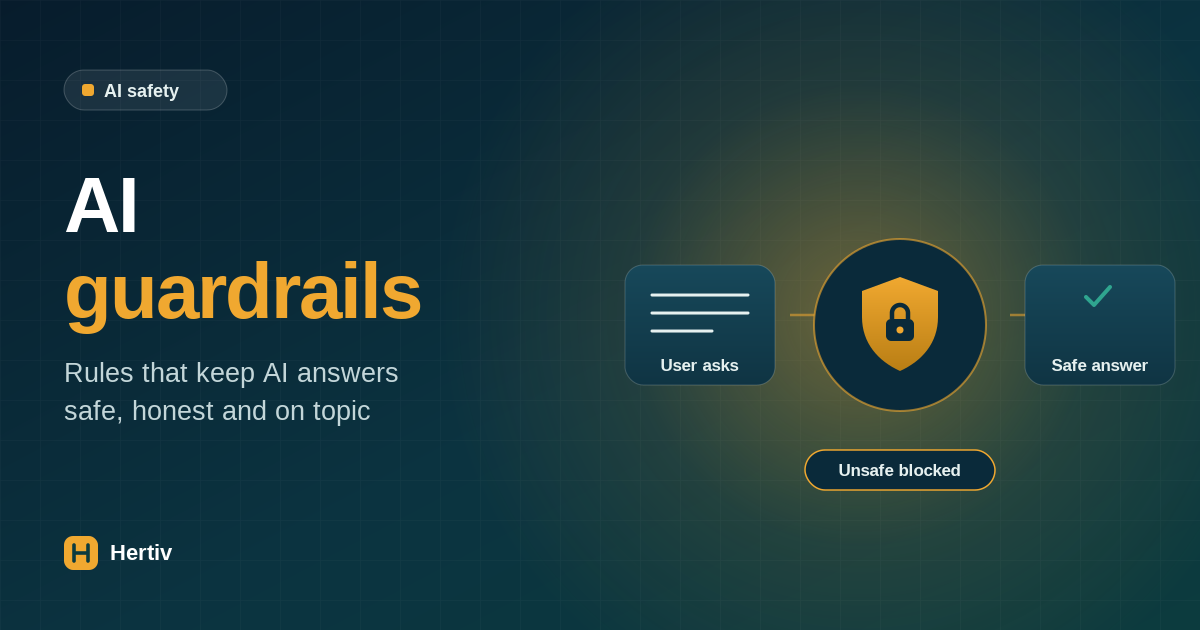
Guardrails sit in the layers around the model, not inside it. The user message passes through an input filter, then the model with its instructions, then an output filter, and finally a log. Each layer has one job, which makes the system easier to test and fix when something goes wrong.
The instruction, or system prompt, is the first guardrail. It tells the model who it is, what it may do and what it must refuse. A clear instruction, written in plain language, stops many problems before they start. Keep it short and specific, and test it with the questions users actually ask.
Logs are the last guardrail. Every request, answer and blocked message should be recorded, so the team can see what the system refused and why. Those logs are how you find gaps in the rules and fix them before users do. If a topic keeps getting blocked wrongly, the rule needs changing, not the user.
What can guardrails not do?
Guardrails cannot make a model perfect. A filter can miss a cleverly worded request, a grounding step can pull the wrong document, and a model can still invent a detail that passes every check. Guardrails cut the risk, they do not remove it, so high-risk answers still need a person in the loop.
They also cannot fix bad data. If the documents the model reads are wrong or out of date, the answers will be wrong too, however good the filters are. Keeping the sources clean and current is part of the guardrail work, not a separate job.
Too many rules cause their own problem. A system that refuses half of all questions is useless, even if it is safe. The balance is to block what is truly harmful, ground what is factual, and let the model answer the rest in a helpful way. Measure the refusal rate and fix rules that block good questions.
Example (hypothetical): a clinic chatbot that must not give medical advice
Example (hypothetical): a clinic builds a chatbot to answer booking questions. The team sets three guardrails: the bot may only answer from the clinic's own pages, it must refuse medical advice, and it must hand any symptom question to a nurse.
In the first week the bot answers 500 questions. It blocks 40 of them: 25 ask for medical advice, 10 ask for another patient's details, and 5 try to make the bot ignore its rules. The other 460 are answered from the clinic's pages, and the team checks 50 of them by hand and finds 2 small errors, both about opening hours.
The team fixes the opening-hours page and adds it to the bot's sources. The next week, 520 questions come in, 38 are blocked, and a hand check of 50 answers finds no errors. The arithmetic shows the point: the guardrails blocked about 8 in every 100 questions, and the hand checks went from 2 errors in 50 to none.
What are the common mistakes?
The most common mistakes with AI guardrails are writing vague rules, testing too little, and treating filters as a one-time job.
- Vague instructions. A rule that says "be safe" means nothing to a model; write down exactly what to refuse and what to allow.
- Only testing easy questions. Users will try the hard ones, so test with rude, tricky and oddly worded prompts too.
- No grounding. A filter cannot catch an invented fact; give the model your documents to answer from.
- No logs. If you do not record what was blocked and why, you cannot see the gaps in your rules.
- Set and forget. New tricks appear every week, so review the logs and update the rules on a regular schedule.
Key takeaways
- Guardrails are rules and checks around an AI system, not inside the model
- Input checks filter the question; output checks filter the answer
- Grounding the model in your own documents stops most invented facts
- Logs show what was blocked and where the rules need fixing
- Guardrails cut risk but cannot make a model perfect, so keep a person in the loop
Frequently asked questions
What is the difference between guardrails and fine-tuning?
Fine-tuning changes the model itself by training it on your data, while guardrails are the rules and checks around the model. Guardrails are faster and cheaper to change, and they work with any model. Many teams use both: fine-tuning for tone and skill, guardrails for safety and limits.
Do guardrails slow the system down?
A little, because each check takes time, but the delay is usually small compared with the model itself. Simple word and topic checks are fast, while a second model that reads every answer adds more time. Measure the delay and keep the checks that matter most.
Can users get around guardrails?
Yes, some will try, and some will succeed. Clever wording can slip past a filter, which is why teams use more than one layer: input checks, grounding and output checks together. Logs help you spot new tricks and close the gaps they use.
Do small teams need guardrails?
Yes, even a small chatbot needs basic ones. At minimum, block unsafe topics, ground answers in your own documents and log what happens. Those three steps take little work and prevent the most common failures.
How do I know if my guardrails work?
Test with the questions users actually ask, including tricky and rude ones, and count how many bad answers get through. Check the logs each week for what was blocked and what was refused wrongly. If bad answers reach users, add a check; if good questions are refused, loosen the rule.
Are guardrails only about safety?
No. They also keep the system on topic, protect personal data, control costs and keep the tone right. A guardrail can stop the bot from answering questions outside its job, from sharing private data, or from running up a large bill on long chats.


