What Is AI and RPA, and How Do They Work Together?
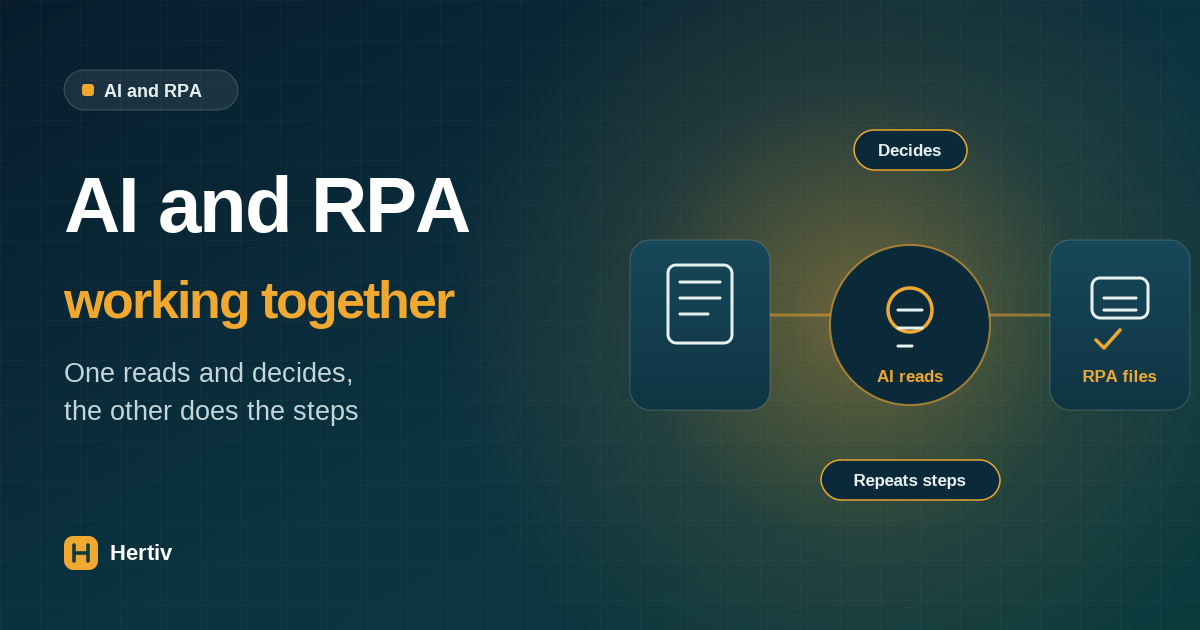
AI reads and decides, while RPA follows fixed steps on a screen. Together they let software handle whole tasks, from reading a document to filing the result.
On this page
Short answer
AI and RPA are two kinds of business automation that work in different ways. AI learns patterns from data so it can read, sort and decide, while RPA runs fixed, rule-based steps on a computer screen, such as copying values between systems. Used together, AI handles the judgement and RPA handles the clicks.
What is AI and RPA?
AI and RPA are two kinds of automation that are often named together, but they do different jobs. AI is software that learns patterns from data, so it can read a document, sort a message, predict an outcome or draft a reply. RPA is software that follows fixed, rule-based steps on a computer screen, such as opening an application, copying a value and pasting it into another system.
The difference is judgement. RPA does exactly what it is told, in the same order, every time. It is fast and reliable on structured work, but it stops when the input changes shape. AI copes with messy input: a free-text email, a scanned form, a photo of a receipt. It can classify, extract and rank, then hand a clean result to the next step.
| Quality | AI | RPA |
|---|---|---|
| What it does | Reads, sorts and decides | Copies, clicks and files |
| Input it handles | Free text, images, speech | Structured fields and screens |
| How it learns | From examples and data | From fixed rules you write |
| When it fails | When the data is thin or biased | When a screen or rule changes |
| Best use | Judgement on messy input | Repeating exact steps fast |
Most real projects use both. AI reads the invoice, RPA enters the figures into the accounting system, and a person checks the exceptions. For the contrast with agents, see RPA vs AI agents.
How do AI and RPA differ in practice?
AI and RPA differ in how they are built, what they cost to keep running, and who owns the result. RPA is built by recording or scripting the steps a person takes on screen. A developer watches the task, writes the rules, and the bot repeats them. AI is built by training or prompting a model on examples, then testing how it behaves on new cases.
That difference shows up in maintenance. An RPA bot breaks when a button moves or a field is renamed, so someone must update the script. An AI model drifts when the data changes, so someone must check its accuracy on fresh cases and retrain or re-prompt it. Both need an owner and a review habit; neither runs well unattended.
They also differ in risk. A bad RPA rule is easy to spot because the bot does the same wrong thing every time. A bad AI answer can look plausible while being wrong, so teams need checks such as confidence scores, human review for high-value cases, and logs of what the model decided and why.
How do AI and RPA work together?
AI and RPA work together in a short pipeline: AI reads and decides, RPA acts, and a person handles the exceptions. The AI sits at the front, turning messy input into clean, structured facts. The RPA bot takes those facts and performs the system steps that a person would otherwise click through.
A typical flow looks like this:
- A document, email or form arrives in an inbox or upload folder.
- AI reads it, extracts the key fields and classifies the case.
- The result is checked against rules, such as a total that must match a purchase order.
- RPA enters the checked result into the target system and files the document.
- Cases that fail a rule go to a person, who decides and the correction is logged.
The handoff between the two parts is the part to design carefully. Agree on the exact fields AI must return, what counts as a pass, and where failed cases go. For a wider view of combining them, read AI workflow orchestration vs RPA.
Where do teams use AI and RPA together?
Teams use AI and RPA together wherever a process starts with messy input and ends with a system update. The pattern is the same in most industries: read, decide, enter, file. What changes is the document and the system of record.
- Invoices and expenses. AI reads the supplier, date and amounts from a PDF; RPA posts the invoice and matches it to a purchase order.
- Customer onboarding. AI checks identity documents and extracts details; RPA creates the account and sends the welcome pack.
- Support triage. AI reads the incoming message and picks the category and urgency; RPA routes it and attaches the customer record.
- Claims and applications. AI pulls the key facts from forms and photos; RPA updates the case file and requests missing items.
- HR and payroll. AI reads leave forms and expense receipts; RPA updates the HR system and the payroll run.
Pick processes with high volume and clear rules. A process that runs a few times a month rarely pays back the build and maintenance cost, however good the automation looks in a demo.
How to start with AI and RPA
You start with AI and RPA by picking one process, proving it on real cases, and only then widening the scope. A small, measured pilot beats a broad rollout that nobody can explain or maintain.
- Pick one process. Choose a task with clear inputs, a clear output and enough volume to matter, such as invoice entry.
- Map the steps. Write down each step, who does it, and what "done" looks like. Note every exception you can remember.
- Split the work. Decide which steps need judgement (AI) and which are fixed clicks (RPA). Keep the split simple.
- Build the smallest version. Automate the main path only. Send exceptions to a person from day one.
- Test on real cases. Run at least fifty real documents through it and record accuracy, time saved and errors. This is where how to build an AI proof of concept helps.
- Put an owner on it. Name the person who fixes the bot when a screen changes and checks the model each month.
Measure the pilot against the manual process: time per case, error rate and cost per case. If the numbers do not improve, fix the process first; automation only makes a broken process faster.
Example: invoice processing with AI and RPA
Example (hypothetical): a wholesaler receives 400 supplier invoices a month. Two staff members spend most of their time opening PDFs, typing supplier names, dates and totals into the accounting system, and matching each invoice to a purchase order.
The team builds a combined flow. AI reads each PDF and returns the supplier, date, invoice number and total. A rule checks the total against the matching purchase order; if it matches within a small margin, RPA posts the invoice and files the PDF. If the total differs, or the supplier is new, the case goes to a staff member with the AI reading shown beside the original document.
The arithmetic is simple to check. Before automation, 400 invoices at 6 minutes each take 2,400 minutes, which is 40 hours a month.
After automation, 320 invoices pass the check and need no manual time, while 80 go to a person at 4 minutes each, which is 320 minutes, or about 5 hours 20 minutes. That is a saving of roughly 34 hours 40 minutes a month, before the time spent fixing bots and checking the model.
The team also tracks errors: invoices posted with the wrong total, and cases the AI read wrongly. Those two numbers decide whether the pilot is a success, not the hours alone.
What are the common mistakes?
The most common AI and RPA mistakes are automating a messy process, trusting the AI without checks, and leaving the bot with no owner.
- Automating a broken process. If the manual steps are unclear or vary by person, the bot will encode that confusion.
- No human check on AI output. A plausible-looking wrong answer can post a wrong payment. High-value cases need a person in the loop.
- Forgetting maintenance. Screens change, suppliers change formats, and models drift. Budget time for both every month.
- Measuring activity, not outcomes. Counting bots built or documents processed says nothing about errors or cost per case.
- Starting too broad. Five processes at once means five half-finished flows and no clear result.
Key takeaways
- AI learns from data and handles messy input, while RPA repeats fixed steps exactly
- AI reads and decides; RPA copies, clicks and files the result
- The best pattern is AI first, RPA second, and a person for exceptions
- Start with one high-volume process and test it on real cases before widening scope
- Name an owner for the bot and the model, and track errors as well as hours saved
Frequently asked questions
What is the difference between AI and RPA?
RPA follows fixed rules to repeat screen steps exactly, while AI learns from data to read, sort and decide on messy input. RPA is best for structured, repeated work; AI is best where the input varies and needs judgement. Most real projects use both, with AI at the front and RPA doing the system steps.
Can RPA work without AI?
Yes. RPA on its own handles structured tasks well, such as copying values between systems, filing documents and running scheduled checks. It only struggles when the input is unstructured, such as free text or scanned images. That is the point where teams add AI to read and classify first.
Is AI better than RPA?
Neither is better in general; they solve different problems. AI handles judgement on varied input, RPA handles exact repetition at speed. A process that starts with a messy document and ends with a system update usually needs both, and judging one against the other misses the point.
Do AI and RPA replace people?
No. They take over repeated reading and clicking, and the people move to exceptions, checks and decisions the software cannot make. In most pilots the team still reviews failed cases, fixes bots when screens change, and checks the model on fresh examples each month.
How much does an AI and RPA project cost?
Cost depends on the number of processes, the systems involved and how messy the input is. A single-process pilot is far cheaper than a company-wide rollout. Ask vendors for a fixed price on the pilot and a separate price for maintenance, or see vendor site for current pricing.
What skills does a team need to run AI and RPA?
The team needs someone who can map a process, someone who can build and fix bots, and someone who can check AI output on real cases. Many teams start with one developer and one process owner, then add skills as more processes go live.


