AI Workflow Orchestration vs RPA: Which Fits Your Work?
AI workflow orchestration coordinates AI models, tools and people across a multi-step job, while RPA repeats fixed rules. See how each works and how to pick one.
On this page
Short answer
AI workflow orchestration is software that plans, runs and checks a multi-step job that uses AI models, business tools and people together. RPA, or robotic process automation, is software that repeats fixed, rule-based clicks and keystrokes in other programs. Orchestration handles jobs where the next step depends on what the AI finds; RPA handles jobs where every step is known in advance.
What is AI workflow orchestration?
AI workflow orchestration is the coordination of a multi-step job in which AI models, software tools and people each do part of the work. An orchestrator takes a goal, breaks it into steps, calls the right model or tool for each step, checks the result, and hands the job to a person when a decision is needed.
Think of a customer refund request. The orchestrator reads the message, checks the order in the shop system, asks a language model to draft a reply, and sends the refund to a human for approval if the amount is above a limit. No single step is hard on its own; the value is in running them in the right order and keeping track of the state.
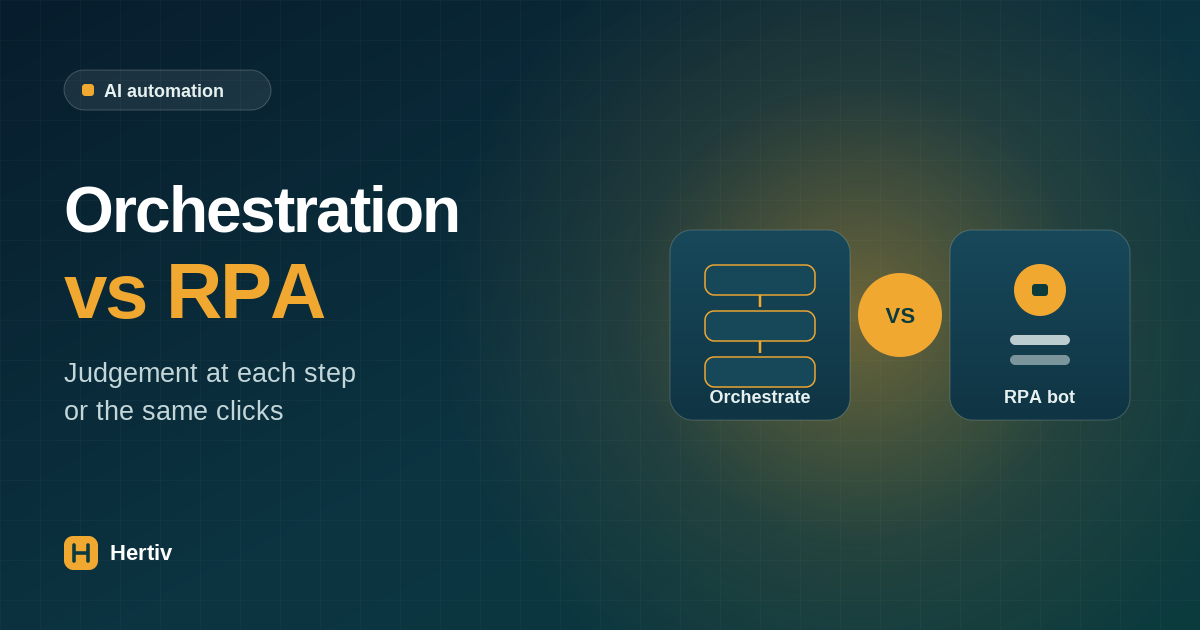
RPA works differently. An RPA bot follows a fixed script: open this screen, copy that field, paste it there, click submit. It is fast and reliable when the screen and the rules never change, but it cannot read an unusual email or decide what to do next. The table below shows the main differences.
| Point | AI workflow orchestration | RPA |
|---|---|---|
| What it runs | Multi-step jobs with AI, tools and people | Fixed, rule-based screen tasks |
| Decisions | AI judges text, images or data at each step | Only if-then rules written in advance |
| Change | Adapts when inputs vary | Breaks when a screen or rule changes |
| Human role | Approves, corrects and handles edge cases | Fixes the script when it fails |
| Best fit | Messy, varied work like triage and review | Stable, high-volume data entry |
The two are often confused because both automate office work. The test is simple: if the job needs judgement about new information at each step, it needs orchestration; if the job is the same clicks every time, RPA is enough.
How does RPA work?
RPA works by recording or scripting the exact actions a person takes in a program, then replaying them. A bot logs in, opens the right screens, reads values from set fields, types them into another system, and clicks the buttons a person would click.
Because the bot works through the user interface, it needs no change to the systems underneath. That is why teams reach for RPA when they cannot change an old system: the bot simply does what a person would do, only faster and without breaks.
The weak point is change. If a button moves, a field is renamed or a new pop-up appears, the bot stops or does the wrong thing. Teams that run RPA well keep a small list of bots, watch them daily, and fix scripts quickly when a screen changes.
How do the two handle change?
Orchestration handles change by design, because each step can ask a model to interpret new input. If a supplier sends an invoice in a new format, the model can still find the amount and date, and the orchestrator can route the invoice to the right approver.
RPA handles change badly. A bot that reads a value from a fixed position on a screen fails as soon as the layout moves. The fix is to rewrite the script, which means every change in the source system becomes maintenance work for the automation team.
That difference shows up in running costs. An orchestrated workflow costs more to build, because it needs models, prompts and checks, but it keeps working as inputs vary. An RPA bot is cheap to build and expensive to keep alive when the systems around it change often.
Which jobs fit orchestration, and which fit RPA?
Orchestration fits jobs where the input varies and judgement is needed: sorting support tickets, reviewing supplier documents, preparing a first draft of a report, or checking a loan application against several systems. These jobs have steps, but the steps depend on what the work contains.
RPA fits jobs where the input is structured and the rules are fixed: copying order data between two systems, filing a daily report, or moving rows from a spreadsheet into a form. The work is the same every time, so a fixed script is the right tool.
Many real jobs mix the two. An orchestrator can call an RPA bot for one step, such as entering approved data into an old system that has no other way in. RPA and AI agents are often compared, and the same logic applies here: use each tool for the part it does best rather than forcing one tool to do everything.
How to choose in 5 steps
- Write down the job as steps, and mark every step where someone must read, judge or decide something new.
- Count how often the input format, the screens or the rules change. Weekly change points to orchestration; yearly change points to RPA.
- Check what a mistake costs. If a wrong step can send money or a legal document, plan a human check either way.
- Run a small pilot on real work for two weeks and measure time saved, errors and how often a person had to step in.
- Pick the tool that passed the pilot, and write down who owns it, who fixes it, and how its work is checked each week.
Do not pick a tool before you have written the steps down. A job that looks like pure data entry often has one judgement step hidden inside it, and that step decides which tool fits. AI agents use cases show the same pattern: the judgement steps are what make a job an AI job.
Example (hypothetical): invoice processing
Example (hypothetical): a small wholesaler receives 200 supplier invoices a week. A clerk spends about 6 minutes on each one, checking the amount, matching it to a purchase order and entering it. That is 200 times 6 minutes, or 20 hours a week.
With RPA, a bot reads the amount from a fixed field and enters it, cutting the time to about 2 minutes per invoice for the cases that match the template. That is 200 times 2 minutes, or about 6 hours 40 minutes a week, but every invoice in a new format stops the bot and goes back to the clerk.
With orchestration, a model reads each invoice whatever its format, matches it to the order, and sends only the mismatches to a person. If 40 invoices a week mismatch and each takes 5 minutes to check, the team spends 40 times 5 minutes, or 3 hours 20 minutes a week, and no invoice stops the flow.
The saving is real only if the model reads the amounts correctly, so the team checks a sample of 20 invoices every week.
Common mistakes
The most common mistake is automating a messy job with RPA and then being surprised when the bot breaks every week. If the input changes often, a fixed script is the wrong tool, and the team ends up spending more time fixing the bot than the bot saves.
The second mistake is the opposite: building orchestration for a job that never changes. A model, prompts and checks cost more to build and run than a simple script, so a stable data-entry job should stay with RPA.
The third mistake is skipping the human check. Both tools can be wrong: a bot can paste the wrong value, and a model can misread a document. A small proof of concept with real work and a weekly sample check is the cheapest way to find out which mistakes each tool actually makes.
Key takeaways
- Orchestration coordinates judgement across steps; RPA repeats fixed rules.
- RPA fits stable, structured, high-volume tasks; orchestration fits varied work with judgement.
- Change is the deciding factor: frequent change favours orchestration, rare change favours RPA.
- Many jobs mix both, with an orchestrator calling an RPA bot for one step.
- Pilot on real work for two weeks before choosing, and plan a weekly human check.
Frequently asked questions
What is the difference between AI workflow orchestration and RPA?
Orchestration plans and runs multi-step jobs that use AI models, tools and people together, with a decision at each step. RPA replays fixed, rule-based clicks and keystrokes in other programs. Orchestration fits varied work that needs judgement; RPA fits stable work that never changes.
Can orchestration and RPA work together?
Yes, and they often do. An orchestrator can call an RPA bot for one step, such as entering approved data into an old system that has no other way in. The orchestrator handles the judgement and the flow, while the bot handles the fixed screen work.
Is AI workflow orchestration more expensive than RPA?
It usually costs more to build, because it needs models, prompts and checks, but it can cost less to run when inputs change often. An RPA bot is cheap to build and can be costly to maintain when screens and rules change. A two-week pilot on real work shows the true cost.
Do I still need people if I use orchestration?
Yes. People approve edge cases, correct mistakes and check a sample of the work each week. Orchestration moves people from doing every step to checking the steps that matter, which is where their judgement is most useful.
How do I know which one my job needs?
Write the job as steps and mark every step that needs reading, judgement or a decision about new information. If most steps need judgement, use orchestration. If almost none do and the input is stable, use RPA.
What goes wrong most often with RPA?
The bot breaks when a screen, field or rule changes, and it can repeat a wrong action many times before anyone notices. Daily monitoring and a quick fix routine are part of running RPA, not an extra.


