Web3 Mobile Apps: How They Work and What to Build
A Web3 mobile app lets you hold your own wallet, sign transactions and use on-chain services from your phone, without handing your account to one company.
On this page
Short answer
A Web3 mobile app is a phone app that connects to a blockchain instead of a company server. You hold your own wallet, sign each action with your keys, and read data from the chain. The app is only the interface: your account, your assets and your history live on the network, not in a company database.
What is a Web3 mobile app?
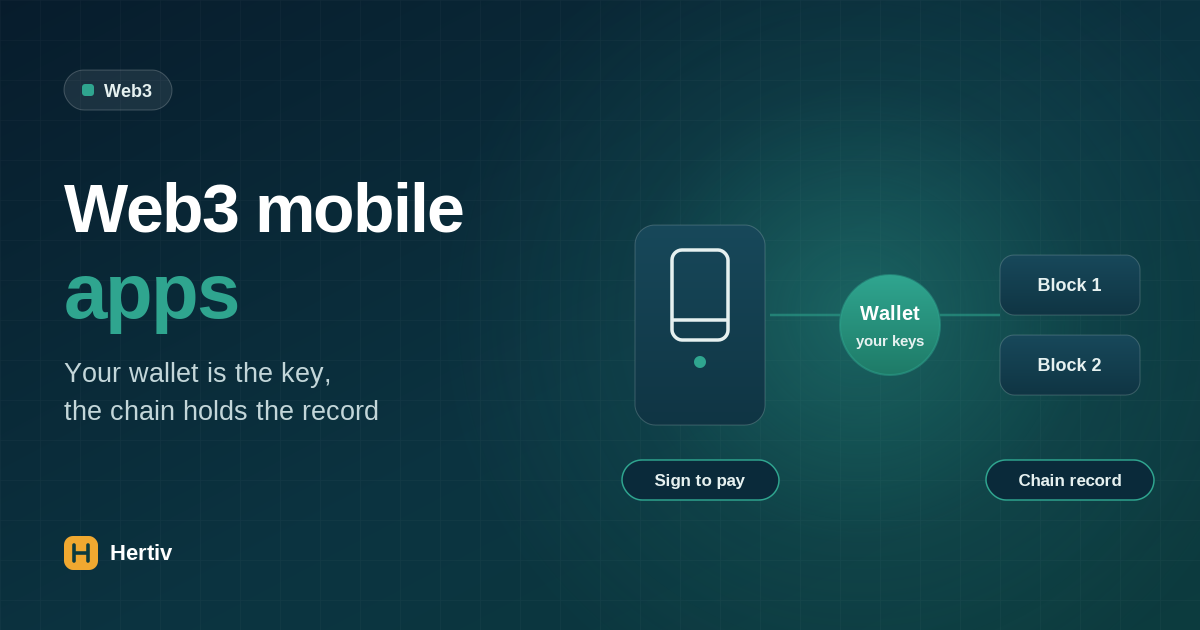
A Web3 mobile app is a phone app that lets you use blockchain services without a central account. Instead of a username and password stored on a company server, you connect a wallet that holds your keys. The app sends your signed actions to the chain and reads results back from it.
That changes who holds the data. In a normal app, the company stores your profile, your balance and your history, and you ask it to act for you. In a Web3 app, the chain stores the records, and the app only shows them and helps you sign. If you lose the app, your account still exists, because it lives in your wallet.
| Part | What it does | Where it lives |
|---|---|---|
| Wallet | Holds your keys and signs actions | On your phone |
| Smart contract | Runs the app rules on chain | On the blockchain |
| Chain | Stores records and balances | On the network |
| Node or RPC | Passes data between app and chain | Run by a provider |
| App interface | Shows balances and buttons | On your phone |
Most Web3 apps still use some normal servers, for example to fetch prices or images. The key point is that your account and your assets do not depend on them. If you want the background first, read what Web3 is before you build.
How does a Web3 mobile app work?
When you open the app, it asks you to connect a wallet. The wallet shows your address, and the app uses it to look up your balances and history from the chain. Nothing is sent to a company account, because there is none.
When you tap an action, such as sending a token or voting, the app builds a transaction and asks the wallet to sign it. Signing proves the action came from you, without sharing your keys. The signed transaction goes to the chain, the smart contract runs its rules, and the app shows the new result.
Reading is free and fast, because the app only looks up data. Writing costs a network fee, because the chain must record the change. The app should show that fee before you sign, so you can decide whether the action is worth it.
What can you do with a Web3 mobile app?
Payments are the most common use. You can send tokens to a friend, pay a freelancer or receive money from a client, with the chain as the record. The app shows the payment status, and both sides can check the same record.
Collectibles and memberships are next. An app can hold your tickets, passes or art, and prove you own them by checking the chain. A venue can scan a ticket and know it is real, without calling a ticket company.
Some apps let you vote in a group, earn rewards for a task, or trade tokens. The pattern is the same each time: the app is a window onto records that live on the chain, and your wallet is the key that opens it.
What does a Web3 mobile app need to be built?
A Web3 mobile app needs four parts. First, a wallet connection, so users can sign in with keys they already hold. Second, a chain to run on, chosen for its fees, speed and the users you want to reach.
Third, smart contracts that hold the app rules, such as who can claim a reward or transfer a ticket. Fourth, a way to read chain data fast, usually through a node provider, so the app does not wait for a full chain scan.
Teams that skip the wallet step and build a normal login first often regret it. The wallet is the whole point of a Web3 app, so it should be tested early, on real phones, with real wallets. A guide to launching a Web3 app covers the order of these steps in more detail.
How to plan a Web3 mobile app
Start with one job the app must do well, such as paying, voting or holding a ticket. A Web3 app that tries to do five things at launch usually does none of them clearly, and the wallet flow gets in the way.
Then pick the chain and the wallet flow before you design screens. Fees, confirmation time and the wallets your users already own will shape the whole experience, so these choices come first, not last.
- Write down the one job the app must do, and who uses it.
- Pick a chain based on fees, speed and your users.
- Design the wallet connection and the signing step first.
- Write the smart contract rules and test them on a test network.
- Build the app screens around the signed actions.
- Test with real users and real wallets before launch.
Keep the first version small. A simple app that signs one action well teaches you more than a large app that nobody finishes using.
Example (hypothetical): a token-gated event app
Example (hypothetical): a small music venue wants an app where ticket holders can enter, vote on the support act and claim a free drink. The team plans for 500 tickets at 20 tokens each, so the event takes in 10,000 tokens if every ticket sells.
At the door, staff scan a ticket in the app. The app checks the chain and shows a green tick if the ticket is valid. If 400 of the 500 tickets are scanned, the team knows 80% of buyers attended, without a separate ticket database.
Voting works the same way. Each ticket can cast one vote, so 400 votes is the most the event can receive. If 240 tickets vote for act A and 160 for act B, act A wins with 60% of the vote. The drink claim is one per ticket, so the bar pours at most 400 drinks.
Common mistakes
The most common mistake is hiding the wallet flow. If connecting a wallet takes five screens, most users will stop before they see the app. Test the connection on a fresh phone and count the taps.
Another mistake is putting everything on chain. Storing images, chat or large files on a chain is slow and costly. Keep those off chain, and only put ownership, votes and payments on chain.
A third mistake is ignoring fees. If a simple action costs more than the action is worth, users will not do it. Show the fee before signing, and pick a chain where the fee fits the job.
Finally, do not assume users know what a wallet is. Explain signing in plain words, show what they are approving, and give them a way to try the app without spending money first. New users should also understand what a cryptocurrency is before they buy one inside an app.
Key takeaways
- A Web3 mobile app is an interface to the chain; your wallet, not a company account, is the key.
- Reading chain data is free, but writing to the chain costs a network fee, which the app should show before you sign.
- Pick the chain and the wallet flow first, because fees and wallets shape the whole experience.
- Keep large files and chat off chain; only ownership, votes and payments belong on chain.
- Test the wallet connection on a real phone before you build the rest of the app.
Frequently asked questions
Do I need a wallet to use a Web3 mobile app?
Yes, in most cases. A Web3 app uses your wallet as your account, so you connect it when you open the app. Some apps offer a guest mode for reading, but signing any action, such as a payment or a vote, needs a wallet with keys you control.
Is a Web3 mobile app the same as a crypto wallet app?
No. A wallet app stores keys and signs transactions, while a Web3 app is built for one job, such as tickets, voting or payments, and it connects to a wallet to do that job. Many Web3 apps let you use a wallet you already have instead of building their own.
Why do Web3 apps charge network fees?
Writing to a blockchain costs a fee because the network must record and check the change. Reading data is free. The fee depends on the chain and how busy it is, so the same action can cost more at a busy time than at a quiet one.
Can I use a Web3 app without owning crypto?
Sometimes. Some apps let you browse and read for free, and some pay the fee for your first action. But most actions that change the chain, such as buying a ticket or voting, need a small amount of the chain's token to pay the fee.
What happens if I lose my phone?
Your account lives in your wallet, not in the app, so you can restore it on a new phone with your recovery phrase. That phrase is the only way back, so store it on paper in a safe place and never share it with anyone, including support staff.
Are Web3 mobile apps safe?
They can be, if you check what you sign. The app should show exactly what an action does before your wallet signs it. Never sign a blank or unclear request, and only connect your wallet to apps you trust, because a signed action cannot be undone.


