Vector Database vs Traditional Database: How to Choose
A vector database searches by similarity and a traditional database by exact match. Compare storage, queries and guarantees to pick the right one for the job.
On this page
Short answer
A vector database stores items as numbers and ranks results by similarity, while a traditional database stores rows and columns and returns exact matches to filters and joins. Use a vector database for search by meaning and recommendations, and a traditional database for transactions, reports and any data that must be exact.
What is the difference between a vector database and a traditional database?
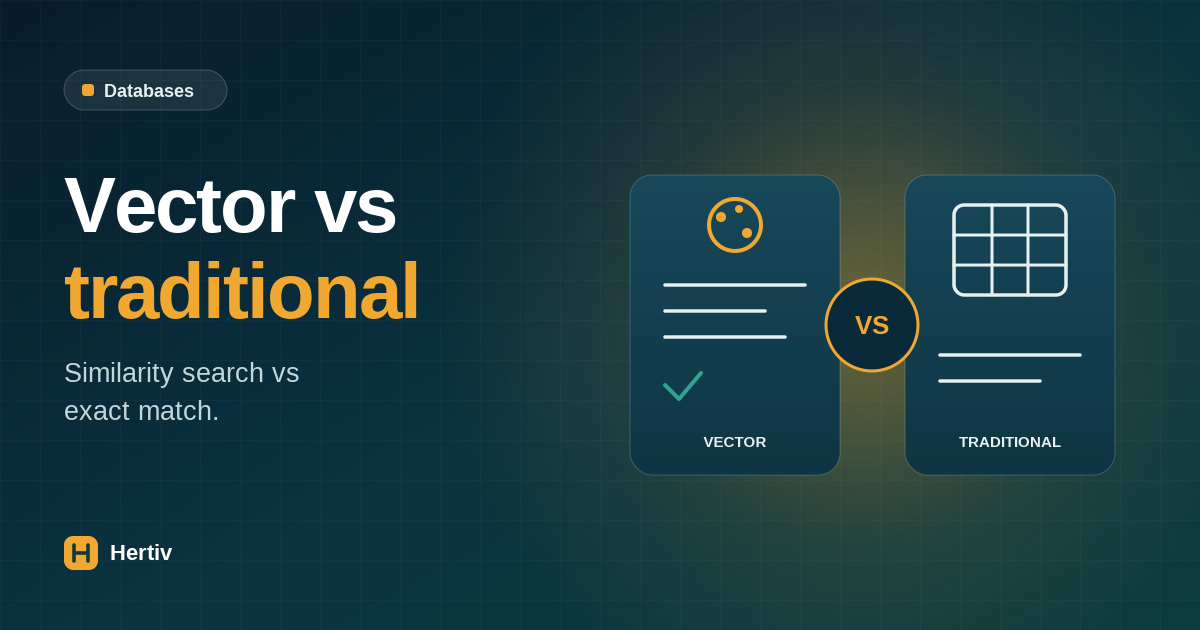
A vector database stores data as lists of numbers called vectors and searches by similarity, while a traditional database stores rows and columns and searches by exact matches and filters. A vector database answers 'what is most like this', and a traditional database answers 'which rows meet these conditions'.
The difference comes from the shape of the data. Traditional databases are built for structured facts: prices, dates, names and statuses that fit neatly into tables. A vector database is built for meaning: a paragraph, an image or a sound is turned into a vector, and items with nearby vectors are treated as similar.
| Feature | Vector database | Traditional database |
|---|---|---|
| Stored as | Vectors (lists of numbers) | Rows and columns |
| Main query | Nearest neighbours by similarity | Exact match, range, join |
| Best for | Search by meaning, recommendations | Transactions, reports, lookups |
| Result order | Ranked by closeness | Sorted or filtered by a column |
| Exactness | Approximate, ranked results | Exact, repeatable results |
Most real systems use both. The traditional database holds the facts that must be exact, such as an order total, while the vector database holds the search index that finds similar items. If you want the full background, start with what a vector database is.
How does a vector database store and search data?
A vector database stores each item as a vector, a long list of numbers produced by an embedding model. The model turns text, images or audio into numbers that place similar items close together in a mathematical space. Two paragraphs about the same topic get vectors that sit near each other, even if they share few words.
To search, the database turns the query into a vector the same way, then finds the stored vectors nearest to it. It measures closeness with a distance formula, such as cosine similarity. Because checking every vector is slow at scale, most vector databases use an index that narrows the search to a promising region first, which trades a little accuracy for much faster answers.
That approximation is the key trade-off. A vector search returns the closest matches it can find quickly, not a guaranteed exact set. For search and recommendation that is fine, because a good answer is better than a perfect one that arrives too late.
How does a traditional database store and search data?
A traditional database stores data in tables, with each row holding one record and each column holding one field. It answers queries with exact logic: find rows where the status is 'paid' and the date is after 1 January, then sort by amount. The answer is exact and repeatable, which is why banks, shops and booking systems depend on it.
Indexes make those queries fast. An index on a column lets the database jump straight to matching rows instead of scanning the whole table. Joins combine tables, such as customers and orders, and transactions make sure a set of changes either all happen or none do. That guarantee matters when money moves.
Traditional databases can store vectors too, and many now offer a vector column or extension. The difference is focus: a traditional database treats vector search as one feature among many, while a vector database is built around it, with indexes and ranking tuned for that job alone.
When should you use a vector database?
Use a vector database when the question is about similarity rather than exact facts. The clearest cases are semantic search, where a user types a question in plain words and expects the most relevant documents, and recommendations, where the system finds items similar to one the user already liked.
Retrieval for AI assistants is another strong case. A chatbot that answers from company documents needs to find the right passages before it writes a reply, and a vector index does that lookup. Image and audio search follow the same pattern: find the picture or clip that looks or sounds most like the query.
Use a vector database when your data has no tidy fields to filter on. If the only way to describe an item is its content, such as a paragraph or a photo, exact matching cannot help, and similarity search is the right tool. Teams building this usually pair it with RAG development work, since the vector index is the retrieval layer of a RAG system.
When should you stick with a traditional database?
Stick with a traditional database when the data must be exact, consistent and auditable. Orders, payments, inventory counts and user accounts all need transactions that either complete fully or not at all. A vector database does not offer the same guarantees, and it is the wrong place to store a balance.
Use a traditional database for reporting as well. Summing sales by month, counting sign-ups by country or listing overdue invoices are all exact queries on structured fields. A vector search cannot answer them, because there is no 'similar' sales total.
Keep it simple when the search problem is small. A few hundred documents can be searched with full-text search in a traditional database, and adding a vector database would only add a service to run and monitor. Start with the traditional database, and add a vector index only when similarity search becomes a real need. For the tooling side, see the best vector databases for startups.
Example (hypothetical): a support search pilot
Example (hypothetical): a software company has 200 help articles and wants agents to find the right one faster. The team keeps the articles in its existing database and adds a vector index over the article text. An agent types a customer question, the index returns the five nearest articles, and the agent picks the best one.
The pilot runs for a month on 200 questions. With keyword search, agents found the right article for 96 of the 200 questions. With the vector index, they found it for 148 of the 200, a gain of 52 questions. The team also measures the miss rate: on 12 questions the vector search returned a confident but wrong article, so agents learn to check the article before quoting it.
The lesson is to keep both stores. The traditional database still holds the articles, their versions and their owners, while the vector index only holds the search copy. If the index is rebuilt or replaced, no article is lost.
Common mistakes when choosing a database
The most common mistake is replacing the traditional database instead of adding to it. A vector database is a search index, not a system of record. Teams that move orders or user data into one lose transactions, backups and the audit trail they relied on.
Other mistakes are easy to avoid. Do not pick a vector database before you have a similarity question to answer; if filters and keywords work, you do not need it. Do not skip the embedding step: the quality of the vectors decides the quality of the results, and a weak model gives weak matches. Do not forget to re-index when content changes, or the search will return deleted or outdated pages.
Start with a small pilot, measure the gain against keyword search, and keep the source of truth in the traditional database. That way the vector index is an addition you can remove, not a migration you cannot undo.
Key takeaways
- A vector database ranks by similarity; a traditional database returns exact matches.
- Vector search suits semantic search, recommendations and retrieval for AI assistants.
- Traditional databases are the right home for orders, payments and reports.
- Most systems use both: facts in the traditional database, similarity in the vector index.
- Pilot on a small set and measure the gain against keyword search before committing.
Frequently asked questions
Can a traditional database store vectors?
Yes, many traditional databases now offer a vector column or extension. They handle small vector workloads well. A dedicated vector database is worth it when similarity search is the main workload and needs a tuned index, fast ranking and large scale.
Do I need a vector database for a chatbot?
Only if the chatbot must answer from your documents. A vector index finds the right passages for the model to use. A chatbot that only answers from a fixed script or a small FAQ can work with keyword search instead.
Is vector search exact?
No, most vector search is approximate. The index narrows the search to a promising region, so it can miss a close match. That trade-off is accepted because exact checking of millions of vectors would be too slow.
What is an embedding?
An embedding is a list of numbers that represents the meaning of a piece of text, an image or a sound. Items with similar meanings get similar numbers, which is what lets a vector database find them by closeness.
Can I use both databases together?
Yes, and that is the usual setup. The traditional database holds the source of truth, such as articles, orders and users, while the vector database holds a search index built from that data. The two stay in sync through updates.
How much data do I need before a vector database pays off?
There is no fixed number, but a few hundred documents rarely need one. The value grows with the size of the collection and the number of queries that keywords fail to answer. Start with a pilot and measure the gain.


