Supabase Competitors Worth Comparing
Supabase gives you a database, auth and storage in one place, but Firebase, Appwrite and others suit different teams. Compare six competitors and pick by fit.
On this page
Short answer
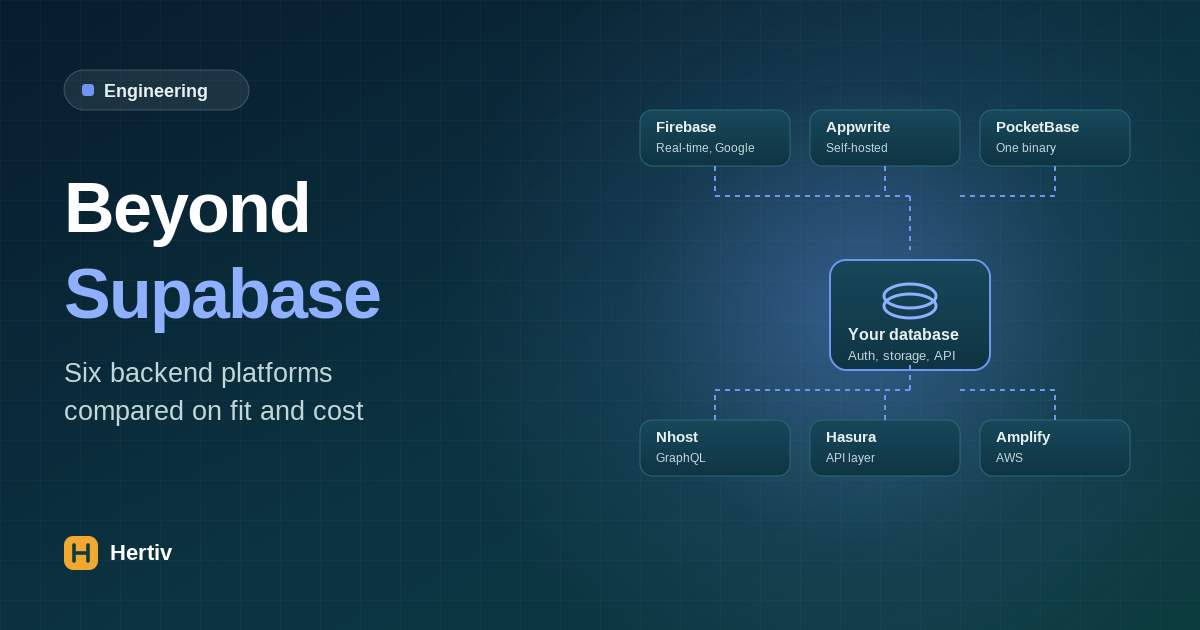
The Supabase competitors worth comparing are Firebase, Appwrite, PocketBase, Nhost, Hasura and AWS Amplify. They all offer a database, authentication and storage in one place, but they differ on hosting, pricing model and how much control they give you, so the right pick depends on whether you want a managed service or a self-hosted one.
Which Supabase competitors are worth comparing?
The Supabase competitors worth comparing are the backend platforms that bundle a database, authentication and storage, so a team can ship an app without running servers. Supabase itself is built on Postgres and is open source, which is why many teams pick it. The competitors below cover the same need with different trade-offs: some are fully managed, some are self-hosted, and some are tied to a larger cloud.
Use the table to shortlist two or three and try a small project on each before committing. Prices and free tiers change, so see vendor site for current rates.
| Platform | Database | Hosting | Best for |
|---|---|---|---|
| Firebase | NoSQL, real-time | Managed by Google | Google shops, real-time apps |
| Appwrite | Document, SQL options | Self-hosted or cloud | Teams that want control |
| PocketBase | SQLite, embedded | Self-hosted, one binary | Small apps, single server |
| Nhost | Postgres, GraphQL | Managed, open source | GraphQL-first teams |
| Hasura | Postgres, GraphQL | Self-hosted or cloud | Teams with an existing database |
| AWS Amplify | Choice of stores | Managed by AWS | Teams already on AWS |
No platform is best in general. A managed service saves operations work but costs more as you grow, while a self-hosted one costs less and asks more of your team. The open source Supabase alternatives guide covers the self-hosted side in more detail.
Firebase: best for real-time apps on Google's cloud
1. Firebase: best for real-time apps on Google's cloud
Firebase is Google's backend platform, built around a real-time NoSQL database, authentication, storage and hosting. It suits apps where data changes live, such as chat, collaboration or live dashboards, because updates reach every connected client at once without the team writing sync logic.
The trade-off is the data model. Firebase stores data as documents, not tables, which fits some apps well and others badly. An app with many relationships between records, such as orders and payments, is harder to model than in Postgres, and moving away from Firebase later takes real work.
Pros:
- Real-time sync: live updates reach clients at once
- Full suite: auth, storage, hosting and functions in one place
- Large community: guides and answers for most problems
Cons:
- NoSQL model: relational data is harder to model
- Vendor lock-in: moving away takes real work
- Costs can grow: usage-based pricing needs watching
Appwrite: best for teams that want control
2. Appwrite: best for teams that want control
Appwrite is an open source backend platform that you can run on your own server or use as a cloud service. It covers databases, authentication, storage and functions, with a dashboard that is easy to learn. Teams that pick Appwrite usually want the same all-in-one shape as Supabase, but with the option to host it themselves.
The trade-off is operations. Self-hosting means the team owns updates, backups and uptime, which is a real job. The cloud version removes that work but costs more, so the choice is between paying with money or paying with time.
Pros:
- Open source: run it yourself or use the cloud
- All-in-one: database, auth, storage and functions
- Clear dashboard: easy for a small team to learn
Cons:
- Self-hosting work: updates and backups are your job
- Smaller ecosystem: fewer ready-made integrations
- Less mature: younger than Firebase or Supabase
PocketBase: best for small apps on one server
3. PocketBase: best for small apps on one server
PocketBase is a small open source backend that runs as a single binary with an embedded SQLite database. It covers authentication, file storage, real-time updates and an admin dashboard, all in one file. It suits small apps, prototypes and side projects where one server is enough and simplicity matters more than scale.
The trade-off is scale. SQLite handles one server well but is not the right store for an app with many writers or heavy traffic. A team that outgrows PocketBase will need to move the data, so it is a good start, not a forever home.
Pros:
- Tiny footprint: one binary, one server, no setup
- Fast to start: running in minutes, not days
- Built-in admin: dashboard included from the start
Cons:
- SQLite limits: not built for heavy write loads
- Single server: scaling means moving the data
- Small scope: fewer features than larger platforms
Nhost: best for GraphQL-first teams
4. Nhost: best for GraphQL-first teams
Nhost is an open source backend built on Postgres, with authentication, storage and functions, and GraphQL as the main way to query data. It suits teams that already work with GraphQL and want a Postgres database behind it, without running the whole stack themselves.
The trade-off is focus. Nhost is at its best when the app is GraphQL-first; a team that wants a REST API or a different query style will find less to work with. It is a good fit for a team that has already chosen GraphQL and wants the backend to match.
Pros:
- Postgres core: the same database as Supabase
- GraphQL native: queries and subscriptions built in
- Open source: self-host or use the cloud
Cons:
- GraphQL focus: weaker fit for REST-first teams
- Smaller community: fewer guides than Firebase
- Less breadth: fewer built-in services than Amplify
Hasura: best for teams with an existing database
5. Hasura: best for teams with an existing database
Hasura is a GraphQL engine that sits on top of a Postgres database you already have and turns it into a GraphQL API, with authentication rules and real-time subscriptions. It suits teams that already run Postgres and want an API without writing one by hand, or teams that want to keep their data where it is.
The trade-off is scope. Hasura is an API layer, not a full backend platform, so authentication, storage and functions come from other tools. A team that wants everything in one place will find it narrower than Supabase or Firebase.
Pros:
- Instant API: GraphQL over a database you already run
- Keeps your data: no migration to a new store
- Real-time: subscriptions for live data
Cons:
- Not all-in-one: auth and storage need other tools
- Needs Postgres: no help if your data lives elsewhere
- More assembly: the team wires the pieces together
AWS Amplify: best for teams already on AWS
6. AWS Amplify: best for teams already on AWS
AWS Amplify is Amazon's toolkit for building apps on AWS, covering authentication, data, storage, hosting and functions, with a command-line tool and a console. It suits teams that already run on AWS and want their app backend to live in the same cloud, with the same billing and the same access rules.
The trade-off is complexity. Amplify exposes the full AWS platform, which is powerful and hard to learn. A team that is not already on AWS will find it heavier than a focused backend platform, and the number of options can slow a small team down.
Pros:
- Full AWS: every service is available when you need it
- Scales far: built for apps that grow large
- One bill: same cloud, same access rules, same billing
Cons:
- Steep learning: AWS has many services and options
- Heavy for small apps: more than a small team needs
- AWS lock-in: moving away means rebuilding the backend
How to choose a Supabase competitor
You choose a Supabase competitor by matching it to your hosting appetite and your data model, not by counting features.
- Name the data model. If your data is relational, shortlist Postgres-based options. If it is real-time documents, look at Firebase.
- Decide who hosts. Teams that want no operations pick a managed service; teams that want control pick a self-hosted one.
- Check the query style. GraphQL-first teams should look at Nhost and Hasura; REST teams should look elsewhere.
- Test a real project. Build one small feature with auth and a real query, and measure how long it takes.
- Check the exit. Ask how you would export the data, because every platform is easy to join and hard to leave.
If you are building the app itself and need help choosing the backend, mobile app development teams usually start with the same question: who hosts, and how do we leave.
What are the common mistakes?
The common mistakes are picking the biggest platform by default, ignoring the data model, and choosing without testing a real feature.
- Choosing on feature count alone. A platform with more features is not better if your team never uses them.
- Ignoring the data model. A NoSQL store for relational data, or the reverse, causes pain that only shows up months later.
- Skipping the test. A demo hides the rough edges; one real feature with auth and a query shows them.
- Forgetting the exit. Every platform is easy to join. Check how the data leaves before you commit.
- Underestimating costs. Usage-based pricing grows with success, so model the bill at your real volume.
These mistakes share one root: the decision was made on reputation instead of on the app's data and the team's hosting appetite. A short test on a real feature prevents most of them.
Teams building the app around the backend can get help from web app development partners who have shipped on these platforms before.
Key takeaways
- Firebase suits real-time apps; Appwrite and PocketBase suit teams that want control
- Nhost and Hasura are the GraphQL-first options; Amplify fits teams already on AWS
- Pick by data model and hosting appetite, not by feature count
- Test one real feature with auth before committing
- Check how your data leaves before you join
Frequently asked questions
Is Supabase better than Firebase?
Neither is better in general. Supabase uses Postgres and is open source, which suits teams that want relational data and the option to self-host. Firebase uses a NoSQL store with real-time sync, which suits apps where data changes live. Pick by the data model and the hosting you want, not by reputation.
Can I self-host a Supabase alternative?
Yes. Appwrite, PocketBase and Nhost can all run on your own server, and Supabase itself is open source too. Self-hosting saves on the subscription but costs your time for updates, backups and uptime, so count that work before choosing.
What is the cheapest Supabase competitor?
PocketBase is the cheapest to run, because it is one binary on one small server, but it suits small apps. For a managed service, the cheapest option depends on your volume, because usage-based pricing grows with use. Model the bill at your real volume and see vendor site for current prices.
Do these platforms handle authentication?
Yes, all six cover authentication, including sign-up, sign-in and social logins. The details differ: some include passwordless sign-in and multi-factor options, while others keep it simple. Check the auth options your app needs before choosing, because adding them later is work.
Can I move from Supabase to a competitor later?
Yes, but it takes work. The data can usually be exported, while the auth, storage rules and functions need rebuilding on the new platform. That is why the exit matters: ask how the data leaves, and keep the app's logic in your own code rather than in platform-specific features.
Which Supabase competitor is best for a startup?
It depends on the team. A small team that wants to ship fast usually picks a managed service, such as Firebase or Nhost. A team that wants control and low cost usually picks Appwrite or PocketBase. Build one small feature on two options and compare the experience before committing.


