How Much Does a Social Media App Cost to Develop?
Social media app cost depends on features, team rates and how much is built in the first version. Here is what drives the budget and how to plan one.
On this page
Short answer
A social media app's development cost is set by the features it ships with, the size of the team building it and the hourly rate that team charges. A simple first version with profiles, a feed and messaging costs far less than an app with live video, recommendations and moderation tooling, because each feature adds design, build and testing hours.
How much does a social media app cost to develop?
A social media app is an app where people create profiles, share posts and follow each other, and its development cost is the total of the hours spent designing, building and testing it, multiplied by the team's rate. There is no single price: a small first version and a feature-rich app are different projects with different budgets.
The cost is driven by scope first. A feed, profiles and direct messages are the core of most social apps, and they take far fewer hours than live streaming, video editing, a recommendation feed or a moderation system. Every extra feature adds design time, build time and testing time, and testing matters more in social apps because content, notifications and real-time updates all have to work together.
The second driver is the team. A small team of a designer, two developers and a tester works through a first version in months, while a larger team finishes faster but bills more hours each week. The third driver is where the team is based, since hourly rates differ by region.
The budget section below works through a hypothetical example so you can see how the numbers add up. The same cost logic applies to mobile app development in general: hours times rate, plus services and a reserve.
What drives the cost up or down?
Five things move the budget most: the feature list, the platforms, the design quality, the back end and the testing load. Native apps for both iOS and Android cost more than a single-platform build, and a polished custom design costs more than a standard layout. The back end matters too: a simple feed can run on a basic server setup, while real-time chat, video and push notifications need more infrastructure.
| Cost driver | Low-cost choice | High-cost choice |
|---|---|---|
| Features | Profiles, feed, messages | Live video, stories, recommendations |
| Platforms | One platform only | iOS and Android native apps |
| Design | Standard screens and icons | Custom motion and branded layouts |
| Back end | Basic server and database | Real-time chat, video and search |
| Testing | Core flows on a few devices | Full device, load and security testing |
Content moderation is the driver teams forget. A social app needs a way to report posts, review reports and block accounts, and that tooling takes real build time. Skipping it saves money at launch and creates a bigger problem a month later, when the first abuse reports arrive and there is no way to act on them.
What features does a first version need?
A first version needs the features that let people join, post and talk to each other, and nothing else. Sign-up, profiles, a feed, likes and comments, direct messages and push notifications cover the core loop. Everything else — stories, live video, groups, search filters and a recommendation feed — can wait until real users show what they actually want.
| Feature | Why it belongs in version one | Effort |
|---|---|---|
| Sign-up and profiles | People need an identity before they can post | Medium |
| Feed and posts | The core reason people open the app | High |
| Likes and comments | Replies are what keep people coming back | Medium |
| Direct messages | Private talk keeps users inside the app | High |
| Push notifications | Brings people back when something happens | Medium |
| Report and block | Basic safety from the first day | Low |
Cutting the list is the fastest way to cut the budget. A guide to how to create a social media app covers the build steps in more detail, so the feature list can be planned before any code is written.
Each feature you drop removes design, build and testing hours, and it also removes the bugs that feature would have brought. A short list also ships sooner, which means real feedback arrives while there is still budget left to act on it.
How do team rates change the budget?
Team rates change the budget directly, because the total is hours multiplied by rate. A team charging a lower hourly rate can build the same first version for less money, but the hours may rise if the team is less experienced with social features such as feeds, real-time updates and notifications. A team that has built social apps before usually works faster on those parts, even at a higher rate.
There are three common ways to staff the work. An in-house team gives the most control and the highest fixed cost. A hired agency or outside team bills by the hour or by the project and suits a team that needs to ship once.
A mix — one in-house product person plus an outside build team — is common for a first version, because the product decisions stay inside while the build is done by people who do it every day.
Whatever the setup, ask for a breakdown by feature, not one lump sum. Before committing to a budget, validate the app idea with real users so the first version solves a problem people actually have.
A breakdown shows which features cost the most and lets you cut or delay the expensive ones. It also makes it clear whether testing, launch and the first month of fixes are included, which they should be. A quote that leaves out testing is not cheaper; it just moves the cost to after launch.
Example (hypothetical): a first-version budget
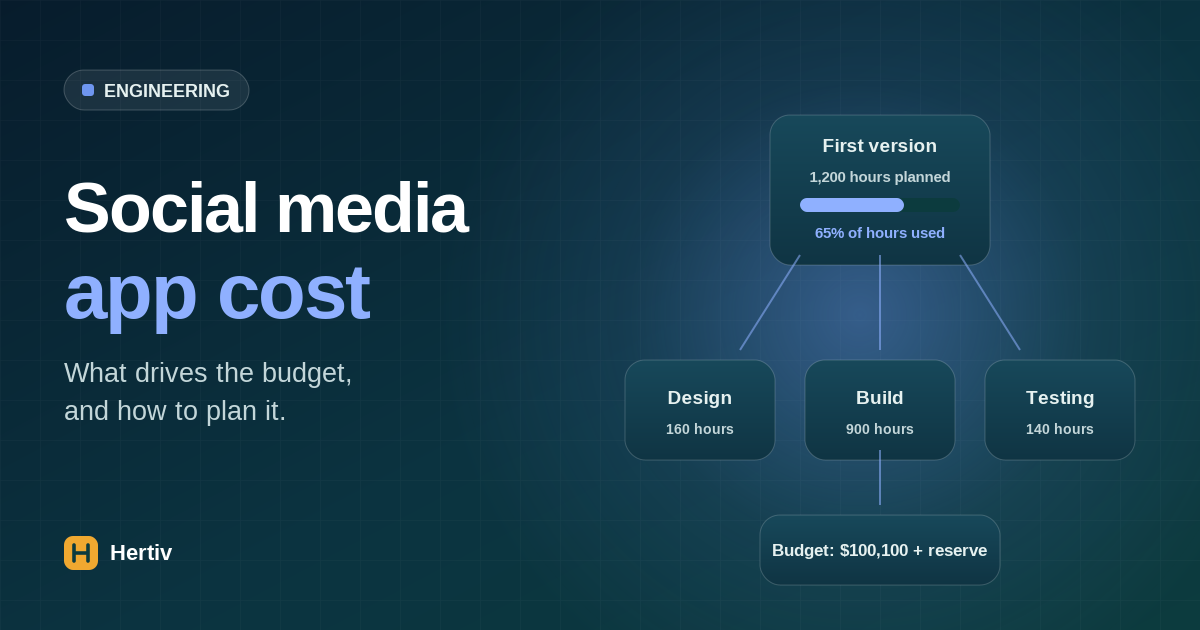
Example (hypothetical): a small team plans a first version for one platform with profiles, a feed, messages and notifications. The designer needs 160 hours, two developers need 900 hours between them, and testing needs 140 hours, which totals 1,200 hours. At a hypothetical rate of $70 an hour, the build costs 1,200 x $70 = $84,000.
On top of that, the team budgets $4,000 for servers, app store accounts and third-party services for the first three months, and $3,000 for design assets and a launch checklist. That brings the total to $84,000 + $4,000 + $3,000 = $91,000. A 10% reserve for fixes after launch adds $9,100, so the full first-version budget is $100,100.
The point of the example is the method, not the number. List the features, estimate the hours for each, multiply by the rate you were actually quoted, then add services and a reserve. If the total is too high, the honest fix is to cut features, not to squeeze the rate. Cutting the recommendation feed alone can remove hundreds of hours from a first version.
How to keep the cost under control
Keeping the cost under control starts before any code is written, with a short feature list and a clear definition of done. Write down exactly what version one does and does not do, and get the team to agree to it. Every feature added mid-build costs more than the same feature planned from the start, because it forces rework on screens and data that already exist.
- Ship one platform first. Pick the platform your audience uses most and add the second one after launch.
- Use proven parts. Sign-in, payments and push notifications have ready-made services; building them from scratch wastes budget.
- Test as you build. A bug found in the same week costs far less to fix than one found after launch.
- Review the list weekly. Check every new feature request against the budget and the launch date.
- Plan for fixes. Keep a reserve for the first month of real-user bug reports.
It also helps to build the app so new features can be added later without rebuilding the core. A feed, a profile and a messaging system that are built cleanly can take stories or groups later. A rushed core has to be rebuilt the moment the second feature arrives, which costs more than building it properly the first time.
Common mistakes when budgeting a social media app
The most common mistake is budgeting only for the build and forgetting the months after launch. Servers, push notification services, app store fees and bug fixes continue every month, and a social app with no maintenance budget slowly breaks as phones update and services change. Set aside a monthly amount for running costs before launch, not after.
The second mistake is copying a big app's feature list. A new app does not need stories, live video, groups, a marketplace and recommendations on day one. Each of those is a project of its own, and building them all at once means none of them is finished well. Start with the core loop and add features when users ask for them.
The third mistake is skipping moderation and safety to save money. A social app without reporting, blocking and a review queue will face abuse, and handling it without tools takes far more staff time than building the tools would have. The fourth mistake is treating the launch date as fixed while the feature list keeps growing; when both are fixed, quality is what gives way. Pick one to protect and let the other move.
Key takeaways
- A first version with profiles, a feed and messages costs far less than a full-featured app.
- Scope is the biggest cost driver, ahead of team rates and platforms.
- Ship one platform first and add the second after real users arrive.
- Ask for a breakdown by feature so expensive items can be cut or delayed.
- Budget for servers, fixes and moderation from day one, not after launch.
Frequently asked questions
How long does it take to build a social media app?
A first version with profiles, a feed and messages usually takes a few months with a small team, while an app with live video, recommendations and moderation takes much longer. The timeline depends on the feature list and the team size, so a short list is the fastest way to ship sooner.
Do I need both iOS and Android at launch?
No. Most new social apps launch on the platform their audience uses most and add the second one later. Building both at once roughly doubles the app work, so starting with one keeps the first budget smaller and gets feedback sooner.
What is the cheapest way to start a social media app?
The cheapest way is a short feature list, one platform and ready-made services for sign-in, notifications and hosting. Cutting features saves more money than cutting the hourly rate, because each feature adds design, build and testing hours.
Does a social media app need moderation tools?
Yes. Reporting, blocking and a review queue are needed from the first day, because abuse arrives quickly once people can post. Building basic moderation early costs far less than handling reports by hand later.
What running costs should I expect after launch?
Expect monthly costs for servers, push notification services, app store accounts and bug fixes, plus time for moderation. These costs grow with the number of users, so plan a monthly amount before launch rather than finding out afterwards.
Should I hire an agency or build in-house?
An agency or outside team suits a one-off first version, while an in-house team suits a product that will keep growing for years. A common middle path is one in-house product person working with an outside build team, which keeps decisions inside and the build with specialists.


