How to Release Software to Production Safely
Releasing software to production means shipping code to real users with checks, a rollout plan and a way back. Learn the steps and the common mistakes.
On this page
Short answer
Releasing software to production means taking code that passed tests and making it available to real users, with checks before the release, a gradual rollout and a way to roll back if something goes wrong. A safe release is a routine process, not a risky event, and it depends on automation, monitoring and a clear decision about who can stop it.
What does it mean to release software to production?
Releasing software to production means deploying a tested version of your software so real users can use it. It is the last step in the delivery pipeline: code is written, reviewed, tested, built and then released to the servers, apps or devices that serve users.
A release is not the same as a deploy. A deploy puts new code on the servers; a release makes it visible to users. Many teams deploy code that stays hidden behind a flag, then release it to a small group first and to everyone later. That separation is what makes releases safe.
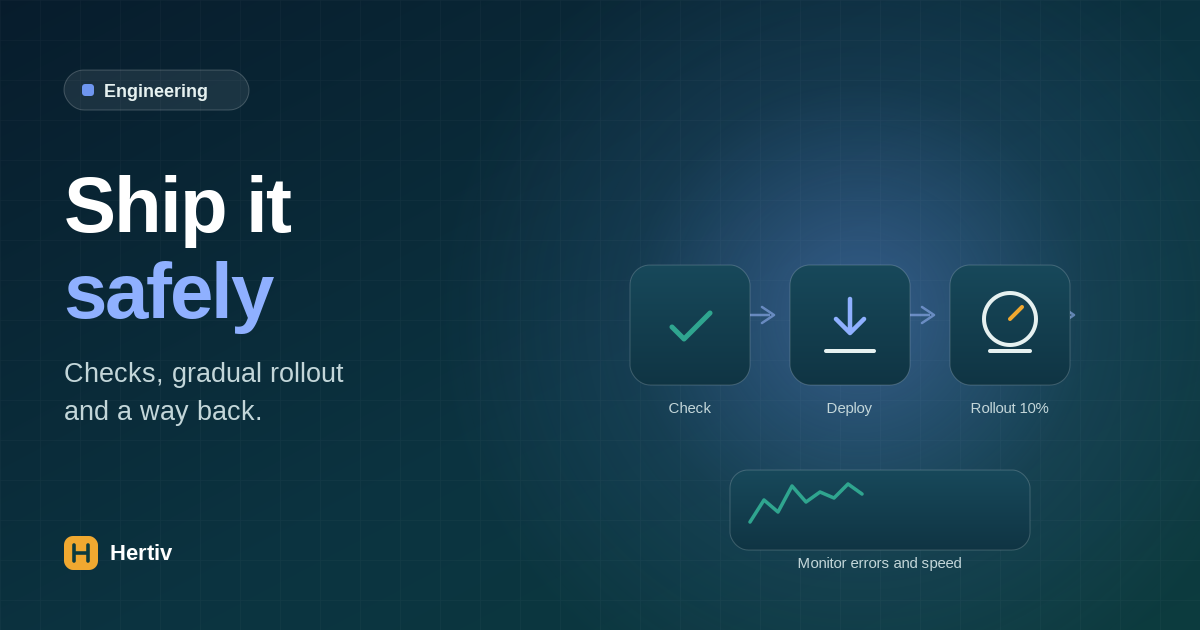
A good release process has four parts:
- Checks. Automated tests, code review and a pre-release checklist that must pass before anything ships.
- Rollout. A plan for who gets the new version first and how fast the share grows.
- Monitoring. Error rates, response times and business metrics watched during and after the release.
- Rollback. A tested way to return to the previous version quickly if the release causes problems.
Teams that release often and in small pieces have fewer failures than teams that release rarely in large batches. Small releases are easier to test, easier to review and easier to reverse.
What should you check before a release?
Before a release, you should check that tests pass, the change is reviewed, the database is ready, the rollback works and someone is watching. The checklist below covers the basics.
| Check | What to confirm | Who confirms it |
|---|---|---|
| Tests pass | Unit, integration and end-to-end tests green | Pipeline, automatically |
| Code reviewed | At least one reviewer approved the change | Reviewer |
| Database ready | Migrations tested and reversible | Developer |
| Rollback tested | Previous version can be restored quickly | Release owner |
| Monitoring ready | Dashboards and alerts cover the change | Release owner |
| Communication done | Support and stakeholders know what is changing | Release owner |
Database changes deserve special care. A migration that cannot be reversed, or that locks a large table, can turn a small release into an outage. Test migrations on a copy of production data and keep them backwards compatible, so the old version still works while the new one rolls out.
Communication is easy to skip and expensive to forget. Support needs to know what changed and what users might notice, and stakeholders need to know when the release happens and how long it will take.
How to release software to production in 6 steps
You release software to production in six steps: freeze, test, deploy, release to a small group, watch, then roll out to everyone. Each step has a clear exit condition, so nobody has to guess whether the release is safe.
- Freeze the scope. Decide exactly which changes are in the release and stop adding more. A release that keeps growing is a release that never ships.
- Run the full test suite. Unit, integration and end-to-end tests must pass. If a test fails, fix it or remove the change, do not ship around it.
- Deploy to staging, then to production servers. Deploy the same build that was tested, with the new features hidden behind flags if needed.
- Release to a small group. Start with 5 to 10 percent of users, or with internal staff only, and confirm the new version works under real traffic.
- Watch the metrics. Compare error rates, response times and key business numbers with the previous version for at least an hour, longer for important changes.
- Roll out to everyone. Increase the share in steps, such as 25 percent, 50 percent, then 100 percent, watching the metrics at each step.
For the pipeline behind these steps, see how to set up CI/CD. A team that releases weekly or more will find this routine becomes second nature within a month.
If the terms are new to you, start with what CI/CD is before building the pipeline, so the team agrees on what each stage should do.
Example (hypothetical): rolling out a new checkout to 20,000 users
Example (hypothetical): a shop releases a new checkout to 20,000 daily users. The team starts with 10 percent, which is 2,000 users, and watches for one hour. Errors stay at the normal level, so the team moves to 50 percent, which is 10,000 users, and watches for another hour.
At 50 percent, the team notices that payment errors rise from 1 in 200 orders to 1 in 50 orders. That is 200 errors per 10,000 orders instead of 50, a difference of 150 failed orders. The team stops the rollout and rolls back the 10,000 users to the old checkout in 8 minutes, because the rollback was tested before the release.
The fix takes two hours, and the team re-releases to 10 percent the next morning. This time errors stay at 1 in 200, so the rollout continues to 100 percent by the afternoon. The whole incident costs about 150 failed orders, not 20,000, because the rollout was gradual and the rollback was ready.
Without the gradual rollout, the same fault would have hit all 20,000 users at once. The gradual release is what turns a bad deploy into a small, fixable problem.
How do you roll back a bad release?
You roll back a bad release by returning to the previous version using the same automated path you used to deploy, and you do it as soon as the metrics show a real problem. Rollback should be a button or a command, not a manual scramble.
There are three common ways to roll back. The simplest is to redeploy the previous version, which works when the database changes are backwards compatible. The second is to turn off a feature flag, which hides the new feature without redeploying anything. The third is to route traffic back to the old servers, which suits teams that run two versions side by side.
Whichever method you use, test it before you need it. A rollback that has never been tried is a guess, and a guess is not a plan. Practice the rollback in staging at least once a month, and time it, so the team knows how long it takes.
After a rollback, hold a short review: what failed, how it was caught, and what check would have caught it earlier. The review is not about blame. It is about adding the missing check to the pipeline so the same fault cannot ship again. For the review habit itself, see code review as part of the release process.
What are the common mistakes?
The most common mistakes when releasing software are shipping on Friday afternoon, releasing too much at once and treating monitoring as optional.
- Releasing before a weekend or holiday. If something breaks, nobody is there to fix it. Release early in the week, when the team is available.
- Big-bang releases. A release with 50 changes is hard to test and hard to debug. Release small and often instead.
- No rollback plan. A release without a tested way back is a gamble, not a process.
- Skipping the database check. An untested migration can lock tables and take the product down for everyone.
- Ignoring metrics after release. A release is not finished when it ships. Watch the numbers for at least an hour, and longer for big changes.
How to make releases routine
You make releases routine by automating the pipeline, releasing small changes often and treating every release the same way, whether it is a one-line fix or a new feature.
Automation is the foundation. Tests, builds, deploys and rollbacks should all run from the pipeline, so a release is a command rather than a manual procedure. Manual steps are where mistakes happen, and they are the first thing to automate.
Frequency is the second part. A team that releases daily has a well-tested process, because it uses it every day. A team that releases once a month has a rusty process and a large, risky change each time. If your releases feel scary, release more often in smaller pieces, not less often in bigger ones.
Finally, keep the same checklist for every release. The checklist is short, it is written down, and the release owner signs it off. Over time, the team will find the checklist catches the same problems before they reach users, and the release process will feel boring.
Boring is the goal: a boring release is a safe release. If you need help building the pipeline, a partner for DevOps services can set up CI/CD, monitoring and rollback for your team.
Key takeaways
- A release is a routine process: checks, gradual rollout, monitoring and a tested rollback
- Deploying code and releasing it to users are different steps, and flags separate them
- Start with 5 to 10 percent of users and grow the share in steps
- Database migrations must be tested and backwards compatible
- Small, frequent releases fail less often than rare, large ones
Frequently asked questions
What is the difference between deploying and releasing?
Deploying puts new code on the servers, while releasing makes it visible to users. Many teams deploy code hidden behind a feature flag, then release it gradually. That separation lets you test in production without exposing unfinished work to everyone.
How often should you release software?
As often as you have a tested, reviewed change ready. Many teams release daily or several times a week, in small pieces. Frequent small releases are easier to test, easier to review and easier to roll back than rare large ones.
What is a feature flag?
A feature flag is a switch in the code that turns a feature on or off without redeploying. Flags let you release to a small group first, turn a feature off instantly if it fails, and test different versions with different users.
Should you release on a Friday?
Usually not. If something breaks, the team may not be available to fix it until Monday. Release early in the week, when the full team is around and monitoring is staffed. The exception is a team with full automation and on-call cover.
What metrics should you watch during a release?
Watch error rates, response times, server load and the business numbers the change affects, such as orders or sign-ups. Compare them with the previous version. If any metric moves sharply in the wrong direction, stop the rollout and investigate.
How do you release a mobile app to production?
Mobile apps go through app store review, so the release is slower than a web deploy. Use staged rollouts in the store, release to a small share of users first, and keep the server changes backwards compatible so old app versions keep working.


