Rapid Mobile App Development Tools Explained
Rapid mobile app development tools help teams ship a first version in weeks. Compare low-code, cross-platform and no-code options and pick the right one.
On this page
Short answer
Rapid mobile app development tools are platforms and frameworks that let a team build and ship a mobile app in weeks instead of months, by reusing ready-made components, visual builders or shared code. They trade some control for speed, which suits teams that need to test an idea or ship a first version fast.
What are rapid mobile app development tools?
Rapid mobile app development tools are platforms and frameworks that let a team build and ship a mobile app in weeks instead of months, by reusing ready-made components, visual builders or shared code. They trade some control for speed, which suits teams that need to test an idea or ship a first version fast.
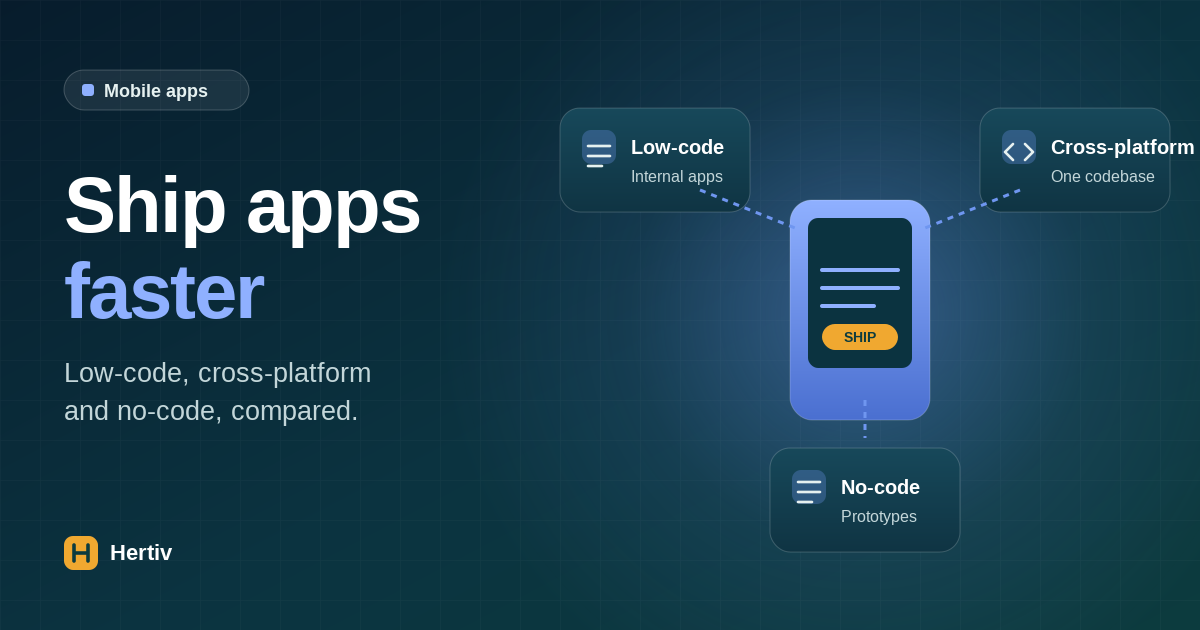
The term covers several different kinds of tool, and the right choice depends on what you are building. A low-code platform, a cross-platform framework and a no-code builder all promise speed, but they suit different apps, teams and budgets.
| Tool type | What it does | Best for | Watch out for |
|---|---|---|---|
| Low-code platform | Visual builder plus custom code | Internal and business apps | Licence cost and vendor lock-in |
| Cross-platform framework | One codebase, two app stores | Customer-facing apps | Native features need extra work |
| No-code builder | Drag-and-drop app building | Simple apps and prototypes | Hard limits on custom logic |
| Backend as a service | Ready auth, database and storage | Teams without backend staff | Costs grow with users |
Rapid tools do not remove the need for good product thinking. A fast-built app with a weak idea still fails, just sooner. For the process side of shipping fast, see how to speed up mobile app development.
Low-code platforms: best for internal tools
Low-code platforms such as OutSystems and Mendix let developers build apps with visual models and drag-and-drop screens, then add custom code where the visual tools run out. They are strongest for internal business apps, where speed and integration with company systems matter more than a pixel-perfect design.
The main gain is in the boring parts. User management, forms, approvals and database connections come ready-made, so a team can build a working internal tool in weeks. The platform also handles hosting, updates and security patches, which removes a whole set of jobs from a small team.
The main cost is the licence, which is usually charged per user or per app and can grow quickly as the app spreads through a company. Check the vendor's own pricing page before budgeting, and write "see vendor site" in your plan if you cannot verify a figure today.
Low-code also creates a dependency. Apps built in one platform are hard to move to another, so a team should be sure the platform fits its long-term plans before building its core systems on it.
Cross-platform frameworks: best for customer apps
Cross-platform frameworks such as Flutter and React Native let one team write one codebase and ship it to both iOS and Android. They are the usual choice for customer-facing apps, because they give near-native quality without the cost of two separate teams.
The gain is in shared work. Business logic, screens and tests are written once, so a small team can ship to both stores and fix bugs in one place. For a startup with limited staff, that is often the difference between shipping and not shipping.
The trade-off is in native features. Camera work, payments, maps and push notifications usually need extra packages or native code, and the framework's update cycle can force upgrades at awkward times. Teams should check that every feature they need has a maintained package before they commit.
Cross-platform is also the most flexible of the rapid options, because the code is yours and can be extended with native modules. For a side-by-side comparison of the two leading frameworks, read Flutter vs React Native.
No-code builders: best for simple apps
No-code builders such as Bubble, Glide and Adalo let people build apps by dragging components onto a screen and connecting them to data, with no programming at all. They are strongest for simple apps, prototypes and internal tools where the logic is straightforward.
The gain is in who can build. A founder or product manager can build a working prototype in days, test it with real users, and learn what to build before hiring developers. That learning is often worth more than the prototype itself.
The limit is custom logic. No-code tools handle lists, forms and simple rules well, but complex pricing, offline use or unusual integrations quickly hit the edge of what the tool can do. When a team starts working around the tool instead of with it, it is time to move to code.
No-code apps also depend on the builder's platform for hosting and performance. A sudden price change or a missing feature can force a rebuild, so keep the data exportable and the scope small.
Example (hypothetical): a booking app in eight weeks
Example (hypothetical): a small clinic wants a booking app for patients, with appointment slots, reminders and a simple admin screen. It has one developer and a budget of $20,000 for the first version.
The team picks a cross-platform framework and a backend service. The developer works 40 hours a week for eight weeks, which is 320 hours. At $60 an hour, that is $19,200, plus $400 for the backend service and $100 for store accounts, which totals $19,700 and fits the budget.
The eight weeks split into two weeks for design and setup, four weeks for the booking flow and admin screen, and two weeks for testing and store submission. The team cuts a loyalty-points feature from the first version to protect the testing time.
After launch, the clinic adds 40 bookings a week through the app. The team now has real usage data to decide what to build next, which is the point of shipping fast: learning from users instead of guessing in a planning document.
What are the common mistakes?
The most common rapid development mistakes are picking the tool before the scope, ignoring the limits of the platform, and treating a prototype as a finished product.
- Tool first, scope second. Choose the app's job first, then the tool that fits it, not the other way round.
- Ignoring the limits. Every rapid tool has a ceiling. Find it before you build, not after launch.
- No exit plan. Check how you export data and move off the platform before you depend on it.
- Skipping testing. Rapid tools build fast, but they still need testing on real devices and real networks.
- Prototype as product. A no-code prototype that gains users needs a rebuild plan, or it will break under load.
For the wider set of technologies behind these tools, see app development technologies.
How do you choose the right tool?
You choose a rapid development tool by matching it to the app's job, the team's skills and the plan for what comes after the first version.
- Write the job down. List the screens, the data and the integrations the first version must have, and cut anything that is not needed to test the idea.
- Check the limits first. Test the hardest feature, such as offline use or a payment flow, in the tool before you commit to it.
- Match the team. A no-code builder suits a non-technical founder, while a cross-platform framework suits a team with developers.
- Price the whole year. Add licence, backend and store costs for 12 months, not just the build, and check the vendor's pricing page for current figures.
- Plan the exit. Confirm you can export your data and, if needed, rebuild the app without losing users.
Run the choice as a two-week trial if you can. Build one real screen and one hard feature in the tool, and judge it on that evidence rather than on a demo or a sales call.
Key takeaways
- Rapid tools cover low-code platforms, cross-platform frameworks, no-code builders and backend services
- Low-code suits internal business apps, cross-platform suits customer apps, and no-code suits simple prototypes
- Every rapid tool has a ceiling, so test the hardest feature before you commit to the platform
- Price the whole year, including licences and backend costs, not just the build
- Keep your data exportable and plan an exit, because a tool that saves a month now can cost more later
Frequently asked questions
What is the fastest way to build a mobile app?
For a simple app, a no-code builder is usually fastest, because you build screens by dragging components and skip coding entirely. For a customer-facing app with custom logic, a cross-platform framework is usually the better balance of speed and control.
Are low-code apps real apps?
Yes. Low-code apps run in production for many companies, especially internal tools. The difference is how they are built: visual models and ready-made components replace hand-written code for much of the work, with custom code added where needed.
Can a no-code app handle payments?
Some no-code builders support payments through integrations, but complex pricing, subscriptions and refunds can exceed what the tool handles well. Test the exact payment flow you need before committing, and plan a rebuild if the logic is complex.
Do rapid tools work for large apps?
They work best for first versions and focused apps. Large apps with heavy custom logic, offline use or strict performance needs usually outgrow rapid tools, so teams use them to learn fast and then rebuild the parts that need full control.
How much does a rapid app cost to run?
Running costs include the platform licence, backend service fees and store accounts, and they grow with users. Check the vendor's own pricing page for current figures, and budget for 12 months rather than just the build.
Should a startup use rapid tools?
Usually yes for the first version, because shipping fast and learning from real users matters more than perfect code. The key is to keep the scope small, keep data exportable, and plan for a rebuild once the idea is proven.


