RAG Use Cases in Legal: 8 Ways Firms Put It to Work
RAG lets legal teams ask questions against their own documents and get answers with sources. Here are eight use cases that work in firms today.
On this page
Short answer
RAG, or retrieval-augmented generation, lets a law firm ask questions against its own documents and get answers that cite the source. The eight use cases that work best are contract review, legal research, due diligence, document drafting, deposition and discovery search, client intake, compliance checks and knowledge search.
Which RAG use cases work best in legal practice?
The RAG use cases that work best in legal practice are the ones where the answer must come from the firm's own documents, a human checks the output, and a wrong answer is caught before it leaves the firm. That filter keeps the list honest: RAG is a research assistant, not a lawyer.
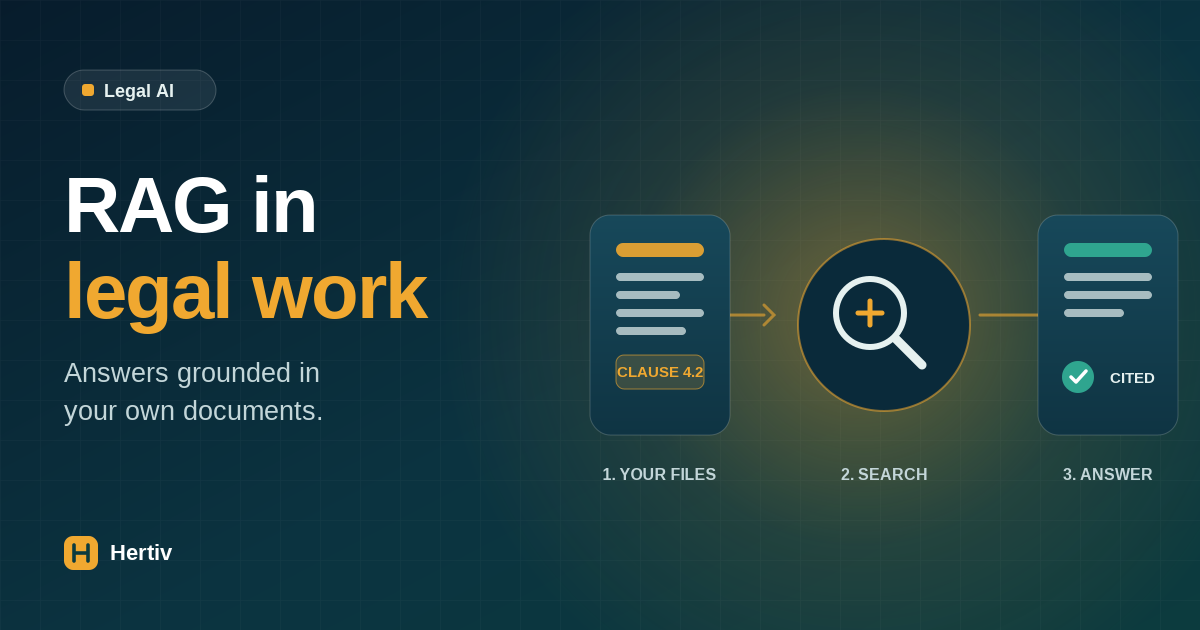
RAG works by searching a firm's documents for the passages that match a question, then giving those passages to a language model so its answer is grounded in real text. The citations matter more than the prose, because a lawyer can check a cited clause in seconds and reject an answer that cites nothing.
| Use case | What it does | Main documents | Human check |
|---|---|---|---|
| Contract review | Flags risky clauses | Contracts, templates | Lawyer reviews flags |
| Legal research | Finds cases and statutes | Case law, memos | Associate checks cites |
| Due diligence | Searches deal documents | Data room files | Team confirms findings |
| Document drafting | Drafts from firm clauses | Clause library | Lawyer edits draft |
| Discovery search | Finds key passages | Discovery set | Reviewer verifies hits |
| Client intake | Answers common questions | FAQs, fee notes | Staff confirms answers |
| Compliance checks | Tests documents against rules | Policies, regulations | Compliance lead signs off |
| Knowledge search | Finds past work product | Memos, briefs, emails | Author checks reuse |
Every use case below follows the same pattern: the firm's documents are the source of truth, the model drafts or finds, and a person decides. RAG development starts with that pattern, not with the model.
Contract review and legal research
1. Contract review: best for spotting risky clauses fast
Contract review with RAG means asking a contract set which clauses differ from the firm's standard terms, and getting back the clause text with its location. A lawyer still reads each flagged clause, but the search that used to take an afternoon takes minutes.
The value is in coverage: a reviewer can check every non-disclosure or indemnity clause in a large set instead of sampling a few. The risk is a missed clause, so the firm should test the system on contracts where the answer is already known before trusting it on live work.
Pros: faster first pass over large contract sets; every flag cites the clause; consistent checks against firm standards.
Cons: needs a clean clause library to compare against; unusual wording can slip past; a lawyer must still read each flag.
2. Legal research: best for finding the right authority
Legal research with RAG means asking a question and getting cases, statutes and the firm's own memos that bear on it, with citations. The researcher then reads the cited sources directly, which is the step that makes the tool safe to use.
This works best when the firm's memo library is part of the search, because past memos often hold the answer for a familiar question. It works worst as a way to skip reading: an answer without a checked citation is not research. AI legal research software covers the tooling side of this use case.
Pros: surfaces firm memos alongside case law; every answer carries citations; faster than starting from a blank search.
Cons: citations must be verified one by one; older memos may state law that has changed; weak for novel questions with no close authority.
Due diligence and document drafting
3. Due diligence: best for searching a data room under deadline
Due diligence with RAG means asking a data room questions such as which contracts change hands on a sale, or which permits expire this year, and getting answers tied to specific files. The deal team then opens each cited file to confirm before the finding goes into a report.
The gain is speed under deadline, when a data room holds thousands of files and the team cannot read them all. The danger is a confident-sounding answer built on a half-read file, so every finding needs a named file and page behind it.
Pros: searches thousands of files at once; answers cite the file; finds issues a tired reviewer could miss.
Cons: scanned or messy files search badly; needs the data room indexed before the deadline; findings still need human confirmation.
4. Document drafting: best for first drafts from firm clauses
Document drafting with RAG means asking for a first draft built from the firm's own clause library, so the draft uses the firm's wording instead of generic text. A lawyer then edits the draft, which is where the judgement lives.
This suits routine documents such as engagement letters and standard agreements, where the firm's clauses are settled and the variation is in names, dates and amounts. It suits novel documents badly, because there is no firm wording to draw on.
Pros: drafts use the firm's own language; routine documents take less time; clause choices stay consistent across the firm.
Cons: needs a maintained clause library; drafts still need a lawyer's edit; risky for documents with no precedent in the library.
Discovery search and client intake
5. Discovery search: best for finding the key passages
Discovery search with RAG means asking a large document set for the passages that answer a question, such as who approved a payment or when a decision was made. Reviewers then read the passages in context and decide what matters.
The gain is recall: a keyword search misses passages that use different words for the same thing, while a meaning-based search can find them. The cost is review time, because the system returns more passages than a keyword search, and each one still needs a human look. Legal document review software covers the review workflow this fits into.
Pros: finds passages keywords miss; ranks results by relevance; speeds the first review pass.
Cons: returns more to review than keyword search; needs the set indexed and cleaned; privilege checks still need human judgement.
6. Client intake: best for answering common questions
Client intake with RAG means letting prospective clients ask common questions, such as what a matter costs or which documents to bring, and answering from the firm's own notes. Staff then confirm anything the system cannot answer with confidence.
This suits firms that answer the same questions every week. It does not suit giving legal advice, which needs a qualified person and a full picture of the client's situation. The line between the two should be written down before the system goes live.
Pros: answers routine questions at any hour; uses the firm's own wording; frees staff for real intake calls.
Cons: must never give legal advice; needs clear handoff rules to staff; wrong answers damage trust fast.
Compliance checks and knowledge search
7. Compliance checks: best for testing documents against rules
Compliance checks with RAG mean asking whether a document set meets a rule, such as a retention policy or a disclosure duty, and getting the passages that support or break the rule. A compliance lead then decides what to fix.
This works when the rules are written down and the documents are searchable. It fails when the rule lives only in someone's head, because the system has nothing to compare the documents against. Write the rule first, then build the check.
Pros: tests a full document set against a written rule; shows the exact passage behind each finding; repeats the same check after every change.
Cons: needs rules written in clear form; cannot judge intent or context; a person must still sign off.
8. Knowledge search: best for finding past work product
Knowledge search with RAG means asking the firm's own past work, such as memos, briefs and emails, for how a similar matter was handled. The lawyer then reads the original work and adapts it, rather than starting from a blank page.
The value grows with the size of the library: a firm with years of memos can reuse reasoning that a new hire would otherwise rebuild. The risk is reusing work that is out of date, so the system should show the date of each source beside the answer. AI agents in the legal industry shows how this fits into wider firm automation.
Pros: reuses the firm's own reasoning; helps new hires find precedent work; answers carry dates and sources.
Cons: old work can be out of date; needs access rules so confidential work stays private; only as good as what the firm kept.
How to choose your first RAG use case
You choose your first RAG use case by finding the work where the documents already exist, the answer must cite a source, and a human already reviews the output. That combination gives the fastest payoff with the least risk.
- List the repeated questions. Ask each team which questions they answer from documents every week, and rank them by time spent.
- Check the documents exist. Pick a use case where the source documents are digital, searchable and kept in one place.
- Define the human check. Write down who reviews the output and what counts as a pass before you build anything.
- Run a small pilot. Test on 50 to 100 real questions where the answer is already known, and measure how often the system cites the right source.
- Expand only what passes. Roll out the use cases that passed the pilot, and fix the document gaps behind the ones that failed.
Start with one use case and one team. A firm that tries all eight at once ends up with eight half-built systems and no clear owner for any of them.
What are the common mistakes?
The most common RAG mistakes in legal work are trusting answers without citations, searching messy documents, and letting the system give advice it should not give.
- Skipping the citation check. An answer with no source is a guess, however confident it sounds.
- Indexing messy files. Scanned, misfiled or out-of-date documents produce wrong answers that look right.
- No privilege controls. A search that crosses matter boundaries can surface work a user should never see.
- Letting it advise clients. A RAG system should answer questions about the firm's process, not give legal advice.
- Measuring the wrong thing. Speed means little if the citations are wrong; measure citation accuracy first.
Key takeaways
- RAG answers legal questions from the firm's own documents, with citations
- The best use cases are ones where a human already reviews the output
- Contract review, research and due diligence give the fastest payoff
- Citation accuracy matters more than speed or fluency
- Start with one use case, one team and a measured pilot
Frequently asked questions
What is RAG in legal work?
RAG, or retrieval-augmented generation, is a way for a law firm to ask questions against its own documents and get answers that cite the source. The system searches the firm's files for relevant passages, then a language model drafts an answer grounded in those passages.
Is RAG safe to use for client work?
It is safe when a lawyer checks the output and every answer cites a source that can be opened and read. It is not safe as an unsupervised source of advice, because a model can state a wrong answer with confidence. Keep a human in the loop for anything that leaves the firm.
What documents does a legal RAG system need?
It needs the documents the use case depends on: contracts and clause libraries for review, case law and memos for research, data room files for due diligence. The documents should be digital, searchable and kept current, or the answers will be wrong.
How much does a RAG system cost a law firm?
Costs vary with the size of the document set and the number of users, and vendors price differently, so ask for a quote based on your own volume. The larger cost is usually staff time: indexing documents, writing rules and reviewing output. See vendor sites for pricing.
Can RAG replace legal research tools?
No. RAG adds the firm's own documents to the search, but it does not replace case law databases or a researcher's judgement. The best setups use both: the database for authority, and RAG for the firm's own memos and past work.
What is the first RAG use case a firm should try?
Contract review or knowledge search usually come first, because the documents exist, the questions repeat, and a human already reviews the output. Run a small pilot on questions with known answers, measure citation accuracy, and expand only what passes.


