Legal Document Review Software: What It Does and How to Choose
Legal document review software reads contracts and legal files, flags the clauses that matter and routes them to a reviewer, cutting hours of routine checks.
On this page
Short answer
Legal document review software is software that reads legal documents, extracts key terms such as dates, parties, obligations and renewal clauses, and flags risks for a human reviewer. It speeds up contract review, due diligence and compliance checks, but it does not replace a lawyer's judgement on the issues it flags.
What is legal document review software?
Legal document review software is software that reads contracts, filings and other legal documents, pulls out the terms that matter, and presents them for a human to check. Instead of a lawyer reading every page of every document, the software does the first pass: it finds clauses, dates, parties and obligations, then flags anything unusual or risky.
The software works by combining document parsing with trained models. Parsing turns a scanned PDF or a Word file into structured text. The models then recognise clause types, such as termination, indemnity, confidentiality and renewal, and extract the values inside them, such as amounts, dates and notice periods.
The output is usually a summary per document, a list of flagged clauses, and a searchable index of the whole set. A reviewer works through the flags rather than reading from page one. The lawyer still decides what each clause means and what to do about it.
What can the software actually do?
The software handles the repetitive parts of review well, and leaves judgement to people. The table shows where it helps most.
| Task | What the software does | Human still needed for |
|---|---|---|
| Clause extraction | Finds and labels key clauses | Interpreting ambiguous wording |
| Risk flagging | Highlights unusual or missing terms | Deciding whether the risk matters |
| Comparison | Checks documents against a standard form | Negotiating the differences |
| Search | Finds terms across thousands of files | Asking the right question |
| Summaries | Drafts a short summary per document | Verifying the summary is accurate |
| Redaction | Suggests sensitive passages to redact | Confirming nothing is missed |
Accuracy depends on the documents. Clean, typed contracts with standard wording are extracted reliably. Scanned pages, handwritten notes and heavily negotiated drafts produce more errors, so the review queue is longer. Always test the software on your own documents before buying, not on the vendor's demo set.
Who uses it, and for what work?
Law firms use it for due diligence, where a deal may involve thousands of contracts that must be checked in weeks. In-house legal teams use it for contract intake, renewal tracking and compliance checks across the business. Compliance teams use it to find clauses that breach a policy, such as data processing terms or sanctions language.
It also fits repeatable review work: vendor agreements, employment contracts, leases and non-disclosure agreements. These documents follow patterns, so the software can learn the standard form and flag only the deviations. One-off, bespoke documents benefit less, because there is no standard to compare against.
Smaller teams often start with one use case, such as renewal tracking, and expand from there. The value is clearest where the same review task repeats every month, because the time saved compounds and the team learns to trust the flags. Document AI services cover the same extraction pattern for non-legal documents too.
How to choose: a 5-step plan
Choosing legal document review software starts with your documents and your workflow, not with a feature list. Follow these steps before signing a contract.
- List the review tasks. Write down the document types, volumes and the questions reviewers must answer.
- Run a pilot on your own files. Give vendors 50 to 100 real documents and compare extraction accuracy and flag quality.
- Check the review workflow. Confirm how flags are assigned, approved and tracked, and whether the audit trail is complete.
- Test integrations. Confirm it connects to your document store, matter system and e-signature tool.
- Price the whole year. Include onboarding, training, support and any per-document fees, and ask for the price in writing; otherwise write "see vendor site" in your comparison.
The pilot is the step most teams skip, and it is the one that prevents the most regret. A tool that scores well on a vendor demo can fail on your scanned leases or your negotiated clauses, and the pilot is where that shows up. If you are unsure how to run a fair pilot, AI consulting can help define the test set.
Example (hypothetical): a 20-lawyer firm reviews 500 contracts
Example (hypothetical): a 20-lawyer firm must review 500 supplier contracts before a renewal deadline. Manual review takes 45 minutes per contract, which is 500 times 45, or 22,500 minutes, equal to 375 hours of lawyer time. At that pace the work takes weeks and delays other matters.
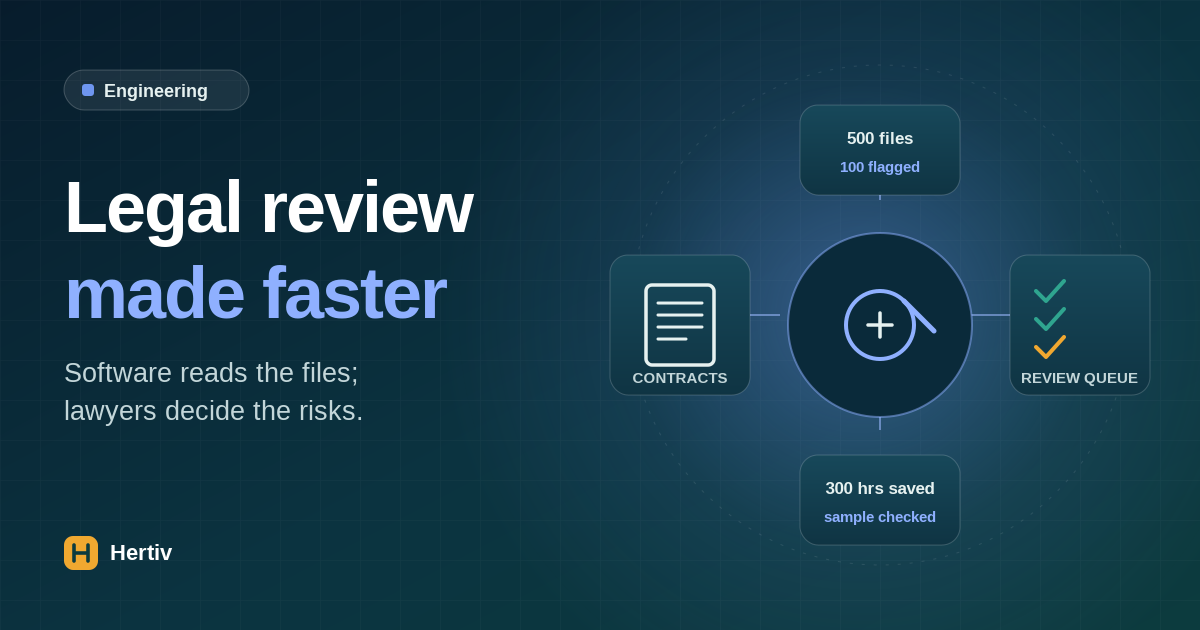
With review software, the firm uploads the set and the tool extracts the key terms and flags 100 contracts that need a lawyer's eye: unusual termination clauses, missing data terms and renewal dates inside 60 days. Reviewing those 100 takes 100 times 45 minutes, or 4,500 minutes, equal to 75 hours.
The saving is 300 hours, and the lawyers spend it on the contracts that actually carry risk. The firm still checks the tool's output on a sample of the cleared contracts, because a missed clause in the auto-cleared pile is the main risk of this approach.
Data security and confidentiality
Legal documents hold client confidences, so security is a buying criterion, not an afterthought. Ask where the documents are stored, who can access them, how long they are kept, and whether the vendor trains its models on your files. The answers should be in the contract, not just in a sales call.
Some teams need documents to stay in a specific region or inside their own cloud account. Others accept the vendor's cloud but require encryption, single sign-on and detailed access logs. If your clients include regulated firms, their requirements may decide the deployment model for you.
Also check the exit terms: how you export your documents and the extracted data if you leave, and how quickly the vendor deletes your copies. A tool that holds your data hostage is a poor choice however good its extraction is. This is the same discipline covered by data security and compliance reviews.
What are the common mistakes?
The most common mistakes are trusting the output without checks, buying for one use case and judging it on another, and underestimating the setup work.
- Trusting extraction without sampling. Always check a sample of cleared documents, or a missed clause stays missed.
- Judging the tool on the wrong documents. A pilot on clean contracts says little about scanned, negotiated files.
- Skipping the workflow. Flags are useless if nobody is assigned to clear them and the audit trail is incomplete.
- Ignoring data terms. Confirm where data lives and whether it trains vendor models before uploading client files.
- Underestimating setup. Clause lists, standard forms and reviewer training take weeks, not days.
- Expecting it to replace lawyers. The software finds and flags; a lawyer still decides what a clause means.
Key takeaways
- The software does the first pass; a lawyer still decides what clauses mean
- Clause extraction, risk flagging and comparison save the most time
- Pilot the tool on your own documents before buying
- Check data storage, access and exit terms in the contract
- A narrow pilot builds the trust a broad rollout needs
Frequently asked questions
Does legal document review software replace lawyers?
No. It finds clauses, extracts terms and flags risks, but a lawyer still interprets ambiguous wording, decides whether a risk matters and negotiates the fix. The software removes the reading load; it does not remove the judgement. Teams that treat it as a replacement tend to miss the flagged issues it was bought to find.
How accurate is clause extraction?
Accuracy depends on the documents. Clean, typed contracts with standard wording are extracted reliably, while scanned pages and heavily negotiated drafts produce more errors. Run a pilot on your own files and measure accuracy on the clause types that matter to you, rather than trusting a vendor benchmark.
What documents work best with this software?
Repeatable documents work best: vendor agreements, employment contracts, leases and non-disclosure agreements. These follow patterns the software can learn. One-off, bespoke documents benefit less, because there is no standard form to compare them against.
Can the software handle scanned PDFs?
Most tools can, using optical character recognition, but accuracy drops on poor scans, handwritten notes and unusual layouts. If your archive is mostly scanned, include scanned files in the pilot and measure the error rate before committing to a volume-based price.
How long does it take to set up?
A narrow pilot usually takes a few weeks, including clause lists, standard forms and reviewer training. A full rollout across many document types takes longer, because each type needs its own clause definitions and review workflow. Start narrow and expand once the first use case works.
Is client data safe in these tools?
It depends on the vendor and the contract. Ask where documents are stored, who can access them, how long they are kept, whether they train vendor models, and how data is deleted on exit. Get the answers in the contract. If clients require data to stay in a region, confirm that too.


