The Prototype Model in Software Engineering: How It Works
The prototype model builds a quick mock-up of a system, gets user feedback, and refines it before full development. Learn the steps, the two types and when it fits.
On this page
Short answer
The prototype model is a software development approach in which the team builds a quick, working mock-up of the system, shows it to users, and refines it through several rounds of feedback before building the full product. It fits projects where the requirements are unclear or the user interface matters most, and it trades some planning time for early, concrete feedback.
What is the prototype model in software engineering?
The prototype model is a software development approach in which the team builds a working mock-up of the system early, puts it in front of users, and refines it through repeated feedback before committing to full development. The mock-up is deliberately rough: it shows the screens and flows, but it may skip real data, security and performance.
Use this table to follow the loop. The team repeats the last three rows until users stop finding problems worth fixing.
| Step | What happens | Output |
|---|---|---|
| Gather requirements | Talk to users, list the main jobs | Short requirement list |
| Quick design | Sketch screens and flows | Clickable mock-up |
| Build prototype | Build the mock-up with real navigation | Working prototype |
| User evaluation | Watch users try the main tasks | List of fixes |
| Refine | Fix what confused users, repeat | Improved prototype |
| Engineer product | Build the real system from what was learned | Finished product |
The loop is the point. Each round of feedback removes a guess, so the final build starts from something users have already tried rather than from a document nobody has tested.
What are the two types of prototyping?
Throwaway prototyping builds a mock-up to learn from and then discards it. The team uses the lessons to write the real system from scratch, which keeps the final code clean but costs the time spent on the mock-up.
Evolutionary prototyping keeps the mock-up and grows it into the real product, adding real data, security and performance step by step. It is faster when the first build is already close to what users need, but it can carry rough early code into production.
Choose throwaway when the idea is uncertain and the mock-up is mostly screens. Choose evolutionary when the core flow is already clear and the team can afford to harden the early build. For how a prototype differs from a minimum viable product, see prototype vs MVP.
How does the prototype model work step by step?
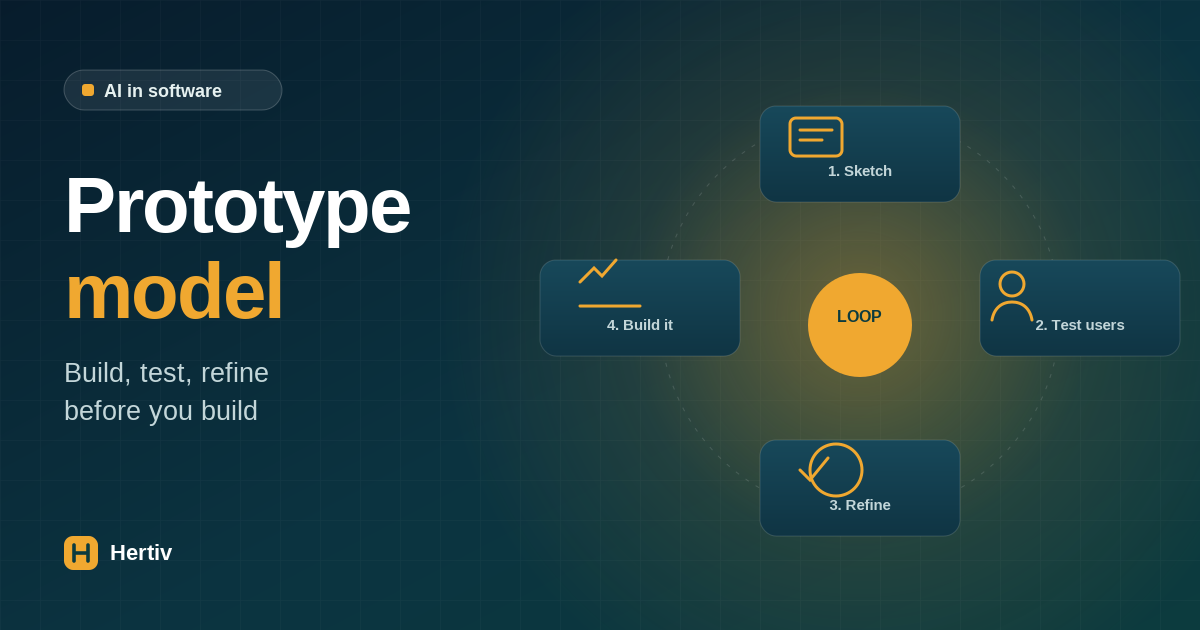
The prototype model works as a short, repeated loop: learn a little, build a little, test with users, and repeat. Each loop should take days or weeks, not months, or the feedback arrives too late to matter.
- Talk to the people who will use it. List the three or four jobs the system must support, in their words.
- Sketch the screens. Draw the main flows on paper or in a design tool before writing code.
- Build a clickable mock-up. Make the screens navigable so users can try the real flow, even with fake data.
- Watch users try it. Give them a task and watch where they hesitate, without explaining the design.
- Fix what confused them. Change the screens, not the users, and test again with fresh people.
- Decide when to stop. When users finish the main tasks without help, start building the real system.
Write down what each round taught you. A short note per round keeps the team honest about what changed and why, and it stops the same argument coming back in the next round.
When should you use the prototype model?
Use the prototype model when requirements are unclear, the user interface is the hard part, or the people paying for the system have never seen anything like it. A booking flow, a dashboard or a patient portal are classic cases: people cannot describe what they want until they can click it.
It also fits projects with heavy user interaction and light back-end work. If the value of the system lives in its screens, a prototype answers the riskiest questions in weeks instead of months. A mobile app prototype follows the same logic for phones.
Skip it when the requirements are fixed, the system is mostly back-end logic, or the team is rebuilding something that already works. In those cases a prototype adds weeks without removing much risk.
What are the limits and risks of prototyping?
The main risk is that users fall in love with the mock-up and expect the real system to work the same way on day one. A prototype hides the hard parts: real data, security, performance and edge cases. If nobody says so out loud, the schedule is built on a demo.
- False confidence. A smooth demo can hide back-end work that takes months.
- Scope creep. Each test round adds a feature request, and the list never shrinks.
- Prototype code in production. Rough early code shipped as the real product becomes hard to maintain.
- Endless loops. Without a stop rule, the team refines forever and never builds.
- Testing the wrong people. Feedback from colleagues is not the same as feedback from real users.
A proof of concept answers a different question, whether the technology works at all, which is covered in POC vs prototype vs MVP. Keep the two apart or the team will test the wrong thing.
Example (hypothetical): a clinic booking app prototype
Example (hypothetical): a 12-person clinic wants a booking app and cannot agree on the flow. The team builds a clickable prototype in two weeks with four screens: find a doctor, pick a time, confirm, and cancel.
Twenty patients try it. Fourteen finish booking without help, four get stuck on the time picker, and two cannot find the cancel button. The team fixes the time picker and moves the cancel button, then tests again with ten more patients, and nine finish without help.
The prototype cost two weeks of one developer's time, and it settled three arguments that had run for a month. The team then builds the real app from the tested flow, knowing the booking steps work before writing any back-end code.
What are the common mistakes?
The most common mistakes are testing with colleagues instead of real users, shipping prototype code as the product, and refining forever without a stop rule. Each of these wastes the time the prototype was meant to save.
- Testing with colleagues. People who built the screens cannot see what confuses a first-time user.
- Skipping the stop rule. Decide in advance what good enough looks like, or the loop never ends.
- Shipping the mock-up. Prototype code is written for speed, not for security, scale or maintenance.
- Letting the feature list grow. Every round adds requests; write them down and prioritise, do not build them all.
- Hiding the hard parts. If the prototype skips real data and performance, say so in the demo.
- Explaining during tests. If you have to explain a screen, the screen is the problem.
Key takeaways
- A prototype is a working mock-up built to learn from, not the finished product
- Throwaway prototypes are discarded; evolutionary ones grow into the real system
- Test with real users, watch where they hesitate, and fix the screens
- Set a stop rule before you start, or the loop never ends
- Never ship prototype code as production code
Frequently asked questions
How is a prototype different from an MVP?
A prototype tests whether an idea is understandable and usable, and it is often thrown away. An MVP is a real, working product with the smallest feature set that lets real users complete the core job. Prototype first to learn, then build an MVP to sell.
How long should prototyping take?
A first clickable mock-up usually takes one to three weeks for a single workflow. Each test-and-fix round after that should take days, not weeks. If a prototype takes months, the team is building the product, not a mock-up.
What tools do teams use to build prototypes?
Most teams use design tools for clickable mock-ups and a simple front-end framework when the prototype needs real navigation. The tool matters less than the test: real users trying real tasks. See vendor site pages for current tool prices.
When should you throw a prototype away?
Throw it away when the idea is uncertain, the mock-up is mostly screens, or the code was written for speed. Keep it and grow it only when the core flow is already right and the team can harden the early build properly.
Does prototyping work for back-end systems?
Rarely. Prototyping fits systems where the user interface carries the value. For back-end work, a proof of concept that tests the hard technical question is usually the better first step.
How many test rounds does a prototype need?
Most teams need two or three rounds with fresh users each time. Stop when users finish the main tasks without help and the list of fixes is small. More rounds after that usually polish details instead of removing risk.


