Predictive Analytics in Education: 8 Use Cases That Work
Predictive analytics in education flags at-risk students, forecasts enrolment and plans resources from data schools already hold, with a teacher checking every flag.
On this page
Short answer
Predictive analytics in education uses past student data to flag risks and opportunities early: students likely to drop out, courses likely to fill, and applicants likely to enrol. The eight use cases that hold up are early warning, admissions yield, course recommendations, personalised tutoring, resource planning, financial aid targeting, career guidance, and campus operations. Each one works when a teacher or adviser reviews the prediction before acting on it.
Which predictive analytics use cases work in education?
The predictive analytics use cases that hold up in education are the ones where the prediction leads to a human action: a tutor reaches out, an adviser books a meeting, a planner opens another section. A prediction with no owner and no action is just a chart.
Use the table to shortlist. Data needed assumes the school or university already holds the records in a student information system, a learning platform or an admissions system.
| Use case | What it predicts | Data needed | Who acts |
|---|---|---|---|
| Early warning | Students at risk of dropping out | Grades, attendance, logins | Tutor or adviser |
| Admissions yield | Which admitted students enrol | Applications, offers, visits | Admissions team |
| Course recommendations | Which course fits a student | Past grades, interests | Student and adviser |
| Personalised tutoring | Which topic needs practice | Quiz results, attempts | Teacher or tutor |
| Resource planning | Which courses fill up | Enrolment history, demand | Timetable planner |
| Financial aid targeting | Who needs support to stay | Aid history, enrolment | Student finance team |
| Career guidance | Which path fits a student | Grades, placements, outcomes | Careers adviser |
| Campus operations | Demand for rooms and services | Bookings, attendance | Operations team |
Start with one row, not eight. Early warning is the usual first use case, because the data is already there and the action is clear: a tutor talks to the student.
Early warning for at-risk students and admissions yield
1. Early warning: best for keeping students enrolled
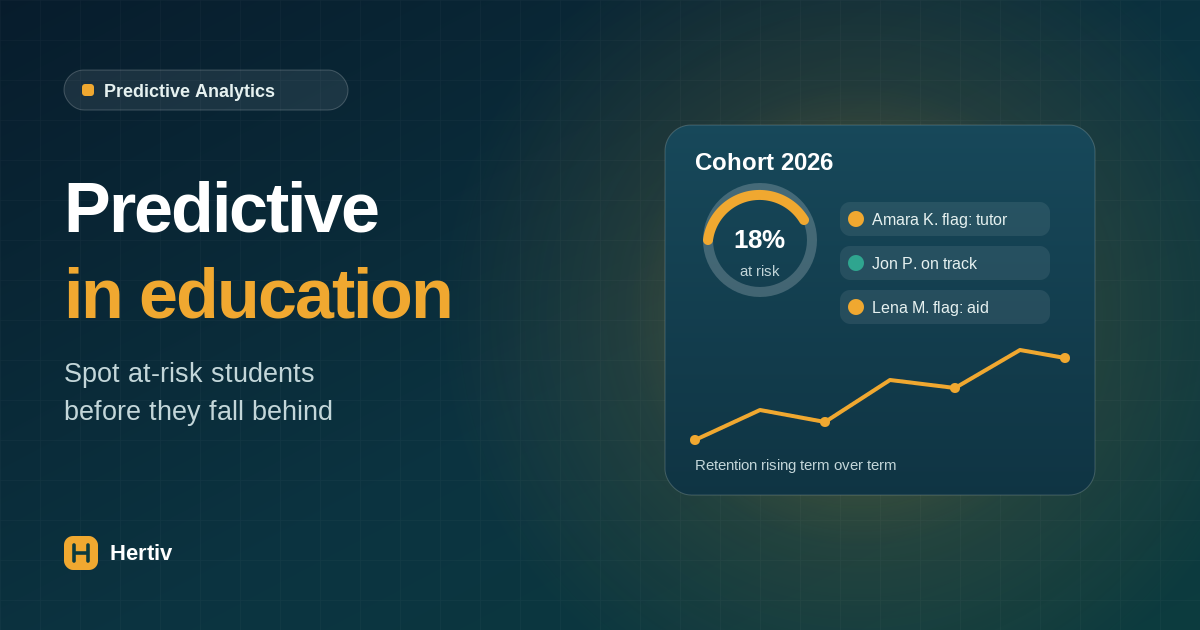
Early warning models score each student on the chance of dropping out or failing, using grades, attendance and activity in the learning platform. A student whose attendance falls and whose grades slip gets flagged weeks before a final exam makes the problem obvious.
The action is a conversation, not an automatic decision. A tutor or adviser checks the flag, talks to the student, and offers support. The model finds the students; the person decides what help fits.
- Pros: catches problems early, uses data the school already holds, focuses tutor time where it matters.
- Cons: needs clean attendance data, can flag the wrong students if the data is stale.
2. Admissions yield: best for planning the next intake
Admissions yield models estimate which admitted students will actually enrol, using application data, offer timing, campus visits and past patterns. The admissions team can then plan class sizes, housing and staffing with less guesswork.
It also shows where to spend effort. If the model says a group of admitted students is unlikely to enrol, the team can invite them to an open day or answer their questions, rather than chasing students who were always going to enrol.
- Pros: steadier enrolment planning, better use of outreach time, fewer surprises at term start.
- Cons: predictions shift with fees and policy changes, needs several years of history to work well.
Course recommendations and personalised tutoring
3. Course recommendations: best for guiding student choice
Course recommendation models suggest modules or electives based on a student's past grades, interests and the paths taken by similar students. They widen choice rather than narrowing it, showing options a student might not have considered.
The recommendation should always come with a reason the student can read, such as the grades it is based on. A black-box suggestion is easy to ignore, and a wrong one can steer a student away from a subject they would have enjoyed.
- Pros: helps students find fitting courses, reduces poor module choices, easy to explain.
- Cons: can repeat past patterns, needs a reason shown with each suggestion.
4. Personalised tutoring: best for closing topic gaps
Personalised tutoring models work out which topic a student is struggling with, from quiz results, attempts and time spent, and then suggest the next practice task. The teacher keeps control of the lesson; the model handles the diagnosis.
It works best in subjects with clear right answers, such as maths or language basics, where a wrong answer points to a specific gap. In open-ended subjects, the model can still flag who needs a check-in, even if it cannot diagnose the gap itself.
- Pros: practice matches the student's gap, teachers see who needs help, works at any class size.
- Cons: needs regular quiz data, weaker in subjects without clear right answers.
Resource planning and financial aid targeting
5. Resource planning: best for timetables and staffing
Resource planning models forecast which courses will fill, which rooms will be busy and how many teaching hours are needed, using enrolment history and current demand. Planners can open another section before the course fills, instead of turning students away.
The same forecast helps with staffing. If demand for a subject is rising, the department can hire or reassign teaching hours in time, rather than discovering the gap in the first week of term.
- Pros: fewer full courses, better room use, earlier hiring decisions.
- Cons: new courses have no history to learn from, forecasts fail when policies change.
6. Financial aid targeting: best for keeping students funded
Financial aid models flag students whose enrolment is at risk because of money: missed payments, aid running out, or a change in circumstances. The finance team can then offer a payment plan, a grant or advice before the student leaves.
This use case needs care. The flag should trigger support, never a penalty, and the student should know why they were contacted. Used well, it keeps students who would otherwise drop out for reasons that have nothing to do with ability.
- Pros: reaches students before they leave, targets limited aid where it helps most.
- Cons: sensitive data needs strict access rules, must never be used to penalise.
Career guidance and campus operations
7. Career guidance: best for matching students to paths
Career guidance models match a student's grades, interests and placement history to career paths and roles that similar students went into, with the outcomes those students reached. The adviser uses the match as a starting point for a conversation, not as a verdict.
The value is in showing options. A student who only knows three careers can see what others with a similar profile did, including paths they had not considered. The adviser then checks the fit, because a model cannot judge motivation or circumstance.
- Pros: widens career options, grounds advice in past outcomes, useful in large cohorts.
- Cons: can steer students towards common paths, needs honest outcome data.
8. Campus operations: best for rooms, transport and services
Campus operations models forecast demand for rooms, libraries, transport and food services from bookings, attendance and term patterns. The operations team can staff the busy hours and close the quiet ones, instead of guessing from last year.
It is the least sensitive use case in this list, because it uses aggregate counts rather than individual student records. That makes it a good first project for a team that wants to prove value before touching personal data.
- Pros: better staffing, lower waste, uses aggregate data with little privacy risk.
- Cons: savings are modest, forecasts break during unusual terms.
How to choose a predictive analytics use case in education
Choose by data readiness and by who will act on the prediction, not by how impressive the use case sounds. A use case with clean data and a named owner will ship; a use case with neither will stall.
- Pick a use case with an owner. A tutor, adviser or planner must agree to act on the predictions, or the model has no purpose.
- Check the data exists. Grades, attendance and enrolment records should already be collected and reasonably clean.
- Start with one cohort. Pilot on one year group or one department, measure the result, then expand.
- Agree the review rule. No prediction should trigger an action without a person checking it, especially where funding or enrolment is involved.
- Measure the outcome. Track retention, enrolment or time saved, not model accuracy alone, and report it each term.
Privacy comes first with student data. Check the rules for consent, access and retention before building, and keep sensitive fields out of any dashboard that many staff can see. The general guide to predictive analytics use cases covers the same selection method for other sectors.
What are the common mistakes?
The most common predictive analytics mistakes in education are acting on a score without checking it, training on biased history, and measuring accuracy instead of outcomes.
- Acting on the score alone. A risk score is a prompt to talk to a student, not a decision. Teams that automate the action get the wrong students and the wrong help.
- Training on biased history. If past data reflects who got support before, the model repeats that pattern and misses the students who were overlooked.
- Stale data. Attendance and grades change weekly, and a model fed last term's data flags last term's problems.
- No outcome measure. Accuracy on a test set does not prove that more students stayed enrolled, which is the result that matters.
- Ignoring privacy. Student records need strict access rules, and a dashboard shared too widely becomes a breach waiting to happen.
- Starting with eight use cases. One working use case teaches the team more than a programme that never ships.
If you are scoping a project, what predictive analytics is explains the methods behind these use cases.
For the build and data work itself, predictive analytics covers the project from data to production.
Key takeaways
- Early warning works when a tutor talks to the flagged student, not when the score acts alone
- Admissions yield and resource planning turn enrolment history into steadier term planning
- Course and career recommendations should show their reason, so students can judge them
- Financial aid targeting must trigger support, never a penalty, with strict data access
- Start with one cohort and one owner, and measure retention or enrolment, not accuracy alone
Frequently asked questions
What is predictive analytics in education?
It is the use of past student data, such as grades, attendance and enrolment records, to flag risks and opportunities early. Examples include spotting students at risk of dropping out, forecasting which courses will fill, and estimating which admitted students will enrol.
Is predictive analytics in schools fair?
Only if a person reviews every prediction before acting on it. A model trained on past data can repeat past patterns, so schools should check who gets flagged, publish the review rule, and let students question a decision.
What data do schools need to start?
Grades, attendance and enrolment records are usually enough for a first use case such as early warning. The data should be clean and current, and the school must have the right to use it for this purpose.
Can predictive analytics replace a teacher's judgement?
No. It points the teacher towards students who may need help, but it cannot judge motivation, circumstance or what support fits. The model finds the signal; the teacher decides the action.
How do you measure success?
Measure the outcome the use case exists for, such as the share of at-risk students who stay enrolled, or the accuracy of enrolment forecasts. Model accuracy alone does not prove the project helped students.
What about student privacy?
Student records are sensitive, so access must be limited to staff who need it, and predictions should not be shared widely. Check consent and retention rules before building, and keep sensitive fields out of shared dashboards.


