Open Source Scale AI Alternatives: 6 to Compare
Scale AI labels training data for a fee, but open-source tools let teams label their own data. Compare six options on data types, quality checks and setup effort.
On this page
Short answer
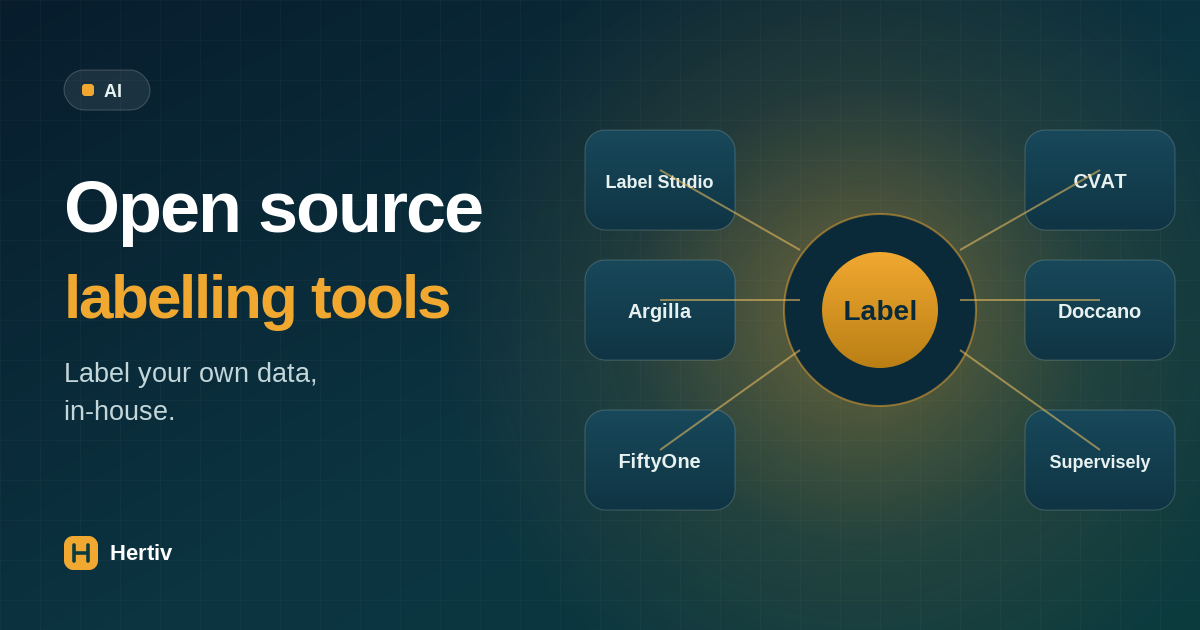
Scale AI is a paid data-labelling service, and its open-source alternatives are tools a team runs itself to label images, text, audio and video for model training. The six best-known options are Label Studio, CVAT, Argilla, Doccano, FiftyOne and Supervisely. They differ in the data types they handle, how they check label quality, and how much setup they need.
Which open-source tools replace Scale AI?
Scale AI is a service: a company sends its raw data to Scale AI, and Scale AI's workforce labels it for a fee. The open-source alternatives are different: they are software a team installs and runs itself, and the team's own people do the labelling. The trade is control and cost against convenience: the team keeps its data in-house and pays no per-label fee, but it must run the tool and manage the labellers.
The six tools below are the best-known open-source labelling tools still maintained today. The table compares them on the data types they handle and what they are best for.
| Tool | Best for | Data types | Quality checks |
|---|---|---|---|
| Label Studio | All-round labelling | Text, image, audio, video | Review and agreement |
| CVAT | Video and image boxes | Image, video | Review and validation |
| Argilla | Text feedback loops | Text | Agreement and voting |
| Doccano | Simple text labelling | Text | Review by a second labeller |
| FiftyOne | Finding bad labels | Image, video | Model-based review |
| Supervisely | Image and video teams | Image, video | Review and audit |
All six are free to download and run on a team's own server. None of them labels data for you: the team still needs people to do the work, or a model to pre-label and people to check it.
<h3>1. Label Studio: best for all-round labelling</h3>
Label Studio is the most widely used open-source labelling tool, and it covers the most data types: text, images, audio and video. A team sets up a labelling project, invites labellers, and reviews their work in the same interface. It also connects to models that can pre-label data, so people only correct the model's guesses instead of labelling from scratch.
Label Studio fits a team that labels more than one data type or is not sure which type it will need next. It is heavier to run than a text-only tool, and its interface has many options, so a small team labelling one simple task may find it more than it needs.
Pros:
- Covers text, image, audio and video
- Model pre-labelling speeds up the work
- Large community and many examples
Cons:
- Setup and configuration take time
- Interface has a lot of options to learn
- You still need labellers or a model
<h3>2. CVAT: best for video and image boxes</h3>
CVAT, the Computer Vision Annotation Tool, is built for drawing boxes, polygons and masks on images and video frames. It tracks objects across video frames, so a labeller draws a box once and the tool follows the object through the video. That makes it the standard choice for teams building vision models.
CVAT fits a team that labels images or video for detection, tracking or segmentation. It is a poor fit for text labelling, and it needs a server with enough storage for video files.
Pros:
- Tracks objects across video frames
- Strong tools for boxes, polygons and masks
- Built for computer vision work
Cons:
- No text or audio labelling
- Video storage needs planning
- Setup takes server knowledge
<h3>3. Argilla: best for text feedback loops</h3>
Argilla is a text labelling tool built for feedback loops: labellers rate, rank and correct model outputs, and the team uses those ratings to improve the model. It suits teams fine-tuning language models, where the labelling task is judging answers rather than tagging words.
Argilla fits a team working on language models that needs human feedback at scale. It handles text only, so a team that also labels images will need a second tool. For how those models are tested, see how to test AI models.
Pros:
- Built for rating and ranking model outputs
- Good agreement and voting workflows
- Works well with model training loops
Cons:
- Text only, no image or video
- Smaller community than Label Studio
- Needs a training pipeline to shine
<h3>4. Doccano: best for simple text labelling</h3>
Doccano is a small, simple text labelling tool. It does one job: show a labeller a piece of text and let them tag it, classify it or mark spans. There is little to configure and little to learn, so a team can start labelling the same day it installs the tool.
Doccano fits a team with a simple text task, such as classifying support messages or tagging names in documents. It has fewer features than Label Studio, so a team that needs model pre-labelling, complex review flows or many data types will outgrow it.
Pros:
- Very easy to install and learn
- Clean interface for text tasks
- Lightweight to run
Cons:
- Text only
- No model pre-labelling built in
- Few review and quality features
<h3>5. FiftyOne: best for finding bad labels</h3>
FiftyOne is a tool for working with image and video datasets, and its strength is finding the labels that are wrong. It shows a team which images the model finds confusing, which labels disagree with the model's view, and which samples are near-duplicates. That helps a team fix the dataset instead of labelling more of it.
FiftyOne fits a team that already has a labelled dataset and wants to improve its quality. It is not a labelling interface first: teams usually label in another tool and use FiftyOne to review and clean. For the models those labels feed, see best embedding models for startups.
Pros:
- Finds wrong and confusing labels fast
- Good for cleaning large datasets
- Works with common model formats
Cons:
- Not a full labelling interface
- Image and video only
- Needs some setup to connect to a dataset
<h3>6. Supervisely: best for image and video teams</h3>
Supervisely is an open-source platform for labelling images and video with a team. It has drawing tools for boxes, polygons and masks, a review flow where a second person checks each label, and an audit trail that shows who labelled what. It also connects to models that can pre-label new images.
Supervisely fits a team that labels images or video every week and needs review built in. It is a bigger system than CVAT or Doccano, so a team with a one-off labelling task may find it heavier than it needs.
Pros:
- Review and audit built into the workflow
- Model pre-labelling for images and video
- Built for teams, not single users
Cons:
- Image and video only
- Heavier to set up than simpler tools
- Some features need a paid plan
How to choose an open-source Scale AI alternative
Choosing an open-source Scale AI alternative starts with the data type, because no tool on this list covers everything well. A team that labels text and a team that labels video need different tools, and picking by data type first avoids a painful switch later.
- List your data types. Write down whether you label text, images, audio or video, and how much of each.
- Decide who labels. Your own staff, a hired team, or a model that pre-labels and people who check it.
- Check the quality flow. Pick a tool with a review step, because unreviewed labels train bad models.
- Count the running cost. Add up the server, storage and the time to maintain the tool.
- Run a small test. Label a few hundred samples, check the agreement between labellers, and only then scale up.
For the service side of data labelling, see data annotation services. A small test with real data tells a team more than any feature list.
What are the common mistakes?
The most common mistake is labelling without a written guide. When two labellers read the same instruction differently, the dataset has two standards and the model learns neither. Write the guide first, label a small batch, check the agreement, and fix the guide before scaling up.
Another mistake is skipping review. Labels made by one person with no second check carry that person's errors into the model. Even a light review, where a second labeller checks a sample, catches most systematic errors.
Teams also pick a tool for the wrong data type. A text tool cannot label video, and a video tool cannot label text, so a team that picks by brand name instead of by data type ends up running two tools badly instead of one tool well. And do not forget storage: video labelling needs far more disk space than text, so plan it before the first upload.
Key takeaways
- Scale AI is a paid labelling service; open-source tools let a team label its own data.
- Label Studio covers the most data types; CVAT is best for video and image boxes.
- Argilla suits text feedback loops; Doccano suits simple text tasks.
- FiftyOne finds bad labels in an existing dataset; Supervisely suits image and video teams.
- Pick by data type first, write a labelling guide, and review every label.
Frequently asked questions
What is Scale AI?
Scale AI is a company that labels training data for a fee: a business sends its raw images, text, audio or video, and Scale AI's workforce labels it. Open-source alternatives are tools a team runs itself to do the same labelling in-house.
Are open-source labelling tools really free?
The software is free to download and run, but the team still pays for a server, storage and the people who label. The saving against a paid service is the per-label fee, not the whole cost.
Which open-source tool is best for labelling images?
Label Studio and CVAT are the most used for images. CVAT is stronger for video tracking and masks, while Label Studio covers more data types in one tool. FiftyOne helps find bad labels in a dataset that already exists.
Can these tools pre-label data with a model?
Yes, several of them can. Label Studio and Supervisely connect to models that label data first, so people only correct the model's guesses. That is usually faster than labelling from scratch, but the corrections still need a review step.
Do I need a server to run them?
Yes, all six tools are self-hosted, so the team needs a server and storage. Video labelling needs far more disk space than text, so plan storage before the first upload.
When should a team stay with Scale AI?
When the team has no one to run a tool, no labellers of its own, or a deadline that needs a large labelled dataset fast. A paid service is also simpler when the data type changes often.


