Open Source SageMaker Alternatives: 6 Worth Comparing
Amazon SageMaker is powerful but locked to AWS. These six open source tools cover training, tracking and serving, and they run on any cloud or your own hardware.
On this page
Short answer
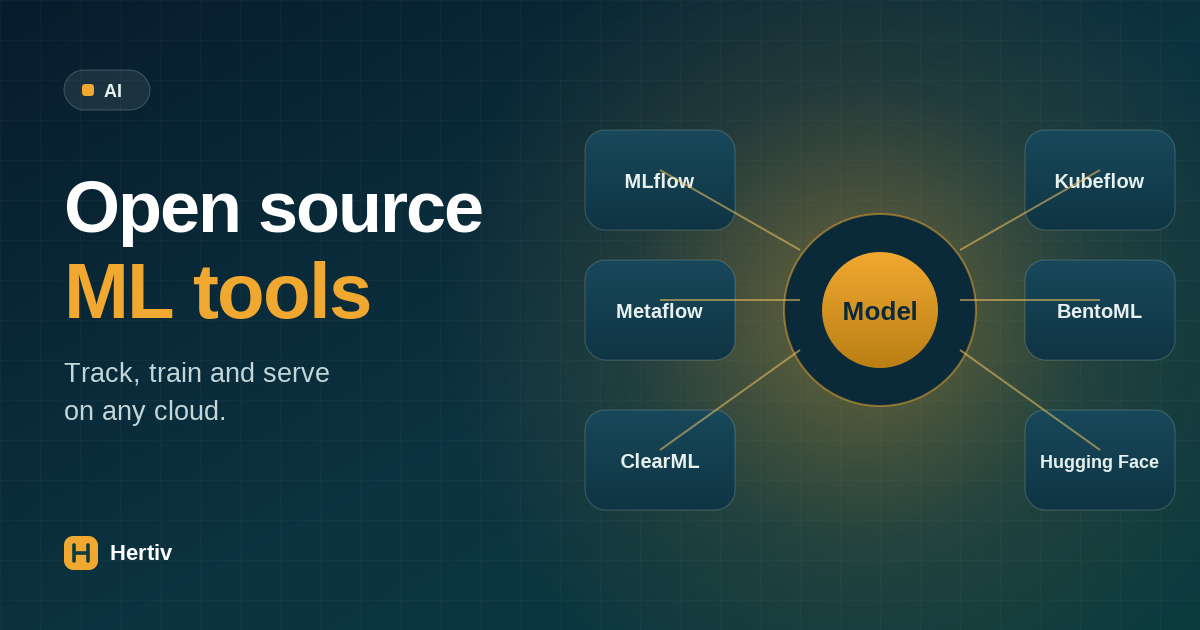
Amazon SageMaker is a managed machine learning platform from AWS, and its main cost is lock-in: your training, tracking and serving all live inside one vendor's service. Six open source tools cover the same jobs and run anywhere: MLflow, Kubeflow, Metaflow, BentoML, ClearML and Hugging Face. They differ in what they cover, how much setup they need and how well they suit a small team.
Which open source SageMaker alternatives should a team compare?
The open source tools worth comparing are the ones that cover at least one of SageMaker's three jobs: experiment tracking, training pipelines and model serving. No single open source tool replaces all of SageMaker, so most teams combine two of them.
Use this comparison to shortlist. Setup effort assumes a team that already runs containers.
| Tool | Best for | Covers | Setup |
|---|---|---|---|
| MLflow | Tracking experiments | Tracking, registry | Low |
| Kubeflow | Full pipelines on Kubernetes | Training, serving | High |
| Metaflow | Data science workflows | Training, orchestration | Medium |
| BentoML | Serving models as APIs | Serving, packaging | Low |
| ClearML | Tracking plus orchestration | Tracking, training | Medium |
| Hugging Face | Ready-made models | Models, training | Low |
Start with the job you need most. If your team loses track of experiments, start with MLflow. If serving is the pain, start with BentoML. Add the second tool only when the first one is in daily use.
<h3>1. MLflow: best for tracking experiments</h3>
MLflow is the most widely used open source tool for experiment tracking. It records every run, including the code version, the parameters, the metrics and the model file, so a team can compare runs and reproduce a result weeks later. It also includes a model registry for promoting a model from testing to production.
MLflow fits a team that trains models regularly and needs a simple record of what was tried. It is not a pipeline tool or a serving platform, so teams usually pair it with a training or serving tool from this list.
Pros:
- Simple to start, with a small server and a web view
- Works with most training libraries
- Model registry included for promotion and versioning
Cons:
- No pipeline orchestration of its own
- No built-in model serving
- Needs a database and storage to run well
<h3>2. Kubeflow: best for full pipelines on Kubernetes</h3>
Kubeflow is a set of tools that runs machine learning pipelines on Kubernetes. It covers training, hyperparameter tuning, serving and notebooks, and it is the closest open source match to SageMaker's full scope. It suits teams that already run Kubernetes and want one platform for the whole workflow.
Kubeflow fits a platform team that can run and maintain a Kubernetes cluster. It is a heavy choice for a small team: the setup and upgrades take real effort, and a team without Kubernetes experience will spend more time on the platform than on models.
Pros:
- Covers training, tuning, serving and notebooks
- Runs on any Kubernetes cluster, any cloud
- Strong community and many integrations
Cons:
- Heavy setup and ongoing maintenance
- Needs Kubernetes skills on the team
- Overkill for a team with one or two models
<h3>3. Metaflow: best for data science workflows</h3>
Metaflow is a workflow tool from Netflix that lets data scientists write a pipeline as plain Python code and run it locally or on cloud compute. It versions data and code together, so a run can be reproduced exactly, and it scales from a laptop to a cluster without rewriting the pipeline.
Metaflow fits a team of data scientists who want to move fast without learning a platform. It is less of a fit for a team that needs a shared serving layer or a model registry, which Metaflow does not provide.
Pros:
- Python-first, easy for data scientists to learn
- Data and code versioned together
- Scales from laptop to cloud without rewrites
Cons:
- No model registry or serving layer
- Smaller community than MLflow or Kubeflow
- Best suited to batch workflows, not real-time serving
<h3>4. BentoML: best for serving models as APIs</h3>
BentoML turns a trained model into a web service with a few lines of code. It packages the model with its dependencies, builds a container, and serves predictions through an API. It also handles batching, scaling and basic monitoring, which are the parts of serving that teams usually underestimate.
BentoML fits a team that has a trained model and needs it live as an API quickly. It does not track experiments or run training pipelines, so it pairs well with MLflow: one tracks the training, the other serves the result.
Pros:
- Model to API in a few lines of code
- Packaging and containers handled for you
- Runs on any cloud or your own servers
Cons:
- Serving only, no experiment tracking
- Advanced scaling needs extra setup
- Less suited to batch scoring jobs
<h3>5. ClearML: best for tracking plus orchestration</h3>
ClearML is an open source platform that combines experiment tracking with pipeline orchestration and remote execution. A team can track runs, queue training jobs on remote machines, and manage datasets from one web view. It covers more of the SageMaker scope than MLflow alone, without the weight of Kubeflow.
ClearML fits a team that wants tracking and orchestration in one place and is willing to run a small server. It is a weaker fit for a team that only needs simple tracking, where MLflow is lighter.
Pros:
- Tracking, orchestration and remote execution in one tool
- Dataset versioning included
- Web view for runs, queues and results
Cons:
- More to run than MLflow alone
- Serving needs a separate tool
- Documentation is thinner than the bigger projects
<h3>6. Hugging Face: best for ready-made models</h3>
Hugging Face is best known for its library of ready-made models, but it is also a practical SageMaker alternative for teams that start from a pre-trained model. The Transformers library, the datasets library and the Hub let a team download a model, fine-tune it on their own data and deploy it, without building training infrastructure first.
Hugging Face fits a team that works with language, vision or audio models and wants to start from something that already works. It is less of a fit for a team training a custom model from scratch on tabular data, where MLflow and a pipeline tool matter more.
Pros:
- Large library of ready-made models
- Fine-tuning tools included
- Works locally, on any cloud or on the Hub
Cons:
- Focused on deep learning models
- No experiment registry of its own
- Production serving needs extra work
How to choose an open source SageMaker alternative
Choosing an open source SageMaker alternative starts with the job that hurts most: tracking, training or serving. A tool that covers the wrong job will not help, however good it is.
- Name the job. Write down whether the pain is lost experiments, slow training or serving a model as an API.
- Pick one tool for that job. MLflow for tracking, BentoML for serving, Metaflow for training workflows.
- Check the team skills. Kubeflow needs Kubernetes skills; MLflow and BentoML do not. Pick a tool your team can run.
- Run a pilot on a real model. Track or serve one model end to end before committing the team to the tool.
- Add the second tool only when the first is in daily use. Two tools at once means two setups to maintain.
For a wider comparison of managed platforms, see the best MLOps platforms for startups.
For the pipeline side, see how to build an MLOps pipeline.
What are the common mistakes?
The most common mistake is trying to replace all of SageMaker with one open source tool. No single tool covers tracking, training and serving equally well, and the team ends up fighting the tool instead of using it. Pick the tool for the job that hurts most and add a second one later.
Another mistake is underestimating the operations work. Open source tools are free to download, but they need a server, a database, storage and upgrades. A team that skips that planning ends up with a tracking server that nobody maintains and nobody trusts.
Teams also skip the model registry. Without a registry, models live on laptops and in chat messages, and nobody knows which version is in production. Even a simple registry, such as MLflow's, prevents that.
Finally, do not pick a tool because it is popular. Kubeflow is powerful, but a team of three data scientists will move faster with MLflow and BentoML. Match the tool to the team, not to the trend.
Key takeaways
- No single open source tool replaces all of SageMaker.
- MLflow is the simplest start for experiment tracking.
- Kubeflow covers the most, but needs Kubernetes skills.
- BentoML is the fastest path from a model to an API.
- Pick the tool for the job that hurts most, then add a second.
Frequently asked questions
What is the best open source alternative to SageMaker?
There is no single best alternative, because SageMaker covers tracking, training and serving. MLflow is the best start for experiment tracking, Kubeflow covers the most ground on Kubernetes, and BentoML is the fastest way to serve a model as an API. Most teams combine two of them.
Is MLflow a full replacement for SageMaker?
No. MLflow covers experiment tracking and a model registry, but it does not run training pipelines or serve models on its own. Teams usually pair it with a training tool such as Metaflow or Kubeflow and a serving tool such as BentoML.
Can I run these tools on my own servers?
Yes, all six tools run on your own hardware or any cloud, which is the main reason teams choose them over SageMaker. They need a server, storage and some maintenance, so budget time for operations as well as for the models.
Do open source tools cost anything?
The software itself is free, but running it costs server time, storage and staff time for setup and upgrades. For a small team that cost is usually far lower than a managed platform, but it is not zero.
What is the difference between MLflow and Kubeflow?
MLflow is a lightweight tool for tracking experiments and registering models. Kubeflow is a full platform that runs training pipelines, tuning and serving on Kubernetes. MLflow is easier to start; Kubeflow covers more of the workflow but needs Kubernetes skills.
How do I move from SageMaker to an open source tool?
Start with one job, such as experiment tracking, and run the open source tool alongside SageMaker for one project. Export the models and metrics, check the new tool covers what you need, and move the next project over. A full move in one go is slower and riskier.


