Notion AI vs ChatGPT: Which One Fits Your Work?
Notion AI vs ChatGPT: Notion AI works inside your notes and docs, while ChatGPT is a general chatbot. Compare what each does best before you pay for both.
On this page
Short answer
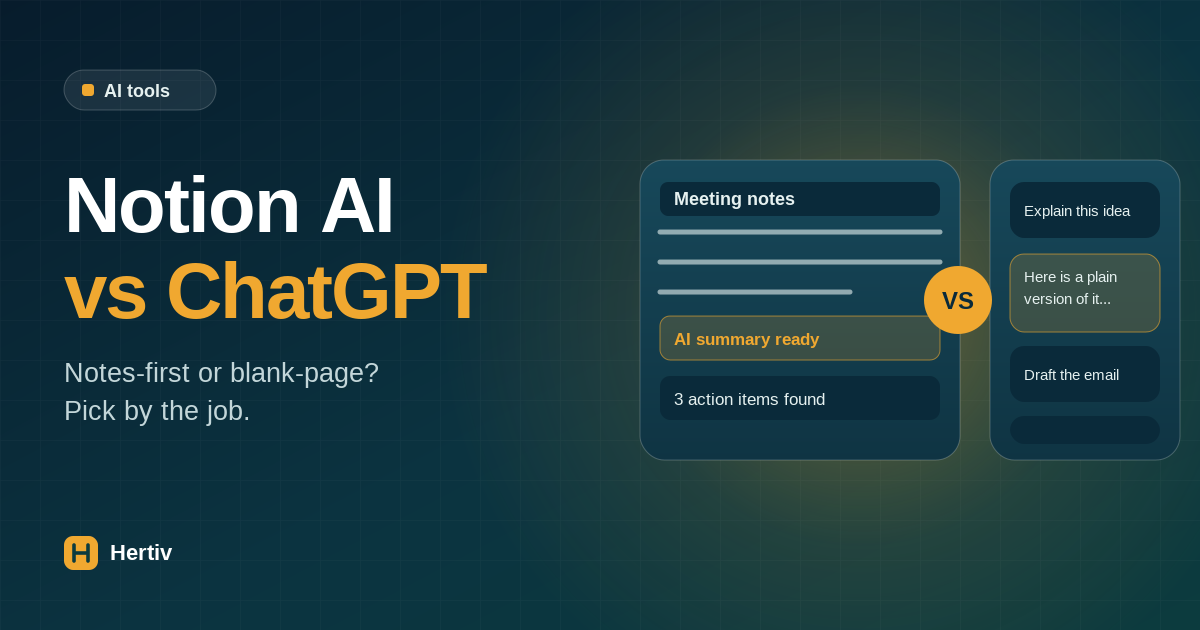
Notion AI and ChatGPT are both AI writing tools, but they serve different jobs. Notion AI lives inside Notion and works on the pages, notes and databases you already keep there. ChatGPT is a standalone chatbot from OpenAI that answers questions, drafts text and helps with code, with no built-in link to your notes.
What is the difference between Notion AI and ChatGPT?
Notion AI is the AI feature built into Notion, the notes and workspace app. It can summarise a page, draft from a prompt, translate text and find answers from the pages in your workspace. ChatGPT is OpenAI's general-purpose chatbot. It answers questions, drafts documents, explains ideas and writes code in a chat window, using what you type in that conversation.
| Tool | Where it works | Best for | Knows your notes? |
|---|---|---|---|
| Notion AI | Inside Notion pages | Summarising and drafting from your notes | Yes, reads your workspace |
| ChatGPT | Chat window, web and apps | Open questions, drafting, code help | No, uses the chat only |
The short version: if your work already lives in Notion, Notion AI saves the copy-and-paste step. If your questions start from scratch, ChatGPT is the more flexible tool. Many teams end up using both, but for different jobs.
What is Notion AI good at?
Notion AI is good at work that starts from your own pages. Ask it to summarise a long meeting note, turn rough bullets into a clean draft, or pull action items from a project page, and it works from the text already in your workspace. It can also search across your pages and answer a question with a link back to the source page.
It is also good at keeping writing in one place. A draft made by Notion AI is already a Notion page, so you can edit it, share it and link it to other pages without exporting anything. For teams that run their docs, wikis and project plans in Notion, that saves a surprising amount of small admin work.
Notion AI can also draft from a template, such as a weekly update or a project brief, and fill in the details from the linked pages. That works well for teams that repeat the same document every week, since the structure stays the same and only the content changes.
What is ChatGPT good at?
ChatGPT is good at open-ended work that does not depend on your notes. Ask it to explain a concept, draft an email from a short brief, brainstorm names, or walk through a problem step by step, and it answers in the chat. It handles a wider range of topics than a tool tied to one workspace.
It is also good at code and structured output. Developers use it to explain an error message, draft a function, or turn a messy requirement into a checklist. You can paste in the details it needs, but you have to paste them each time, since the chat does not know your files unless you add them. For help writing better prompts, see what prompt engineering is.
ChatGPT also works well as a thinking partner. You can lay out two options, ask it to list the trade-offs, and then push back on its answer. The back-and-forth helps when the problem is unclear, even though the final decision stays yours.
How do the two tools handle your notes and data?
Notion AI reads the pages in your Notion workspace, which is its main strength and its main limit. It can only work with what is in Notion, so notes kept elsewhere are invisible to it. That is fine for a team that keeps everything in one place, and a problem for a team whose work is spread across several apps.
ChatGPT works only with what you type or upload into the chat. That gives you control over exactly what it sees, but it also means you repeat the same context in every new conversation. Before pasting work material into any AI chat, check your company rules on confidential data, and leave out anything the tool does not need.
Example (hypothetical): a small team picks one tool
Example (hypothetical): a five-person support team writes help articles in Notion and answers customer questions by email. They try Notion AI first. It turns 40 rough drafts into clean articles, saving about 30 minutes per article, which is 20 hours across the set. They still open ChatGPT for the tricky questions, such as explaining a new policy in plain language, because those start from a blank page rather than a note.
The arithmetic is simple: 40 articles times 30 minutes is 1,200 minutes, which is 20 hours. That is the saving on drafting alone, before counting the time saved by not copying text between apps.
The lesson is to match the tool to the job, not to the brand. Notes-first work belongs in Notion AI; blank-page work belongs in ChatGPT. A team that tries to force one tool to do both jobs usually ends up paying for two tools and using one badly.
How do you choose between them?
Choose by where your work starts, not by which tool sounds newer. A short trial on real work tells you more than any feature list.
- List the three writing jobs you do most often, such as meeting notes, customer replies and planning docs.
- Check where the source material lives: in Notion, in email, or nowhere yet.
- Try the free or trial version of each tool on one real job and time it.
- Check the price on the vendor site and count how many seats you need.
- Pick the tool that fits the job you do most, and add the second one only when a clear job needs it.
If you are comparing chatbots more broadly, see OpenAI vs Claude vs Gemini for how the three main models differ.
What are the common mistakes?
The most common Notion AI vs ChatGPT mistakes are paying for both before knowing which job each covers, and pasting sensitive data into a chat without checking company rules.
- Paying for both on day one. Start with the tool that fits your most common job, and add the second only when a real job needs it.
- Sharing confidential data. Check your company rules before pasting customer or internal material into any AI chat.
- Expecting Notion AI to see outside Notion. It cannot read files or notes kept in other apps.
- Expecting ChatGPT to remember your notes. Each new chat starts fresh unless you paste the context in again.
- Judging from one demo. A tool can look good in a demo and still fail on your actual jobs.
Key takeaways
- Notion AI works inside your notes; ChatGPT starts from a blank chat
- Notes-first jobs belong in Notion AI, open questions belong in ChatGPT
- Notion AI can only see what is in your workspace
- ChatGPT needs you to paste in the context each time
- Try each tool on one real job before paying for both
Frequently asked questions
Can Notion AI replace ChatGPT?
No, not for most people. Notion AI is strong at work that starts from your own pages, such as summaries and drafts from notes. ChatGPT is stronger at open questions, explanations and code that start from scratch. Many teams use both, each for the job it fits.
Is ChatGPT better than Notion AI for writing?
It depends on the starting point. For a draft that draws on your existing notes, Notion AI is faster because the material is already there. For a draft from a short brief with no source material, ChatGPT is usually the better choice.
Do I need to pay for both?
Probably not at first. Pick the tool that fits the job you do most often and use its trial. Add the second tool only when a clear, repeated job needs it. Check the price on the vendor site, since plans and free tiers change.
Can ChatGPT read my Notion pages?
No, not directly. ChatGPT only sees what you type or upload into the chat. You can copy text from Notion into a chat, but that is a manual step, and the chat does not stay linked to your workspace.
Which is better for teams?
Notion AI fits teams that already run their docs and plans in Notion, since drafts stay in the shared workspace. ChatGPT fits teams with varied questions and no single notes app. The deciding factor is where the team already keeps its work.
Can I use both tools together?
Yes. A common pattern is to draft and summarise in Notion AI, then use ChatGPT for the open-ended parts, such as brainstorming or explaining a new idea. Keep the boundary clear so each tool does the job it fits.


