How Much Does Model Routing Cost?
Model routing sends each request to the cheapest model that can handle it. The cost depends on the model mix, the tokens per request and the router itself.
On this page
Short answer
Model routing costs what your chosen models charge for the tokens they process, plus the small cost of the router that classifies each request. Routing usually lowers the bill because most requests go to a cheaper model, but a router that sends too much traffic to the large model can erase the saving.
What is model routing?
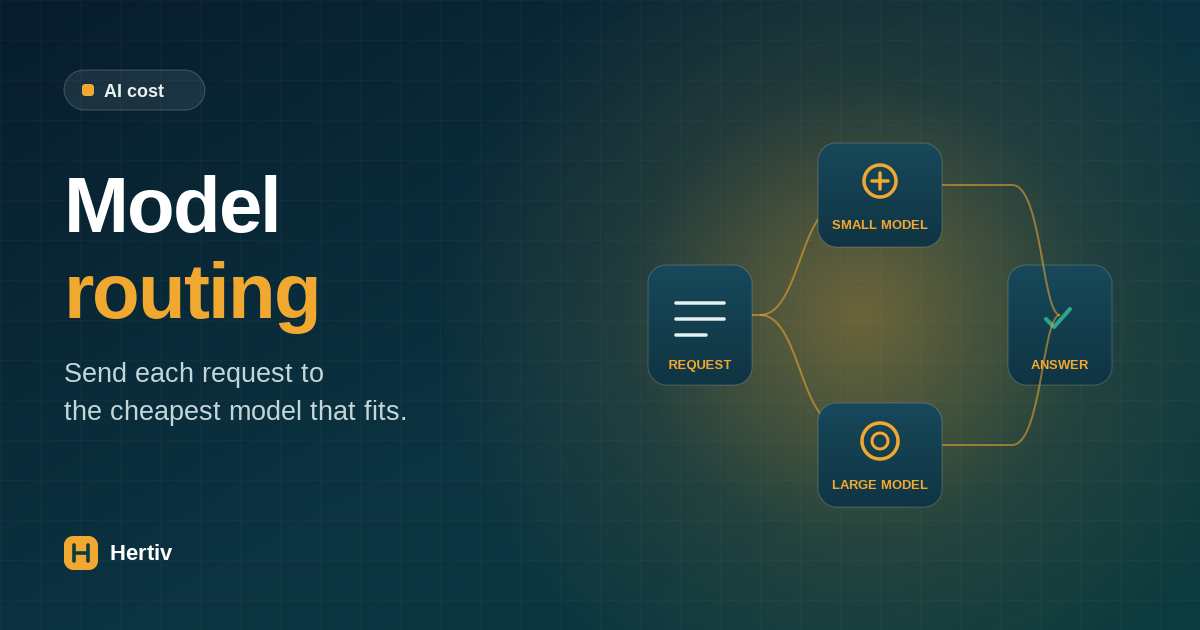
Model routing is the practice of sending each request to the model best suited to it, instead of sending every request to the largest model you have. Simple questions go to a small, cheap model; hard questions go to a larger model that can handle them.
A router sits in front of your models and classifies each incoming request. It can use rules, such as the length of the input or the type of task, or a small classifier model trained on past requests. The router then forwards the request and returns the answer to the caller.
Routing matters because model prices differ sharply by size. A large model can cost many times more per token than a small one, so even a modest share of traffic sent to the small model changes the monthly bill. The background on what model routing is covers the patterns routers use.
What makes up the cost of model routing?
The cost of model routing has four parts. The model charges dominate, but the router and the evaluation work around it are real costs too.
| Cost part | What it is | What drives it |
|---|---|---|
| Small model calls | Tokens processed by the cheap model | Share of traffic routed down |
| Large model calls | Tokens processed by the strong model | Share of traffic routed up |
| Router calls | Classification of each request | Requests per month, router size |
| Evaluation and tuning | Measuring routing accuracy | How often you re-check the mix |
Input tokens usually matter more than output tokens for routing, because the router sees the full input before it decides. Long prompts with short answers still cost the router and the model for every input token.
Why do small and large models cost different amounts?
Small and large models cost different amounts because a large model uses more compute for every token it reads and writes. The price gap is the whole point of routing: if every model cost the same, there would be nothing to save.
Small models are usually fast enough for classification, summarising short text, and answering questions with a clear source. Large models earn their price on reasoning, long documents and tasks where a wrong answer is expensive. The split between the two is a product decision, not a technical one.
Prices change often, and vendors publish different rates for input and output tokens. Always check the vendor's own pricing page before you estimate, or write "see vendor site" in your plan. A planning figure from last quarter can be wrong by a wide margin, and a routing design built on a stale price will route traffic to the wrong model.
How can routing lower your model bill?
Routing lowers your model bill when most requests are simple enough for the small model and only a minority need the large one. The saving comes from the mix, not from the router being clever.
- Route by task type. Greetings, status checks and short lookups rarely need the large model. Send them down by rule.
- Route by length. Short inputs with short answers are cheap to test on the small model first, with a fallback to the large model if the answer looks weak.
- Cache repeated answers. Identical or near-identical questions can be answered from a cache, so neither model is called at all.
- Trim the prompt. A shorter prompt costs less on either model, and it often makes the small model good enough.
- Review the mix monthly. Traffic changes, and a route that was right last month can drift as users ask harder questions.
Routing can also raise the bill if the router is too cautious and sends most traffic up, or if the router itself is a large model. A small classifier or a set of rules is usually enough. The cost of a small language model is a useful reference when you size the lower tier.
Example: a support team routes its tickets
Example (hypothetical): a support team handles 100,000 tickets a month. Its router sends 80,000 simple tickets to a small model and 20,000 complex tickets to a large model.
Using planning figures of $0.50 per 1,000 tickets on the small model and $5 per 1,000 tickets on the large model, the small tier costs $40 a month and the large tier costs $100, for a total of $140. Sending all 100,000 tickets to the large model would cost $500 a month. Routing saves $360 a month, or about $4,320 a year, before the small cost of running the router.
The saving only holds if the small model answers well. The team checks 200 routed answers a week against a human review, and if the small model's error rate rises, it moves more traffic up until the mix is right again. The review loop is part of the cost, and part of the reason the saving lasts.
What are the common mistakes?
The most common model routing mistakes are routing on price alone, never checking the small model's answers, and building a router that costs more than it saves.
- Routing on price alone. A cheap answer that is wrong costs more than a dear answer that is right, once rework and support time are counted.
- No quality checks. Without regular sampling of routed answers, a slow decline in quality goes unnoticed for months.
- A router that is itself large. If classifying a request costs as much as answering it, the router eats the saving.
- One route for all traffic. Traffic changes by time of day and by user group, so a single static split rarely stays right.
- Stale prices in the plan. Vendor prices change, and a route tuned to last quarter's prices can quietly become the expensive option.
How do you estimate your routing cost?
You estimate your routing cost by counting requests, splitting them across tiers, and pricing each tier from the vendor's current rates.
- Count monthly requests. Use last month's traffic, split by task type, not just by total volume.
- Estimate the split. Start with a guess, such as 70% small and 30% large, then refine it from a week of real traffic.
- Price each tier. Take input and output token rates from the vendor's pricing page and apply them to your average prompt and answer lengths.
- Add the router. Include the classifier cost and the time spent reviewing routed answers each week.
- Compare with no routing. Price the same traffic on the large model alone. If the saving is small, routing may not be worth the added moving parts.
Re-run the estimate quarterly. Prices, traffic and model quality all move, and the estimate is only as good as its inputs. A partner for generative AI consulting can help model the tiers and set up the review loop if your team is starting from scratch.
Key takeaways
- Routing sends simple requests to a cheap model and hard ones to a large model
- The bill is driven by the traffic split, not by the router itself
- Always price tiers from the vendor's current rates, never from memory
- Check routed answers weekly or quality will drift without warning
- A router that is itself a large model can eat the whole saving
Frequently asked questions
Does model routing always save money?
No. It saves money when most traffic is simple enough for the small model. If nearly every request needs the large model, routing adds cost and complexity for little gain.
How do I know if the small model is good enough?
Sample its answers every week and compare them with human-reviewed answers or the large model's output. Track error rate per task type, and move traffic up when a task type fails too often.
Can I route without a classifier model?
Yes. Rules based on task type, input length or user group work well for many teams. A classifier helps when the right tier is hard to tell from rules alone.
What happens if the router picks the wrong model?
A wrong pick costs either quality or money. The fix is a fallback: if the small model's answer looks weak, retry on the large model, and log the case so the router can learn from it.
Does routing add latency?
A small amount, since the router classifies the request before the model answers. A small classifier or a set of rules adds very little delay, while a large router model can add noticeable latency to every request.
Should routing replace fine-tuning?
Not usually. Routing picks which model answers, while fine-tuning changes how a model answers. Many teams use both: a tuned small model handles more traffic, which makes routing pay off more.


