5 Ways Mobile Technology Is Changing Education
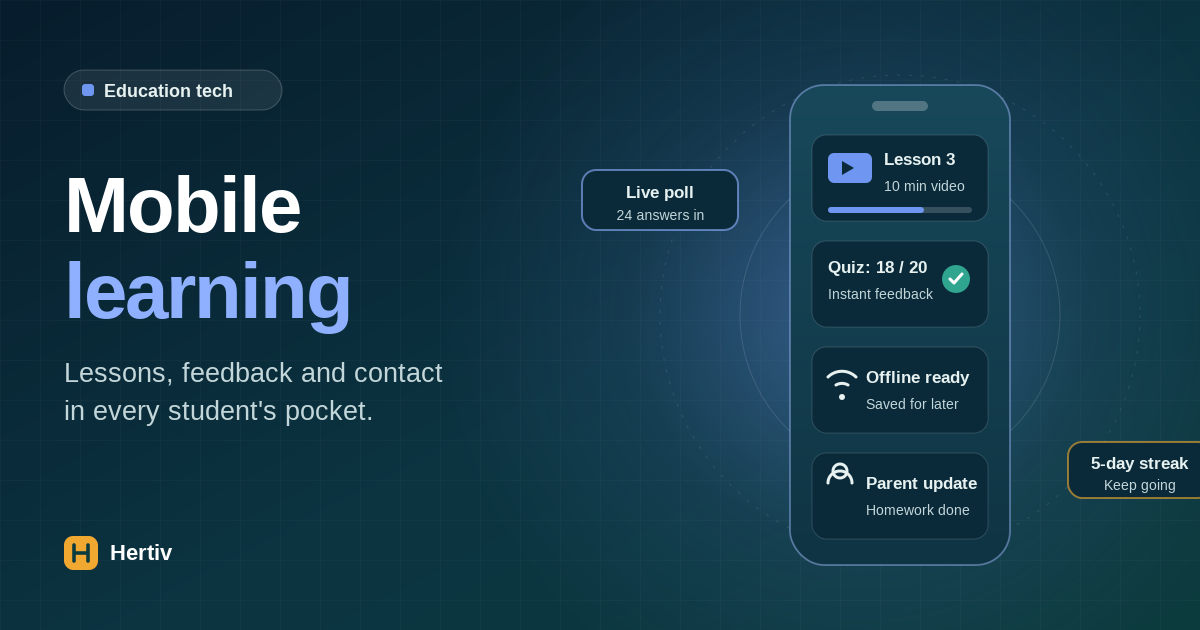
Mobile technology puts lessons, feedback and teacher contact in a student's pocket. Here are five changes that work in real classrooms, and what each one needs.
On this page
Short answer
Mobile technology is changing education through learning on the go, live classroom interaction, offline-first lessons, instant parent contact and practice apps with immediate feedback. Each works best when the content is short, the app works on cheap phones, and teachers, not just students, get support.
Which mobile changes actually help students learn?
Mobile technology helps education most where it removes a barrier: distance, time, cost or waiting for feedback. The five changes below are the ones that hold up in real classrooms, not just in demos.
| Change | What changes | Who benefits most | What it needs |
|---|---|---|---|
| Learning on the go | Short lessons anywhere | Busy and commuting students | Short videos, offline downloads |
| Live polls and quizzes | Instant answers in class | Teachers checking understanding | Simple join, no install |
| Offline-first lessons | Lessons without signal | Rural and low-income schools | Downloadable packs, small files |
| Parent updates | Same-day contact with families | Parents and school staff | Messages, attendance, grades |
| Practice with feedback | Correction in seconds, not days | Students revising alone | Question banks, hints, streaks |
None of these replaces a teacher. Each one works by giving the teacher better information, or by giving the student more chances to practise between lessons. AI for education and edtech covers the wider picture, including tutoring and grading tools.
1. Learning on the go: best for busy students
Short lessons on a phone let students study in gaps that used to be wasted: a bus ride, a lunch break, a queue. A ten-minute video or a set of flashcards fits a gap that a one-hour lecture never could.
The format matters more than the subject. Lessons should be short, work on a small screen, and pick up where the student stopped. If a student has to rewatch from the start every time, they stop opening the app.
Pros:
- Study time grows without adding school hours
- Students can replay the parts they missed
- Works on the phone students already own
Cons:
- Short lessons can stay shallow without follow-up work
- Notifications and other apps compete for attention
2. Live polls and quizzes: best for teachers
Live polls turn a silent classroom into one where every student answers. The teacher asks a question, students answer on their phones, and the result appears in seconds, showing exactly who understood and who did not.
The value is the speed of the feedback. A teacher who waits for homework to find a misunderstanding has lost a day. A poll finds it in the same lesson, while there is still time to re-explain.
Pros:
- Every student answers, not just the confident few
- Misunderstandings surface in the same lesson
- Low cost: most tools need no install
Cons:
- Needs reliable classroom Wi-Fi
- Can become a gimmick if questions are trivial
3. Offline-first lessons: best for low-connectivity schools
Offline-first apps download lessons when there is signal and play them later without any connection. For schools with weak or expensive internet, this is the difference between a tool that works and one that never opens.
Design for the worst connection, not the best. Keep files small, let students download over Wi-Fi at school, and sync progress only when a connection returns. An app that needs constant signal fails exactly where it is needed most.
Pros:
- Works in areas with poor or costly internet
- Students control when they download
- Progress syncs when signal returns
Cons:
- Content updates need planning and storage
- Live features such as chat cannot work offline
4. Parent updates and messaging: best for schools and families
Parent apps put attendance, grades, homework and school notices in one place, and let teachers message a parent the same day a problem appears. The old route, a paper note in a school bag, often never arrived.
The gain is speed and reach. A parent who sees a missed homework note on the day it happens can act on it, and a school that can message all parents at once can close a class or change a timetable without phone calls.
Pros:
- Same-day contact instead of paper notes
- One channel for attendance, grades and notices
- Messages can be translated automatically
Cons:
- Parents without smartphones are left out
- Teachers can face messages at all hours
5. Practice apps with instant feedback: best for revision
Practice apps give a student the answer, and the correction, within seconds of trying a question. That speed matters: feedback that arrives a week later, after a test, is too late to change how the student studies.
Good practice apps do more than mark answers right or wrong. They explain the mistake, offer a hint before giving the answer, and repeat the questions a student got wrong. That loop is what turns practice into learning.
Pros:
- Feedback in seconds, while the question is fresh
- Weak topics repeat until they improve
- Students can practise without a teacher present
Cons:
- Question banks need real subject expertise
- Streaks and points can reward speed over understanding
For schools comparing AI tutors and grading tools, our guide to AI use cases in K-12 education shows where automated feedback helps and where it does not.
How to choose mobile tools for your school
Choosing mobile tools for a school is a procurement and training decision, not a shopping list. Five steps keep it grounded.
- Start from one problem. Pick the single pain that costs the most time, such as homework tracking or revision, and solve that first.
- Test on the cheapest phone your students use. If it is slow or unreadable there, it will fail for the students who need it most.
- Check offline behaviour. Ask what works without signal, how downloads are managed, and how progress syncs later.
- Price the whole cost. Include licences, training, support and device time, and read the vendor's pricing page before committing.
- Pilot with two teachers, not the whole school. Run it for one term, measure use and results, then decide whether to expand.
A pilot that fails is useful information. A school-wide rollout that fails is a year of wasted budget and goodwill. Mobile app development for education should start from the same pilot discipline.
What are the common mistakes?
The most common mistakes are buying devices before content, ignoring offline use, and expecting an app to fix a teaching problem on its own.
- Devices before content. Tablets without good lessons are expensive distractions.
- Assuming constant internet. Apps that need signal fail in the schools that need them most.
- No teacher training. If teachers do not know how to use the tool, students will not either.
- Measuring downloads, not learning. Installs prove nothing. Track use, completion and results.
- One app per subject. Students stop opening the fifth app. Fewer tools, used well, beat a crowded home screen.
- Ignoring parents. A tool that parents cannot access or understand loses half its value.
Key takeaways
- Short lessons on a phone turn wasted gaps into study time
- Live polls show a teacher who understood, in the same lesson
- Offline-first design decides whether an app works where it is needed most
- Parent apps replace paper notes with same-day contact
- Instant feedback on practice is the change that most helps revision
Frequently asked questions
Do students learn better on phones than on paper?
Not automatically. Phones help when lessons are short, feedback is fast and the app works offline. Paper still wins for deep reading and long writing. The best results come from mixing the two, using the phone for practice and review, and paper for extended work.
What should a school check before buying an education app?
Check that it works on the cheapest phone students use, that lessons work offline, that progress syncs later, and that the total cost includes training and support. Pilot it with two teachers for one term before buying for the whole school.
Can mobile apps help students with no internet at home?
Yes, if the app is offline-first. Lessons should download over school Wi-Fi and play later without signal, with progress syncing when a connection returns. Apps that need constant internet will not work for these students at all.
How do live polls help teachers in a real classroom?
Polls show the teacher, in seconds, how many students understood the point just taught. That lets the teacher re-explain before moving on, instead of finding the gap in homework a day later. They also let quiet students answer without speaking in front of the class.
Are practice apps with instant feedback safe for exams?
They help revision, but they are not exam preparation on their own. Instant feedback corrects small mistakes quickly, yet exams also need timed practice, long-form answers and work without a screen. Use the app for drilling, and paper for timed exam practice.
What does a parent app need to be useful?
It needs attendance, homework, grades and school notices in one place, with messages a parent can read in their own language. It also needs clear hours for teacher replies, so staff are not expected to answer messages late at night.


