AI Use Cases in K-12 Education: Where It Helps Schools
AI helps K-12 schools with tutoring, marking and admin, but it works best as support for teachers, not a replacement. Here is where it helps and what to check first.
On this page
Short answer
AI in K-12 education covers tools that tutor pupils, mark work, spot learning gaps and cut admin for teachers. The strongest uses are personalised practice, faster feedback and support for pupils with extra needs. Schools get the most value when teachers stay in charge of decisions and pupil data stays protected.
What is AI in K-12 education?
AI in K-12 education is software that uses machine learning and language models to support teaching, learning and school administration for pupils aged about 5 to 18. It reads pupil work, answers questions, marks short answers and flags patterns a teacher might miss.
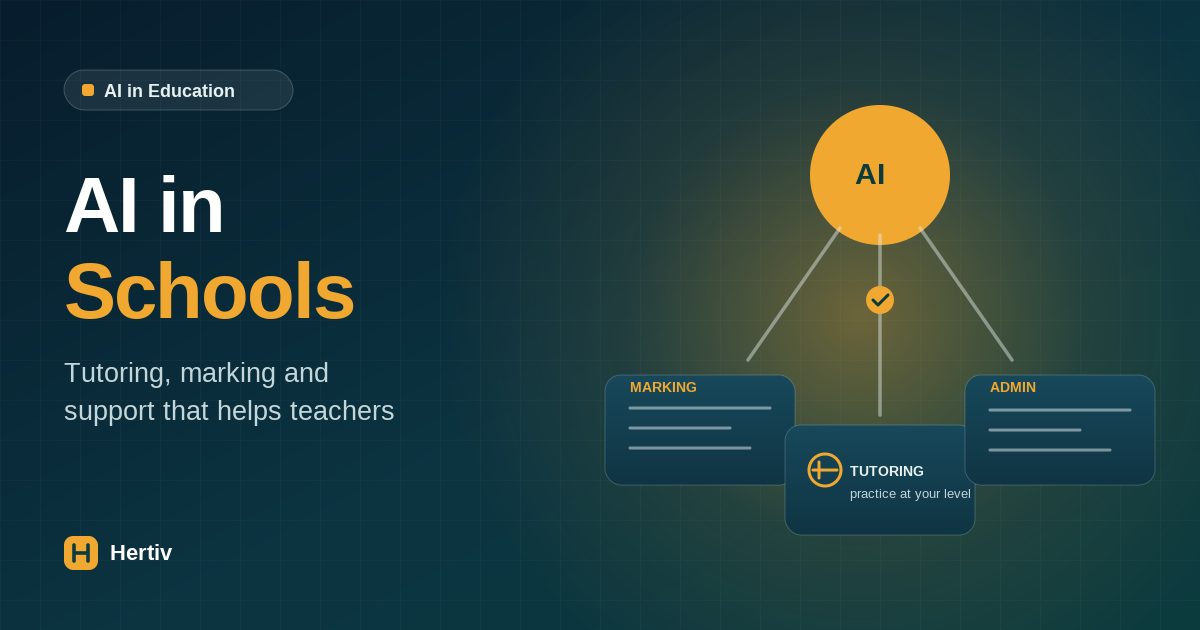
Most school AI falls into three groups: tutoring tools that adapt practice to each pupil, marking tools that check short answers and homework, and admin tools that draft letters, summarise meetings and organise timetables. None of them replaces the teacher; they handle routine work so teachers can spend more time with pupils.
| Use case | What it does | Who benefits |
|---|---|---|
| Adaptive practice | Sets questions at each pupil's level | Pupils and teachers |
| Marking and feedback | Checks short answers and gives instant notes | Teachers and pupils |
| Lesson planning | Drafts plans and worksheets to edit | Teachers |
| Reading support | Reads aloud and checks reading fluency | Younger pupils |
| Admin and letters | Drafts parent letters and summaries | School staff |
| Progress flags | Spots pupils falling behind early | Teachers and parents |
How does AI personalise learning for pupils?
AI personalises learning by tracking what each pupil gets right and wrong, then choosing the next question at the right level. A pupil who masters fractions moves on, while one who struggles gets simpler steps and extra examples before moving forward.
This matters most in mixed classes, where one teacher cannot set different work for 30 pupils at once. The tool keeps stronger pupils stretched and weaker pupils supported, and it gives the teacher a simple view of who needs help and on which topic.
Question-and-answer tutors also help outside class hours. A pupil stuck on homework can ask an AI chatbot for a hint instead of waiting until the next lesson, and the teacher sees which questions came up most often the next morning.
How does AI help teachers with marking and admin?
AI helps teachers by marking short answers, quizzes and spelling tests in seconds, and by drafting the first version of routine documents. A teacher still checks the marks, but the first pass is done before the lesson starts.
The time saved goes to work only a teacher can do: explaining a hard idea, talking with a struggling pupil, or planning a better lesson. Schools that trial AI usually start with marking and admin because the benefit is easy to see and the risk is low.
Admin help covers parent letters, meeting notes, report comments and timetable checks. A teacher writes the key points, and the tool turns them into a clear draft that the teacher edits and approves before anything is sent.
Schools can also use AI to draft practice tests and revision sheets from their own lesson material. The teacher picks the topic and the difficulty, and the tool produces a first draft in minutes. As with marking, the teacher checks every question before pupils see it.
How does AI support pupils with extra needs?
AI supports pupils with extra needs by giving them more ways to take in and show what they know. Text-to-speech reads questions aloud, speech-to-text lets a pupil answer by talking, and translation helps pupils who are still learning the school language.
For pupils with dyslexia or attention difficulties, AI can break long texts into short steps, read instructions slowly, or turn a wall of text into a simple summary. These tools do not diagnose anything; they remove small barriers so the pupil can show what they understand.
Schools should still involve their special-needs coordinator in any choice. A tool that helps one pupil may distract another, and the coordinator knows which features fit each child's plan.
Another help is live captions and simple summaries during lessons. A pupil who misses a spoken instruction can read it on screen, and a pupil who struggles with long texts can ask for a short version in plain words. These small features often matter more than the headline tools, because they remove friction every day.
What should schools check before buying AI tools?
Before buying, a school should check where pupil data goes, who can see it, and how long it is kept. A tool that sends pupil work to an outside server needs a clear data agreement, parental consent where required, and a way to delete data when a pupil leaves.
Schools should also check accuracy and bias. AI can mark a correct answer wrong, or give weaker feedback to pupils who write in a different style. A short trial with real classes, checked by teachers, shows these problems before the school pays for a full year.
Finally, check who makes the final call. Teachers should be able to overrule the tool on any mark, recommendation or flag. If a tool cannot explain why it gave an answer, it is not ready for classroom use.
It also helps to run the trial as a small pilot with a clear goal. An AI proof of concept in two classes, with a set time limit and a named teacher in charge, gives the school real evidence instead of sales claims. If the pilot saves time and teachers trust the results, the school can roll it out further.
Accuracy checks matter too. Our guide to how to test AI models explains the simple checks that catch weak marking and unfair feedback before a tool reaches a whole year group.
Example (hypothetical): one term with an AI tutor
A school with 120 pupils in year 8 uses an AI tutor for maths practice. Each week the tutor marks 120 pupils times 5 questions, which is 600 short answers. Marking by hand takes about 2 minutes each, so 600 times 2 is 1,200 minutes, or 20 hours a week.
With the tutor, the teacher instead reviews only the 40 answers the tool flags as weak or wrong. At 5 minutes each, that is 40 times 5, or 200 minutes, which is 3 hours 20 minutes. The saving is 20 hours minus 3 hours 20 minutes, or about 16 hours 40 minutes a week.
The teacher spends that time on small-group teaching with the pupils the tutor flagged. The tool does the routine marking, and the teacher does the teaching that needs a person in the room.
Common mistakes
The most common mistake is buying a tool before trialling it with real classes. A demo with polished examples hides weak marking and confusing screens, so a four-week trial with two classes is worth more than any sales presentation.
Other mistakes include letting AI mark work without a teacher check, using it for high-stakes decisions such as setting or streaming, and ignoring data rules until parents ask questions. Each of these is easy to avoid with a short pilot, a named teacher in charge, and a written data agreement.
- Skipping the trial. Buy only after teachers have used it with real pupils.
- Trusting every mark. Spot-check AI marks, especially on open answers.
- Ignoring data rules. Agree data handling before any pupil uses the tool.
- Replacing teaching. Use AI for practice and admin, not for explaining new ideas.
Key takeaways
- AI works best in K-12 as a support for teachers, not a replacement.
- Adaptive practice, fast marking and admin help are the strongest school uses.
- Pupils with extra needs gain from speech, translation and simpler steps.
- Check data handling, accuracy and teacher control before buying any tool.
- A short trial with real classes shows problems a sales demo will hide.
Frequently asked questions
What is the best AI use in K-12 schools?
Adaptive practice and fast marking help most, because they save teacher time every week and give pupils instant feedback. Admin drafting helps too. Schools should start with one of these, measure the time saved, and only then try wider uses.
Can AI replace teachers in K-12 education?
No. AI cannot explain a new idea, notice a pupil is upset, or manage a classroom. It handles routine practice, marking and admin, which frees teachers to do the work that needs a person. The best setups keep the teacher in charge of every decision.
Is pupil data safe with AI tools?
It depends on the tool and the agreement. Schools should ask where data is stored, who can see it, how long it is kept and how it is deleted. A clear written agreement and parental consent where required are needed before pupils use any tool.
How much does AI for schools cost?
Prices vary widely by tool, pupil numbers and features, so check the vendor site for current pricing. Most schools start with a free trial or a small pilot for one year group, then decide whether the time saved is worth the cost.
Does AI help pupils with special needs?
Yes, in specific ways. Text-to-speech, speech-to-text, translation and step-by-step summaries remove small barriers for many pupils. The special-needs coordinator should still choose and check each tool, since a feature that helps one pupil may distract another.
How should a school start with AI?
Pick one problem, such as marking maths homework, and run a four-week trial with two classes. Let teachers check the results, ask pupils what they thought, and review data handling. If the trial saves time without new problems, roll it out slowly.


