How to Keep Mobile App Users Coming Back Every Day
A mobile app keeps users coming back when it solves a real problem fast and rewards the habit. Here is how to build that loop without annoying people.
On this page
Short answer
Mobile app engagement is the habit of opening an app again and again because it solves a problem quickly and rewards the visit. It comes from a clear first use, a reason to return, and a product that respects the user's time instead of demanding attention.
What is mobile app engagement?
Mobile app engagement is the habit of opening an app again and again because it solves a problem quickly and rewards the visit. It is measured in repeat opens, not downloads: an app with a million downloads and no returning users has no engagement at all.
Engagement grows from a loop. The user has a need, the app meets it in seconds, and the visit ends with a small payoff — a task done, a streak kept, a message answered, a price tracked. When that loop works, the user comes back without being asked. When it does not, no amount of notifications will fix it.
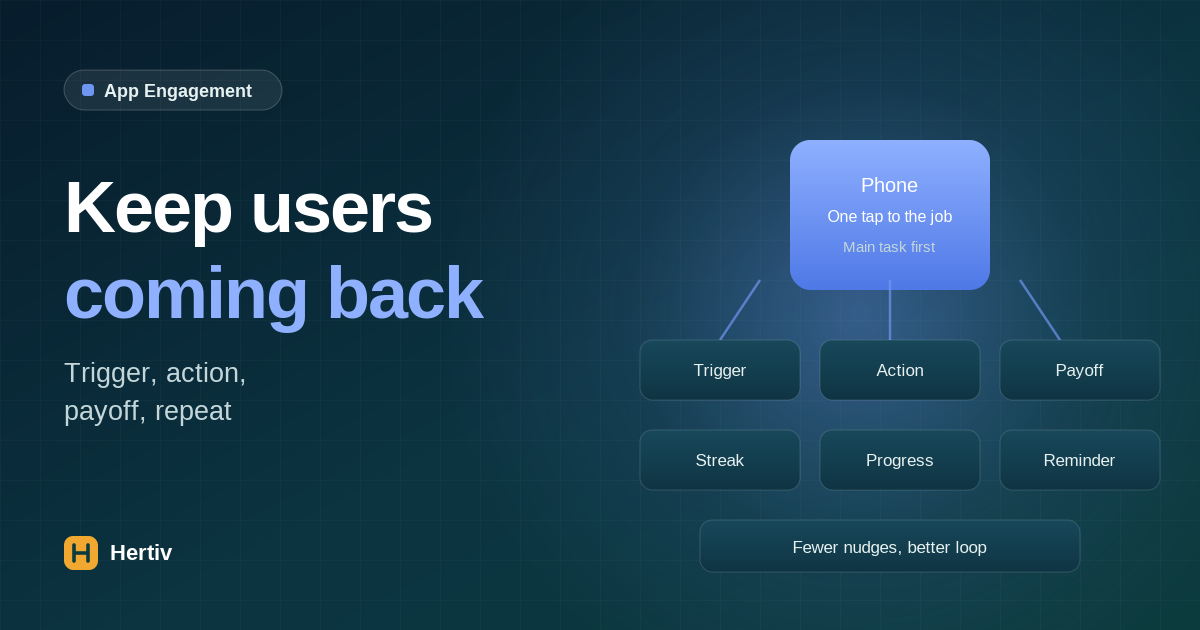
The table below shows the four parts of the loop and what each one needs to work.
| Part of the loop | What it needs | What it looks like |
|---|---|---|
| Trigger | A real need or a timely nudge | Morning check, reminder, message |
| Action | One tap to the main task | Log, check, order, reply |
| Payoff | Something useful or satisfying | Task done, streak kept, result shown |
| Memory | A reason to return tomorrow | Progress, streak, saved item |
The loop has to be honest. An app that tricks people into opening it — with fake urgency, hidden buttons or notifications that lie — loses trust fast, and trust is what the loop runs on. For the launch side of the same problem, see mobile app launch tips.
Why do users stop opening an app?
Users stop opening an app for a small set of reasons, and most of them are fixable. The most common is that the first use was slow or confusing: the app asked for an account, a tutorial and three permissions before showing anything useful, so the user never reached the point where the app helps.
The second reason is that the app does not do enough. A user who downloads an app for one job and finds the job buried under menus, ads and upsells will go back to the tool they used before. The third is noise: too many notifications, sent at the wrong time, about things the user does not care about, train the user to ignore the app entirely.
The fourth reason is that nothing changes. An app that shows the same screen every day, with no progress, no new content and no reason to return, fades from the home screen. People return to apps that remember what they did and build on it.
The fix in each case is the same: make the first use fast, put the main job one tap away, send fewer and better notifications, and give the user visible progress they can come back to.
How do you build a habit loop that works?
You build a habit loop that works by tying the app to something the user already does every day, then making the visit short and the payoff clear.
Start with the trigger. The best triggers are the user's own routines: a morning check, a commute, a workout, a meal, a bedtime routine. An app that fits one of those moments does not need to fight for attention. A reminder that arrives at the right moment helps; one that arrives at a random moment is noise.
Then shorten the action. The main task should take one or two taps from opening the app. If the user has to navigate, search and fill in a form before anything useful happens, the loop breaks. Put the most-used action on the home screen and pre-fill what you already know.
Then make the payoff visible. Show the result of the visit: the task is done, the streak is kept, the balance moved, the reply arrived. A small, honest payoff beats a big, vague one. Streaks, progress bars and saved items all work because they give the user something to protect and return to.
Finally, protect the memory. Save the user's progress, preferences and history so the next visit starts where the last one ended. An app that forgets its user forces them to start again, and starting again is the moment most users give up.
What role do notifications and rewards play?
Notifications and rewards play a supporting role in engagement: they remind the user of a loop that already works, but they cannot create a loop that does not exist.
Good notifications are timely, personal and rare. A reminder that a delivery is on its way, a message that needs a reply, or a streak that is about to break is useful. A generic message sent to everyone at the same time is not. The rule is simple: send a notification only when the user would be glad to have received it, and let them control which kinds they get.
Rewards work the same way. Points, badges and streaks help when they mark real progress the user cares about, such as days exercised, money saved or tasks finished. They fail when they reward opening the app itself, because the user learns to open the app for the reward and leaves once it is collected.
The safest test is to switch notifications and rewards off for a week and see what happens. If the app still gets opened, the loop is real. If usage falls to nothing, the product needs work that no amount of nudging will fix.
Example (hypothetical): a fitness app fixes its first week
Example (hypothetical): a fitness app gets 10,000 downloads in its first month. In the first week, 30% of new users open the app again, which is 10,000 x 30% = 3,000 returning users. The team wants that number higher.
It finds two problems. First, onboarding takes six screens before the user can log a workout. Second, the app sends a generic reminder at 9am to everyone, including users who work out in the evening. The team cuts onboarding to two screens and sends the reminder one hour before each user's usual workout time.
In the next month, retention in the first week rises to 45%, which is 10,000 x 45% = 4,500 returning users. That is 4,500 - 3,000 = 1,500 more returning users from the same 10,000 downloads, with no extra marketing spend.
The lesson is that retention work pays for itself. Growing downloads by 15% would have cost the team a marketing budget; keeping 15% more of the users it already had cost two product changes. For how downloads and retention fit together, see how to get a million app downloads.
What are the common mistakes?
The most common mistakes teams make with app engagement are chasing opens instead of value, overusing notifications, and rewarding the wrong behaviour.
- Chasing opens. Optimising for daily opens pushes teams to add noise. Optimise for the job done instead, and opens will follow.
- Too many notifications. Every notification teaches the user whether opening the app is worth it. Send fewer, and make each one useful.
- Rewarding opening, not progress. Points for opening the app train users to open and leave. Reward the task, the streak or the outcome instead.
- Long onboarding. Asking for an account, a tutorial and permissions before showing value loses users before they start. Show the value first.
- Forgetting the user. An app that does not save progress, preferences or history forces the user to start again each visit, and most will not.
- Copying another app's loop. A streak that works for a language app may not fit a banking app. Build the loop around your users' real routines, not someone else's.
How to improve retention in five steps
You improve retention by fixing the first week first, because that is where most users are lost, and by measuring each change against a baseline.
- Measure the first week. Track how many new users return on day 1, day 3 and day 7, and where they drop off. The drop-off point is where the work is.
- Shorten the first use. Cut onboarding to the minimum, and let the user reach the main job in one or two taps.
- Fix the trigger. Send one well-timed reminder tied to the user's own routine, and let users choose which reminders they get.
- Show progress. Add a visible record of what the user has done — a streak, a history, a saved list — so there is a reason to return.
- Test one change at a time. Change one thing, measure for two weeks, and keep it only if retention rises. Guessing in bulk hides what worked.
For the discovery side of the same problem, see how app store optimisation drives downloads. Retention is a product problem first and a marketing problem second, and the product work is what lasts.
Key takeaways
- Engagement is repeat use, not downloads
- The loop is trigger, action, payoff and memory
- Notifications remind; they cannot create a habit
- The first week is where most users are lost
- Measure retention, then fix one thing at a time
Frequently asked questions
What is mobile app engagement?
Mobile app engagement is the habit of opening an app again because it solves a problem quickly and rewards the visit. It is measured in repeat opens and tasks done, not in downloads.
How do you keep users coming back to an app?
Tie the app to a routine the user already has, make the main task one or two taps away, show a clear payoff for each visit, and save progress so the next visit starts where the last one ended.
Do notifications increase app engagement?
They help only when they are timely, personal and rare, such as a delivery update or a streak about to break. Generic messages sent to everyone teach users to ignore the app, so fewer and better notifications work best.
What is a good retention rate for a mobile app?
It varies widely by category, and there is no single good number. What matters is the trend for your own app: whether day 1, day 3 and day 7 retention rise after each change you make, and where users drop off.
Should an app reward users for opening it?
No. Rewards should mark real progress the user cares about, such as days exercised, money saved or tasks finished. Rewarding the open itself trains users to open the app and leave.
What is the first thing to fix when retention is low?
Fix the first week. Shorten onboarding so the user reaches the main job fast, and send one well-timed reminder tied to their routine. Most users who leave do so in the first few days.


