Mobile App Development Tips That Save Time and Money
Good mobile apps come from planning, testing and small releases. These tips cover scope, design, performance and testing, so your first version ships on time.
On this page
Short answer
Mobile app development goes well when the team plans the scope before building, designs for one main user job, tests on real devices, and releases a small first version. The best tips are simple: cut features early, keep screens simple, measure speed on slow phones, and fix the most common crash first. A team that follows these habits ships sooner and spends less on fixes after launch.
What makes mobile app development go well?
Mobile app development tips are practical habits that help a team plan, build and release an app on time, on budget and without the common failures that delay most first versions. They are not tricks. They are the small decisions, made early, that stop a project from growing out of control.
Most app projects fail in the same ways: the scope grows, the screens get complicated, the app is slow on cheap phones, and testing starts too late. Each of those problems is cheaper to prevent than to fix, and each one is prevented by a habit the team can adopt from the first week.
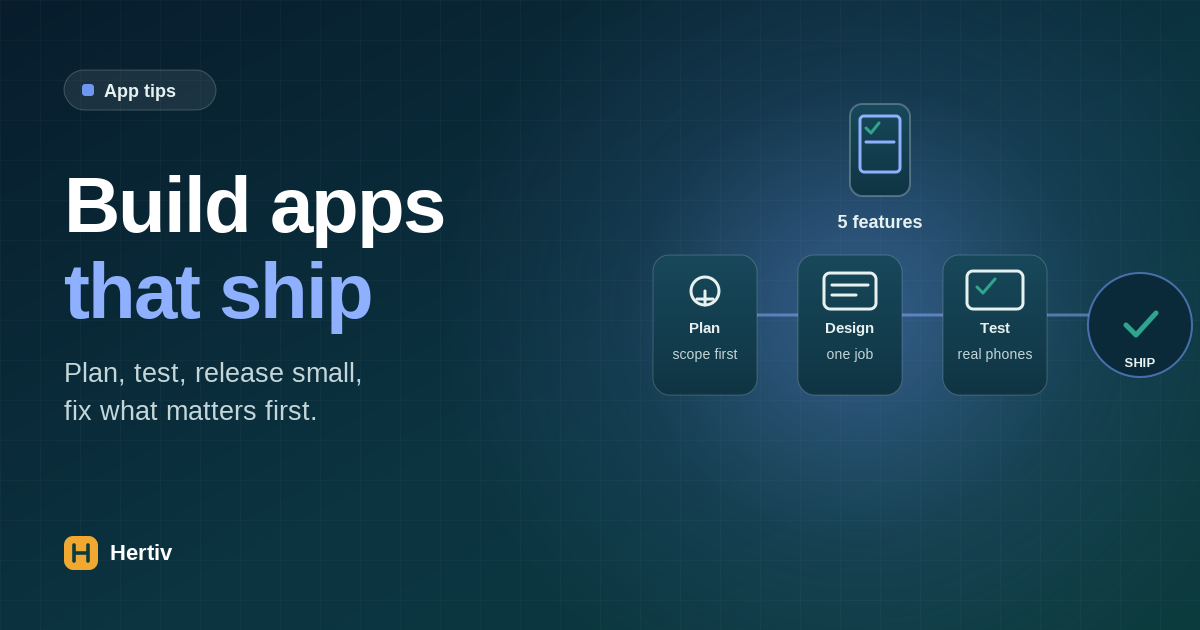
The tips in this article follow the order of a real project: plan first, design for one job, keep the app fast, test on real devices, and release in small steps. A team that follows them will still face surprises, but the surprises will be smaller and easier to fix. For the planning stage in detail, a mobile app development checklist covers what to settle before the build starts.
How do you plan a mobile app build?
You plan a mobile app build by deciding what the first version must do, who it is for, and what it will cost, before anyone writes code. A plan written down in one page will keep the project honest in a way that a long document will not.
- Name the one main job. Write down the single thing a user must be able to do, such as book a slot or check an order.
- List the features that serve it. Keep only the features that help the main job. Move the rest to a later list.
- Sketch the screens. Draw rough screens for the main job before any design work starts.
- Check the hard parts. Ask an engineer which integrations, permissions and data rules could slow the build.
- Set a date and a budget. Agree the first release date and what the team will cut if the date is at risk.
| Planning decision | Decide it | Cost of deciding late |
|---|---|---|
| Main user job | Before design | Screens built for the wrong goal |
| First-version features | Before the build | Months of extra work |
| iOS, Android or both | Before the build | Rebuilding for a second platform |
| Accounts and payments | Before the build | Rework on login and checkout |
| Offline behaviour | Before design | An app that fails without signal |
| Release date | Before the build | A project with no end date |
The most useful tip in planning is to cut early. A first version with five features that work well will teach the team more than a first version with twenty features that half work. If you are unsure what to cut, what an MVP is explains how to choose the smallest version that proves the idea.
Design tips: keep the first version simple
Design an app around one job per screen. When a screen tries to do three things at once, users miss all three. Give each screen a single purpose, one clear action, and nothing that does not help that action.
Use the platform's own patterns. iOS and Android users already know how buttons, lists and back navigation work on their phones. An app that follows those patterns feels familiar on the first use, while an app that invents its own patterns needs to teach every user how to use it.
Keep text short and readable. Buttons should say what happens when you tap them, such as "Book now" rather than "Continue". Error messages should say what went wrong and what to do next, in plain words. Test the design on a small, cheap phone, not only on the newest model, because that is the phone many of your users will hold.
Performance tips: make it fast on slow phones
Speed is a feature, and it is the one users notice first. An app that opens slowly or freezes while loading will be deleted, however good its design is. Test on a slow phone with a weak connection, because that is where the problems show up.
Load only what the screen needs. A list screen should fetch the first page of results, not the whole list. Images should be sized for a phone screen, not full-size files that take seconds to download. Work that can wait, such as syncing data, should happen in the background, not while the user is waiting.
Watch the app's size and its battery use. A large download puts users off installing it, and an app that drains the battery will be removed quickly. Keep the download small by removing unused libraries and images, and test battery use on a real device over a full day, not only in a simulator.
Testing tips: catch problems before users do
Test on real devices, not only in a simulator. Simulators cannot show how an app behaves with a weak signal, a low battery, a full storage or a phone call coming in. Keep two or three real phones on the team: a new model, a mid-range model and an old model.
Test the journeys users actually take. The main job, the login, the payment and the error cases matter far more than the settings screen. Write down the five most common journeys and test them on every release, so a fix in one place does not break another.
Ask real users to try the app before launch. Five users testing for an hour will find problems the team has stopped seeing, such as a button that is too small or a step that confuses people. Fix the problems they find before adding new features, because a bug found by a tester is cheaper than the same bug found by a customer.
Example (hypothetical): a six-week build for a booking app
Example (hypothetical): a team of three builds a booking app for local sports facilities in six weeks. They plan for one week, design and build for four weeks, and test for one week. The first version covers one job only: seeing free slots and booking one.
The plan lists 12 features, but the team cuts 7 of them to the later list, keeping 5 for the first version: browse slots, book a slot, pay, cancel, and a booking reminder. Cutting those 7 features saves about 3 weeks of work, which is why the project finishes in 6 weeks instead of 9.
Testing finds 14 bugs, and the team fixes the 3 most common first: a crash when the connection drops, a payment screen that fails on slow networks, and a booking that shows the wrong time. The other 11 bugs are small display issues that the team fixes after launch. The app ships on the planned date because the team cut scope early and tested on real phones.
What are the common mistakes?
The most common mistakes are building too much, testing too late, and designing for the newest phone only.
- Building too much. A first version with twenty features will be late, buggy and hard to test.
- Testing too late. Testing in the last week leaves no time to fix what it finds.
- Designing for one phone. An app tested only on the newest model will fail on the phones most users own.
- Skipping the plan. Starting to build without a written scope lets every new idea become a feature.
- Ignoring performance. Slow loading and large downloads will lose users faster than a missing feature.
- No release plan. An app with no plan for updates will go stale as phones and operating systems change.
When the first version is live and the team is ready to plan the next release, mobile app development covers how the scope turns into a working app and how later versions are planned.
Key takeaways
- Plan the scope on one page before anyone writes code
- Design each screen around one job and one clear action
- Test on real phones, including old and mid-range models
- Cut features early; a small first version ships sooner
- Fix the most common crash before adding new features
- Release in small steps and keep improving after launch
Frequently asked questions
How long does it take to build a mobile app?
A simple first version usually takes six to twelve weeks, depending on the features, the platforms and how ready the team is. Cutting the scope to one main job is the fastest way to shorten the timeline.
Should I build for iOS, Android or both?
Build for the platform your users already use, and add the second platform once the first version works. Building for both at once doubles the testing and the cost of fixing problems.
How do I keep my app fast on slow phones?
Load only what each screen needs, size images for a phone screen, and move background work out of the user's way. Test on a mid-range phone with a weak connection, not only on the newest model.
When should testing start in mobile app development?
Testing should start in the first week, on rough screens and the main user journey, not in the last week. Early testing finds problems while they are still cheap to fix.
What is the biggest mistake in mobile app development?
Building too much in the first version. A large scope means a late launch, more bugs and a harder test. Cut the first version to the features that prove the idea, and add the rest later.
Do I need a designer for a mobile app?
Yes, for the screens users touch every day. A designer keeps each screen focused on one job and makes the app easy to use. A team without one usually builds screens that confuse users.


