Mobile App Development Timeline: How Long Each Stage Takes
A mobile app usually takes 3 to 6 months from idea to launch. Here is how long each stage takes, and what stretches the timeline.
On this page
Short answer
A typical mobile app takes three to six months to build, from discovery to launch in the app stores. Simple apps with a few screens can ship in eight to twelve weeks, while apps with accounts, payments and integrations usually need four to six months. The timeline depends on scope, design, platform choice and how fast decisions are made.
What is a mobile app development timeline?
A mobile app development timeline is the plan that shows how long each stage of building an app takes, from the first idea to the launch in the app stores. It breaks the work into discovery, design, development, testing and launch, with a time range for each stage.
The timeline is a planning tool, not a promise. It helps a team see where the time goes, what must be decided before the next stage starts, and where delays usually appear. A team that plans by stage can spot a slipping phase early instead of finding out at the end.
Timelines are usually given in weeks for each stage, with a total in months. A simple app and a complex app can share the same stages but take very different amounts of time, because the work inside each stage is different. For the wider service, see mobile app development.
How long does each stage take?
Each stage of a mobile app build has a typical time range, and the ranges below cover most small to mid-size apps. The build stage is the longest, and discovery and design set how smooth the rest of the work will be.
| Stage | Typical time | What happens |
|---|---|---|
| Discovery | 2 to 3 weeks | Goals, users, features and scope |
| Design | 3 to 4 weeks | Screens, flows and visual design |
| Development | 8 to 12 weeks | Building the app and its backend |
| Testing | 2 to 3 weeks | Fixing bugs and checking devices |
| Launch | 1 to 2 weeks | Store review, release and fixes |
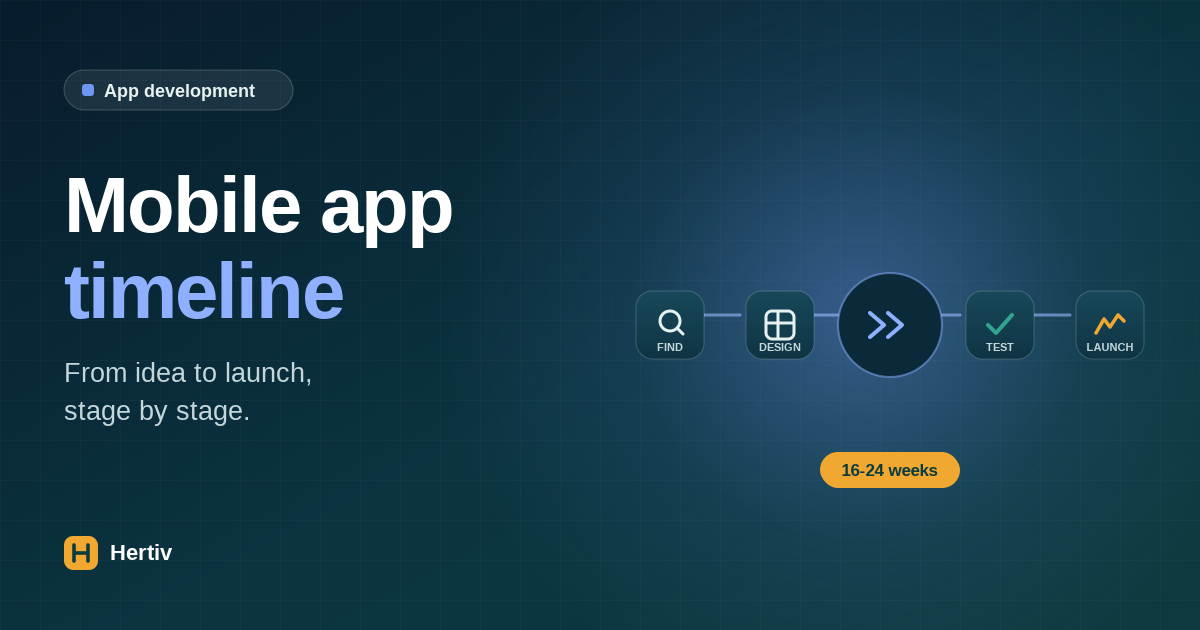
Adding the ranges gives 16 to 24 weeks, or about 4 to 6 months. A simple app can land near the low end, while an app with payments, accounts and third-party services lands near the high end. A clear scope at the start is what keeps a team near the low end.
What makes a timeline longer?
Four things stretch a mobile app timeline more than any others: unclear scope, late decisions, extra integrations and store review problems.
Unclear scope is the biggest one. When features are added during the build, each new feature needs design, code and testing, and the total grows by more than the feature itself. A feature added in week ten costs more time than the same feature added in week two, because it touches work that is already done.
Late decisions slow the build in a quieter way. Waiting a week for approval on a design or a payment provider pauses the work that depends on it. Integrations add time too: each external service needs setup, keys, test accounts and error handling. Store review can add days when an app is rejected for a guideline problem, so the first submission should be planned early.
How to plan your timeline in 6 steps
Plan the timeline backwards from the launch date, and give each stage its own time and its own decision point. The six steps below keep the plan honest.
- Fix the launch date and the scope that fits it. Pick the date first, then cut features until the stages fit inside it.
- Write the feature list before design starts. Every screen and action the app must support, agreed in writing.
- Decide the platform early. One platform or two, and whether the app is native or cross-platform. This shapes the whole build.
- Put decisions on the calendar. Name who approves designs, copy and integrations, and by which date.
- Leave time for testing and store review. Testing is not a gap at the end; it needs its own weeks and a device list.
- Plan the first update. The launch version is rarely final, so keep time after launch for the fixes users report.
Starting with a small testable version helps too. What is an MVP explains how a minimum version cuts the first timeline without cutting the idea.
Example (hypothetical): a booking app timeline
Example (hypothetical): a small team plans a booking app for local sports courts. The app needs accounts, a court list, booking and payment, and a simple admin screen.
Discovery takes 2 weeks: the team interviews 8 court owners, lists the features, and cuts the first version to booking, payment and a basic admin page. Design takes 3 weeks for 14 screens and the booking flow. Development takes 10 weeks: 4 weeks for accounts and the court list, 4 weeks for booking and payment, and 2 weeks for the admin screen and fixes.
Testing takes 2 weeks on 6 devices, and store review takes 1 week after a first rejection for a missing privacy link. The total is 2 + 3 + 10 + 2 + 1 = 18 weeks, or about 4 and a half months. Cutting the admin screen would have saved 2 weeks, but the team kept it because court owners needed it to manage bookings.
What are the common mistakes?
The most common timeline mistakes are starting to build before the scope is fixed, skipping design time, and treating testing as optional.
- Building before the scope is agreed. Code written for a feature that later changes is wasted time, and the rewrite costs more than the first build.
- Skipping design to save weeks. Developers then guess at screens and flows, and the redesign at the end takes longer than the design would have.
- No time for testing. Testing finds the bugs users would find first, and fixing them after launch is slower and more visible.
- Forgetting store review. App stores review submissions, and a rejection can add days. Submit early and leave a buffer.
- One platform priced as two. Building for iOS and Android doubles some work, even with shared code, because each platform needs its own testing and fixes.
A checklist helps avoid most of these. The mobile app development checklist covers the decisions to make before the build starts.
How to keep the timeline on track
Keep the timeline on track with a weekly review of what is done, what is blocked, and what changed since last week. Small slips caught weekly stay small; slips found at the end of a stage do not.
Three habits help most. First, freeze the scope for the current version and put new ideas in a list for the next one. Second, make decisions in the meeting where they are raised, or give them a named owner and a date. Third, test on real devices from the first build, not only at the end, so device problems surface while there is still time to fix them.
If the timeline slips, cut scope before cutting testing. An app that launches a week late with fewer features still works; an app that launches on time with untested payments does not. The launch date matters, but the app working on the first day matters more.
Key takeaways
- A typical mobile app takes 3 to 6 months, or 16 to 24 weeks, from idea to launch
- Development is the longest stage at 8 to 12 weeks; discovery and design set its pace
- Unclear scope, late decisions, integrations and store review stretch timelines most
- Plan backwards from the launch date and cut features until the stages fit
- Cut scope before cutting testing when a timeline slips
- A booking app with accounts and payments took 18 weeks in the worked example
Frequently asked questions
How long does it take to build a simple mobile app?
A simple app with a few screens and no accounts or payments can ship in eight to twelve weeks. That covers a short discovery, basic design, a focused build and a week or two of testing. Adding accounts, payments or integrations moves the timeline toward four to six months.
What is the longest stage of app development?
Development is usually the longest stage, at eight to twelve weeks for a small to mid-size app. It covers the app itself, the backend, integrations and fixes. Discovery and design take five to seven weeks together, and testing and launch add three to five weeks.
Does building for iOS and Android double the time?
Not quite double, but it adds real time. Shared code helps, yet each platform needs its own testing, fixes and store submission. Plan extra weeks for the second platform, and more if the app uses features that behave differently on each one.
Why do app timelines slip so often?
The usual causes are scope added during the build, decisions that arrive late, and integrations that take longer than expected. Each of these is hard to see early. A fixed feature list, named decision owners and a weekly review catch most slips while they are still small.
How long does app store review take?
Review usually takes a few days, but a rejection can add a week or more while the problem is fixed and the app is resubmitted. Submit early, check the store guidelines before the first submission, and keep a buffer week in the plan for review.
Can an app launch in under two months?
Yes, when the scope is small: a few screens, no accounts, no payments and one platform. A minimum version with one core job can ship in six to eight weeks. The trade-off is features, not quality, so pick one job and do it well.


