What Are the Key Components of Cloud Native Applications?
Cloud native applications are built from containers, microservices, orchestration and automated delivery. This guide explains each part and how they fit together.
On this page
Short answer
The key components of a cloud native application are containers, microservices, an orchestrator such as Kubernetes, a service mesh, automated CI/CD pipelines and observability tooling. Together they let small teams release changes often, scale parts of the system on demand and recover from failures without taking the whole application down.
What is a cloud native application?
A cloud native application is software designed from the start to run on cloud infrastructure, built as small services that are packaged in containers, deployed through automation and scaled independently. It is not an old application moved onto a cloud server; the architecture itself assumes the cloud is there.
The approach grew out of a simple problem: a single large application is hard to change, hard to scale and hard to keep running. Splitting it into services that each do one job well makes the system easier to reason about, easier to test and easier to replace piece by piece.
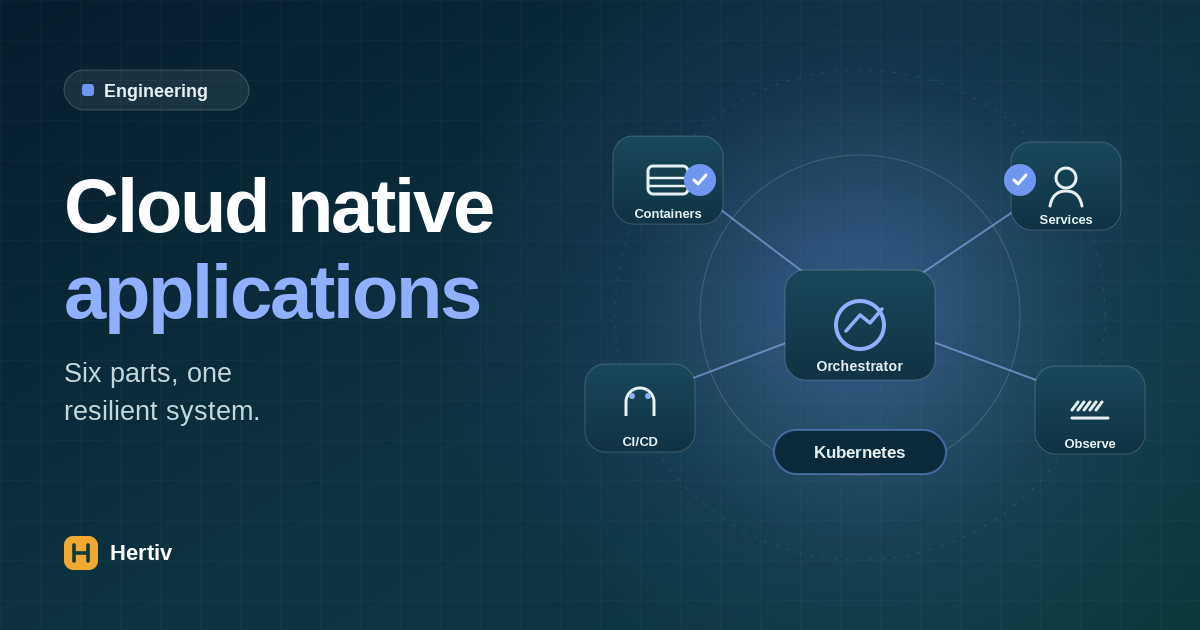
The six components below form the core of the pattern:
| Component | What it does | Typical tooling |
|---|---|---|
| Containers | Package the app with its dependencies | Docker images, registries |
| Microservices | Split the app into small services | One service per bounded job |
| Orchestration | Run, scale and heal containers | Kubernetes, managed clusters |
| Service mesh | Secure and observe service traffic | Sidecar proxies, mTLS |
| CI/CD pipelines | Test and release changes automatically | Build, test and deploy stages |
| Observability | Logs, metrics and traces in one place | Collectors, dashboards, alerts |
Each component solves one part of the problem, and each one can be adopted on its own. A team does not need all six on day one, but the full set is what makes the system resilient. For the surrounding platform, see cloud services.
What do containers and microservices do?
Containers and microservices give a cloud native application its shape. A container packages one service together with the libraries and settings it needs, so the same image runs the same way on a laptop, in a test environment and in production.
A microservice is one small, independently deployable part of the system: a checkout service, a search service, a notification service. Each one owns its own data and talks to the others through well-defined interfaces, usually HTTP APIs or message queues.
This split has a cost. More services mean more things to deploy, monitor and secure, and a request that once stayed inside one process now crosses a network. Teams accept that cost because the payoff is real: one service can be changed, tested and released without touching the rest. A good starting point is to split along business boundaries, not technical ones, so each service maps to something the business actually does.
How does orchestration hold the parts together?
Orchestration is the layer that runs containers, keeps the right number of copies alive and replaces ones that fail. Kubernetes is the most widely used orchestrator, and most cloud providers offer a managed version so the team does not run the control plane itself.
The orchestrator works from a desired state: the team declares how many copies of each service should run, how much CPU and memory each needs, and how traffic should reach them. The orchestrator then makes reality match that declaration, restarting failed containers, spreading copies across machines and rolling out new versions one copy at a time.
Rolling updates matter because they remove the big-bang release. A new version of one service can be deployed while the old version still serves traffic, and the rollout can be paused or reversed if errors rise. Health checks tell the orchestrator whether a container is ready to receive traffic and whether it has stopped responding, so a broken copy is replaced before users notice. For the delivery side of this, see DevOps services.
How do cloud native apps handle data and state?
Cloud native applications keep state out of the services themselves. A service should be able to start, stop and move without losing anything important, because the orchestrator will restart it whenever it wants.
That means persistent data lives in managed services: a database, a cache, an object store or a message queue. The application services are stateless, reading and writing through those stores, and each service owns its own data so that a change to one schema does not ripple through the whole system.
Two patterns come up constantly. First, configuration and secrets are injected at runtime through environment variables or a secrets store, never baked into the container image. Second, long-running work is handed to queues and workers instead of blocking a web request, so a slow job cannot hold up the user-facing service. Backups and point-in-time recovery are set up for the data stores, because a container can be rebuilt in seconds but lost data cannot.
How do you ship changes safely?
Cloud native teams ship changes through automated CI/CD pipelines: every commit is built, tested and deployed by machines, not by a person following a runbook. The pipeline is what turns small services into fast releases.
A typical pipeline runs unit tests, builds the container image, scans it for known vulnerabilities, deploys it to a test environment, runs integration tests, then promotes the same image to production. Nothing is rebuilt between environments, so what was tested is exactly what ships.
Safe releases also need a way back. Teams use blue-green deploys or canary releases, sending a small share of traffic to the new version and watching error rates before widening the rollout.
Feature flags let a change ship in the code but stay switched off until the team is ready. The rule that makes all of this work is small changes: a release that touches one service and one behaviour is easy to review, easy to test and easy to reverse. A microservices design is what makes small releases possible in the first place.
Example (hypothetical): moving a booking app to cloud native
Example (hypothetical): a 40-person travel company runs a booking app as one large application on a single server. Releases take a full day, and a bug in the payment code can take the whole site down.
The team splits the app into five services: search, booking, payment, notifications and admin. Each service gets its own container image and its own pipeline, and the orchestrator runs two copies of each. A release now touches one service and takes 20 minutes instead of 240.
The arithmetic shows why the change pays off. The team releases twice a week, 104 times a year, and each release saves 220 minutes of deployment and rollback work. That is 104 times 220, which is 22,880 minutes, or about 381 hours a year freed for building features. Downtime drops too, because a failed payment service no longer takes search and booking down with it.
What are the common mistakes?
The most common cloud native mistakes are splitting too early, treating containers as virtual machines, and skipping observability until something breaks.
- Splitting a small app into twenty services. A team of three does not need twenty services; the overhead of deploying and debugging them eats the benefit. Start with a few services and split further only when a boundary hurts.
- Storing state in containers. Files written inside a container disappear when it restarts. State belongs in a database or object store.
- No health checks. Without readiness and liveness checks, the orchestrator cannot tell a healthy container from a stuck one.
- Shipping without observability. Logs, metrics and traces must be in place before the first production incident, not after it.
- Manual deploys. If a release still needs a person to run commands, the team has containers but not a cloud native workflow.
Key takeaways
- Containers package each service so it runs the same way everywhere
- Microservices let one part of the system change without touching the rest
- An orchestrator keeps the declared number of copies running and replaces failures
- State lives in managed data stores, not inside containers
- Automated pipelines and small releases make shipping safe and reversible
Frequently asked questions
Do cloud native applications have to run on Kubernetes?
No. Kubernetes is the most common orchestrator, but the pattern is about containers, automation and independent services, not one tool. Managed container services and other orchestrators can serve the same role for smaller systems.
Is a cloud native application the same as a microservices application?
Microservices are one component of cloud native design, but not the whole pattern. A cloud native application also needs containers, orchestration, automated delivery and observability to be operated safely at scale.
Can an existing application become cloud native?
Yes, gradually. Teams usually start by containerising the application, adding a pipeline and splitting off one service at a time. A full rewrite is rarely needed, and the riskiest parts are usually split first.
How many services should a cloud native application have?
As few as the business needs. Each service should map to one clear job, such as search or payment. Small teams often start with three to six services and split further only when a boundary causes real pain.
What is the difference between cloud native and cloud hosted?
A cloud hosted application is an existing system moved onto cloud servers. A cloud native application is designed for the cloud from the start, with containers, independent services and automated delivery built into how it is written and run.
Does cloud native cost more than a single server?
It often costs more at first, because of the extra tooling and managed services. The payoff is faster releases, better use of resources through scaling, and less downtime. Teams should measure release time and incident cost, not just the hosting bill.


